 USA
USA UAE
UAESmall Business
Designed for startups and growing businesses


See More





Brand: Adobe
Adobe Fresco is a powerful digital drawing and painting tool designed for artists, illustrators, and designers. It combines the benefits of traditional drawing techniques with modern digital tools, allowing users to create dynamic artwork. Adobe Fresco offers an intuitive interface and advanced tool...
See MoreHave you used Adobe fresco before?
Share your insights for better experience
Brand: Adobe
Founded Year: 1982
Adobe is the global leader in digital media and digital marketing solutions.
Looking for The Right Pricing?
Share your requirements and get a plan built around your business.
Price Available on Request
Get personalised Adobe fresco pricing that fits your needs. Our team will connect with you.
 Drawing Management Graphic Design Design Tools Drawing Tools Easy to Draw Photo Editing Text Editor Content Library

Watch the demo video to explore key features, real workflows, and how the software fits your business needs.
 Windows
  iOS
iOS  Desktop
  Mobile
  iPad
iPad  Cloud-Based
  Perpetual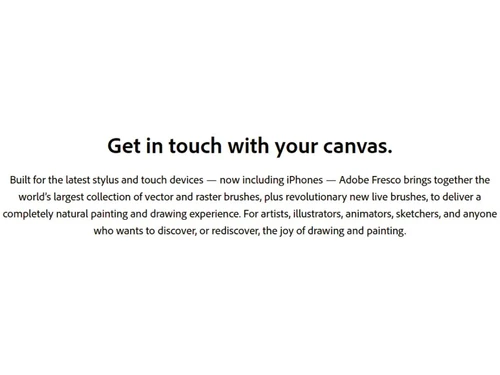
Small Business
Designed for startups and growing businesses
Medium Business
Built for business growth and flexibility
Enterprises
Designed for complex and large-scale business needs
4.0
Out of 5

Overall Rating
Based on
5 Verified Ratings
Rating Breakdown
90% Recommend this Product
Add ReviewTechjockey Trusted Reviews from Verified Users
No reviews are currently available for Adobe fresco. Discover similar Sketching Software reviews

ibisPaint
Whats great - Layer support is comparable to desktop software. read more

Sketchbook
Whats great - Great for quick sketching and idea generation, customizable brushes, smooth performance even on large canvases, scan sketch f... read more

Fusion 360
Whats great - I use Fusion 360 as a speedy and straightforward approach to effortlessly coax things out. It is an a lot quicker stacking an... read more

Adobe fresco
Price On Request
Desktop
Mobile
Web based
On Premises
Windows
Mac OS

Procreate
₹ 999
Desktop
Mobile
Web based
On Premises
Windows
Mac OS

dreamlike art
Price On Request
Desktop
Mobile
Web based
On Premises
Windows
Mac OS

ZBrush
₹ 5767
Desktop
Mobile
Web based
On Premises
Windows
Mac OS
ibisPaint
Price On Request
Desktop
Mobile
Web based
On Premises
Windows
Mac OS
Tux Paint
Price On Request
Desktop
Mobile
Web based
On Premises
Windows
Mac OS
Sketchbook
Price On Request
Desktop
Mobile
Web based
On Premises
Windows
Mac OS

Vizcom
Price On Request
Desktop
Mobile
Web based
On Premises
Windows
Mac OS

Apexwin
Price On Request
Desktop
Mobile
Web based
On Premises
Windows
Mac OS

Clip Studio Paint
Price On Request
Desktop
Mobile
Web based
On Premises
Windows
Mac OS

Flame Painter
₹ 1560
Desktop
Mobile
Web based
On Premises
Windows
Mac OS
(0) Product(s) selected
Starting Price:
$16 /Month
Available
Price on Request
Starting Price:
$395 /Quantity
Starting Price:
₹1,560 /Quantity

Starting Price:
$5 /License

Available
Price on Request

Starting Price:
$20 /Month

Starting Price:
$2 /License

Starting Price:
$2 /Monthly

Available
Price on Request
Yes, Adobe Fresco is designed to be beginner-friendly while still offering advanced tools for professionals. Its intuitive interface makes it easy for new users to start drawing.
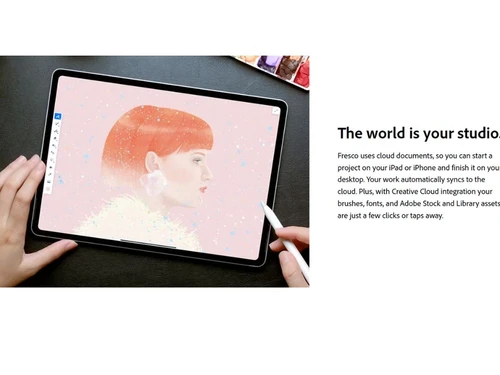
Yes, Adobe Fresco is compatible with tablets, touch-enabled laptops, and other devices. Projects are saved on the cloud, ensuring you can work from anywhere.
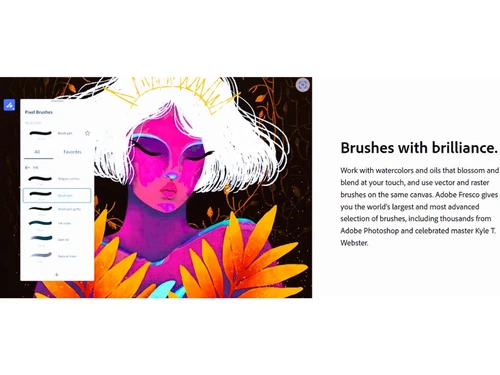
Adobe Fresco provides a variety of brushes, including live brushes that mimic natural media like watercolor, oil paint, and pencil.
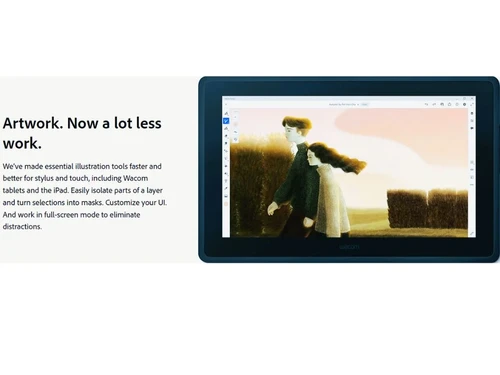
Yes, Adobe Fresco integrates seamlessly with tools like Photoshop, Illustrator, and Adobe Creative Cloud for enhanced workflow and flexibility.
Adobe Fresco offers a free version with limited features. For full access, you can subscribe to a premium plan.
Absolutely. Adobe Fresco is widely used by professional artists, illustrators, and designers for projects like branding, advertising, and book illustrations.
Yes, it includes photo editing tools that allow you to adjust colors, layers, and effects in your projects.
Adobe Fresco works on iPads, Windows touch-enabled devices, and certain Android tablets. Ensure your device meets the software’s technical requirements.
Yes, you can use Adobe Fresco offline. However, certain features like cloud syncing and updates require an internet connection.
Adobe Fresco requires a touch-enabled device with stylus support. The software works best on devices with high-resolution displays and sufficient processing power.
20,000+ Software Listed
Best Price Guranteed
Free Expert Consultation
2M+ Happy Customers
Terms and Condtions

Users with registered businesses can purchase goods from merchants on the platform to satisfy their business needs. Users are not permitted to utilize any products acquired through the platform for resale, advertising, business, or further distribution.
For each purchase made, users will receive a Tax Invoice (or 'GST invoice') that includes specific details such as:
the GSTIN of the user associated with their registered business, and
the specified Entity Name for their business.
It should be noted that not all products are eligible for GST Invoice. Only the products displayed by participating sellers with the 'GST-based Invoice Available' callout on the product description page would qualify.
Certain goods and services are not eligible to get a GST Invoice, including items with VAS, i.e., Value Added Services (e.g., Total Mobile Protection/Assured Buyback) and those involving an exchange offer at the time of purchase.
Users must ensure the accuracy of the GSTIN, and business entity name provided for the GST Invoice. Requests for corrections into GST Invoice would not be accommodated by Techjockey.com or any Seller, and any issues arising from user-provided information are the sole responsibility of users.
Techjockey.com is not liable for the GST Invoice or any associated input tax credit. To efficiently claim an input tax credit, users should select the registered place of business address as per the GST authority's data and follow the provisions of the GST Act and rules.
To claim an input tax credit, the delivery and billing addresses must match. Furthermore, input tax credits will not be granted if the delivery address and GSTIN on the invoice are from different states. In case of incorrect GST details provided during the order placement, the order will be canceled automatically.



