USA
USA UAE
UAESmall Business
Designed for startups and growing businesses

See More





Brand: Cincopa
Cincopa is an advanced image and podcast hosting platform. It is trusted by 5000+ companies, enterprises and SMBs, providing some great results. The online meeting software enables its users to gain the maximum amount of brand exposure by showcasing their watermark or logo as per their choice. The software lets its users turn their multimedia into an authoritative traffic source by adding a custo...
See MoreHave you used Cincopa before?
Share your insights for better experience
Brand: Cincopa
Founded Year: 2006
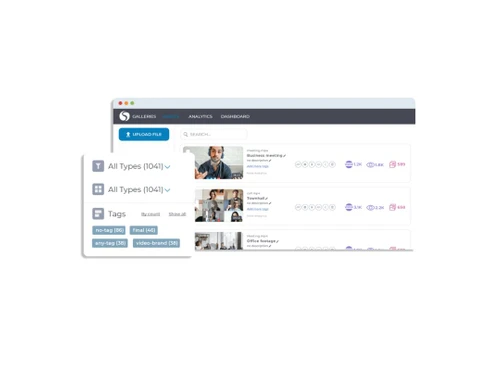
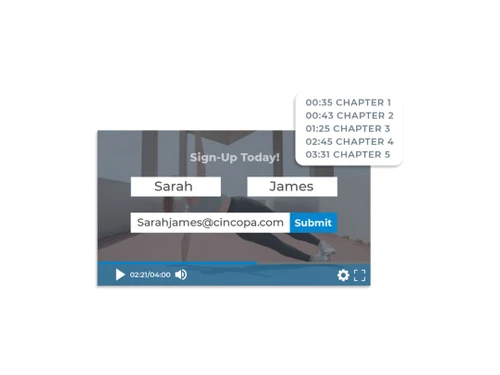
Cincopa is an all-in-one video and image hosting platform for marketers, content creators, and online educators.
 Video Channel Video Hosting Video Portals Video Marketing Tool Video Gallery Video Player Developer API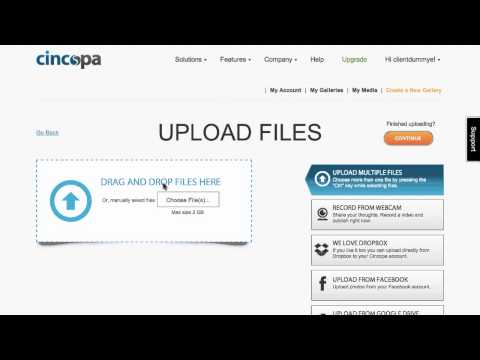

Watch the demo video to explore key features, real workflows, and how the software fits your business needs.
 Windows
  Desktop
  Cloud-Based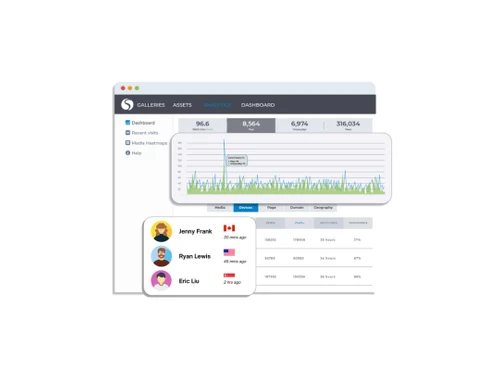
Small Business
Designed for startups and growing businesses
Medium Business
Built for business growth and flexibility
Enterprises
Designed for complex and large-scale business needs
4.5
Out of 5

Overall Rating
Based on
3 Verified Reviews
Rating Breakdown
83% Recommend this Product
Add ReviewUsers generally appreciate Cincopa for its diverse templates and ease of use in creating media presentations and photo galleries, which enhance their marketing efforts. The software's integration capabilities are frequently highlighted as beneficial for lead generation. However, some users have noted issues with the drag-and-drop functionality and expressed a desire for mobile support on iOS and Android platforms. Overall, Cincopa is viewed positively, with minor limitations that could be improved.

May 8, 2020
Techjockey Verified
“Adds uniqueness to my presentation through templates”
Pros
There are a number of templates that I can use for media such as videos and images, for the presentation. Additionally, the simple and personalized play button allows me to host videos and provide management solutions.
Cons
The software has no major issues. However, I simply wish that it gets a mobile version soon with support on iOS and Android platforms.
May 8, 2020
Techjockey Verified
“I can create photo galleries of my events”
Pros
In order to control the way the calls are made, the software comes with multiple options for integration, which is quite good. Being a script-based import with its own container, it makes the task of dropping into nearly any webpage truly easy. Further, it has really helped me to create photo galleries of events that I host.
Cons
It took me nearly 20 minutes to replace a broken photo section on my website. Apart from that, the software works fine for me.
May 8, 2020
Techjockey Verified
“Convert viewers into customers easily with Cincopa”
Pros
This software has helped me in marketing my business by increasing demand and generating leads. Also, its powerful integration with my marketing automation platform helps in converting viewers into customers, which is an added advantage.
Cons
As per my experience, the software’s drag and drop functionality during re-ordering a gallery has the tendency to break. This is either being treated as text or as a complicated lock-up.

Cincopa
Price On Request
Desktop
Mobile
Web based
On Premises
Windows
Mac OS

Cisco Webex
₹ 950
Desktop
Mobile
Web based
On Premises
Windows
Mac OS

Tencent RTC
Price On Request
Desktop
Mobile
Web based
On Premises
Windows
Mac OS

Interactio
Price On Request
Desktop
Mobile
Web based
On Premises
Windows
Mac OS

AONMeetings
₹ 152
Desktop
Mobile
Web based
On Premises
Windows
Mac OS

Pexip
Price On Request
Desktop
Mobile
Web based
On Premises
Windows
Mac OS

VideoMeet
₹ 499
Desktop
Mobile
Web based
On Premises
Windows
Mac OS

VidyoConnect
Price On Request
Desktop
Mobile
Web based
On Premises
Windows
Mac OS

JioMeet
Price On Request
Desktop
Mobile
Web based
On Premises
Windows
Mac OS

xpression camera
Price On Request
Desktop
Mobile
Web based
On Premises
Windows
Mac OS

GoToMeeting
Price On Request
Desktop
Mobile
Web based
On Premises
Windows
Mac OS
(0) Product(s) selected
Available
Price on Request
Available
Price on Request
Available
Price on Request
Available
Price on Request
Starting Price:
$8

Starting Price:
$849 /Month

Starting Price:
₹1,299 /Month

Starting Price:
$20

Starting Price:
$99 /Month

Available
Price on Request




Users get to showcase their video content within a timeframe that is visually appealing as well. They also get access to some predesigned color palettes, advanced marketing features and fully responsive layouts.
The SEO feature is pre-embedded within code and correctly indexes a gallery, once it gets added to a web page.
Yes, Techjockey provides an online demo of Cincopa. You can send us a request with your preferable time and date mentioned in it.
The software comes with readymade plugins that are compatible with the Moodle and LMS platforms of the user. It enables the user to embed any multimedia content like slideshows, image galleries, audios and videos with ease.
Yes, the software has a mobile app under the same name. The current version is compatible with iOS versions.
20,000+ Software Listed
Best Price Guranteed
Free Expert Consultation
2M+ Happy Customers
Terms and Condtions

Users with registered businesses can purchase goods from merchants on the platform to satisfy their business needs. Users are not permitted to utilize any products acquired through the platform for resale, advertising, business, or further distribution.
For each purchase made, users will receive a Tax Invoice (or 'GST invoice') that includes specific details such as:
the GSTIN of the user associated with their registered business, and
the specified Entity Name for their business.
It should be noted that not all products are eligible for GST Invoice. Only the products displayed by participating sellers with the 'GST-based Invoice Available' callout on the product description page would qualify.
Certain goods and services are not eligible to get a GST Invoice, including items with VAS, i.e., Value Added Services (e.g., Total Mobile Protection/Assured Buyback) and those involving an exchange offer at the time of purchase.
Users must ensure the accuracy of the GSTIN, and business entity name provided for the GST Invoice. Requests for corrections into GST Invoice would not be accommodated by Techjockey.com or any Seller, and any issues arising from user-provided information are the sole responsibility of users.
Techjockey.com is not liable for the GST Invoice or any associated input tax credit. To efficiently claim an input tax credit, users should select the registered place of business address as per the GST authority's data and follow the provisions of the GST Act and rules.
To claim an input tax credit, the delivery and billing addresses must match. Furthermore, input tax credits will not be granted if the delivery address and GSTIN on the invoice are from different states. In case of incorrect GST details provided during the order placement, the order will be canceled automatically.