linkedin
ClickRain logo
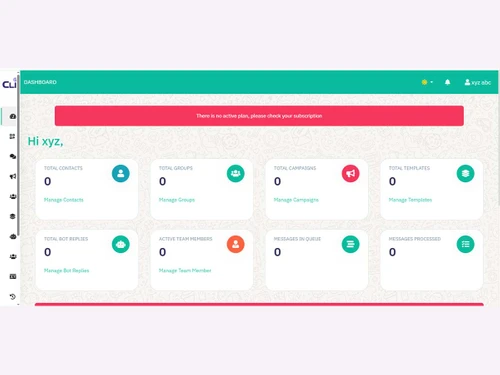
ClickRain dashboard
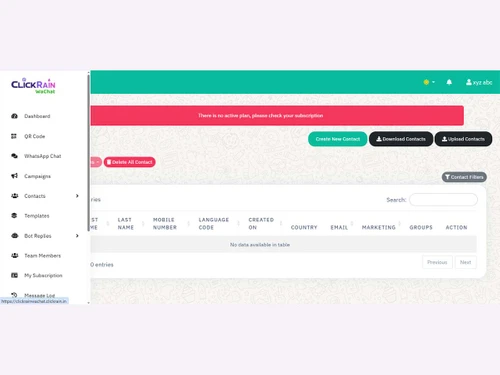
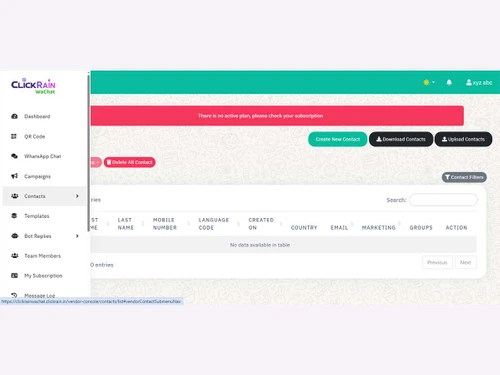
ClickRain-contacts
ClickRain campaigns

ClickRain

Brand: ClickRain

  • No Ratings & Reviews

Have you used ClickRain before?

Share your insights for better experience

Add a Review
Starting Price
₹1,999 excl.GST
₹ 2,359 incl. GST

View plans

100% Genuine
Products
Best Price
Guaranteed
Safe & Secure
Payment
  • Pricing

  • Features

  • Specification

  • Review

Starting at ₹1,999

ClickRain Pricing & Plans

Standard

Calculated Price

1999 Exclusive of all taxes
    • Quantity

      Quantity
      Quantity
    • Yearly

      Yearly
      Yearly
Premium

Calculated Price

2999 Exclusive of all taxes
    • Quantity

      Quantity
      Quantity
    • Yearly

      Yearly
      Yearly
Ultimate

Calculated Price

4999 Exclusive of all taxes
    • Quantity

      Quantity
      Quantity
    • Yearly

      Yearly
      Yearly

ClickRain Features

Bulk Messaging & Broadcasting

  • icon_check Bulk Messaging
    High-volume broadcasting to unlimited contacts using official WhatsApp API templates.
  • icon_check Customizable Templates
    Manage and deploy Meta-approved message templates with dynamic placeholders.
  • icon_check Auto Replies
    Triggers instant automated responses for greetings, FAQs, and out-of-office hours.
  • icon_check Rich Media Support
    Supports sending and receiving images, videos, PDFs, audio, and location pins.
  • icon_check Scheduled Messaging
    Allows scheduling of both individual messages and mass broadcasts for future dates.
  • icon_check Message Templates
    Centralized management of approved templates for marketing, utility, and OTPs.
  • icon_check Preview Mode
    Includes a testing environment to view bot flows and message formats before going live.
  • icon_check Broadcast Lists
    Manage and send messages to large segments of contacts using official API rules.

Contact Management & Segmentation

  • icon_check Sync Contacts
    Features contact management with bulk upload and bi-directional synchronization options.
  • icon_check Import/Export Contacts
    Full support for CSV/Excel file handling for easy contact database migration.
  • icon_check Contact Tagging & Segmentation
    Categorizes users with custom tags for targeted marketing and better segmentation.
  • icon_check Deduplication
    System manages contact entries to ensure unique records and prevent spamming.
  • icon_check Blacklist/Unsubscribe
    Automated management of opt-outs to ensure compliance and maintain quality scores.

Chatbot & Automation

  • icon_check Drip Campaigns
    Allows setting up automated message sequences for lead nurturing and scheduled follow-ups.
  • icon_check Workflow Automation
    Includes a visual 'Bot Flow' builder to automate complex customer journeys without code.
  • icon_check Canned Responses
    Provides 'Quick Replies' for agents to answer frequent questions with a single click.
  • icon_check Auto Replies
    Triggers instant automated responses for greetings, FAQs, and out-of-office hours.
  • icon_check Automated Follow-Ups
    Re-engages customers automatically after a specific period of inactivity or a trigger.
  • icon_check Automatic Retry
    System attempts to redeliver messages that failed due to temporary network issues.
  • icon_check Campaign Scheduling
    Plan and time your marketing outreach to hit the most active user windows.
  • icon_check Hybrid Mode
    Seamlessly transitions between AI chatbot automation and live human agent support.
  • icon_check Recurring Messaging
    Automates repeated alerts like payment reminders or weekly newsletters.

AI Features

  • icon_check Lead Qualification
    Uses interactive bot flows to ask questions and categorize leads before human handoff.
  • icon_check AI Chatbots
    Features an advanced AI bot builder with support for unlimited flows and replies.
  • icon_check AI Sentiment Analysis
    Utilizes AI to understand customer intent and route chats based on urgency or mood.
  • icon_check Auto-Responders
    Configurable keyword-based triggers that provide immediate help to users.
  • icon_check Predictive Analytics
    Use AI to forecast user behavior and engagement.

Multi-Agent & Team Collaboration

  • icon_check Alerts & Notifications
    Sends automated triggers for order updates, appointment reminders, and critical alerts.
  • icon_check Internal Notes
    Enables agents to collaborate by adding private comments within customer chat threads.
  • icon_check Shared Inbox
    A unified team inbox where multiple agents can manage conversations simultaneously.
  • icon_check Unlimited Agents
    Offers plans that support multiple team members without per-seat restrictions.
  • icon_check Live Agent Support
    Dedicated dashboard for real-time human interaction with customers.
  • icon_check Chat Transfer
    Facilitates moving a conversation from one agent or department to another.

Integrations

  • icon_check Payment Gateway Integration
    Supports interactive buttons and links to facilitate payments within the WhatsApp chat flow.
  • icon_check CRM Integration
    Natively connects with popular CRMs and custom databases via API and Webhooks.
  • icon_check API Integration
    Offers robust API access to send messages and sync data with external business systems.
  • icon_check ERP Integration
    Connects with ERPs (including Tally) to automate invoices and transaction notifications.
  • icon_check Third Party Integrations
    Connects with Zapier, Pabbly, and other automation platforms for expanded utility.
  • icon_check OpenAI Integration
    Integrates with ChatGPT/OpenAI to provide more human-like, conversational bot replies.
  • icon_check WhatsApp Business API
    Official Meta-partnered solution providing full access to API-level features.
  • icon_check E-Commerce Platforms
    Connects with platforms like Shopify to send order confirmations and updates.
  • icon_check Webhooks Integration
    Real-time event notifications sent to your own server for custom app actions.
  • icon_check Chatbot Integration
    Build and embed interactive bots directly into the WhatsApp communication flow.
  • icon_check TallyPrime Integration
    Specialized integration to send Tally invoices, ledgers, and reports via WhatsApp.
  • icon_check E-Signatures
    Collect legally binding electronic signatures.

Analytics & Reporting

  • icon_check Conversion Tracking
    Analytics dashboard monitors campaign success, click-through rates, and ROI.
  • icon_check Campaign Performance
    Detailed reports on message delivery, read rates, and overall engagement metrics.
  • icon_check Delivery & Read Reports
    Real-time tracking of when messages are successfully delivered and opened.
  • icon_check Engagement Metrics
    Analyzes user interaction depth, response times, and button click rates.
  • icon_check Real Time Dashboards
    Live visual interface showing active chats, team status, and campaign progress.
  • icon_check Agent Performance Metrics
    Tracks agent response speeds, resolution times, and customer satisfaction.

Security & Compliance

  • icon_check Audit Trail
    Provides a clear record of message history, bot interactions, and agent activities.
  • icon_check Audit Logs
    Tracks all system events and user actions to ensure security and operational transparency.
  • icon_check Data Encryption
    Uses official WhatsApp Business API infrastructure with end-to-end encryption.
  • icon_check IP Whitelisting
    Enterprise security feature to restrict API and Webhook access to trusted IP addresses.
  • icon_check Role-Based Access Control (RBAC)
    Assigns specific permissions to team members (Admin vs. Agent) to manage data access.
  • icon_check GDPR & CCPA Compliance
    Ensures data privacy and security in line with global data protection regulations.
  • icon_check API Rate Limiting
    Adheres to official WhatsApp messaging tiers to maintain high sender quality.
  • icon_check Anti Spam Filtering
    Built-in controls to prevent account banning by following official API guidelines.
  • icon_check Data Retention
    Provides options for managing how long chat history and contact data are stored.
  • icon_check Opt-In/Opt-Out Management
    Handles user consent status automatically to stay compliant with Meta policies.

ClickRain Specifications

Supported Platforms
Windows Windows MacOS MacOS
Devices
Desktop Desktop
Deployment
Cloud-Based Cloud-Based
Suitable For
All Industries
Business Specific
All Businesses
Business Size
Small Business Startups Medium Business SMBs
Customer Support
Email
Language
English
Integration
API Integration
Training Resources
Live Online

ClickRain Review

Techjockey Trusted Reviews from Verified Users

No reviews are currently available for ClickRain. Discover similar WhatsApp Marketing Software reviews

  • Whatso

    4.1

    Whats great - It is more efficient with excellent response. read more

  • Rapbooster

    4.3

    Whats great - It works Perfectly fine, with the best support, interactive, Responsive UI, and API. read more

  • WappBlaster

    3.9

    Whats great - Nothing read more

Articles for ClickRain

See All Related Articles

20,000+ Software Listed

Best Price Guranteed

Free Expert Consultation

2M+ Happy Customers

Terms and Condtions

close

Users with registered businesses can purchase goods from merchants on the platform to satisfy their business needs. Users are not permitted to utilize any products acquired through the platform for resale, advertising, business, or further distribution.

For each purchase made, users will receive a Tax Invoice (or 'GST invoice') that includes specific details such as:

  • the GSTIN of the user associated with their registered business, and

  • the specified Entity Name for their business.

It should be noted that not all products are eligible for GST Invoice. Only the products displayed by participating sellers with the 'GST-based Invoice Available' callout on the product description page would qualify.

Certain goods and services are not eligible to get a GST Invoice, including items with VAS, i.e., Value Added Services (e.g., Total Mobile Protection/Assured Buyback) and those involving an exchange offer at the time of purchase.

Users must ensure the accuracy of the GSTIN, and business entity name provided for the GST Invoice. Requests for corrections into GST Invoice would not be accommodated by Techjockey.com or any Seller, and any issues arising from user-provided information are the sole responsibility of users.

Techjockey.com is not liable for the GST Invoice or any associated input tax credit. To efficiently claim an input tax credit, users should select the registered place of business address as per the GST authority's data and follow the provisions of the GST Act and rules.

To claim an input tax credit, the delivery and billing addresses must match. Furthermore, input tax credits will not be granted if the delivery address and GSTIN on the invoice are from different states. In case of incorrect GST details provided during the order placement, the order will be canceled automatically.