linkedin
Confrere logo
play How Confrere works: Easy & secure video calls for healthcare
confrere brand
confrere link

Confrere

Brand: Confrere

  • 4.5

  • 5 Ratings

Confrere is a video conferencing platform known for secure online consultations, emphasizing user-friendly interactions and ease of use for clients and professionals.

See More

Have you used Confrere before?

Share your insights for better experience

Add a Review
Starting Price
€39

View plans

100% Genuine
Products
Best Price
Guaranteed
Safe & Secure
Payment
  • Description

  • Pricing

  • Features

  • Specification

  • Review

  • Compare

  • Alternatives

  • FAQ

Starting at €39

Confrere Software Overview

What is Confrere?

Confrere Video Conferencing Software is a platform for online meetings. It lets people talk face-to-face through video calls using their computers or phones. The software is simple to use, providing clear video and sound for effective communication. It keeps conversations private and secure, ensuring confidentiality.

Confrere also offers tools like screen sharing and messaging to aid meeting collaboration. It helps people connect and work together seamlessly, regardless of their location. Confrere makes virtual communication easy and efficient for teams and individuals.

Why Choose Confrere Software?

  • Simplicity: It is designed to be user-friendly, with an easy-to-use interface for hosts and participants.
  • High-Quality Video and Audio: The software provides clear video and sound, ensuring effective meeting communication.
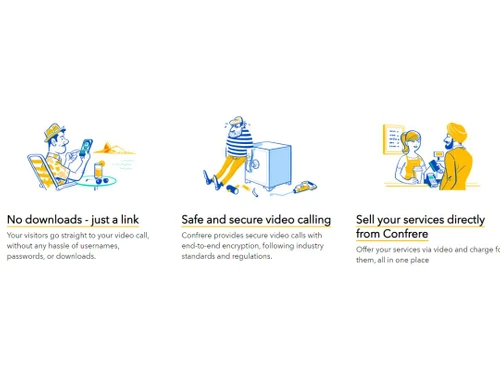
  • Privacy and Security: It prioritizes the confidentiality of conversations, offering encrypted connections to keep information secure.
  • Customization: Users can customize meeting settings to fit their preferences and needs, making each meeting experience tailored and efficient.
  • Collaboration Tools: It also includes features like screen sharing and messaging, enhancing collaboration and productivity during meetings.
  • Accessibility: It allows people to connect from anywhere using their computers or phones, enabling flexible and convenient communication.
  • Reliability: It offers stable and reliable performance, ensuring smooth meetings without interruptions.
  • Support: The software provides customer support to assist users with any questions or issues they may encounter, ensuring a positive experience.

Benefits of Confrere Platform

  • Virtual Waiting Room: Supervise and regulate entry to online meetings using a virtual waiting area.
  • Branding Options: Personalize how the platform looks to match your professional style with branding choices.
  • Integrated Payment Processing: Seamlessly manage payments and billing directly within the platform.
  • Document Sharing: Easily and securely exchange documents during virtual meetings for efficient information sharing.
  • Access Controls: Control who can join virtual meetings and manage their permissions using access controls.
  • Session Recording: Capture and save virtual meetings for later reference or review.
  • Secure File Transfer: Safely send files back and forth during virtual meetings with secure transfer options.
  • Customizable Forms: Design forms tailored to your needs for gathering information before meetings.
  • Real-Time Chat: Chat instantly with participants during virtual meetings for quick communication.
  • Collaborative Annotations: Work together on shared documents or images during virtual meetings by adding comments and notes.

Pricing of Confrere Video Conferencing Software

Confrere price in India starts at €39 at techjockey.com.

The pricing model is based on different parameters, including extra features, deployment type, and the total number of users. For further queries related to the product, you can contact our product team and learn more about the pricing and offers.

Read more

Confrere Company Details

Founded Year:  2017

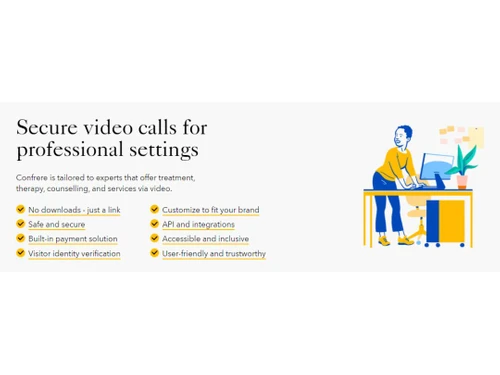
Confrere offers a video calling tool tailored that is easy to use, safe and tailored for professionals and their visitors. Currently most of our customers are in the health sector.

Director/Founders Dag-Inge Aas, Ida Aalen, Svein Willassen
Company Size 1-100 Employees

Confrere Pricing & Plans

Consult
Key Features
  • Unlimited video calls
  • GDPR and HIPAA compliant
  • Built-in payment solution
  • Secure video calls with up to 4 participants
Starting at €39
    • Licenses

      Licenses
      Licenses
    • Monthly

      Monthly
      Monthly

Key Features

  • Unlimited video calls

  • GDPR and HIPAA compliant

  • Built-in payment solution

  • Secure video calls with up to 4 participants

Confrere Features

  • icon_check Industry Standard Encryption
    Ensures that communication is secure using encryption methods commonly accepted in the industry.
  • icon_check Secure Customer Relationships
    Builds trust by prioritizing privacy, confidentiality, and compliance with regulations when interacting with customers.
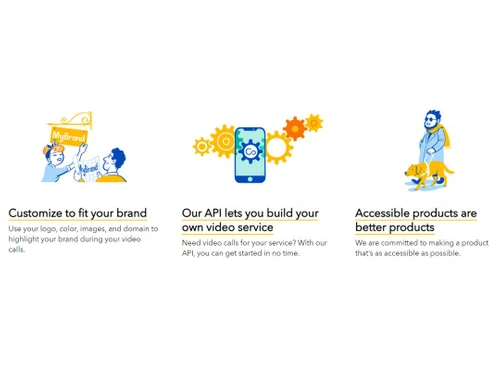
  • icon_check Customize to fit your brand
    Let professionals personalize the platform to maintain a consistent and branded virtual space.
  • icon_check API Driven
    Allows smooth connections with other tools, enhancing the user experience.
  • icon_check Accessible by law
    Adheres to standards to ensure the virtual environment is inclusive and accessible to all users.
  • icon_check Built-in Payment Solution
    Simplifies financial transactions by including a payment solution within the platform.
  • icon_check Accessible and Inclusive
    Puts a focus on accessibility to create a welcoming and user-friendly experience for everyone.
  • icon_check User-friendly & trustworthy
    Designs the platform with features that inspire confidence and are easy for users to trust.
  • icon_check Dashboards
    Offers a centralized management dashboard for easy oversight of virtual practices.
  • icon_check Efficient
    Emphasizes the importance of streamlined processes to ensure a seamless virtual consultation experience.
Confrere Demo Video play icon

Get Confrere Demo

Watch the demo video to explore key features, real workflows, and how the software fits your business needs.

Understand
Key Features
Personal
Demo Insights
Interactive
Demo Support

Confrere Specifications

Supported Platforms
Ubuntu Ubuntu Windows Windows MacOS MacOS Linux Linux
Devices
Desktop Desktop Mobile Mobile Tablet Tablet iPad iPad
Deployment
Cloud-Based Cloud-Based
Suitable For
All Industries
Business Specific
All Businesses
Business Size
Small Business Startups Medium Business Enterprises
Customer Support
Email Live Chat Communities
Language
Nederlands English français Italiano Español
Integration
API Integration
Training Resources
Videos

Explore the Best Alternative Solutions Similar to Your Business Size and Needs

Confrere Review

4.5

Out of 5

img

Overall Rating

Based on
5 Verified Ratings

Rating Breakdown

  • Features 4.6
  • Value for Money 4.3
  • Ease of Use 4.7
  • Customer Support 4.6

96% Recommend this Product

Add Review

Techjockey Trusted Reviews from Verified Users

No reviews are currently available for Confrere. Discover similar Video Conferencing Software reviews

  • AONMeetings

    4.8

    Whats great - AONMeetings is easy to use, affordable, and straightforward for regular online meetings. Its simple interface makes joining a... read more

  • Bluejeans Network

    4.7

    Whats great - Overall, the experience with this software is superb. As a frequent user of the program myself, I’ve found that it actually m... read more

  • Uberconference

    4.5

    Whats great - I love the software as it comes with a friendly user interface. It supports both audio and video calling. UberConference is c... read more

Compare Confrere With other Video Conferencing Software

Products
Ratings
Pricing
Device Supported
Deployment
Supported Platforms
  • img

    Confrere

  • 4.5

  • Price On Request

  • Desktop

    Mobile

  • Web based

    On Premises

  • Windows

    Mac OS

  • img

    Cisco Webex

  • 4.6

  • ₹ 950

  • Desktop

    Mobile

  • Web based

    On Premises

  • Windows

    Mac OS

  • img

    Tencent RTC

  • 4.0

  • Price On Request

  • Desktop

    Mobile

  • Web based

    On Premises

  • Windows

    Mac OS

  • img

    Interactio

  • 4.5

  • Price On Request

  • Desktop

    Mobile

  • Web based

    On Premises

  • Windows

    Mac OS

  • img

    AONMeetings

  • 4.7

  • ₹ 152

  • Desktop

    Mobile

  • Web based

    On Premises

  • Windows

    Mac OS

  • img

    Pexip

  • 4.2

  • Price On Request

  • Desktop

    Mobile

  • Web based

    On Premises

  • Windows

    Mac OS

  • img

    VideoMeet

  • 4.5

  • ₹ 499

  • Desktop

    Mobile

  • Web based

    On Premises

  • Windows

    Mac OS

  • img

    JioMeet

  • 3.6

  • Price On Request

  • Desktop

    Mobile

  • Web based

    On Premises

  • Windows

    Mac OS

  • img

    GoToMeeting

  • 4.1

  • Price On Request

  • Desktop

    Mobile

  • Web based

    On Premises

  • Windows

    Mac OS

  • img

    xpression camera

  • 4.4

  • Price On Request

  • Desktop

    Mobile

  • Web based

    On Premises

  • Windows

    Mac OS

  • img

    Vidyo

  • 4.4

  • Price On Request

  • Desktop

    Mobile

  • Web based

    On Premises

  • Windows

    Mac OS

(0) Product(s) selected

Confrere Alternatives

See All Confrere Alternatives

Starting Price:

$125 /Month

Available

Price on Request

Starting Price:

₹1,299 /Month

Starting Price:

$849 /Month

Starting Price:

$20

Starting Price:

$99 /Month

Available

Price on Request

Available

Price on Request

Articles for Confrere

See All Related Articles

Which operating system does Confrere Video Conferencing Software Support?

Confrere Video Conferencing Software is compatible with Ubuntu, Windows, MacOS, and Linux.

Is there any Confrere Video Conferencing Software App?

Confrere Video Conferencing Software app is unavailable for Android and iOS users.

What is the deployment type of Confrere Video Conferencing Software?

Confrere Video Conferencing Software supports web-based deployment.

How Much Does Confrere Video Conferencing Software Cost?

The conference price in India starts at €39 at techjockey.com.

Who are the potential users of Confrere Video Conferencing Software?

Confrere Video Conferencing Software is typically used in all industries for secure online consultations.

Is there any free trial or demo for Confrere Video Conferencing Software?

The free demo of the Confrere Video Conferencing Software is available at techjockey.com.

Is Confrere Video Conferencing Software Free?

Confrere Video Conferencing Software offers a free trial. However, the premium plan with advanced features and exciting deals is available at techjockey.com.

How can you download Confrere Video Conferencing Software?

Confrere Video Conferencing Software installation is not required, as it is web-based. Just open the Setup Wizard to get started.

How does Confrere Video Conferencing Software Work?

Confrere Video Conferencing Software works by providing a dedicated platform for secure online consultations, allowing practitioners to schedule appointments, conduct virtual meetings, and interact with clients in a user-friendly and privacy-focused environment.

20,000+ Software Listed

Best Price Guranteed

Free Expert Consultation

2M+ Happy Customers

Terms and Condtions

close

Users with registered businesses can purchase goods from merchants on the platform to satisfy their business needs. Users are not permitted to utilize any products acquired through the platform for resale, advertising, business, or further distribution.

For each purchase made, users will receive a Tax Invoice (or 'GST invoice') that includes specific details such as:

  • the GSTIN of the user associated with their registered business, and

  • the specified Entity Name for their business.

It should be noted that not all products are eligible for GST Invoice. Only the products displayed by participating sellers with the 'GST-based Invoice Available' callout on the product description page would qualify.

Certain goods and services are not eligible to get a GST Invoice, including items with VAS, i.e., Value Added Services (e.g., Total Mobile Protection/Assured Buyback) and those involving an exchange offer at the time of purchase.

Users must ensure the accuracy of the GSTIN, and business entity name provided for the GST Invoice. Requests for corrections into GST Invoice would not be accommodated by Techjockey.com or any Seller, and any issues arising from user-provided information are the sole responsibility of users.

Techjockey.com is not liable for the GST Invoice or any associated input tax credit. To efficiently claim an input tax credit, users should select the registered place of business address as per the GST authority's data and follow the provisions of the GST Act and rules.

To claim an input tax credit, the delivery and billing addresses must match. Furthermore, input tax credits will not be granted if the delivery address and GSTIN on the invoice are from different states. In case of incorrect GST details provided during the order placement, the order will be canceled automatically.