USA
USA UAE
UAESmall Business
Designed for startups and growing businesses

See More





Brand: Uberconference
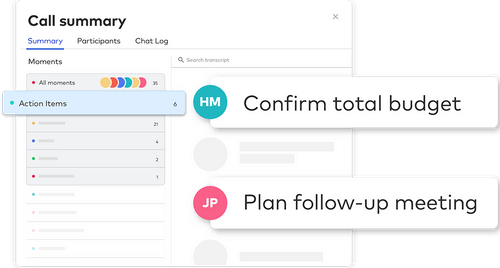
UberConference is an intuitive web conferencing platform, enabling its users to schedule audio and video conferences as per their business needs. The software adds in visual dimension along with smart contact integrations in audio and video conferencing. Most importantly, users can invite and automatically authenticate callers based on their contact lists using the wide variety of intuitive tools...
See MoreHave you used Uberconference before?
Share your insights for better experience
Looking for The Right Pricing?
Share your requirements and get a plan built around your business.
Price Available on Request
Get personalised Uberconference pricing that fits your needs. Our team will connect with you.
 Audio / Video Conferencing Screen Sharing Voice Intelligence Video Call Mobile App Call Recording Analytics Web Conferences UberCOnference Apps

Watch the demo video to explore key features, real workflows, and how the software fits your business needs.
 Windows
  iOS
iOS  Android MacOS
  Desktop
  Mobile
  Cloud-Based

Small Business
Designed for startups and growing businesses
Medium Business
Built for business growth and flexibility
Enterprises
Designed for complex and large-scale business needs
4.5
Out of 5

Overall Rating
Based on
3 Verified Reviews
Rating Breakdown
83% Recommend this Product
Add ReviewUsers generally appreciate UberConference for its user-friendly interface, impressive video quality, and helpful features like call recording and screen sharing. Many find it valuable for enhancing remote communication and collaboration. However, some recurring issues include dropped calls and technical glitches, which can disrupt the experience. Additionally, a few users reported problems with the app running in the background, indicating a need for better performance stability. Overall, the sentiment is positive, though there are notable areas for improvement.

May 13, 2020
Techjockey Verified
“Friendly user interface”
Pros
I love the software as it comes with a friendly user interface. It supports both audio and video calling. UberConference is capable of pulling out all the negative and positive comments from a call, enabling our team to work on the areas that need to be corrected.
Cons
Recently, these have been many instances of dropped calls along with multiple technical issues.
Feb 10, 2020
Techjockey Verified
“Great web-based conferencing solution”
Pros
The software allows me to set preferable tunes and intro messages to my calls. The quality of video calls is also quite impressive. I can even share my screen with fellow team members and record the whole conference. It saves the hassles in writing down all the points that are being discussed.
Cons
The overall experience is good.
Dec 24, 2019
Techjockey Verified
“High-Performance Software”
Pros
I was looking for an application that would help me with long-distance client communication. Techjockey suggested UberConference. The software helps communicate with my clients and other colleagues in a seamless manner, who are currently working remotely.
Cons
The only problem I am facing with UberConference is that, at times, it keeps on running in the background and I have to turn off my phone. I am not able to get any solution for this.

Uberconference
Price On Request
Desktop
Mobile
Web based
On Premises
Windows
Mac OS

Cisco Webex
₹ 950
Desktop
Mobile
Web based
On Premises
Windows
Mac OS

Tencent RTC
Price On Request
Desktop
Mobile
Web based
On Premises
Windows
Mac OS

Interactio
Price On Request
Desktop
Mobile
Web based
On Premises
Windows
Mac OS

AONMeetings
₹ 152
Desktop
Mobile
Web based
On Premises
Windows
Mac OS

Pexip
Price On Request
Desktop
Mobile
Web based
On Premises
Windows
Mac OS

VideoMeet
₹ 499
Desktop
Mobile
Web based
On Premises
Windows
Mac OS

VidyoConnect
Price On Request
Desktop
Mobile
Web based
On Premises
Windows
Mac OS

JioMeet
Price On Request
Desktop
Mobile
Web based
On Premises
Windows
Mac OS

xpression camera
Price On Request
Desktop
Mobile
Web based
On Premises
Windows
Mac OS

GoToMeeting
Price On Request
Desktop
Mobile
Web based
On Premises
Windows
Mac OS
(0) Product(s) selected
Available
Price on Request
Available
Price on Request
Available
Price on Request
Available
Price on Request
Starting Price:
$8

Starting Price:
$849 /Month

Starting Price:
₹1,299 /Month

Starting Price:
$20

Starting Price:
$99 /Month

Available
Price on Request




Yes, the software is integrated with HipChat, and users can start conferences with ease right within HipChat.
The software allows its users to pre-schedule recurring conferences that will start automatically every week at the same time.
Yes, Techjockey does provide online demos for UberConference on the buyer’s request.
UberConference software allows its users to select and choose their own number from any area code in the US and Canada.
Yes, UberConference has its own dedicated mobile application that is available on both Android and iOS.
20,000+ Software Listed
Best Price Guranteed
Free Expert Consultation
2M+ Happy Customers
Terms and Condtions

Users with registered businesses can purchase goods from merchants on the platform to satisfy their business needs. Users are not permitted to utilize any products acquired through the platform for resale, advertising, business, or further distribution.
For each purchase made, users will receive a Tax Invoice (or 'GST invoice') that includes specific details such as:
the GSTIN of the user associated with their registered business, and
the specified Entity Name for their business.
It should be noted that not all products are eligible for GST Invoice. Only the products displayed by participating sellers with the 'GST-based Invoice Available' callout on the product description page would qualify.
Certain goods and services are not eligible to get a GST Invoice, including items with VAS, i.e., Value Added Services (e.g., Total Mobile Protection/Assured Buyback) and those involving an exchange offer at the time of purchase.
Users must ensure the accuracy of the GSTIN, and business entity name provided for the GST Invoice. Requests for corrections into GST Invoice would not be accommodated by Techjockey.com or any Seller, and any issues arising from user-provided information are the sole responsibility of users.
Techjockey.com is not liable for the GST Invoice or any associated input tax credit. To efficiently claim an input tax credit, users should select the registered place of business address as per the GST authority's data and follow the provisions of the GST Act and rules.
To claim an input tax credit, the delivery and billing addresses must match. Furthermore, input tax credits will not be granted if the delivery address and GSTIN on the invoice are from different states. In case of incorrect GST details provided during the order placement, the order will be canceled automatically.