linkedin
Element logo
play Secure collaboration
element software-channels
element software-continuity

Element

Brand: Element

  • 4.0

  • 6 Ratings

Element enables secure, decentralized, and interoperable communication and collaboration through the Matrix open standard, with support for self-hosted and air-gapped environments.

See More

Have you used Element before?

Share your insights for better experience

Add a Review

Price Available on Request

Questions about pricing or customization? We’re here to help, just a click away.

100% Genuine
Products
Best Price
Guaranteed
Safe & Secure
Payment
  • Description

  • Pricing

  • Features

  • Specification

  • Review

  • Compare

  • Alternatives

  • FAQ

Element Software Overview

What is Element?

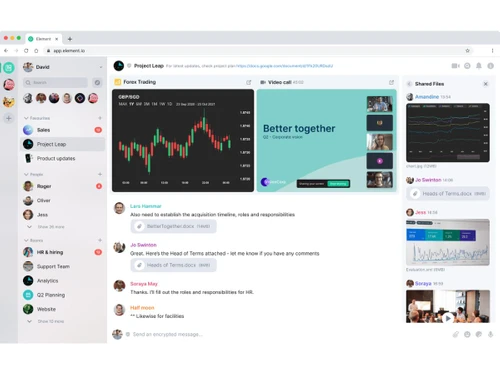
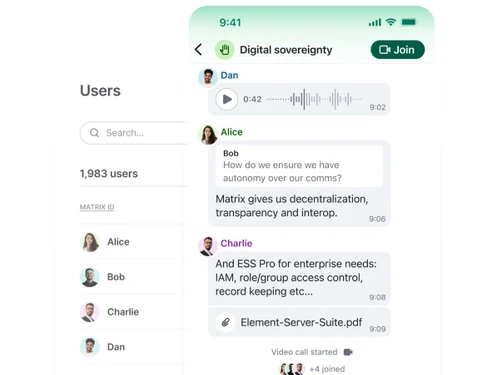
Element is a secure, decentralized collaboration and messaging platform built on the Matrix open standard. It is designed for organizations that prioritize digital sovereignty, data control, and robust security. By operating on a decentralized network, Element eliminates single points of failure and frees organizations from vendor lock-in, providing a resilient and interoperable communication solution. It serves as a comprehensive alternative to centralized platforms like Microsoft Teams, WhatsApp, and Signal, offering end-to-end encrypted messaging, voice and video calls, and file sharing. Element is particularly suited for government, public sector, and enterprise environments where control over communication infrastructure and data privacy is paramount.

Why Choose Element?

  • Digital Sovereignty: Element empowers organizations to run and control their own communications infrastructure. By building on the open-standard Matrix protocol, it ensures users are never locked into a proprietary ecosystem, allowing for true data ownership and independence.
  • Decentralized and Resilient: With no central point of failure, the platform is inherently resilient to global outages. Its decentralized nature ensures high availability through redundant servers, providing a robust communication network.
  • Open Standard Interoperability: Element facilitates seamless communication across different organizations, departments, and even nations. Its vendor-agnostic federation allows different Matrix-based solutions to work together, breaking down communication silos much like email (SMTP) does for messaging.
  • Air-Gapped Deployment: For maximum security, Element can be deployed in completely isolated, air-gapped networks with no internet connectivity required. This is critical for high-side instances in defense, intelligence, and other sensitive sectors.
  • Security by Design: The platform operates on a zero-trust security model and provides strong end-to-end encryption for all communications. It is engineered to protect sensitive information and meet stringent public sector compliance requirements.

Advanced Features of Element

  • Advanced Identity & Access Management: Integrates seamlessly with enterprise identity systems like LDAP and Active Directory. It supports Single Sign-On (SSO) via OIDC and automates user management through SCIM, mirroring organizational structures within the platform.
  • Corporate Oversight & Compliance: Provides powerful tools for corporate governance, including in-room auditing to capture official records of discussions for regulatory purposes. Administrators can moderate conversations and manage user access effectively.
  • Data Retention & Export: Administrators can configure rules-based retention policies for messages and media to align with organizational processes and compliance mandates. The ability to easily export data further protects against vendor lock-in.
  • Comprehensive Security & Auditing: Element is independently audited and certified for compliance with standards including ISO/IEC 27001:2022, the UK's Cyber Essentials Plus, OpenChain ISO/IEC 5230, and recognition as a Digital Public Good. It provides advance security advisories and curated updates to ensure deployments remain secure. For added resilience, Element also supports mesh and satellite connectivity alongside air-gapped deployment options.
  • Scalability and Performance: The professional-grade server, Synapse Pro, offers dynamic scaling to support large deployments and delivers over 90% resource savings compared to the community edition, ensuring cost-effective performance.
  • Cross-Domain Gateways: For complex environments, Element offers hardware-based solutions like the Secure Border Gateway, a rules-based application firewall that enables secure data sharing between different information classification boundaries (e.g., high-side and low-side networks).
  • Federated Mission Networking (FMN): Purpose-built for joint and coalition defense operations, this capability enables interoperable, sovereign cross-domain communications, letting allied nations federate securely with one another while each retains full control of its own infrastructure.

Key Capabilities of Element

  • Sovereign Collaboration: Positioned as a direct, self-hosted alternative to Microsoft Teams, this capability provides a complete workplace collaboration suite for desktop and mobile. It enables real-time, secure communication with both internal teams and external partner organizations.
  • Sovereign Messenger: This functions as a secure replacement for consumer messaging apps like WhatsApp and Signal. It offers a user-friendly interface to encourage adoption while providing the end-to-end encryption and compliance features required by the public sector.
  • Element Server Suite: This is the professional, Matrix-based server software that organizations use to host their own communications. It includes Synapse Pro, which provides the performance, scalability, and enterprise features needed for professional deployments.
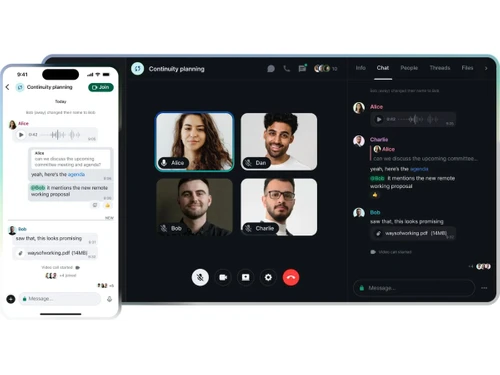
  • Element Call: Integrated into the platform, this capability provides secure, end-to-end encrypted voice and video calls, enabling rich, real-time collaboration within a controlled and sovereign environment.

How to Use Element?

Getting started with Element involves choosing a deployment model and configuring the platform to meet organizational requirements. The process is supported by comprehensive administrative tools and professional services.

First, an organization selects its deployment model. For professional use, the self-hosted Element Server Suite Pro offers enterprise-grade performance and features. For environments demanding the highest level of security, the air-gapped deployment operates without any internet connectivity. A free community edition is also available for evaluations and non-professional use.

Once deployed, administrators use a dedicated admin interface to configure the system. This includes integrating with existing identity providers (LDAP/SSO), setting up user accounts, defining data retention policies, and establishing moderation rules. The platform can be customized to mirror the organization's structure and security policies.

For end-users, Element provides intuitive client applications for desktop and mobile devices. The experience is designed to be familiar and easy to adopt, encouraging widespread use for messaging, calls, and file sharing. Expert-led training and onboarding services are available to help administrators and users get the most out of the platform.

Element Pricing

Element pricing details are available on request on techjockey.com.

The pricing model is based on different parameters, including extra features, deployment type, and the total number of users. For further queries related to the product, you can contact our product team and learn more about the pricing and offers.

Read more

Element Company Details

Founded Year:  2017

Element builds secure, self-sovereign chat apps and collaboration solutions using the open Matrix protocol.

Director/Founders Amandine Le Pape, Matthew Hodgson
Company Size 101-500 Employees

Element Pricing & Plans

Looking for The Right Pricing?

Share your requirements and get a plan built around your business.

  • Define your business needs
  • Get customised pricing
  • Choose features that fit your workflow

Price Available on Request

Get personalised Element pricing that fits your needs. Our team will connect with you.

Element Features

  • icon_check Room Moderation
    Assigns roles like admin or moderator to control membership and permissions.
  • icon_check Search Functionality
    Indexes and searches chat history across rooms and direct messages.
  • icon_check End-to-End Encryption
    Encrypts messages and calls between users, ensuring only sender and recipient can access content during transit.
  • icon_check Group Rooms
    Creates persistent rooms for teams to discuss topics, with threaded replies for organized conversations.
  • icon_check Direct Messaging
    Enables private one-to-one chats with full encryption and history sync across devices.
  • icon_check File Sharing
    Uploads and shares files directly in chats or rooms, with previews for images and documents.
  • icon_check Threaded Replies
    Branches conversations into threads to reduce clutter in main room timelines.
  • icon_check Text Editor
    Formats messages with bold, italics, lists, and code blocks for clearer communication.
  • icon_check Third Party Integration
    Connects to external networks like IRC, Slack, or Telegram via protocol bridges.
  • icon_check Bots Support
    Integrates automated bots for moderation, notifications, or custom workflows in rooms.
Element Demo Video play icon

Get Element Demo

Watch the demo video to explore key features, real workflows, and how the software fits your business needs.

Understand
Key Features
Personal
Demo Insights
Interactive
Demo Support

Element Specifications

Supported Platforms
Windows Windows iOS iOS Android Android MacOS MacOS Linux Linux
Devices
Desktop Desktop Mobile Mobile Tablet Tablet iPad iPad
Deployment
Cloud-Based Cloud-Based Perpetual Perpetual
Suitable For
All Industries
Business Specific
All Businesses
Business Size
Small Business Startups Medium Business Enterprises
Customer Support
Email Communities
Language
English
Training Resources
Videos

Explore the Best Alternative Solutions Similar to Your Business Size and Needs

Element Review

4.0

Out of 5

img

Overall Rating

Based on
6 Verified Ratings

Rating Breakdown

  • Features 3.6
  • Value for Money 4.3
  • Ease of Use 4
  • Customer Support 4.3

91% Recommend this Product

Add Review

Techjockey Trusted Reviews from Verified Users

No reviews are currently available for Element. Discover similar Collaboration Software reviews

  • Troop Messenger

    4.9

    Whats great - Troop Messenger offers an easy-to-use interface, smooth team communication, quick messaging, file sharing, and useful collabo... read more

  • Zoom Meetings

    4.6

    Whats great - Zoom is a great tool for connecting students, teachers and students around the world to participate in a single classroom. It... read more

  • Microsoft Teams

    4.4

    Whats great - It increased team productivity and enhanced communication seamlessly read more

Compare Element With other Collaboration Software

Products
Ratings
Pricing
Device Supported
Deployment
Supported Platforms
  • img

    Element

  • 4.0

  • Price On Request

  • Desktop

    Mobile

  • Web based

    On Premises

  • Windows

    Mac OS

  • img

    WrkTalk

  • 4.9

  • ₹ 250

  • Desktop

    Mobile

  • Web based

    On Premises

  • Windows

    Mac OS

  • img

    Microsoft Teams

  • 4.4

  • ₹ 138

  • Desktop

    Mobile

  • Web based

    On Premises

  • Windows

    Mac OS

  • img

    Zoom Meetings

  • 4.5

  • ₹ 1449

  • Desktop

    Mobile

  • Web based

    On Premises

  • Windows

    Mac OS

  • img

    Pyngyn

  • 4.1

  • ₹ 999

  • Desktop

    Mobile

  • Web based

    On Premises

  • Windows

    Mac OS

  • img

    Wokay

  • 4.1

  • ₹ 14999

  • Desktop

    Mobile

  • Web based

    On Premises

  • Windows

    Mac OS

  • img

    Volley

  • 4.2

  • Price On Request

  • Desktop

    Mobile

  • Web based

    On Premises

  • Windows

    Mac OS

  • img

    Convo AI

  • 4.0

  • Price On Request

  • Desktop

    Mobile

  • Web based

    On Premises

  • Windows

    Mac OS

  • img

    Google Meet

  • 4.3

  • ₹ 720

  • Desktop

    Mobile

  • Web based

    On Premises

  • Windows

    Mac OS

  • img

    Troop Messenger

  • 4.9

  • ₹ 199

  • Desktop

    Mobile

  • Web based

    On Premises

  • Windows

    Mac OS

  • img

    Brity Works

  • 4.1

  • Price On Request

  • Desktop

    Mobile

  • Web based

    On Premises

  • Windows

    Mac OS

(0) Product(s) selected

Element Alternatives

See All Element Alternatives

Starting Price:

₹250

Starting Price:

₹14,999 /Month

Starting Price:

$29 /Month $49

SAVE UPTO 41%

Available

Price on Request

Rock

4.2

Starting Price:

$89 /Month

Starting Price:

$15 /Monthly

Starting Price:

$15 /Member/Month

Starting Price:

$7 /User/Month

Articles for Element

See All Related Articles

What is Element software used for?

Element software is used for secure, real-time collaboration and messaging, serving as a digitally sovereign alternative to proprietary platforms like Microsoft Teams, WhatsApp, and Signal for both personal and organizational use. It enables secure communication and data exchange across various entities, including governments and public institutions.

Is Element chat free?

Yes, Element offers a free Community plan for personal and non-professional use, which includes the self-hosted Element Server Suite Community with a free-of-charge frontend and backend. This allows individuals to get the free app and set up their own server.

Is Element chat secure?

Yes, Element chat is secure by design, built on the decentralized Matrix open standard to create a resilient, zero-trust communications network with no central point of failure. It offers end-to-end encrypted messaging and calls, and supports air-gapped and low bandwidth communications for enhanced security.

Is Element open source?

Yes, Element is open source, with its Community plan distributed under the AGPL license and its products developed in accordance with the ISO/IEC 5230 (OpenChain) standard for open source license compliance. This commitment to open source, built on the Matrix open standard, ensures transparency and prevents vendor lock-in.

Who can use Element?

Element can be used by individuals for personal messaging, as well as by teams and organizations, including government departments and public institutions, for secure and sovereign collaboration. It offers solutions for both consumer-style messaging and enterprise-grade workplace communication.

What is digital sovereignty in the context of Element?

Digital sovereignty, as promoted by Element, means users and organizations maintain control over their digital communications, free from proprietary, vendor-locked platforms and reliance on a single provider. This allows entities like government departments to run and manage their own secure and interoperable communication solutions.

How does Element ensure resilience and high availability?

Element ensures resilience and high availability by building on the decentralized Matrix open standard, creating a zero-trust communications network with no central point of failure. This design protects against global outages and ensures high availability through redundant servers, also supporting air-gapped and low bandwidth communications.

What is the Element Server Suite Pro and who is it for?

The Element Server Suite Pro is for professional use by enterprises and organizations, offering enhanced security, corporate oversight, and dynamic scaling. It is available in self-hosted and air-gapped versions, with the latter providing complete sovereignty and operation without internet connectivity.

What is the Matrix open standard and how does Element use it?

The Matrix open standard is a decentralized, open protocol for real-time communication, enabling vendor-agnostic federation and interoperability between different solutions, similar to SMTP for email. Element builds its secure collaboration and messaging software on this standard to offer digital sovereignty and freedom from vendor lock-in.

How much does Element cost?

Element pricing details are available on request on techjockey.com.

20,000+ Software Listed

Best Price Guranteed

Free Expert Consultation

2M+ Happy Customers

Terms and Condtions

close

Users with registered businesses can purchase goods from merchants on the platform to satisfy their business needs. Users are not permitted to utilize any products acquired through the platform for resale, advertising, business, or further distribution.

For each purchase made, users will receive a Tax Invoice (or 'GST invoice') that includes specific details such as:

  • the GSTIN of the user associated with their registered business, and

  • the specified Entity Name for their business.

It should be noted that not all products are eligible for GST Invoice. Only the products displayed by participating sellers with the 'GST-based Invoice Available' callout on the product description page would qualify.

Certain goods and services are not eligible to get a GST Invoice, including items with VAS, i.e., Value Added Services (e.g., Total Mobile Protection/Assured Buyback) and those involving an exchange offer at the time of purchase.

Users must ensure the accuracy of the GSTIN, and business entity name provided for the GST Invoice. Requests for corrections into GST Invoice would not be accommodated by Techjockey.com or any Seller, and any issues arising from user-provided information are the sole responsibility of users.

Techjockey.com is not liable for the GST Invoice or any associated input tax credit. To efficiently claim an input tax credit, users should select the registered place of business address as per the GST authority's data and follow the provisions of the GST Act and rules.

To claim an input tax credit, the delivery and billing addresses must match. Furthermore, input tax credits will not be granted if the delivery address and GSTIN on the invoice are from different states. In case of incorrect GST details provided during the order placement, the order will be canceled automatically.