 USA
USA UAE
UAESmall Business
Designed for startups and growing businesses

See More




Brand: WrkTalk DigiSec AI Pvt Ltd
WrkTalk is an enterprise collaboration software that enables organizations to communicate securely while maintaining complete ownership, governance, and compliance of their business data.
See MoreHave you used WrkTalk before?
Share your insights for better experience
Summary
WrkTalk is an enterprise-grade collaboration software that ensures secure communication and data ownership within organizations, replacing consumer messaging apps with a robust, private platform.
Key Capabilities
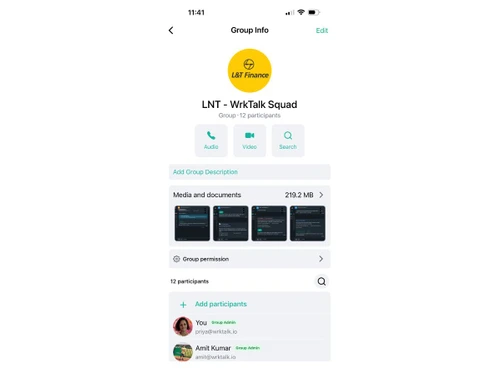
Chat / Messaging, File Sharing, Video Conferencing, API Integration, Analytics Dashboard, Role-Based Access Control (RBAC), Policy Management.
Best Suited For
Ideal for medium businesses and enterprises across all industries seeking secure communication solutions.
Deployment & Access
Web-based deployment, accessible on Windows, iOS, Android, MacOS, and Linux devices.
4.9
Out of 5

99% Users Recommend this Product
Brand: WrkTalk DigiSec AI Pvt Ltd
Founded Year: 2024
WrkTalk is a sovereign corporate communication product that is hosted and controlled by your organisation. The platform operates entirely within your environment - governed by your infrastructure, security standards, access controls and organisational policies.
 Messaging HD Voice Calling Video Conferencing Screen Sharing Document Vault Group Messaging Role-Based Access Control (RBAC) Audit Logs Policy Management Analytics Dashboard API Integration File Sharing External Collaboration

Watch the demo video to explore key features, real workflows, and how the software fits your business needs.
 Windows
  iOS
iOS  Android MacOS
  Linux
Linux  Desktop
  Mobile
  Cloud-Based
  Perpetual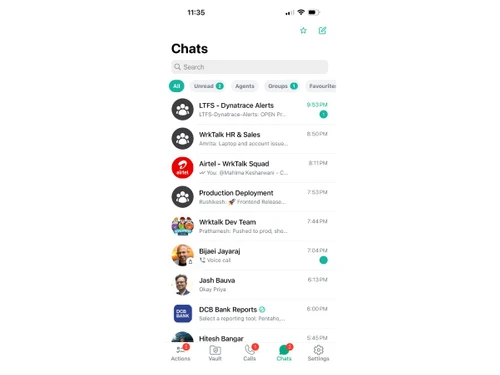

Small Business
Designed for startups and growing businesses
Medium Business
Built for business growth and flexibility
Enterprises
Designed for complex and large-scale business needs
4.9
Out of 5
Overall Rating
Based on
9 Verified Reviews
Rating Breakdown
99% Recommend this Product
Add ReviewPros
"Simple and intuitive to use with almost no learning curve, while offering strong data security and privacy."
"user-friendly, highly secure, zero-downtime solution that gives you complete data ownership, eliminates third-party dependency, and is more cost-effective than alternatives."
Cons
"The user is yet to know all the functionalities it offers, some guidelines in the app or info buttons would really help."

Sep 3, 2026
Techjockey Verified
“Secure and Reliable Team Communication Software for Enterprise Collaboration”
WrkTalk balances corporate security with smart features like built-in voice message transcription and searchable audio notes. It reduces meeting fatigue while keeping team communications organized, searchable, and fully end-to-end encrypted across desktop and mobile devices.
Pros
WrkTalk excels in supporting modern hybrid teams through its intelligent asynchronous features, such as voice messages, chats and webhooks . The software maintains high-grade end-to-end encryption, ensuring sensitive internal files and channel discussions remain fully secured. The user interface is clean, navigation between channels is fast, and administrative permission controls are easy to configure, making user onboarding simple and straightforward.
Cons
While WrkTalk performs smoothly for internal text and voice communications, its ecosystem for native third-party app integrations is still growing compared to older platforms. Introducing deeper workflow automation triggers and expanding its app marketplace would make the software even more comprehensive for large enterprise teams.
Reason to switch
We previously used Skype for internal communication, but as our team expanded, we required a platform with better security and structured collaboration. Skype lacked granular administrative controls, modern end-to-end encryption for confidential discussions, and efficient file management.
Sep 3, 2026
Techjockey Verified
“An excellent, reliable tool that has made our daily team communication so much smoother and easier.”
WrkTalk has been a game-changer for our day-to-day team communication. It keeps everyone on the same page, lets us share files without any hassle, and gives us complete peace of mind knowing our messages and data stay secure.
Pros
Simple and intuitive to use with almost no learning curve, while offering strong data security and privacy.
Cons
NO CONS
Reason to switch
WrkTalk has significantly improved our day-to-day coordination by making team communication fast, structured, and completely secure. Before using it, our project updates and file sharing were scattered across multiple tools, which often led to delayed responses and misplaced documents. Now, having real-time messaging, instant file sharing, and organized channels in one place allows our team to address issues immediately and keep projects moving without unnecessary email back-and-forth. The clean interface makes navigation effortless, and the strong data security gives us total peace of mind when sharing sensitive project details internally.
Sep 3, 2026
Techjockey Verified
“Working as Business Architect here”
The idea of WrkTalk of giving co-operates the complete soverignity of their data feels very impactful and empowering. Its Zero Trust design is very new and fascinating. Apart from the core offering, the level of customizations, feature rich, inituitive and seamless experience, gives co-operates the genuine chance to completely own its communication platform.
Pros
The seamless intuitive UI. Many new features like create a call link in the app itself, integrate it with any calendar, the option to add a task with a message then track it. Overall a very feature-rich productive interface.
Cons
The user is yet to know all the functionalities it offers, some guidelines in the app or info buttons would really help.
Reason to switch
Very intuitive whatsapp like UI and rich productivity features
WrkTalk
₹ 250.00 excl. GST
Desktop
Mobile
Web based
On Premises
Windows
Mac OS

Microsoft Teams
₹ 138
Desktop
Mobile
Web based
On Premises
Windows
Mac OS

Zoom Meetings
₹ 1449
Desktop
Mobile
Web based
On Premises
Windows
Mac OS
Pyngyn
₹ 999
Desktop
Mobile
Web based
On Premises
Windows
Mac OS

Wokay
₹ 14999
Desktop
Mobile
Web based
On Premises
Windows
Mac OS

Volley
Price On Request
Desktop
Mobile
Web based
On Premises
Windows
Mac OS
Convo AI
Price On Request
Desktop
Mobile
Web based
On Premises
Windows
Mac OS

Google Meet
₹ 720
Desktop
Mobile
Web based
On Premises
Windows
Mac OS

Troop Messenger
₹ 199
Desktop
Mobile
Web based
On Premises
Windows
Mac OS

Brity Works
Price On Request
Desktop
Mobile
Web based
On Premises
Windows
Mac OS

Rock
Price On Request
Desktop
Mobile
Web based
On Premises
Windows
Mac OS
(0) Product(s) selected
Starting Price:
₹14,999 /Month
Starting Price:
$29 /Month $49
Available
Price on Request
Starting Price:
$89 /Month

Available
Price on Request

Starting Price:
$15 /Monthly

Starting Price:
$15 /Member/Month

Available
Price on Request

Available
Price on Request

Starting Price:
$7 /User/Month





WrkTalk app is available for Android and iOS devices.
WrkTalk collaboration software is compatible with Windows and Mac operating systems.
No, WrkTalk collaboration software does not offer a free trial on its official website.
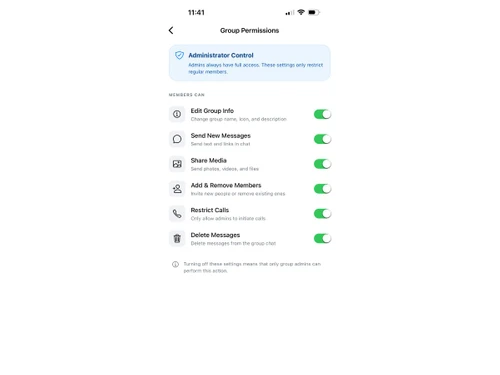
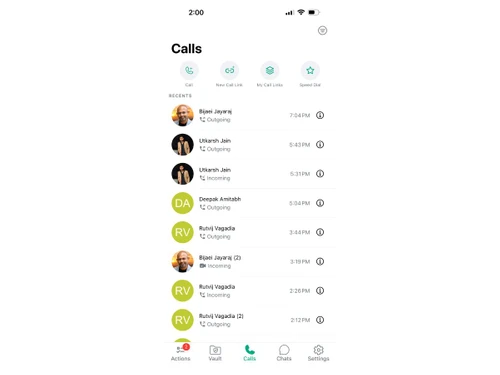
WrkTalk provides secure messaging, calls, file sharing, and collaboration through private deployment, while its Control Tower enables centralized administration, governance, and compliance.
WrkTalk is used by enterprises, government organizations, regulated industries, and businesses that require secure, compliant, and privately controlled internal communication.
Yes, a free demo of WrkTalk software is available at Techjockey.
No, WrkTalk software does not offer a free version.
20,000+ Software Listed
Best Price Guranteed
Free Expert Consultation
2M+ Happy Customers
Terms and Condtions

Users with registered businesses can purchase goods from merchants on the platform to satisfy their business needs. Users are not permitted to utilize any products acquired through the platform for resale, advertising, business, or further distribution.
For each purchase made, users will receive a Tax Invoice (or 'GST invoice') that includes specific details such as:
the GSTIN of the user associated with their registered business, and
the specified Entity Name for their business.
It should be noted that not all products are eligible for GST Invoice. Only the products displayed by participating sellers with the 'GST-based Invoice Available' callout on the product description page would qualify.
Certain goods and services are not eligible to get a GST Invoice, including items with VAS, i.e., Value Added Services (e.g., Total Mobile Protection/Assured Buyback) and those involving an exchange offer at the time of purchase.
Users must ensure the accuracy of the GSTIN, and business entity name provided for the GST Invoice. Requests for corrections into GST Invoice would not be accommodated by Techjockey.com or any Seller, and any issues arising from user-provided information are the sole responsibility of users.
Techjockey.com is not liable for the GST Invoice or any associated input tax credit. To efficiently claim an input tax credit, users should select the registered place of business address as per the GST authority's data and follow the provisions of the GST Act and rules.
To claim an input tax credit, the delivery and billing addresses must match. Furthermore, input tax credits will not be granted if the delivery address and GSTIN on the invoice are from different states. In case of incorrect GST details provided during the order placement, the order will be canceled automatically.



