USA
USA UAE
UAESmall Business
Designed for startups and growing businesses
See More





Brand: GoTo
Empowers IT teams to provide remote support to end users, in any location, on any device.
See MoreHave you used LogMeIn Rescue (GoTo) before?
Share your insights for better experience
Brand: GoTo
Founded Year: 2003
At GoTo, we're making IT easy, anywhere, with remote management and support, and business communication software, unified with one admin solution. We help you get things done simply and securely, so work time can be well-spent and free time can be better spent.
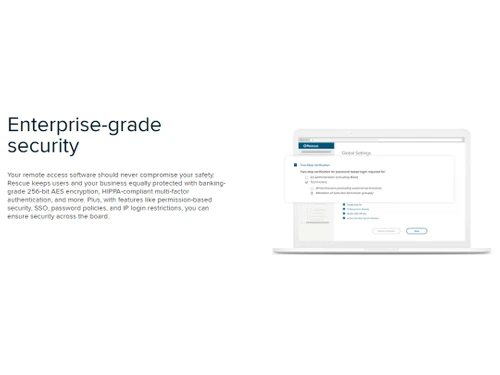
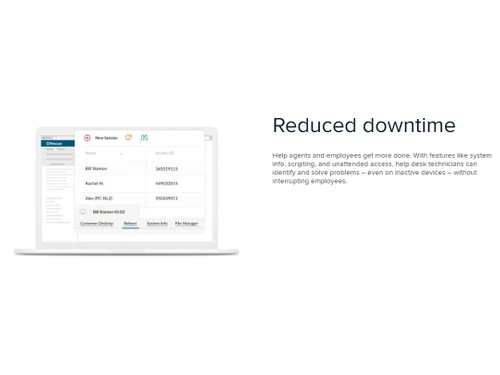
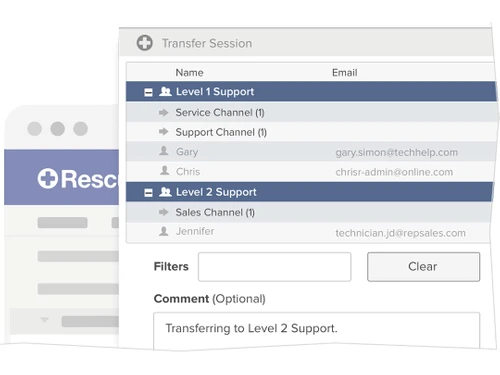
 Anywhere, Anytime Access Reduced Downtime Enterprise Grade Security Brand Customization Mobile App Seamless Resolutions Robust reporting capabilities Real Time Monitoring Customizable Workflows Integration

Watch the demo video to explore key features, real workflows, and how the software fits your business needs.


 Windows
  iOS
iOS  Android MacOS
  Desktop
  Mobile
  Tablet
  iPad
iPad  Cloud-Based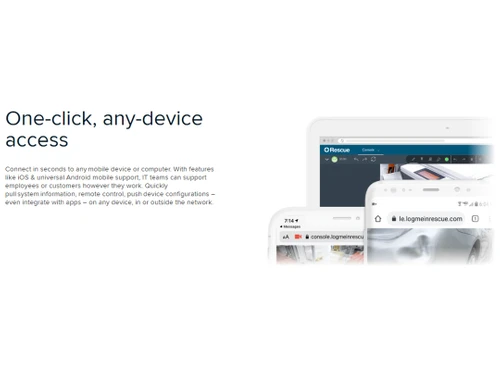
Small Business
Designed for startups and growing businesses
Medium Business
Built for business growth and flexibility
Enterprises
Designed for complex and large-scale business needs
5
Out of 5

Overall Rating
Based on
3 Verified Reviews
Rating Breakdown
95% Recommend this Product
Add ReviewUsers consistently praise LogMeIn Rescue (GoTo) for its user-friendly interface and robust capabilities, making it an essential tool for remote support. Many highlight its effectiveness in facilitating live technical assistance, allowing support representatives to monitor and control sessions seamlessly. The overall sentiment is highly positive, with no significant complaints noted, indicating strong satisfaction among users across various company sizes. This software is recommended for businesses seeking reliable remote support solutions.

Jun 12, 2023
Techjockey Verified
“Rescue By GoTo”
Pros
Amazing Product. The user interface is so easy and user friendly. Good sessions conducted.Highly recommended!
Cons
NO CONS
Reason to switch
Not secure
Mar 24, 2023
Techjockey Verified
“Great Collbaoration Tool!”
Pros
GoTo Rescue is a must have tool for companies that depend on remote support. It is a very easy to use and robust remote support solution for all businesses. This software is a must have for any business that manages remote technical support from their own teams.
Cons
No Cons
Yogita Samial 
Manager
Mar 24, 2023
Techjockey Verified
“Best Remote Support Software”
Pros
GoTo Rescue is the ultimate way to provide live technical support to your customers through an easy-to-use and reliable platform. You can monitor and control sessions and see in real-time the screen of the customer you are remotely assisting. The support rep can take control of the customer's computer, in a secure environment, and solve the customer's problem, without the need for the support rep to be physically present with the customer.
Cons
Nothing to dislike about the product. It's working great so far.
Reason to switch
GoTo Rescue is an enterprise-grade remote support tool built for teams of all sizes. It's easy to set up and support customers from anywhere. It's real-time, so you can solve problems faster and to the point. There's no more on-site support!

LogMeIn Rescue (GoTo)
Price On Request
Desktop
Mobile
Web based
On Premises
Windows
Mac OS

GoTo Resolve
Price On Request
Desktop
Mobile
Web based
On Premises
Windows
Mac OS
Zendesk Remote Access Software
Price On Request
Desktop
Mobile
Web based
On Premises
Windows
Mac OS

EV Reach
Price On Request
Desktop
Mobile
Web based
On Premises
Windows
Mac OS

HelpWire
Price On Request
Desktop
Mobile
Web based
On Premises
Windows
Mac OS

FixMe IT
Price On Request
Desktop
Mobile
Web based
On Premises
Windows
Mac OS

Teamviewer Remote Management
Price On Request
Desktop
Mobile
Web based
On Premises
Windows
Mac OS

Native Teams
Price On Request
Desktop
Mobile
Web based
On Premises
Windows
Mac OS

Dameware
Price On Request
Desktop
Mobile
Web based
On Premises
Windows
Mac OS

SOTI Assist
Price On Request
Desktop
Mobile
Web based
On Premises
Windows
Mac OS
(2) Product(s) selected
Rescue remote support software is compatible with Windows, MacOS, Android and iOS operating systems.
Yes, Rescue remote support app is available for Android and iOS devices.
Rescue remote support solution is completely cloud-based, requiring no deployment or installations.
LogMeIn Rescue software pricing is available on request at techjockey.com.
Rescue remote support is typically used by organizations of different sizes to offer technical support to their employees as well as customers.
Rescue software solution demo is available for free with techjockey.com.
Rescue solution offers a free trial. However, the premium plan with advanced features is available at techjockey.com with exciting deals.
Rescue offers a remote support experience to end users and employees. Organizations can quickly and easily provide secure, reliable, and consistent support for any device. This results in less downtime and better user satisfaction.
20,000+ Software Listed
Best Price Guranteed
Free Expert Consultation
2M+ Happy Customers
Terms and Condtions

Users with registered businesses can purchase goods from merchants on the platform to satisfy their business needs. Users are not permitted to utilize any products acquired through the platform for resale, advertising, business, or further distribution.
For each purchase made, users will receive a Tax Invoice (or 'GST invoice') that includes specific details such as:
the GSTIN of the user associated with their registered business, and
the specified Entity Name for their business.
It should be noted that not all products are eligible for GST Invoice. Only the products displayed by participating sellers with the 'GST-based Invoice Available' callout on the product description page would qualify.
Certain goods and services are not eligible to get a GST Invoice, including items with VAS, i.e., Value Added Services (e.g., Total Mobile Protection/Assured Buyback) and those involving an exchange offer at the time of purchase.
Users must ensure the accuracy of the GSTIN, and business entity name provided for the GST Invoice. Requests for corrections into GST Invoice would not be accommodated by Techjockey.com or any Seller, and any issues arising from user-provided information are the sole responsibility of users.
Techjockey.com is not liable for the GST Invoice or any associated input tax credit. To efficiently claim an input tax credit, users should select the registered place of business address as per the GST authority's data and follow the provisions of the GST Act and rules.
To claim an input tax credit, the delivery and billing addresses must match. Furthermore, input tax credits will not be granted if the delivery address and GSTIN on the invoice are from different states. In case of incorrect GST details provided during the order placement, the order will be canceled automatically.