linkedin
Keynote logo
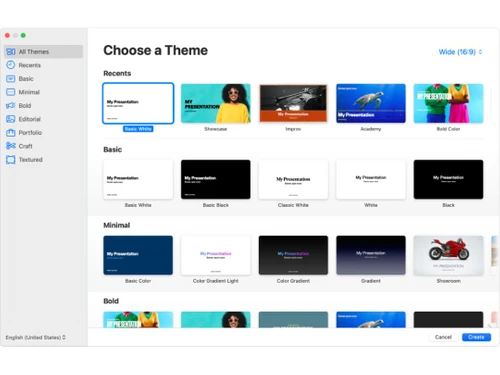
Keynote Theme Gallery
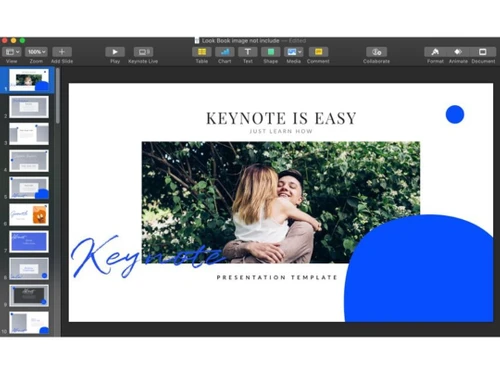
Keynote Editing Slides
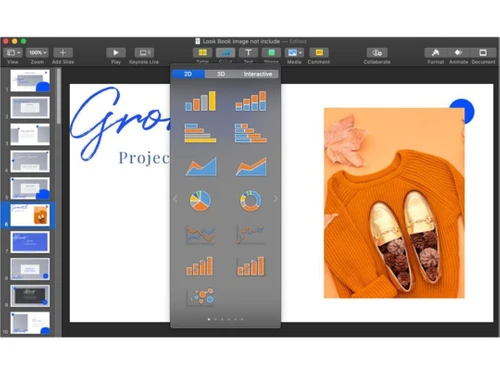
Keynote Adding Shapes

Keynote

Brand: Apple Inc

  • 4.2

  • 3 Ratings

Keynote is presentation software for Apple-based devices with features that make presentations attractive, appealing, and effective.

See More

Have you used Keynote before?

Share your insights for better experience

Add a Review

Price Available on Request

Questions about pricing or customization? We’re here to help, just a click away.

100% Genuine
Products
Best Price
Guaranteed
Safe & Secure
Payment
  • Description

  • Pricing

  • Features

  • Specification

  • Review

  • Compare

  • Alternatives

  • FAQ

Keynote Software Overview

What is Keynote?

Keynote is Apple’s advanced presentation software. It helps its users design creative presentations with visually stunning effects. It works across Macs, iPads, iPhones, and PCs. It comes with a friendly interface with tools and features that help design charts, edit photos, apply animation effects, and make presentations effective. It also supports real-time collaboration. It provides essential tools, front and center, 40 themes, and 700 editable shapes for customization.

It helps to create stunning slide transitions and impressive text and object animations that look like a special effects team crafted them. It supports live video feeds, Apple Pencil integration for illustrations, and the ability to embed videos from YouTube or Vimeo. With Rehearse Mode, presenters can practice easily. It supports PowerPoint file import and export, ensuring compatibility with Microsoft Office users.

Why Choose Keynote Software?

  • Attractive Presentations: Create visually stunning slides with beautiful themes and designs to captivate your audience.
  • Add Animations: Enhance your presentations with dynamic animations and cinematic effects for engaging and memorable slides.
  • Embed Videos: Integrate YouTube or Vimeo videos directly into slides for seamless multimedia presentations without switching apps.
  • Rehearse Mode: Practice your presentation with Rehearse Mode, displaying notes, current and next slides, and a timer.
  • Collaboration and Presentation: Work with your team in real-time, making edits together, and present remotely with live video feeds and interactive tools.

Benefits of Keynote Platform

  • Rich Templates: Access over 40 professional templates to quickly create impressive presentations.
  • Editable Shapes: Customize over 700 Apple-designed shapes to enhance your slides and visual storytelling.
  • Easy to Use: Intuitive interface ensures quick learning and efficient user presentation creation.
  • Import and Export: Seamlessly import and export PowerPoint files, ensuring compatibility with Microsoft Office users.
  • Real-Time Collaboration: Work simultaneously with your team on presentations from any device, anywhere.

Pricing of Keynote

Keynote price details are available on request at techjockey.com.

Its price in India may vary based on factors like customization, additional features required, the number of users, and the deployment type. Please request a call back for subscription-related details and to avail offers on premium packages.

Read more

Apple Inc Company Details

Founded Year:  1976

Apple is a multinational corporation that designs, manufactures, and markets consumer electronics, personal computers, and software.

Director/Founders Ron Wayne, Steve Jobs, Steve Wozniak
Company Size 1000+ Employees

Keynote Pricing & Plans

Looking for The Right Pricing?

Share your requirements and get a plan built around your business.

  • Define your business needs
  • Get customised pricing
  • Choose features that fit your workflow

Price Available on Request

Get personalised Keynote pricing that fits your needs. Our team will connect with you.

Keynote Features

  • icon_check Outline Editing Mode
    Build and reorder slide structures in Outline view before refining them with design elements.
  • icon_check PowerPoint File Compatibility
    Import PowerPoint presentations or export Keynote files to PPT format without data loss.
  • icon_check Live Video Integration
    Add a live camera feed of yourself or your screen directly into any slide during presentation.
  • icon_check Custom Theme Creation
    Design and save personalized presentation themes with adjustable fonts, colors, and layouts.
  • icon_check Collaboration Tools
    Work with your team in real-time, edit together, and see updates instantly from any device.
  • icon_check File Sharing
    Easily share your presentations via email, iCloud, or direct link for seamless distribution and feedback.
  • icon_check Presentations
    Create professional, engaging slideshows with dynamic content, stunning visuals, and live video integration.
  • icon_check Customization
    Personalize your slides with editable shapes, themes, fonts, and colors to match your unique style.
  • icon_check iCloud Syncing
    Access and edit your presentations from any Apple device with automatic syncing via iCloud.
  • icon_check Remote Control
    Use your iPhone or iPad to control slideshows remotely, making presentations smooth and effortless.
  • icon_check Annotations
    Add handwritten notes, highlights, and illustrations using Apple Pencil to make your slides more interactive.
  • icon_check Animation & Motions
    Enhance your presentations with cinematic animations and motions to captivate and maintain audience interest.

Keynote Specifications

Supported Platforms
iOS iOS MacOS MacOS
Devices
Desktop Desktop Mobile Mobile iPad iPad
Deployment
Cloud-Based Cloud-Based Perpetual Perpetual
Suitable For
All Industries
Business Specific
All Businesses
Business Size
Small Business Startups Medium Business Enterprises
Customer Support
Email Communities
Language
English
Training Resources
Videos

Explore the Best Alternative Solutions Similar to Your Business Size and Needs

Keynote Review

4.2

Out of 5

img

Overall Rating

Based on
3 Verified Ratings

Rating Breakdown

  • Features 4.8
  • Value for Money 4.1
  • Ease of Use 3.8
  • Customer Support 4

96% Recommend this Product

Add Review

Be the First to Review

This product has no reviews yet. Be the first to leave your feedback.

Add Review

Compare Keynote With other Presentation Software

Products
Ratings
Pricing
Device Supported
Deployment
Supported Platforms
  • img

    Keynote

  • 4.2

  • Price On Request

  • Desktop

    Mobile

  • Web based

    On Premises

  • Windows

    Mac OS

  • img

    Tome AI

  • 4.5

  • Price On Request

  • Desktop

    Mobile

  • Web based

    On Premises

  • Windows

    Mac OS

  • img

    Napkin AI

  • 4.3

  • Price On Request

  • Desktop

    Mobile

  • Web based

    On Premises

  • Windows

    Mac OS

  • img

    Pop AI

  • 4.3

  • Price On Request

  • Desktop

    Mobile

  • Web based

    On Premises

  • Windows

    Mac OS

  • img

    Plus AI

  • 4.3

  • Price On Request

  • Desktop

    Mobile

  • Web based

    On Premises

  • Windows

    Mac OS

  • img

    Slidesgo

  • 4.1

  • Price On Request

  • Desktop

    Mobile

  • Web based

    On Premises

  • Windows

    Mac OS

  • img

    Presentations AI

  • 4.1

  • Price On Request

  • Desktop

    Mobile

  • Web based

    On Premises

  • Windows

    Mac OS

  • img

    Prezi

  • 4.5

  • Price On Request

  • Desktop

    Mobile

  • Web based

    On Premises

  • Windows

    Mac OS

  • img

    PPT AI

  • 4.1

  • Price On Request

  • Desktop

    Mobile

  • Web based

    On Premises

  • Windows

    Mac OS

  • img

    Mentimeter

  • 4.7

  • Price On Request

  • Desktop

    Mobile

  • Web based

    On Premises

  • Windows

    Mac OS

  • img

    Zoho Show

  • 4.3

  • ₹ 140

  • Desktop

    Mobile

  • Web based

    On Premises

  • Windows

    Mac OS

(0) Product(s) selected

Keynote Alternatives

See All Keynote Alternatives

Starting Price:

$12 /User/Month

Starting Price:

$15 /Month

Starting Price:

₹189 /Month

SAVE UPTO 60%

Starting Price:

$10 /Month

Starting Price:

$3 /Month

Starting Price:

$29 /Month

Starting Price:

$12 /Month

Starting Price:

$10 /Month

Articles for Keynote

See All Related Articles

Can I get a demo of the software?

You can watch demo videos on the official Apple website or YouTube.

What operating systems support it?

It supports macOS, iPadOS, and iOS and is accessible via iCloud on web browsers for PC users.

Can I use it with an Apple Pencil?

Apple Pencil can be used on iPad for annotations, illustrations, and diagram creation.

Who can benefit from using it?

Professionals, educators, students, and creatives can all benefit from its powerful presentation tools.

Is it compatible with Microsoft PowerPoint?

Yes, you can import, edit, and export PowerPoint files seamlessly.

Can I collaborate with others in real-time?

Real-time collaboration is supported, allowing multiple users to edit simultaneously.

How can I share my presentations?

Presentations can be shared via email, iCloud link, or other file-sharing methods.

Are there templates available?

Yes, there are over 40 professional templates available to use.

Can I embed videos in my slides?

You can embed YouTube or Vimeo videos directly into your slides.

20,000+ Software Listed

Best Price Guranteed

Free Expert Consultation

2M+ Happy Customers

Terms and Condtions

close

Users with registered businesses can purchase goods from merchants on the platform to satisfy their business needs. Users are not permitted to utilize any products acquired through the platform for resale, advertising, business, or further distribution.

For each purchase made, users will receive a Tax Invoice (or 'GST invoice') that includes specific details such as:

  • the GSTIN of the user associated with their registered business, and

  • the specified Entity Name for their business.

It should be noted that not all products are eligible for GST Invoice. Only the products displayed by participating sellers with the 'GST-based Invoice Available' callout on the product description page would qualify.

Certain goods and services are not eligible to get a GST Invoice, including items with VAS, i.e., Value Added Services (e.g., Total Mobile Protection/Assured Buyback) and those involving an exchange offer at the time of purchase.

Users must ensure the accuracy of the GSTIN, and business entity name provided for the GST Invoice. Requests for corrections into GST Invoice would not be accommodated by Techjockey.com or any Seller, and any issues arising from user-provided information are the sole responsibility of users.

Techjockey.com is not liable for the GST Invoice or any associated input tax credit. To efficiently claim an input tax credit, users should select the registered place of business address as per the GST authority's data and follow the provisions of the GST Act and rules.

To claim an input tax credit, the delivery and billing addresses must match. Furthermore, input tax credits will not be granted if the delivery address and GSTIN on the invoice are from different states. In case of incorrect GST details provided during the order placement, the order will be canceled automatically.