linkedin
Slidesgo logo
play Create engaging presentations, faster with Slidesgo templates and tools
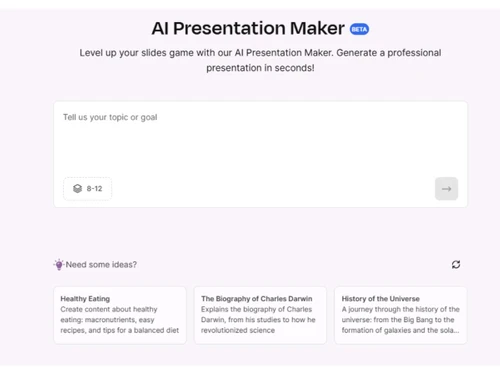
slidesgo-presentation
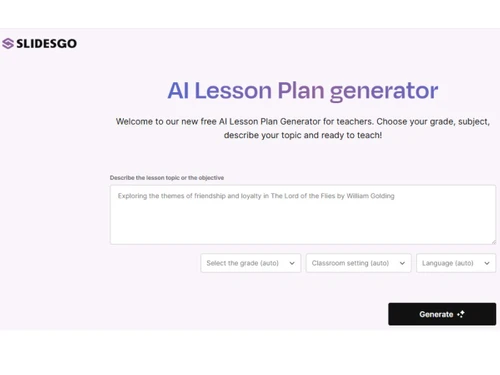
slidesgo-lessonplan

Slidesgo

Brand: Freepik

  • 4.1

  • 5 Ratings

Slidesgo offers ready-made, creative, and editable presentation templates for business and educational use.

See More

Have you used Slidesgo before?

Share your insights for better experience

Add a Review
Starting Price
₹189

View plans

100% Genuine
Products
Best Price
Guaranteed
Safe & Secure
Payment
  • Description

  • Pricing

  • Features

  • Specification

  • Review

  • Compare

  • Alternatives

  • FAQ

Starting at ₹189

Slidesgo Software Overview

What is Slidesgo?

Slidesgo is a user-friendly presentation software available on Techjockey that helps users create stunning slides in just a few clicks. It comes with hundreds of free and premium templates designed for Google Slides and PowerPoint.

Whether you are a student, teacher, business professional, or marketer, Slidesgo has designs to fit all your needs. The templates are professionally made and customizable, making your presentation look polished without much effort.

It also offers built-in visual elements, icons, graphs, and more to save time while designing. You don't need any design knowledge to use Slidesgo. Just pick a template, add your content, and your presentation is ready.

It also supports PDF to PPT conversion, multi-language use, and collaborative work for teams. Whether you're pitching ideas, teaching a lesson, or making company reports, Slidesgo simplifies the entire process with smart and stylish designs.

Why Choose Slidesgo?

  • Wide Variety of Templates: Slidesgo offers thousands of templates for business, education, and creative use cases.
  • PowerPoint and Google Slides Support: You can use the templates on both platforms without any formatting issues or content loss.
  • Professionally Designed Slides: Each template is made by experienced designers, helping your presentation look professional.
  • Beginner-Friendly Tools: It easy to use even for people with no experience in making slides or presentations.
  • Time-Saving Designs: You save hours by using ready-made layouts instead of starting from scratch.

Benefits of Slidesgo

  • Improves Presentation Quality: Make better and more professional-looking slides using creative layouts and visuals.
  • Saves Effort in Design Work: Instead of designing from scratch, simply pick a template and customize it quickly.
  • Helpful for Remote Teams: Teams working online can collaborate on slides using tools built into the platform.
  • No Graphic Skills Needed: Anyone can make beautiful presentations without knowing design software.
  • Better Communication of Ideas: Visually strong templates help in explaining your message clearly and quickly.
  • Ideal for Frequent Presenters: People who regularly create reports, business decks, or training slides save a lot of time.
  • Supports Multi-Language Content: Create slides in multiple languages without any compatibility problems.
  • Works with Common File Formats: Templates are fully compatible with PDF, PPT, and Google Slides formats.
  • Available for Many Industries: Finance, healthcare, education, IT, HR, Slidesgo covers all industries and functions.
  • Keeps Slides Consistent: Using templates ensures every slide in your deck looks neat and aligned.

Slidesgo Pricing

Slidesgo price starts at INR 189 at Techjockey.com. The pricing model is based on different parameters, including extra features, deployment type, and the total number of users. For further queries related to the product, you can contact our product team and learn more about the pricing and offers.

Read more

Freepik Company Details

Founded Year:  2010

Freepik is an online database of vector art, logos, posters, photographs, and graphics.

Director/Founders Alejandro Sánchez Blanes, Joaquín Cuenca Abela, Pablo Blanes
Company Size 1-100 Employees

Slidesgo Pricing & Plans

Premium
Key Features
  • Number of users-1
  • Add, remove or reassign users
  • Share templates
  • Priority support and favorite list.
  • AI tools
  • Online editor
Starting at ₹189
    • Licenses

      Licenses
      Licenses
    • Monthly

      Monthly
      Monthly

Key Features

  • Number of users-1

  • Add, remove or reassign users

  • Share templates

  • Priority support and favorite list.

  • AI tools

  • Online editor

Slidesgo Features

  • icon_check AI Presentation Bot
    Generate a complete and customized presentation in seconds by simply entering your topic and preferred visual style.
  • icon_check Flaticon Icon Library
    Customize your presentations with thousands of scalable icons from the world’s largest database of free vector icons.
  • icon_check Wepik Online Editor
    Edit your chosen presentation designs directly in your web browser without needing any external software installation.
  • icon_check Multi-Format Export
    Download your finished presentations as PDF, JPG, or PNG files for easy sharing and high-quality physical printing fast.
  • icon_check Advanced Search
    Find the perfect design quickly by filtering templates by color, style, license type, or specific aspect ratio today.
  • icon_check Templates
    Provides a wide range of templates for project and business needs.
  • icon_check PowerPoint Compatibility
    Compatible with Microsoft PowerPoint Software and can download the files in .PPTX format.
  • icon_check Visual Elements Library
    Access charts, icons, illustrations, and diagrams to enhance visual impact.
  • icon_check Tutorials
    Learn how to use the platform easily for better presentations
  • icon_check Multi Language Support
    Can view presentations in many languages.
  • icon_check Collaborative Tools
    Team members can work on the same presentation together in real-time.
  • icon_check PDF to PPT Converter
    Transform PDFs into editable PowerPoint presentations instantly
  • icon_check 16:9 Widescreen Format
    Modern widescreen layout that fits well on most screens and projectors.
  • icon_check Section Dividers
    Neatly separate parts of your presentation using styled divider slides.
Slidesgo Demo Video play icon

Get Slidesgo Demo

Watch the demo video to explore key features, real workflows, and how the software fits your business needs.

Understand
Key Features
Personal
Demo Insights
Interactive
Demo Support

Slidesgo Specifications

Supported Platforms
Ubuntu Ubuntu Windows Windows MacOS MacOS Linux Linux
Devices
Desktop Desktop
Deployment
Cloud-Based Cloud-Based
Suitable For
All Industries
Business Specific
All Businesses
Business Size
Small Business Startups Medium Business Enterprises SMBs SMEs MSMBs MSMEs Freelancers
Customer Support
Email Communities
Language
English Deutsche 한국어 Português Español
Training Resources
Videos
AI Features
AI Integrated

Explore the Best Alternative Solutions Similar to Your Business Size and Needs

Slidesgo Review

4.1

Out of 5

img

Overall Rating

Based on
5 Verified Ratings

Rating Breakdown

  • Features 4.2
  • Value for Money 4.1
  • Ease of Use 4.2
  • Customer Support 4.2

80% Recommend this Product

Add Review

Be the First to Review

This product has no reviews yet. Be the first to leave your feedback.

Add Review
Compare Slidesgo With other Presentation Software

Products
Ratings
Pricing
Device Supported
Deployment
Supported Platforms
  • img

    Slidesgo

  • 4.1

  • Price On Request

  • Desktop

    Mobile

  • Web based

    On Premises

  • Windows

    Mac OS

  • img

    Tome AI

  • 4.5

  • Price On Request

  • Desktop

    Mobile

  • Web based

    On Premises

  • Windows

    Mac OS

  • img

    Pop AI

  • 4.3

  • Price On Request

  • Desktop

    Mobile

  • Web based

    On Premises

  • Windows

    Mac OS

  • img

    Napkin AI

  • 4.3

  • Price On Request

  • Desktop

    Mobile

  • Web based

    On Premises

  • Windows

    Mac OS

  • img

    Plus AI

  • 4.3

  • Price On Request

  • Desktop

    Mobile

  • Web based

    On Premises

  • Windows

    Mac OS

  • img

    Presentations AI

  • 4.1

  • Price On Request

  • Desktop

    Mobile

  • Web based

    On Premises

  • Windows

    Mac OS

  • img

    Prezi

  • 4.5

  • Price On Request

  • Desktop

    Mobile

  • Web based

    On Premises

  • Windows

    Mac OS

  • img

    PPT AI

  • 4.1

  • Price On Request

  • Desktop

    Mobile

  • Web based

    On Premises

  • Windows

    Mac OS

  • img

    Mentimeter

  • 4.7

  • Price On Request

  • Desktop

    Mobile

  • Web based

    On Premises

  • Windows

    Mac OS

  • img

    Zoho Show

  • 4.3

  • ₹ 140

  • Desktop

    Mobile

  • Web based

    On Premises

  • Windows

    Mac OS

  • img

    SlideSpeak

  • 4.2

  • Price On Request

  • Desktop

    Mobile

  • Web based

    On Premises

  • Windows

    Mac OS

(0) Product(s) selected

Slidesgo Alternatives

See All Slidesgo Alternatives

Starting Price:

$12 /User/Month

Starting Price:

$15 /Month

SAVE UPTO 60%

Starting Price:

$10 /Month

Starting Price:

$29 /Month

Starting Price:

$3 /Month

Starting Price:

$12 /Month

Available

Price on Request

Starting Price:

$10 /Month

Articles for Slidesgo

See All Related Articles

How much does Slidesgo cost?

Slidesgo is a presentation software that starts at INR 189 on Techjockey, making it a budget-friendly design tool.

How does Slidesgo work once downloaded?

Pick a template, open it in PowerPoint or Google Slides, replace content, and your presentation is ready.

Who usually uses Slidesgo for their work?

Teachers, students, marketers, business teams, and freelancers commonly use Slidesgo for clean, ready designs.

Is Slidesgo useful for business meetings?

Yes, the templates include professional styles perfect for business presentations, reports, and strategy decks.

Can I share Slidesgo presentations with others?

Yes, once created, presentations can be saved, downloaded, and shared easily with anyone.

Are the templates customizable?

Absolutely. Every template can be edited — change the text, images, colors, or even layout.

Does Slidesgo need installation?

No, it’s a web-based tool. Just download the template and open it in PowerPoint or Google Slides.

Can I use Slidesgo offline?

Yes, after downloading, you can edit the templates offline in PowerPoint.

Do Slidesgo templates support animation?

Some templates come with built-in animations that work in PowerPoint.

Are there any tools for teamwork?

Yes, Slidesgo supports collaborative editing, especially when used with Google Slides.

20,000+ Software Listed

Best Price Guranteed

Free Expert Consultation

2M+ Happy Customers

Terms and Condtions

close

Users with registered businesses can purchase goods from merchants on the platform to satisfy their business needs. Users are not permitted to utilize any products acquired through the platform for resale, advertising, business, or further distribution.

For each purchase made, users will receive a Tax Invoice (or 'GST invoice') that includes specific details such as:

  • the GSTIN of the user associated with their registered business, and

  • the specified Entity Name for their business.

It should be noted that not all products are eligible for GST Invoice. Only the products displayed by participating sellers with the 'GST-based Invoice Available' callout on the product description page would qualify.

Certain goods and services are not eligible to get a GST Invoice, including items with VAS, i.e., Value Added Services (e.g., Total Mobile Protection/Assured Buyback) and those involving an exchange offer at the time of purchase.

Users must ensure the accuracy of the GSTIN, and business entity name provided for the GST Invoice. Requests for corrections into GST Invoice would not be accommodated by Techjockey.com or any Seller, and any issues arising from user-provided information are the sole responsibility of users.

Techjockey.com is not liable for the GST Invoice or any associated input tax credit. To efficiently claim an input tax credit, users should select the registered place of business address as per the GST authority's data and follow the provisions of the GST Act and rules.

To claim an input tax credit, the delivery and billing addresses must match. Furthermore, input tax credits will not be granted if the delivery address and GSTIN on the invoice are from different states. In case of incorrect GST details provided during the order placement, the order will be canceled automatically.