linkedin
Zoho Show logo
play Collaborate, comment, and review slides together
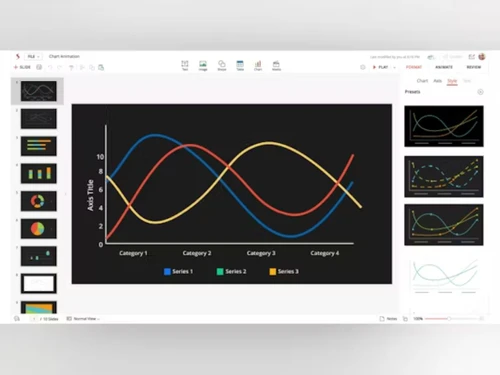
zoho show animation
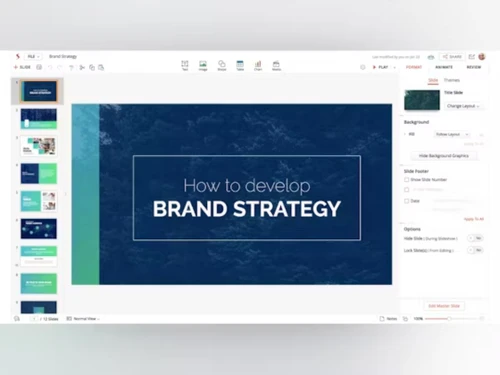
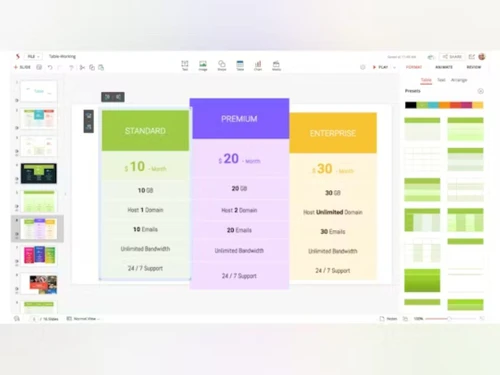
zoho show presentation

Zoho Show

Brand: Zoho Corporation

  • 4.3

  • 3 Ratings

Zoho Show is a cloud-based presentation software that allows users to create, edit, and share professional presentations online. It is designed to enhance collaboration, streamline presentation creation, and ensure seamless compatibility with PowerPoint.

See More

Have you used Zoho Show before?

Share your insights for better experience

Add a Review
Starting Price
₹140 excl.GST
₹ 165 incl. GST

View plans

offer Save upto 18%, Get GST Invoice on your business purchase T&C
offer Buy Now & Pay Later, Check offer on payment page.
Buy Now
100% Genuine
Products
Best Price
Guaranteed
Safe & Secure
Payment
  • Description

  • Pricing

  • Features

  • Specification

  • Review

  • Compare

  • Alternatives

  • FAQ

Starting at ₹140
Buy Now

Zoho Show Software Overview

What is Zoho Show?

Zoho Show is an online presentation software that provides tools to create, edit, and present slide decks. As part of Zoho’s suite of business software and productivity software, Zoho Show is aimed at businesses, educators, and creative professionals who need to deliver compelling presentations.

It enables users to design presentations with ease, collaborate with teams, and share their work with others, all in real-time. With Zoho Show, users can access their presentations from anywhere, collaborate seamlessly, and present in multiple formats, making it a versatile tool for modern workflows.

Unlike traditional desktop-based presentation tools, Zoho Show runs on the cloud, making it easy to store and manage presentations without worrying about file compatibility or storage limitations.

The software also supports PowerPoint compatibility, ensuring users can import and export their PowerPoint presentations without losing formatting. Its clean interface, rich set of features, and collaboration tools make it an ideal choice for teams who need to work together and stay organized while preparing presentations.

Why Choose Zoho Show Presentation Software?

  • PowerPoint Compatibility: Zoho Show ensures smooth compatibility with PowerPoint presentations, making it easy to import and export files without issues.
  • Cloud-Based Access: Being cloud-based, users can access their presentations from anywhere, anytime, and on any device.
  • Collaboration Features: Zoho Show allows real-time collaboration, enabling teams to work together on presentations from different locations.
  • Customization Options: Users can personalize presentations with custom animations, graphics, and layouts to match their style and branding.
  • Easy Sharing: Presentations can be easily shared with others, either by sharing a link or embedding them on websites.
  • Data-Driven Insights: With advanced charts, graphs, and data fields, users can incorporate detailed insights directly into their presentations.

Benefits of Zoho Show

  • Seamless Collaboration: Multiple users can work on the same presentation in real-time, enhancing teamwork and efficiency.
  • Cross-Platform Compatibility: Zoho Show works across various devices and platforms, making it accessible from desktops, laptops, and mobile devices.
  • User-Friendly Interface: The simple and intuitive design ensures that both beginners and advanced users can quickly create professional presentations.
  • Presentation Publishing: With Zoho Show, you can broadcast presentations to large audiences in real-time, making it ideal for webinars or meetings.
  • Data Integration: Easily add dynamic data from external sources, providing more informative and visually appealing slideshows.
  • High-Quality Animations: Incorporate high-quality animations to make your presentations more engaging and interactive.
  • Library Management: Organize and manage your presentations effectively with Zoho Show's library management features, ensuring easy access to past projects.
  • Advanced Graphs & Charts: Use built-in graphs and charts to display complex data in an easy-to-understand format.

Pricing of Zoho Show

Zoho Show’s price starts at INR 140 per month per user at techjockey.com.

The pricing model is based on different parameters, including extra features, deployment type, and the total number of users. For further queries related to the product, you can contact our product team and learn more about the pricing and offers.

Read more

Zoho Corporation Company Details

Founded Year:  1996

Zoho Corporation is an Indian multinational company that specialises in software development, cloud computing, and web-based business tools. It is best known for Zoho Office suite and its enterprise IT management division, ManageEngine

Director/Founders Sridhar Vembu / Tony Thomas
Company Size 1000+ Employees

Zoho Show Pricing & Plans

Professional Plan
Key Features
  • Share and collaborate
  • Additional storage-1TB/Team for teams and organiza
  • Zoho Office Suite
  • Universal Content Search feature
  • Team folders and granular access controls
  • File upload size starting from 1GB
  • Custom brand asset library
  • Integrate livestream with LiveCast
  • User management tools & Admin Dashboard
  • Data security and privacy

Calculated Price

140 Exclusive of all taxes
    • Users

      Users
      Users
    • Monthly

      Monthly
      Monthly

Key Features

  • Share and collaborate

  • Additional storage-1TB/Team for teams and organiza

  • Zoho Office Suite

  • Universal Content Search feature

  • Team folders and granular access controls

  • File upload size starting from 1GB

  • Custom brand asset library

  • Integrate livestream with LiveCast

  • User management tools & Admin Dashboard

  • Data security and privacy

Zoho Show Features

  • icon_check Theme Management
    Apply professionally designed themes and templates to maintain consistent visual branding across slides.
  • icon_check Chart Visualization
    Insert dynamic charts and graphs to represent data visually and make insights more impactful.
  • icon_check Shape and Object Editing
    Add and modify shapes, icons, and objects with flexible alignment, layering, and styling controls.
  • icon_check Animation
    Animate slide elements with entrance, emphasis, and motion path effects to create engaging visuals.
  • icon_check Transition Effects
    Apply smooth slide transitions to enhance storytelling and maintain audience engagement.
  • icon_check Multimedia Integration
    Embed videos, audio clips, and GIFs directly into slides for richer and interactive presentations.
  • icon_check Version Control
    Track changes, view revision history, and restore previous versions to manage updates efficiently.
  • icon_check Cloud Storage Integration
    Save and access presentations securely on Zoho WorkDrive or other supported cloud services.
  • icon_check Broadcast Presentation
    Deliver live presentations online with presenter controls and real-time audience engagement.
  • icon_check Role-Based Access Control (RBAC)
    Set role-based permissions to restrict viewing, editing, or commenting rights for collaborators.
  • icon_check Mobile Compatibility
    Access, create, and present slides seamlessly across Android, iOS, and tablet devices.
  • icon_check Publishing and Embedding
    Publish decks to the web or embed them on websites, blogs, and social media platforms.
  • icon_check Remote Support
    Control presentations remotely via mobile devices or TV apps during live sessions.
Zoho Show Demo Video play icon

Get Zoho Show Demo

Watch the demo video to explore key features, real workflows, and how the software fits your business needs.

Understand
Key Features
Personal
Demo Insights
Interactive
Demo Support

Zoho Show Specifications

Supported Platforms
Ubuntu Ubuntu Windows Windows iOS iOS Android Android MacOS MacOS Windows(Phone) Windows(Phone) Linux Linux
Devices
Desktop Desktop Mobile Mobile Tablet Tablet iPad iPad
Deployment
Cloud-Based Cloud-Based
Suitable For
All Industries
Business Specific
All Businesses
Business Size
Small Business Startups Medium Business
Customer Support
Phone Email Communities
Language
English
Training Resources
Webinars Documentation Videos
AI Features
AI Integrated

Explore the Best Alternative Solutions Similar to Your Business Size and Needs

Zoho Show Review

4.3

Out of 5

img

Overall Rating

Based on
3 Verified Ratings

Rating Breakdown

  • Features 4.5
  • Value for Money 4.1
  • Ease of Use 4.3
  • Customer Support 4.3

86% Recommend this Product

Add Review

Be the First to Review

This product has no reviews yet. Be the first to leave your feedback.

Add Review

Compare Zoho Show With other Presentation Software

Products
Ratings
Pricing
Device Supported
Deployment
Supported Platforms
  • img

    Zoho Show

  • 4.3

  • ₹ 140.00 excl. GST

  • Desktop

    Mobile

  • Web based

    On Premises

  • Windows

    Mac OS

  • img

    Tome AI

  • 4.5

  • Price On Request

  • Desktop

    Mobile

  • Web based

    On Premises

  • Windows

    Mac OS

  • img

    Pop AI

  • 4.3

  • Price On Request

  • Desktop

    Mobile

  • Web based

    On Premises

  • Windows

    Mac OS

  • img

    Napkin AI

  • 4.3

  • Price On Request

  • Desktop

    Mobile

  • Web based

    On Premises

  • Windows

    Mac OS

  • img

    Plus AI

  • 4.3

  • Price On Request

  • Desktop

    Mobile

  • Web based

    On Premises

  • Windows

    Mac OS

  • img

    Slidesgo

  • 4.1

  • Price On Request

  • Desktop

    Mobile

  • Web based

    On Premises

  • Windows

    Mac OS

  • img

    Presentations AI

  • 4.1

  • Price On Request

  • Desktop

    Mobile

  • Web based

    On Premises

  • Windows

    Mac OS

  • img

    Prezi

  • 4.5

  • Price On Request

  • Desktop

    Mobile

  • Web based

    On Premises

  • Windows

    Mac OS

  • img

    PPT AI

  • 4.1

  • Price On Request

  • Desktop

    Mobile

  • Web based

    On Premises

  • Windows

    Mac OS

  • img

    Mentimeter

  • 4.7

  • Price On Request

  • Desktop

    Mobile

  • Web based

    On Premises

  • Windows

    Mac OS

  • img

    SlideSpeak

  • 4.2

  • Price On Request

  • Desktop

    Mobile

  • Web based

    On Premises

  • Windows

    Mac OS

(0) Product(s) selected

Zoho Show Alternatives

See All Zoho Show Alternatives

Starting Price:

$12 /User/Month

Starting Price:

$15 /Month

Starting Price:

₹189 /Month

SAVE UPTO 60%

Starting Price:

$10 /Month

Starting Price:

$29 /Month

Starting Price:

$3 /Month

Starting Price:

$12 /Month

Available

Price on Request

Starting Price:

$10 /Month

Articles for Zoho Show

See All Related Articles

What is Zoho Show used for?

Zoho Show is a cloud-based presentation software used for creating, editing, and sharing presentations. It offers real-time collaboration, PowerPoint compatibility, and customizable features for a seamless presentation experience.

Can I import PowerPoint files into Zoho Show?

Yes, Zoho Show allows you to import PowerPoint files, ensuring that your slides retain their formatting and appearance.

Is Zoho Show free to use?

Zoho Show offers a free version with basic features. However, there are premium plans with additional features for business and professional use.

How can I collaborate with my team using Zoho Show?

Zoho Show allows real-time collaboration, enabling team members to work together on a presentation from different locations, making teamwork easy and efficient.

Can I add animations to my presentations in Zoho Show?

Yes, Zoho Show provides a range of animations and transitions that you can use to enhance your presentations and make them more engaging.

Is Zoho Show compatible with other Zoho applications?

Yes, Zoho Show integrates seamlessly with other Zoho applications, allowing you to include data, charts, and other elements from other tools in your presentations.

Can I share my Zoho Show presentations?

Yes, you can easily share your Zoho Show presentations by generating a link or embedding them on websites or social media.

How do I publish my presentations from Zoho Show?

Zoho Show allows you to publish your presentations directly to websites or social media platforms, making it easy to reach a larger audience.

Can I use Zoho Show on mobile devices?

Yes, Zoho Show is fully compatible with mobile devices, allowing you to create, edit, and present your slides on the go.

What types of presentations can I create with Zoho Show?

Zoho Show is versatile, allowing you to create a wide range of presentations, from business meetings and educational sessions to marketing pitches and creative portfolios.

20,000+ Software Listed

Best Price Guranteed

Free Expert Consultation

2M+ Happy Customers

Terms and Condtions

close

Users with registered businesses can purchase goods from merchants on the platform to satisfy their business needs. Users are not permitted to utilize any products acquired through the platform for resale, advertising, business, or further distribution.

For each purchase made, users will receive a Tax Invoice (or 'GST invoice') that includes specific details such as:

  • the GSTIN of the user associated with their registered business, and

  • the specified Entity Name for their business.

It should be noted that not all products are eligible for GST Invoice. Only the products displayed by participating sellers with the 'GST-based Invoice Available' callout on the product description page would qualify.

Certain goods and services are not eligible to get a GST Invoice, including items with VAS, i.e., Value Added Services (e.g., Total Mobile Protection/Assured Buyback) and those involving an exchange offer at the time of purchase.

Users must ensure the accuracy of the GSTIN, and business entity name provided for the GST Invoice. Requests for corrections into GST Invoice would not be accommodated by Techjockey.com or any Seller, and any issues arising from user-provided information are the sole responsibility of users.

Techjockey.com is not liable for the GST Invoice or any associated input tax credit. To efficiently claim an input tax credit, users should select the registered place of business address as per the GST authority's data and follow the provisions of the GST Act and rules.

To claim an input tax credit, the delivery and billing addresses must match. Furthermore, input tax credits will not be granted if the delivery address and GSTIN on the invoice are from different states. In case of incorrect GST details provided during the order placement, the order will be canceled automatically.