USA
USA UAE
UAESmall Business
Designed for startups and growing businesses

See More



Brand: Scribd Inc
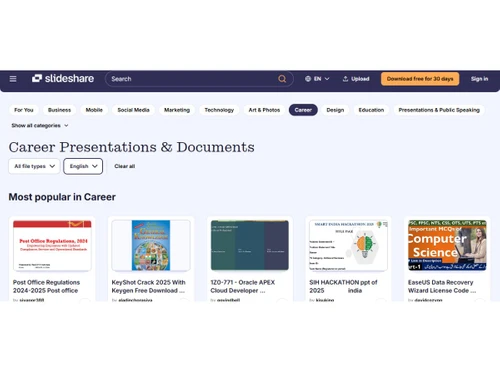
SlideShare is presentation software that enables its users to create presentations, infographics, and videos in full-screen layouts. Users can share their presentations and documents over the platform and read and explore other contributors’ work as well. About 80 million users today learn quickly from 40 content categories about a topic using SlideShare’s professional content. Why Choose Sli...
See MoreHave you used Slideshare before?
Share your insights for better experience
View plans
 Save upto 18%, Get GST Invoice on your business purchase T&C Buy Now & Pay Later, Check offer on payment page.
 Brand: Scribd Inc
Founded Year: 2007
Scribd is an unlimited reading subscription that offers access to books, audiobooks, magazine articles, documents and more.
 File Upload Management Multi Format Support Profile Management Tagging and Categorization Embed Code Generation Analytics and Insights Video Embedding Support Mobile Optimization Content Recommendation Engine Audience Engagement Tools Automatic Transcript Extraction
  Ubuntu
  Windows
  MacOS
MacOS  Linux
Linux  Desktop
  Cloud-Based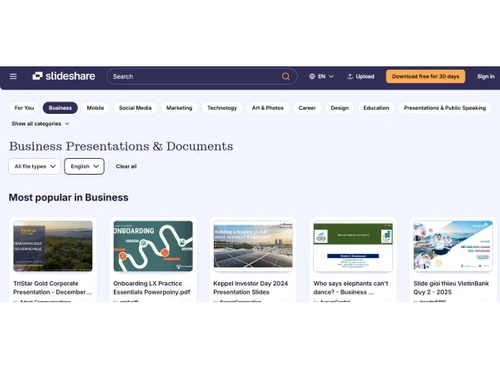
Small Business
Designed for startups and growing businesses
Medium Business
Built for business growth and flexibility
Enterprises
Designed for complex and large-scale business needs
4.1
Out of 5

Overall Rating
Based on
6 Verified Ratings
Rating Breakdown
88% Recommend this Product
Add ReviewThis product has no reviews yet. Be the first to leave your feedback.
Add Review
Slideshare
₹ 299.00 excl. GST
Desktop
Mobile
Web based
On Premises
Windows
Mac OS

Tome AI
Price On Request
Desktop
Mobile
Web based
On Premises
Windows
Mac OS

Napkin AI
Price On Request
Desktop
Mobile
Web based
On Premises
Windows
Mac OS

Pop AI
Price On Request
Desktop
Mobile
Web based
On Premises
Windows
Mac OS

Plus AI
Price On Request
Desktop
Mobile
Web based
On Premises
Windows
Mac OS

Slidesgo
Price On Request
Desktop
Mobile
Web based
On Premises
Windows
Mac OS

Presentations AI
Price On Request
Desktop
Mobile
Web based
On Premises
Windows
Mac OS

Prezi
Price On Request
Desktop
Mobile
Web based
On Premises
Windows
Mac OS

PPT AI
Price On Request
Desktop
Mobile
Web based
On Premises
Windows
Mac OS

Mentimeter
Price On Request
Desktop
Mobile
Web based
On Premises
Windows
Mac OS

Zoho Show
₹ 140
Desktop
Mobile
Web based
On Premises
Windows
Mac OS
(0) Product(s) selected
Starting Price:
$12 /User/Month
Starting Price:
$15 /Month
Starting Price:
₹189 /Month
Starting Price:
$240 /Year $600
Starting Price:
$10 /Month

Starting Price:
$3 /Month

Starting Price:
$29 /Month

Starting Price:
$12 /Month

Starting Price:
$10 /Month

Available
Price on Request

Starting Price:
$10 /Month
SlideShare presentation software is compatible with Windows, Android, iOS, and MacOS operating systems.
SlideShare presentation software app is available for Android, and iOS mobile devices.
SlideShare presentation software supports web-based deployment types.
SlideShare is completely free to use, but it offers a SlideShare premium version also. The premium version allows users to upload videos, access analytics, professional branding, and private sharing.
SlideShare presentation software installation is not required, as it is web-based. Just open the Setup Wizard to get started.
To download SlideShare PPT, log in to your SlideShare account and navigate to the content you want to download. Finally, click on the download button to download the desired SlideShare PPT.
SlideShare doesn’t pay you directly for ads or anything else, but you can earn through CTAs, and actionable points.
SlideShare and PowePoint are two different tools. PowerPoint helps create presentations, while on the other hand, SlideShare allows you to share and create your presentations.
Yes, SlideShare is free to use. However, it offers a premium version that allows you to access analytics, do video uploads, and professional branding.
To use SlideShare, create and login to your account and then search for your desired topic to find the right presentation for yourself in 40+ content categories.
20,000+ Software Listed
Best Price Guranteed
Free Expert Consultation
2M+ Happy Customers
Terms and Condtions

Users with registered businesses can purchase goods from merchants on the platform to satisfy their business needs. Users are not permitted to utilize any products acquired through the platform for resale, advertising, business, or further distribution.
For each purchase made, users will receive a Tax Invoice (or 'GST invoice') that includes specific details such as:
the GSTIN of the user associated with their registered business, and
the specified Entity Name for their business.
It should be noted that not all products are eligible for GST Invoice. Only the products displayed by participating sellers with the 'GST-based Invoice Available' callout on the product description page would qualify.
Certain goods and services are not eligible to get a GST Invoice, including items with VAS, i.e., Value Added Services (e.g., Total Mobile Protection/Assured Buyback) and those involving an exchange offer at the time of purchase.
Users must ensure the accuracy of the GSTIN, and business entity name provided for the GST Invoice. Requests for corrections into GST Invoice would not be accommodated by Techjockey.com or any Seller, and any issues arising from user-provided information are the sole responsibility of users.
Techjockey.com is not liable for the GST Invoice or any associated input tax credit. To efficiently claim an input tax credit, users should select the registered place of business address as per the GST authority's data and follow the provisions of the GST Act and rules.
To claim an input tax credit, the delivery and billing addresses must match. Furthermore, input tax credits will not be granted if the delivery address and GSTIN on the invoice are from different states. In case of incorrect GST details provided during the order placement, the order will be canceled automatically.