linkedin
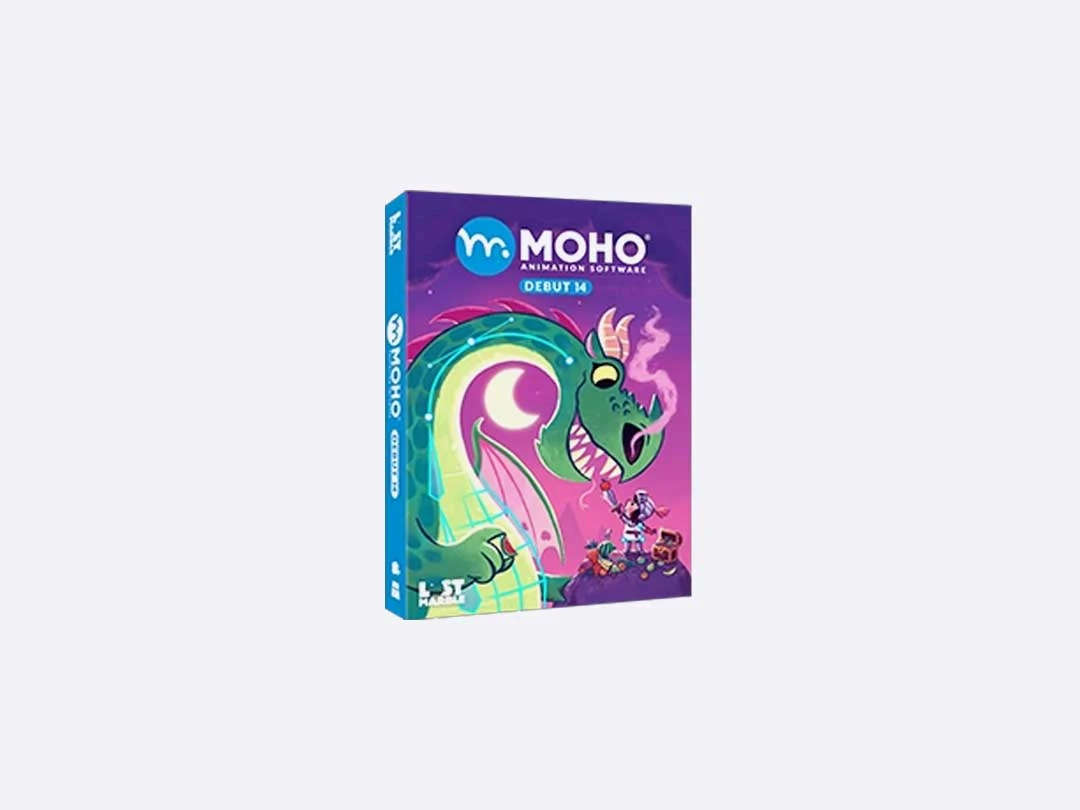
Moho Animation Software logo
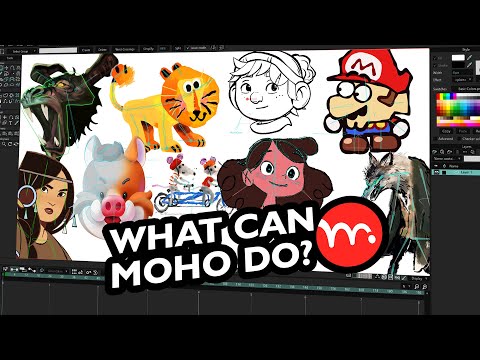
play Why is everyone so excited about Moho? Check what the community has created
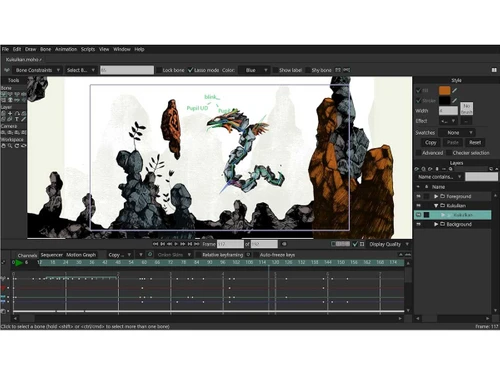
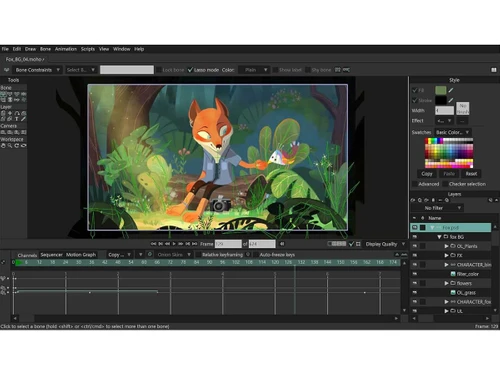
moho animation
moho animation file

Moho Animation Software

Brand: Lost Marble LLC

  • No Ratings & Reviews

Moho Animation Software is a 2D animation tool that provides drawing, rigging, animation, and export features for creative projects.

See More

Have you used Moho Animation Software before?

Share your insights for better experience

Add a Review
Starting Price
$400

View plans

100% Genuine
Products
Best Price
Guaranteed
Safe & Secure
Payment
  • Description

  • Pricing

  • Features

  • Specification

  • Review

  • Compare

  • Alternatives

  • FAQ

Starting at $400

Moho Animation Software Overview

What is Moho Animation Software?

Moho Animation Software is a powerful and comprehensive 2D animation platform designed for both professionals and hobbyists. It provides a complete suite of tools for drawing, rigging, and animating characters and scenes, combining advanced animation technology with an intuitive, user-friendly interface. The software is engineered to streamline the creation of high-quality animations, making it a preferred choice for studios and independent artists alike.

Available in two distinct versions, Moho Pro and Moho Debut, the software caters to a wide spectrum of users. Moho Pro is tailored for professional animators seeking maximum efficiency and control, while Moho Debut offers an accessible and affordable entry point for beginners and digital artists. With its unique vector system optimized for animation and a renowned rigging system, Moho empowers creators to bring their 2D projects to life on macOS and Windows platforms.

Why Choose Moho Animation Software?

  • Industry-Leading Rigging System: Moho features what many consider the most powerful and intuitive 2D rigging system available. Users can create complex skeletons for any character or object in minutes, utilizing features like Forward and Inverse Kinematics (IK), Pin bones, and constraints for fluid, realistic movement.
  • Optimized Vector Workflow: Its unique vector tools are specifically designed for animation, ensuring that character shapes remain consistent and sharp during motion. This system allows for direct drawing within the software and supports brushes and effects for natural, hand-drawn aesthetics.
  • Efficiency and Speed: The software is built to be a more efficient alternative to traditional animation methods. The streamlined workflow, from drawing to final export, allows artists to produce quality animations faster.
  • Perpetual License Model: Moho offers a perpetual license, a significant advantage for users who prefer to own their software outright rather than being tied to a recurring subscription model.
  • Versatile Integration: With the Moho 14.4 update, Moho Pro can export designs, rigs, and animations for popular game engines like Unreal, Unity, and Godot, as well as 3D software like Blender, bridging the gap between 2D creation and 3D/interactive environments.

Advanced Features of Moho Animation Software

  • Advanced Bone Rigging: Beyond standard IK, Moho's system includes features like Target bones, automatic squash and stretch, and the ability to copy and paste animation between characters with similar skeletons.
  • Comprehensive Animation Control: Virtually every element can be animated. This includes vector shape properties like curvature and line width, layer settings like opacity and masking, and even gradient and color transitions.
  • Smart Bones: A revolutionary feature that allows you to control complex character movements and facial expressions with simple dial movements, eliminating tedious frame-by-frame adjustments.
  • Physics Engine: An integrated physics engine allows for the automatic animation of objects, enabling realistic reactions to gravity, wind, and collisions.
  • Distortion Meshes and Brushes: Create custom meshes to distort and animate images and vectors in powerful ways. The software also includes 'boiling brushes' that produce a natural, painted look.
  • File Support: Moho seamlessly integrates with other creative tools by supporting layered PSD and SVG file imports, preserving the original layer structure for easy rigging and animation.

Key Capabilities of Moho Animation Software

  • Moho Pro 14: This is the flagship version, perfect for professional animators, studios, and advanced users. It includes the full feature set, such as Smart Bones, advanced rigging constraints, a graph editor, and support for exporting to game engines and 3D software. It is the definitive tool for creating complex, high-quality animations efficiently.
  • Moho Debut 14: This edition is the ideal solution for first-time animators, students, and hobbyists. It offers a simplified interface and a core set of Moho's essential drawing, rigging, and animation tools. It provides a fun, quick, and affordable way to learn the fundamentals of 2D animation and create impressive personal projects.

How to Use Moho Animation Software?

  1. Design and Import: Begin by creating your characters and assets directly within Moho using its animation-optimized vector drawing tools. Alternatively, you can import existing artwork, such as layered Photoshop (PSD) or SVG files, to maintain a flexible workflow.
  2. Rig Your Characters: Use the intuitive rigging tools to build a skeleton for your character. Add bones, define their hierarchy, and apply Inverse Kinematics (IK) for easy limb manipulation. Set up advanced controls like Pin bones and constraints for precise movement.
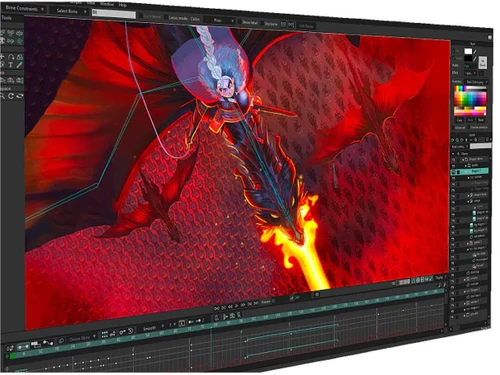
  3. Animate the Scene: Bring your characters to life using the timeline. Animate bone movements, manipulate vector points, and keyframe almost any property. Utilize the graph editor in Moho Pro for fine-tuned control over animation curves and timing.
  4. Refine and Finalize: Add secondary animations, apply physics for dynamic effects, and use distortion meshes to add depth and personality. Review your animation and make final adjustments to timing and spacing.
  5. Export Your Project: Render your final animation to a video file or export your characters and animations for use in game engines like Unity and Unreal, or 3D applications like Blender.

Moho Animation Software Pricing

Moho Animation Software price starts at USD 400 at techjockey.com.

The pricing model is based on different parameters, including extra features, deployment type, and the total number of users. For further queries related to the product, you can contact our product team and learn more about the pricing and offers.

Read more

Lost Marble LLC Company Details

Founded Year:  2012

Lost Marble award-winning animation software Moho is an amazing digital storytelling tool. From its humble beginnings as a hobbyist animation software application created by Mike Clifton to eventually empowering thousands with the ability to animate easily and efficiently using vector to

Director/Founders Mike Clifton
Company Size 1-100 Employees

Moho Animation Software Pricing & Plans

Moho Pro 14
Key Features
  • Vector-Based Drawing
  • Inverse Kinematics
  • Hierarchical Layers
  • Drawing Tool
Starting at $400
    • Licenses (OneTime)

      Licenses (OneTime)
      Licenses (OneTime)

Key Features

  • Vector-Based Drawing

  • Inverse Kinematics

  • Hierarchical Layers

  • Drawing Tool

Moho Animation Software Features

  • icon_check Vector-Based Drawing
    Create scalable vector artwork with unlimited editing and no quality loss.
  • icon_check Inverse Kinematics
    Control character movement naturally with puppet-style animation tools.
  • icon_check Hierarchical Layers
    Organize complex scenes using layered, parent-child structures.
  • icon_check Drawing Tools
    Sketch ideas quickly using a natural pen-style drawing experience.
  • icon_check Switch Layers
    Instantly swap drawings for lip-sync and frame-by-frame animation.
  • icon_check Image Warping
    Warp and animate images using bones for dynamic photo animation.
  • icon_check Animatable Colors
    Animate color and transparency changes over time.
  • icon_check Particle Effects
    Add effects like smoke, fire, and rain using particle layers.
  • icon_check Skeletal Rigging
    Create character skeletons for smooth, reusable animation.
  • icon_check Motion Blur
    Add realistic blur to fast-moving objects.
  • icon_check Multi-Track Audio Support
    Add dialogue, music, and sound effects on separate tracks.
  • icon_check Asset Library
    Store and reuse characters, props, and backgrounds.
  • icon_check Templates
    Start new animations with pre-configured settings.
  • icon_check Multi Format Support
    Export to MP4, MOV, GIF, PNG sequences, and image sprites.
  • icon_check Social Media Presets
    Quick export for YouTube, Instagram, and other platforms.
Moho Animation Software Demo Video play icon

Get Moho Animation Software Demo

Watch the demo video to explore key features, real workflows, and how the software fits your business needs.

Understand
Key Features
Personal
Demo Insights
Interactive
Demo Support

Moho Animation Software Specifications

Supported Platforms
Windows Windows MacOS MacOS
Devices
Desktop Desktop
Deployment
Cloud-Based Cloud-Based
Suitable For
All Industries
Business Specific
All Businesses
Business Size
Small Business Medium Business Enterprises
Customer Support
Forums
Language
English
Training Resources
Live Online Documentation Videos
AI Features
AI Integrated

Explore the Best Alternative Solutions Similar to Your Business Size and Needs

Moho Animation Software Review

Techjockey Trusted Reviews from Verified Users

No reviews are currently available for Moho Animation Software. Discover similar Animation Software reviews

  • Animaker

    4.5

    Whats great - I started using Animaker because of a sudden influx of assignments during my career’s initial video editing career. Today, th... read more

  • VideoScribe

    4.4

    Whats great - First of all, Videoscribe is great for making animated presentations. Just in case, you forgot to save the recent changes, wo... read more
  • Autodesk Maya

    4.8

    Whats great - Autodesk Maya is the best tool to convert your ideas into reality. You have a lot of possibilies with this software. If you w... read more
Compare Moho Animation Software With other Animation Software

Products
Ratings
Pricing
Device Supported
Deployment
Supported Platforms
  • img

    Moho Animation Software

  • Price On Request

  • Desktop

    Mobile

  • Web based

    On Premises

  • Windows

    Mac OS

  • img

    Moho Debut

  • Price On Request

  • Desktop

    Mobile

  • Web based

    On Premises

  • Windows

    Mac OS

  • img

    Autodesk Maya

  • 4.7

  • ₹ 16520

  • Desktop

    Mobile

  • Web based

    On Premises

  • Windows

    Mac OS

  • img

    Autodraft

  • 4.2

  • ₹ 833

  • Desktop

    Mobile

  • Web based

    On Premises

  • Windows

    Mac OS

  • img

    VideoScribe

  • 4.4

  • Price On Request

  • Desktop

    Mobile

  • Web based

    On Premises

  • Windows

    Mac OS

  • img

    LottieFiles

  • 4.3

  • Price On Request

  • Desktop

    Mobile

  • Web based

    On Premises

  • Windows

    Mac OS

  • img

    Jitter

  • 4.4

  • Price On Request

  • Desktop

    Mobile

  • Web based

    On Premises

  • Windows

    Mac OS

  • img

    Animation Desk

  • 4.6

  • Price On Request

  • Desktop

    Mobile

  • Web based

    On Premises

  • Windows

    Mac OS

  • img

    Immersity AI

  • 4.3

  • Price On Request

  • Desktop

    Mobile

  • Web based

    On Premises

  • Windows

    Mac OS

  • img

    Toonly

  • 4.4

  • Price On Request

  • Desktop

    Mobile

  • Web based

    On Premises

  • Windows

    Mac OS

  • img

    ImagetoCartoon

  • 4.3

  • Price On Request

  • Desktop

    Mobile

  • Web based

    On Premises

  • Windows

    Mac OS

(2) Product(s) selected

Moho Animation Software Alternatives

See All Moho Animation Software Alternatives

Starting Price:

$240 /User/Year

Starting Price:

$49

Starting Price:

$16

Starting Price:

$15 /Month
Starting Price:

$69 /Quantity $99

SAVE UPTO 30%

Starting Price:

$11 /Month

Starting Price:

$10 /Month
Articles for Moho Animation Software

See All Related Articles

Is Moho Animation Software good?

Yes, Moho is considered a powerful and professional 2D animation software, praised for its advanced technology, efficient workflow, and robust features like its rigging system, making it a game changer for many artists.

Is Moho free?

No, Moho Animation Software is not free; it offers two paid versions, Moho Pro 14 for professionals and Moho Debut 14 for first-time animators and hobbyists, with an upgrade option available for existing users.

How much does Moho Animation Software cost?

Moho Animation Software price starts at USD 400 at techjockey.com.

Is Moho Animation Software easy to learn?

Moho Animation Software is designed with ease of use in mind, particularly with Moho Debut being ideal for first-time animators, and its rigging system is described as intuitive and fast, allowing users to rig characters in minutes.

Who can use Moho Animation Software?

Moho Animation Software caters to a wide range of users, with Moho Pro designed for animation professionals and Moho Debut serving as an ideal solution for first-time animators, hobbyists, and digital artists.

What unique features does Moho offer for animation?

Moho offers unique features such as boiling brushes, an optimized vector system for consistent shapes during animation, the most powerful 2D rigging system with inverse kinematics, and extensive animatable properties like curvature, linewidth, and gradients.

Can Moho animations be used in game development or 3D software?

Yes, Moho Animation Software allows users to export their designs, rigs, and animations directly to popular game engines such as Unreal, Unity, or Godot, as well as to 3D software like Blender.

What operating systems and languages does Moho Animation Software support?

Moho Animation Software supports both macOS and Windows operating systems and offers extensive language support including English, Spanish, French, German, Japanese, Russian, Chinese, Hindi, Arabic, Korean, Portuguese, and Turkish.

20,000+ Software Listed

Best Price Guranteed

Free Expert Consultation

2M+ Happy Customers

Terms and Condtions

close

Users with registered businesses can purchase goods from merchants on the platform to satisfy their business needs. Users are not permitted to utilize any products acquired through the platform for resale, advertising, business, or further distribution.

For each purchase made, users will receive a Tax Invoice (or 'GST invoice') that includes specific details such as:

  • the GSTIN of the user associated with their registered business, and

  • the specified Entity Name for their business.

It should be noted that not all products are eligible for GST Invoice. Only the products displayed by participating sellers with the 'GST-based Invoice Available' callout on the product description page would qualify.

Certain goods and services are not eligible to get a GST Invoice, including items with VAS, i.e., Value Added Services (e.g., Total Mobile Protection/Assured Buyback) and those involving an exchange offer at the time of purchase.

Users must ensure the accuracy of the GSTIN, and business entity name provided for the GST Invoice. Requests for corrections into GST Invoice would not be accommodated by Techjockey.com or any Seller, and any issues arising from user-provided information are the sole responsibility of users.

Techjockey.com is not liable for the GST Invoice or any associated input tax credit. To efficiently claim an input tax credit, users should select the registered place of business address as per the GST authority's data and follow the provisions of the GST Act and rules.

To claim an input tax credit, the delivery and billing addresses must match. Furthermore, input tax credits will not be granted if the delivery address and GSTIN on the invoice are from different states. In case of incorrect GST details provided during the order placement, the order will be canceled automatically.