 USA
USA UAE
UAESmall Business
Designed for startups and growing businesses


See More




Brand: Movavi
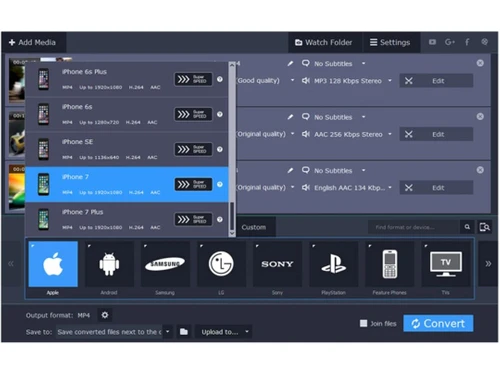
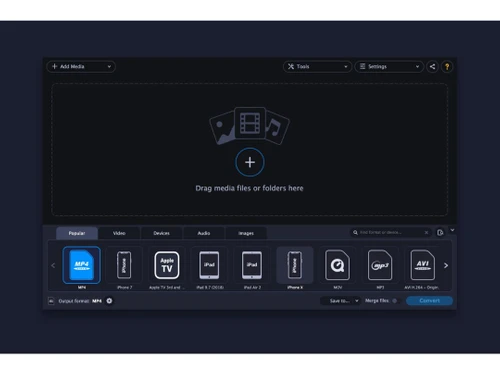
Movavi Video Converter is an advanced video editing software, with which you can crop, rotate, stabilize and add captions within a particular video clip. You can convert a particular media file into any other form out of the 180 media formats like PNG, MP4, AVI, AAC and more supported by the software. It can also be used as an intuitive tool to extract audios out of any video file and get them co...
See MoreHave you used Movavi Video Converter before?
Share your insights for better experience
View plans
 Save upto 18%, Get GST Invoice on your business purchase T&C Buy Now & Pay Later, Check offer on payment page.
 Brand: Movavi
Founded Year: 2004
Movavi offers a wide variety of multimedia programs that help you have fun with your videos, music, and photos on any platform and any device.
 Lightning-fast conversion Any device, any format Music and pictures, too Complete Editing Package

Watch the demo video to explore key features, real workflows, and how the software fits your business needs.
 Windows
  MacOS
MacOS  Desktop
  Perpetual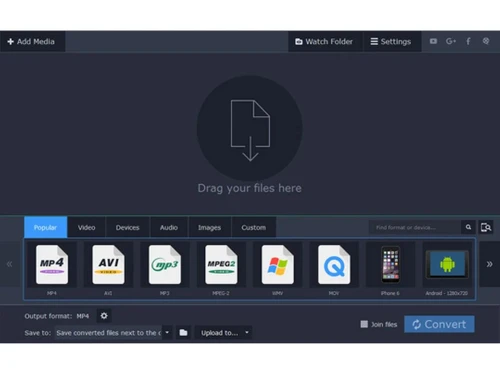
Small Business
Designed for startups and growing businesses
Medium Business
Built for business growth and flexibility
Enterprises
Designed for complex and large-scale business needs
4.0
Out of 5

Overall Rating
Based on
3 Verified Reviews
Rating Breakdown
76% Recommend this Product
Add ReviewUsers generally appreciate Movavi Video Converter for its ease of use and quick performance, often highlighting the impressive quality of the outcomes it produces. The extensive transformation profile library is also a notable advantage. However, a common concern is the requirement to pay for each new version, which can be frustrating for users expecting ongoing support and updates after their initial purchase. This has led to mixed feelings about long-term commitment to the software.

Jan 20, 2020
Techjockey Verified
“Be ready to constantly financially support Movavi”
Pros
The program is generally good: easy and pleasant to use. I learned about it from this article https://thinkmobiles.com/blog/best-video-converters/ (now plan to try something else from the list). Movavi Video Converter, in terms of functionality, is pretty rich and would be perfect, but some things are annoying, and I want to refuse further use.
Cons
The main thing is the need to pay for each new version. You buy a license, expect that you will receive full support with all updates, but no, you need to pay for each subsequent version. And they rivet the version quickly enough. Less than a year has passed since my purchase of the program, and two new versions have already been released. Nobody updates your version, and errors are not fixed, you are no longer interested in the company until you pay for the new version. They certainly offer a discount, but only 30% - you don’t want to pay for improvements, updates every time.
Jan 16, 2019
Techjockey Verified
“Outcomes are quite interesting”
Pros
It's quick, produces extraordinary outcomes and has one of the biggest transformation profile libraries on our lineup.
Cons
NO CONS
Jun 12, 2018
Techjockey Verified
“fabulous service”
Pros
Three of the five vendors were viable and met our software needs. We wanted to narrow down the list to three finalists, and two of the finalists were from this list. All five vendors have good products, they just did not all meet our needs.
Cons
N/A

Movavi Video Converter
₹ 1399.00 excl. GST
Desktop
Mobile
Web based
On Premises
Windows
Mac OS
Nero Platinum Suite
₹ 4065
Desktop
Mobile
Web based
On Premises
Windows
Mac OS

Truecaller
₹ 84
Desktop
Mobile
Web based
On Premises
Windows
Mac OS

WizTree
Price On Request
Desktop
Mobile
Web based
On Premises
Windows
Mac OS

RestoreX360
₹ 1499
Desktop
Mobile
Web based
On Premises
Windows
Mac OS

Xplorer
Price On Request
Desktop
Mobile
Web based
On Premises
Windows
Mac OS
CHIRP
Price On Request
Desktop
Mobile
Web based
On Premises
Windows
Mac OS

IrfanView
Price On Request
Desktop
Mobile
Web based
On Premises
Windows
Mac OS

Iobit Driver Booster 13 Pro
Price On Request
Desktop
Mobile
Web based
On Premises
Windows
Mac OS

Opal
Price On Request
Desktop
Mobile
Web based
On Premises
Windows
Mac OS

Iobit Protected folder
Price On Request
Desktop
Mobile
Web based
On Premises
Windows
Mac OS
(0) Product(s) selected
Starting Price:
₹4,065 /PC/Year ₹5,350
Starting Price:
₹84 /Month
Starting Price:
$25 /Quantity
Available
Price on Request
Available
Price on Request
Starting Price:
$12 /License
Starting Price:
$19 /Year
Starting Price:
$20 /Month

Starting Price:
$60 /Year

Available
Price on Request

Available
Price on Request





The software supports a wide variety of hardware acceleration like Intel® HD Graphics, NVIDIA® NVENC, AMD® and NVDEC.
The software supports a wide variety of media formats like AAC, JPG, MP4, PNG, MKV, AVI, MOV and more.
You can send in a demo request for Movavi Video Converter. Our product experts will get back to you as per the time schedule mentioned within your demo request.
Movavi Video Converter requires a Windows or macOS operating system, along with a compatible processor and a graphics card that supports OpenGL 2.0 or later. A minimum of 2 GB RAM is necessary, though 8 GB is recommended for optimal performance, especially when working with HD or 4K video conversions.
No, Movavi Video Converter does not have a mobile app as of now.
20,000+ Software Listed
Best Price Guranteed
Free Expert Consultation
2M+ Happy Customers
Terms and Condtions

Users with registered businesses can purchase goods from merchants on the platform to satisfy their business needs. Users are not permitted to utilize any products acquired through the platform for resale, advertising, business, or further distribution.
For each purchase made, users will receive a Tax Invoice (or 'GST invoice') that includes specific details such as:
the GSTIN of the user associated with their registered business, and
the specified Entity Name for their business.
It should be noted that not all products are eligible for GST Invoice. Only the products displayed by participating sellers with the 'GST-based Invoice Available' callout on the product description page would qualify.
Certain goods and services are not eligible to get a GST Invoice, including items with VAS, i.e., Value Added Services (e.g., Total Mobile Protection/Assured Buyback) and those involving an exchange offer at the time of purchase.
Users must ensure the accuracy of the GSTIN, and business entity name provided for the GST Invoice. Requests for corrections into GST Invoice would not be accommodated by Techjockey.com or any Seller, and any issues arising from user-provided information are the sole responsibility of users.
Techjockey.com is not liable for the GST Invoice or any associated input tax credit. To efficiently claim an input tax credit, users should select the registered place of business address as per the GST authority's data and follow the provisions of the GST Act and rules.
To claim an input tax credit, the delivery and billing addresses must match. Furthermore, input tax credits will not be granted if the delivery address and GSTIN on the invoice are from different states. In case of incorrect GST details provided during the order placement, the order will be canceled automatically.



