 USA
USA UAE
UAESmall Business
Designed for startups and growing businesses


See More



Brand: ObjectRemover
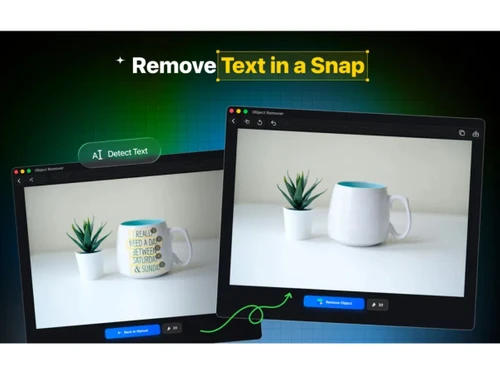
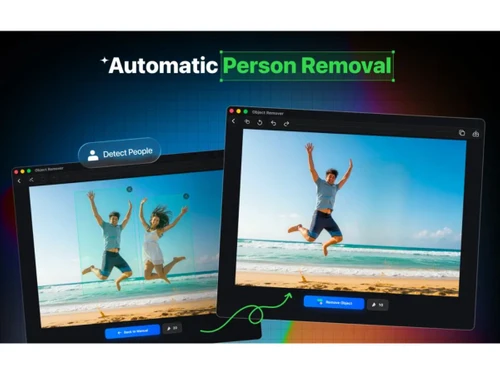
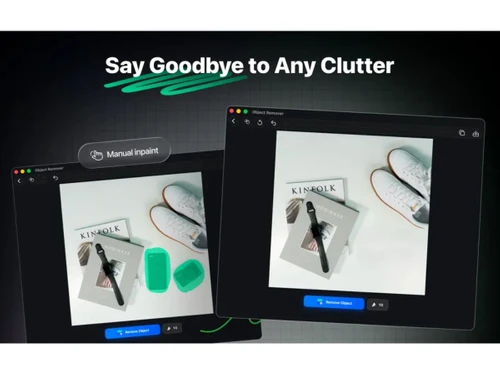
ObjectRemover sweeps distractions off every canvas (or frame) quietly! Memories can be saved without unnecessary noise or clutter.
See MoreHave you used ObjectRemover before?
Share your insights for better experience
Looking for The Right Pricing?
Share your requirements and get a plan built around your business.
Price Available on Request
Get personalised ObjectRemover pricing that fits your needs. Our team will connect with you.
 AI Object Removal Background Reconstruction Brush Selection Tool One-Click Processing Image Upload Support High-Resolution Output No Watermark Automatic Edge Blending Fast Processing Engine User-Friendly Interface Multi-Object Removal Cross-Platform Accessibility Secure File Handling Real-Time Previews
  Windows
  iOS
iOS  Android MacOS
  Linux
Linux  Desktop
  Cloud-Based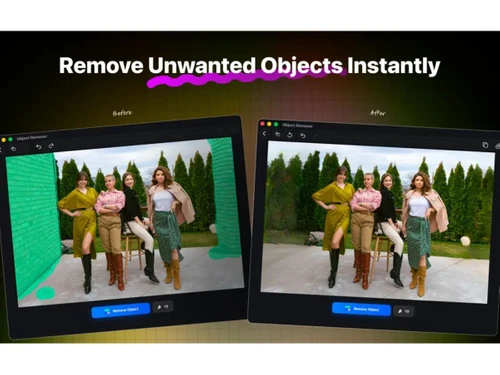

Small Business
Designed for startups and growing businesses
Medium Business
Built for business growth and flexibility
Enterprises
Designed for complex and large-scale business needs
Techjockey Trusted Reviews from Verified Users
No reviews are currently available for ObjectRemover. Discover similar Photo Editing Software reviews

Canva
Whats great - I enjoy how quickly and simply one can choose the template and begin tweaking. read more

Adobe Photoshop
Whats great - What I love most about Adobe Photoshop is its amazing editing capabilities. It's versatile, not just for photos but also for ... read more

Luminar Neo
Whats great - The interface is clean and easy to get around, so I’m not wasting time looking for tools. Sky AI, Relight AI, and portrait to... read more

ObjectRemover
Price On Request
Desktop
Mobile
Web based
On Premises
Windows
Mac OS
Adobe Photoshop
Price On Request
Desktop
Mobile
Web based
On Premises
Windows
Mac OS

Karizma Album
₹ 3500
Desktop
Mobile
Web based
On Premises
Windows
Mac OS

Affinity Photo
₹ 619
Desktop
Mobile
Web based
On Premises
Windows
Mac OS
Luminar Neo
₹ 4999
Desktop
Mobile
Web based
On Premises
Windows
Mac OS

Cutout Pro
₹ 247
Desktop
Mobile
Web based
On Premises
Windows
Mac OS

darktable
Price On Request
Desktop
Mobile
Web based
On Premises
Windows
Mac OS

AfterShot Pro 3
₹ 5966
Desktop
Mobile
Web based
On Premises
Windows
Mac OS

Lensa AI
Price On Request
Desktop
Mobile
Web based
On Premises
Windows
Mac OS

Adobe Photoshop Elements
Price On Request
Desktop
Mobile
Web based
On Premises
Windows
Mac OS

Evoto AI
Price On Request
Desktop
Mobile
Web based
On Premises
Windows
Mac OS
(2) Product(s) selected
Available
Price on Request
Starting Price:
$36 /Year
Starting Price:
$100 /Year
Starting Price:
$80 /year

Starting Price:
$10 /Month

Starting Price:
$35 /Lifetime

Starting Price:
$8 /Month

Starting Price:
$15 /Month

Starting Price:
$810 /Year

Starting Price:
$12 /month








ObjectRemover's pricing is available on request at techjockey.com. Final costs may vary (for different buyers) based on feature selection, deployment type, and user requirements.
ObjectRemover is widely used by photographers, designers, e-commerce sellers, and casual users. The popular editing platform remains a top choice for individuals modifying photographs and visual media.
Yes, there are certain mobile apps available for ObjectRemover. Some dedicated apps for the software can be easily found on the Google Play Store.
ObjectRemover is compatible with Windows, macOS, Linux, Android, and iOS systems. It can be accessed smoothly across supported operating environments.
Yes, ObjectRemover does offer a free trial option for one and all. Users can easily test its capabilities prior to purchasing a plan.
ObjectRemover lets users select unwanted elements in images or videos. Then, the advanced editing solution rebuilds the removed area using surrounding visual details.
20,000+ Software Listed
Best Price Guranteed
Free Expert Consultation
2M+ Happy Customers
Terms and Condtions

Users with registered businesses can purchase goods from merchants on the platform to satisfy their business needs. Users are not permitted to utilize any products acquired through the platform for resale, advertising, business, or further distribution.
For each purchase made, users will receive a Tax Invoice (or 'GST invoice') that includes specific details such as:
the GSTIN of the user associated with their registered business, and
the specified Entity Name for their business.
It should be noted that not all products are eligible for GST Invoice. Only the products displayed by participating sellers with the 'GST-based Invoice Available' callout on the product description page would qualify.
Certain goods and services are not eligible to get a GST Invoice, including items with VAS, i.e., Value Added Services (e.g., Total Mobile Protection/Assured Buyback) and those involving an exchange offer at the time of purchase.
Users must ensure the accuracy of the GSTIN, and business entity name provided for the GST Invoice. Requests for corrections into GST Invoice would not be accommodated by Techjockey.com or any Seller, and any issues arising from user-provided information are the sole responsibility of users.
Techjockey.com is not liable for the GST Invoice or any associated input tax credit. To efficiently claim an input tax credit, users should select the registered place of business address as per the GST authority's data and follow the provisions of the GST Act and rules.
To claim an input tax credit, the delivery and billing addresses must match. Furthermore, input tax credits will not be granted if the delivery address and GSTIN on the invoice are from different states. In case of incorrect GST details provided during the order placement, the order will be canceled automatically.

