linkedin
Paintshop Pro logo
play Corel PaintShop Pro - Your Go-To Photo Editor
PaintShop Pro Editing
PaintShop Pro Essential

Paintshop Pro

Brand: Corel

  • 4.5

  • 5 Ratings

PaintShop Pro is photo editing software that helps you enhance, retouch, and design images like a pro.

See More

Have you used Paintshop Pro before?

Share your insights for better experience

Add a Review
Starting Price
₹5,150 excl.GST
₹ 6,077 incl. GST

View plans

offer Save upto 18%, Get GST Invoice on your business purchase T&C
offer Buy Now & Pay Later, Check offer on payment page.
Buy Now
100% Genuine
Products
Best Price
Guaranteed
Safe & Secure
Payment
  • Description

  • Pricing

  • Features

  • Specification

  • Review

  • Compare

  • Alternatives

  • FAQ

Starting at ₹5,150
Buy Now

Paintshop Pro Software Overview

What is PaintShop Pro?

PaintShop Pro 2023 is a professional photo editing software that incorporates the latest AI features, offering intuitive workflows for users. The software provides a full range of editing capabilities, including RAW processing, high dynamic range (HDR) imaging, and 360° photo editing. It also features essential graphic design tools such as layers, masks, and typography.

AI-powered tools enhance productivity with one-click features, noise reduction, and intelligent upscaling. The latest version introduces Focus Stacking to achieve the ideal depth of field and Vision FX to create AI-powered artistic effects. With cross-platform compatibility, a variety of learning tools, and a 30-day satisfaction guarantee, PaintShop Pro is designed for photographers and designers at any experience level.

Why Choose PaintShop Pro Software?

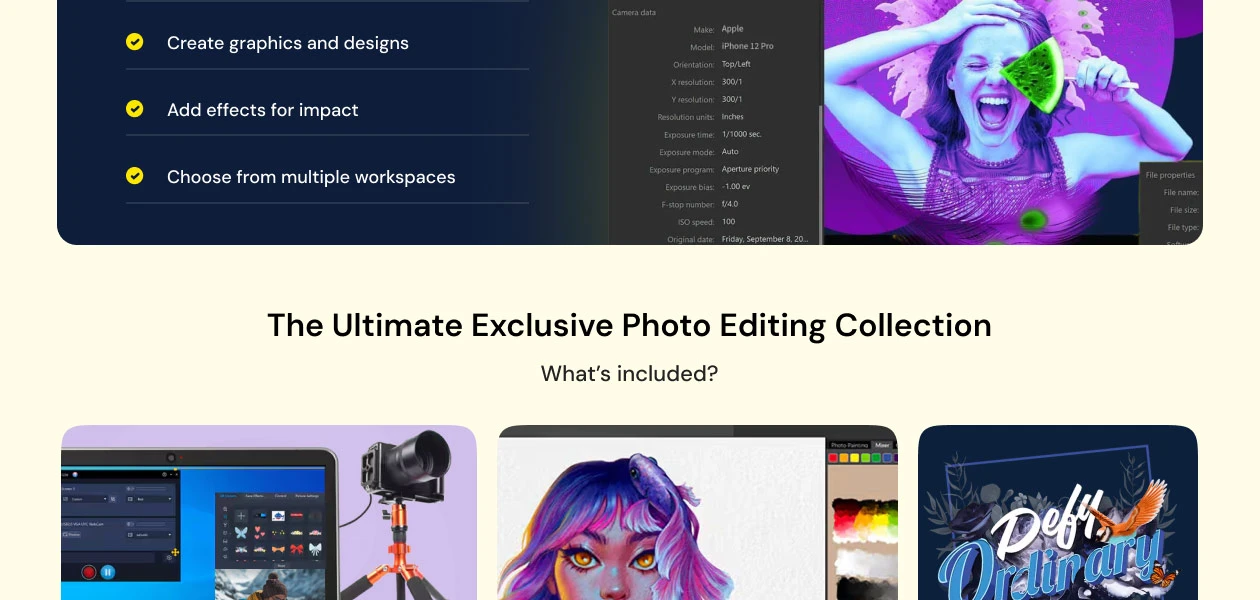
  • Professional Editing Tools: Access powerful editing tools for adjusting, selecting, and correcting RAW, HDR, and 360 photos without any issues.
  • Real-Time AI Enhancements: AI features like AfterShot Lab, Frame Tool, Focus Stacking, and Snap to Objects AI enhance your images in real-time.
  • Intuitive User Interface: The user-friendly interface and convenient navigation provide an efficient workflow for editing and creating images.
  • Extensive Learning Resources: View video tutorials, learning resources, and user guides to help you improve your skills and use the photo editing features effectively.
  • Content and Plugin Integration: PaintShop Pro supports the use of older versions of content and plugins, enhancing its functionality by supporting 64-bit third-party plugins.
  • Cross-Platform Compatibility: Import and export PSD files and work seamlessly with Photoshop in a variety of file formats and design tools.

Benefits of PaintShop Pro Platform

  • Unleash Creativity with AI-Powered Editing: Effortlessly enhance your images with AI-powered tools that bring out the best in your photos.
  • Seamlessly Remove Backgrounds: Quickly remove backgrounds from images to achieve professional-quality results.
  • Enhance Photos with Precision: Enhance your photos with detailed precision for a polished, professional look.
  • Versatile Graphic Design Capabilities: Use versatile design tools to create stunning visuals for various projects.
  • Achieve Flawless Portraits: Retouch portraits effortlessly to enhance facial features and achieve perfect results.
  • Access Powerful AI Art Generators: Utilize AI art generators to create unique and artistic designs.
  • Intuitive Interface: Navigate the software with ease for efficient photo and design work.

Pricing of PaintShop Pro Photo Editing Software

The pricing of PaintShop Pro photo editing software starts from INR 6899 at Techjockey.com. For more details on subscription options or premium packages, feel free to request a call from our product experts.

Read more

Paintshop Pro Pricing & Plans

PaintShop Pro 2023

Calculated Price

₹ 6899 Exclusive of all taxes
    • Users (OneTime)

      Users (OneTime)
      Users (OneTime)

Key Features

  • Photo editing tools

  • Essential tools

  • Adjustment tools

  • Selection and Correction tools

PaintShop Pro 2023 Ultimate

Calculated Price

₹ 5150 Exclusive of all taxes
    • Users (One Time)

      Users (One Time)
      Users (One Time)

Key Features

  • Essential tools

  • Adjustment tools

  • Selection and Correction tools

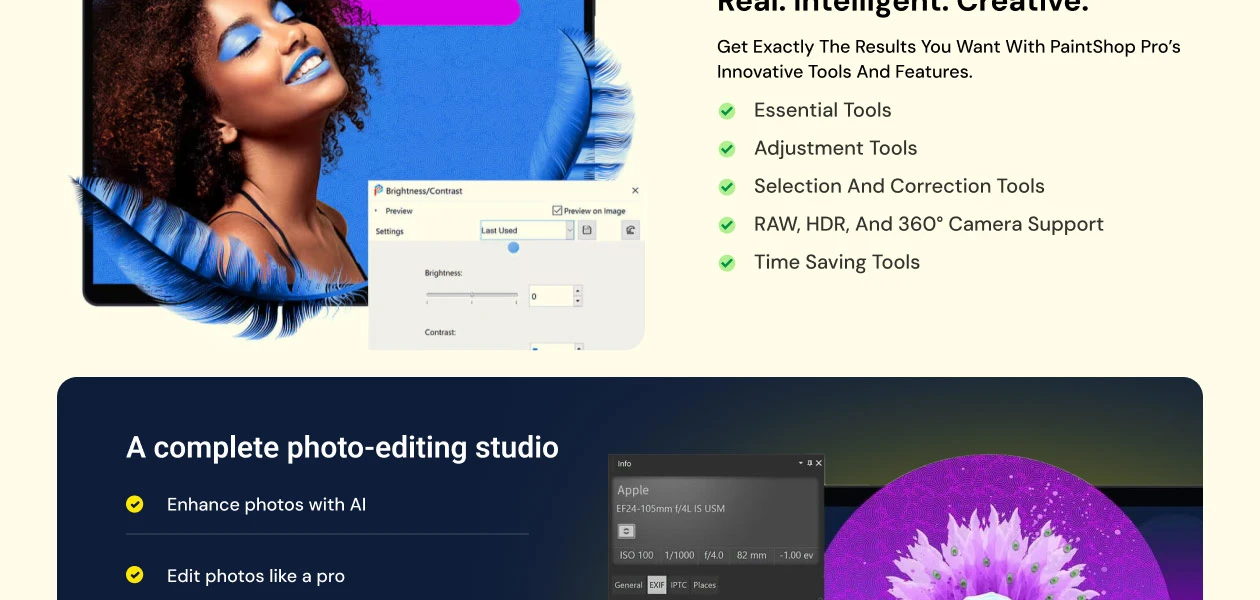
  • RAW, HDR, and 360° camera support

  • Time saving tools

Paintshop Pro Features

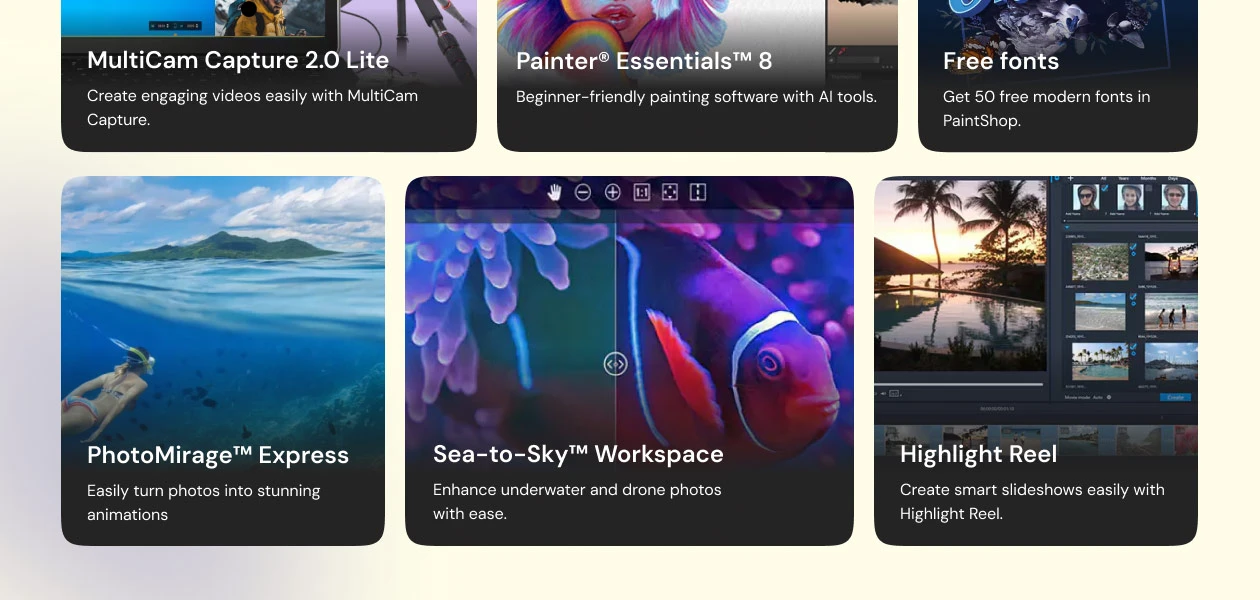
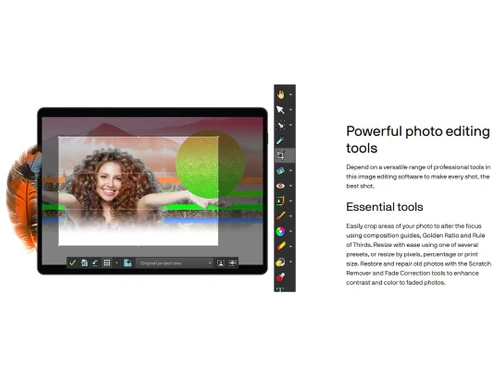
  • icon_check Photo Editing
    From basic adjustments to advanced enhancements, it provides unparalleled creative control.
  • icon_check Artificial Intelligence
    Infuse intelligence into editing with AI-powered features like AI Upsampling, AI Denoise, and AI Background Replacement.
  • icon_check Background Remover
    Remove backgrounds from images for clean and professional results with a powerful and user-friendly background removal tool.
  • icon_check Photo Enhancement
    Precisely enhance photos with enhancement tools for optimal colour balance, clarity, and vibrancy for stunning results.
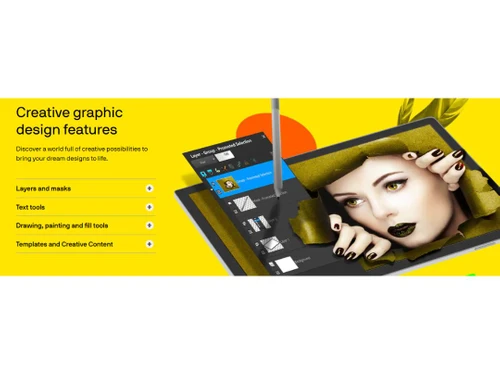
  • icon_check Graphic Design
    Use layers, masks, text tools, & multiple creative features for crafting appealing designs.
  • icon_check Portrait and Retouching Tools
    Perfect portraits with one-click corrections, Depth of Field adjustments, Selective Focus, and various retouching options.
  • icon_check AI Art Generators
    Creating unique and visually stunning compositions using AI-powered generative art tools.
  • icon_check RAW Image Recovery
    Features "AfterShot Lab," a specialized RAW processor that allows for non-destructive, high-bit-depth adjustments to professional
  • icon_check Focus Stacking
    A technical photography tool that merges multiple images taken at different focal distances into a single crisp photo with
  • icon_check Content-Aware Magic Move
    An intelligent editing tool that allows you to move an object within a photo while the AI automatically fills in the background
  • icon_check 360° Photo Editing
    A modern formatting suite that allows you to straighten, rotate, and flatten 360-degree panoramas or create "tiny planet" effects
  • icon_check Frame Tool
    A layout utility that lets you create "placeholders" for images using shapes or text, making it fast and easy to build repetitive
  • icon_check Batch Processing
    A massive time-saver that allows you to apply the same watermark, resize, or color correction to hundreds of photos
  • icon_check HDR Tools
    A high-dynamic-range engine that combines differently exposed shots to bring out intense details in the brightest highlights and
  • icon_check SmartClone
    An advanced cloning technology that allows you to blend elements from multiple images together, automatically matching the
Paintshop Pro Demo Video play icon

Get Paintshop Pro Demo

Watch the demo video to explore key features, real workflows, and how the software fits your business needs.
Understand
Key Features
Personal
Demo Insights
Interactive
Demo Support
Product Enrichment Section Image

Paintshop Pro Specifications

Supported Platforms
Ubuntu Ubuntu Windows Windows MacOS MacOS Linux Linux
Devices
Desktop Desktop Mobile Mobile Tablet Tablet iPad iPad
Deployment
Cloud-Based Cloud-Based
Suitable For
All Industries
Business Specific
All Businesses
Business Size
Small Business Medium Business SMBs SMEs
Customer Support
Email Communities
Language
English
Training Resources
Videos
AI Features
AI Integrated

Explore the Best Alternative Solutions Similar to Your Business Size and Needs

Paintshop Pro Review

4.5

Out of 5

img

Overall Rating

Based on
5 Verified Ratings

Rating Breakdown

  • Features 4.2
  • Value for Money 4.6
  • Ease of Use 4.5
  • Customer Support 4.8

94% Recommend this Product

Add Review

Techjockey Trusted Reviews from Verified Users

No reviews are currently available for Paintshop Pro. Discover similar Photo Editing Software reviews

  • Canva

    4.3

    Whats great - I enjoy how quickly and simply one can choose the template and begin tweaking. read more

  • Adobe Photoshop

    4.6

    Whats great - What I love most about Adobe Photoshop is its amazing editing capabilities. It's versatile, not just for photos but also for ... read more

  • Luminar Neo

    4.9

    Whats great - The interface is clean and easy to get around, so I’m not wasting time looking for tools. Sky AI, Relight AI, and portrait to... read more

Compare Paintshop Pro With other Photo Editing Software

Products
Ratings
Pricing
Device Supported
Deployment
Supported Platforms
  • img

    Paintshop Pro

  • 4.5

  • ₹ 5150.00 excl. GST

  • Desktop

    Mobile

  • Web based

    On Premises

  • Windows

    Mac OS

  • img

    Adobe Photoshop

  • 4.5

  • Price On Request

  • Desktop

    Mobile

  • Web based

    On Premises

  • Windows

    Mac OS

  • img

    Karizma Album

  • 4.4

  • ₹ 3500

  • Desktop

    Mobile

  • Web based

    On Premises

  • Windows

    Mac OS

  • img

    Affinity Photo

  • 4.2

  • ₹ 619

  • Desktop

    Mobile

  • Web based

    On Premises

  • Windows

    Mac OS

  • img

    Luminar Neo

  • 4.7

  • ₹ 4999

  • Desktop

    Mobile

  • Web based

    On Premises

  • Windows

    Mac OS

  • img

    Cutout Pro

  • 4.8

  • ₹ 247

  • Desktop

    Mobile

  • Web based

    On Premises

  • Windows

    Mac OS

  • img

    darktable

  • 4.0

  • Price On Request

  • Desktop

    Mobile

  • Web based

    On Premises

  • Windows

    Mac OS

  • img

    AfterShot Pro 3

  • 4.5

  • ₹ 5966

  • Desktop

    Mobile

  • Web based

    On Premises

  • Windows

    Mac OS

  • img

    Lensa AI

  • 4.1

  • Price On Request

  • Desktop

    Mobile

  • Web based

    On Premises

  • Windows

    Mac OS

  • img

    Evoto AI

  • 4.6

  • Price On Request

  • Desktop

    Mobile

  • Web based

    On Premises

  • Windows

    Mac OS

(2) Product(s) selected

Paintshop Pro Alternatives

See All Paintshop Pro Alternatives

Available

Price on Request

Starting Price:

$36 /Year

Starting Price:

$80 /year

Starting Price:

$10 /Month

Starting Price:

$35 /Lifetime

Starting Price:

$8 /Month

Starting Price:

$15 /Month

Starting Price:

$810 /Year

Articles for Paintshop Pro

See All Related Articles

What does PaintShop do?

It allows improving photos, creating graphics, eliminating flaws, and making artwork with professional tools at a low cost.

How does PaintShop Pro work?

It allows you to manipulate the images with cropping, retouching, as well as adding effects in an intuitive user interface and with layers to do those high-end designs.

Is PaintShop Pro free?

No, the free edition of PaintShop Pro is not available. However, you can use its free trial of 30-days.

Who uses PaintShop Pro?

PaintShop Pro is used by photographers, graphic designers, marketers, Small businesses, and content creators.

How much does PaintShop Pro cost?

PaintShop Pro pricing starts from INR 3,500 at Techjockey.com

Is there any mobile app for PaintShop Pro?

No, PaintShop Pro does not have a mobile app as it is a desktop application.

Is PaintShop Pro a one-time purchase?

Yes, PaintShop Pro is a one-time purchase and can be used forever.

Is PaintShop Pro worth it?

Yes, PaintShop Pro is a worthwhile investment, which provides affordable professional-level editing with good AI and design features.

Is PaintShop Pro any good?

Yes, PaintShop Pro is decent both to novices and professionals who would need a handy editor without the expenses of Photoshop.

20,000+ Software Listed

Best Price Guranteed

Free Expert Consultation

2M+ Happy Customers

Terms and Condtions

close

Users with registered businesses can purchase goods from merchants on the platform to satisfy their business needs. Users are not permitted to utilize any products acquired through the platform for resale, advertising, business, or further distribution.

For each purchase made, users will receive a Tax Invoice (or 'GST invoice') that includes specific details such as:

  • the GSTIN of the user associated with their registered business, and

  • the specified Entity Name for their business.

It should be noted that not all products are eligible for GST Invoice. Only the products displayed by participating sellers with the 'GST-based Invoice Available' callout on the product description page would qualify.

Certain goods and services are not eligible to get a GST Invoice, including items with VAS, i.e., Value Added Services (e.g., Total Mobile Protection/Assured Buyback) and those involving an exchange offer at the time of purchase.

Users must ensure the accuracy of the GSTIN, and business entity name provided for the GST Invoice. Requests for corrections into GST Invoice would not be accommodated by Techjockey.com or any Seller, and any issues arising from user-provided information are the sole responsibility of users.

Techjockey.com is not liable for the GST Invoice or any associated input tax credit. To efficiently claim an input tax credit, users should select the registered place of business address as per the GST authority's data and follow the provisions of the GST Act and rules.

To claim an input tax credit, the delivery and billing addresses must match. Furthermore, input tax credits will not be granted if the delivery address and GSTIN on the invoice are from different states. In case of incorrect GST details provided during the order placement, the order will be canceled automatically.