 USA
USA UAE
UAE
Animaker
Whats great - I started using Animaker because of a sudden influx of assignments during my career’s initial video editing career. Today, th... read more



Brand: Pencil2D
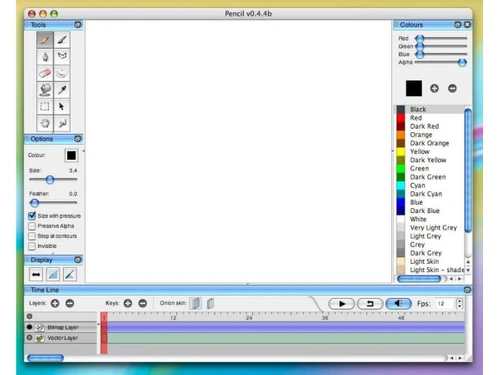
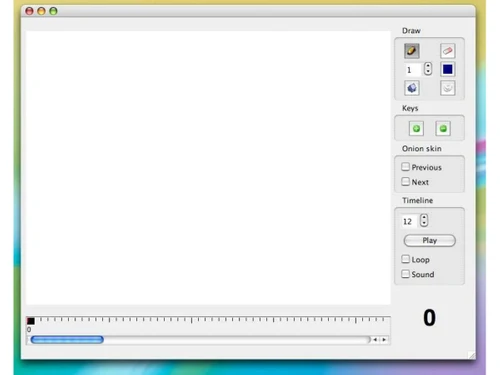
Pencil2D helps users create hand-drawn animations with simple tools and an easy-to-use interface.
See MoreHave you used Pencil2D before?
Share your insights for better experience
This Product is Available Free Forever.
Start instantly with no fees, no subscriptions, and no commitments.
Free Forever Plan
Get started immediately at no cost. Upgrade anytime if your business demand more.
Free Forever Raster Drawing Tools Vector Drawings Onion Skinning Layer Management Timeline Editor Frame-by-Frame Animation Audio Support Camera Layer Keyframe Animations Export to Video Formats Image Sequence Export Cross-Platform Compatibility Lightweight Performance Customizable Shortcuts Multilingual Support
  Windows
  MacOS
MacOS  Desktop
  Perpetual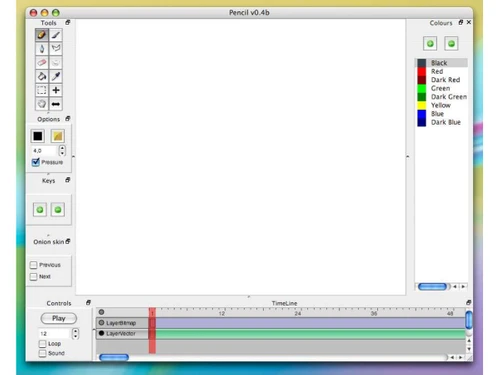
Techjockey Trusted Reviews from Verified Users
No reviews are currently available for Pencil2D. Discover similar Animation Software reviews
Animaker
Whats great - I started using Animaker because of a sudden influx of assignments during my career’s initial video editing career. Today, th... read more

VideoScribe
Whats great - First of all, Videoscribe is great for making animated presentations. Just in case, you forgot to save the recent changes, wo... read more
Autodesk Maya
Whats great - Autodesk Maya is the best tool to convert your ideas into reality. You have a lot of possibilies with this software. If you w... read more

Pencil2D is available for FREE on techjockey.com.
No, Pencil2D currently does not offer a mobile application.
Pencil2D is compatible with Windows and macOS.
No free trial is needed because the software is fully free to use.
Pencil2D helps users create 2D hand-drawn animations using frame-by-frame animation tools.
Animators, students, artists, beginners, and creative professionals use Pencil2D Software.
No separate demo is available as the complete software can be downloaded for free.
Yes, Pencil2D Software is entirely free and open-source for everyone.
20,000+ Software Listed
Best Price Guranteed
Free Expert Consultation
2M+ Happy Customers
Terms and Condtions

Users with registered businesses can purchase goods from merchants on the platform to satisfy their business needs. Users are not permitted to utilize any products acquired through the platform for resale, advertising, business, or further distribution.
For each purchase made, users will receive a Tax Invoice (or 'GST invoice') that includes specific details such as:
the GSTIN of the user associated with their registered business, and
the specified Entity Name for their business.
It should be noted that not all products are eligible for GST Invoice. Only the products displayed by participating sellers with the 'GST-based Invoice Available' callout on the product description page would qualify.
Certain goods and services are not eligible to get a GST Invoice, including items with VAS, i.e., Value Added Services (e.g., Total Mobile Protection/Assured Buyback) and those involving an exchange offer at the time of purchase.
Users must ensure the accuracy of the GSTIN, and business entity name provided for the GST Invoice. Requests for corrections into GST Invoice would not be accommodated by Techjockey.com or any Seller, and any issues arising from user-provided information are the sole responsibility of users.
Techjockey.com is not liable for the GST Invoice or any associated input tax credit. To efficiently claim an input tax credit, users should select the registered place of business address as per the GST authority's data and follow the provisions of the GST Act and rules.
To claim an input tax credit, the delivery and billing addresses must match. Furthermore, input tax credits will not be granted if the delivery address and GSTIN on the invoice are from different states. In case of incorrect GST details provided during the order placement, the order will be canceled automatically.