linkedin
Piktochart logo
play Welcome to an Upgraded Piktochart Experience
piktochart
piktochart

Piktochart

Brand: Piktochart

  • 4.5

  • 3 Ratings

Piktochart is an intuitive online tool designed for creating stunning visuals and graphics. It empowers users to design presentations, reports, infographics, and more without needing graphic design skills. This user-friendly software makes it easy to present data effectively, engage audiences, and c...

See More

Have you used Piktochart before?

Share your insights for better experience

Add a Review
Starting Price
$15

View plans

100% Genuine
Products
Best Price
Guaranteed
Safe & Secure
Payment
  • Description

  • Pricing

  • Features

  • Specification

  • Review

  • Compare

  • Alternatives

  • FAQ

Starting at $15

PiktochartSoftware Overview

What is Piktochart?

Piktochart is a versatile tool that helps businesses, educators, and professionals transform complex information into engaging visual content. It offers an easy-to-use platform for creating infographics, presentations, reports, and other types of visual content. With Piktochart, users can take their data and present it in a visually appealing way that grabs attention and improves understanding.

Piktochart stands out as an essential tool for teams and individuals who need to create professional visuals quickly. Its drag-and-drop functionality and customizable templates make it a go-to choice for those who want to convey data and ideas in a clear, impactful manner. Whether it's for business meetings, social media posts, or academic presentations, Piktochart makes design accessible to everyone.

Why Choose Piktochart Photo Editing Software?

  • User-Friendly Interface: Piktochart offers a simple, drag-and-drop interface that makes design easy for users at any skill level.
  • Customizable Templates: The platform provides a wide range of templates that can be tailored to suit specific design needs, saving time and effort.
  • Versatile Visuals: Piktochart supports the creation of infographics, presentations, and reports, allowing users to diversify their visual content.
  • Data Integration: Users can easily import data and visualize it with charts and graphs for clear and impactful presentations.
  • Accessibility: Piktochart can be accessed online, making it easy to work from anywhere, whether in the office, at home, or on the go.
  • Collaboration Tools: Teams can collaborate in real-time, streamlining the design process and making teamwork more efficient.
  • Creative Freedom: With the flexibility to edit and customize designs, users have full control over how their visuals appear.
  • Affordable Pricing Plans: Piktochart offers different pricing plans that suit various budgets, providing cost-effective solutions for individuals and teams.

Benefits of Piktochart

  • Simplifies Design: With Piktochart, users can create professional-looking visuals without needing advanced design skills.
  • Saves Time: The use of pre-made templates helps streamline the design process, allowing users to produce content faster.
  • Enhanced Engagement: Well-designed visuals capture attention and improve audience engagement, whether for marketing or educational purposes.
  • Improves Communication: Piktochart helps simplify complex data and ideas, making them easier to understand and share.
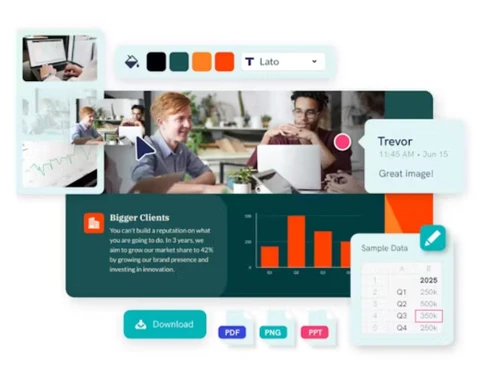
  • Supports Multiple File Types: Users can export their creations in various formats, including PNG, PDF, and PPT, for different uses.
  • Boosts Productivity: The easy-to-use platform reduces the time spent on designing and focuses more on content creation.
  • Cloud-Based Convenience: As an online tool, Piktochart ensures users can work on their projects from any device, anywhere.
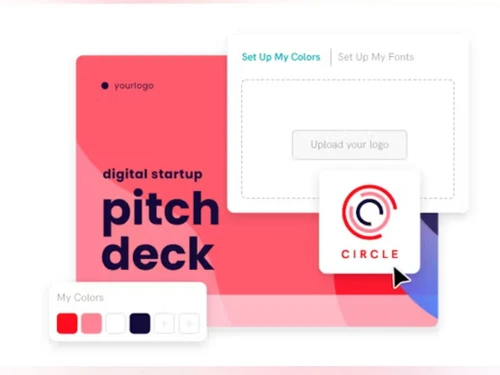
  • Promotes Consistency: Custom templates and branding options help maintain consistent visuals across different materials.

Pricing of Piktochart

Piktochart's price starts at $ 29 at techjockey.com.

The pricing model is based on different parameters, including extra features, deployment type, and the total number of users. For further queries related to the product, you can contact our product team and learn more about the pricing and offers.

Read more

Piktochart Pricing & Plans

Pro
Starting at $15
    • Users (Member)

      Users (Member)
      Users (Member)
    • Monthly

      Monthly
      Monthly

Key Features

  • Unlimited PNG downloads

  • 5M+ Premium Icons, Illustrations & 3D graphics

  • 1000 AI Credits

  • Transparent Background Downloads

  • Invite up to 10 team members

  • 100GB storage

Business
Starting at $20
    • Users (Member)

      Users (Member)
      Users (Member)
    • Monthly

      Monthly
      Monthly

Key Features

  • Unlimited PNG, PDF, PPT downloads

  • Brand Kit – Unlimited Brand Colors Schemes, Custom

  • 3000 AI Credits

  • On-brand templates with Branded Templates

  • Invite up to 10 team members

  • 250GB storage

Piktochart Features

  • icon_check Presentation Tools
    Create presentations and pitch decks using customizable templates, layouts, graphics, charts, and visual content.
  • icon_check AI Image Generator
    Create custom images from text prompts for presentations, infographics, reports, social graphics, and other visuals.
  • icon_check Templates
    Use professionally designed templates for infographics, presentations, reports, posters, flyers, and other content.
  • icon_check Collaboration Tools
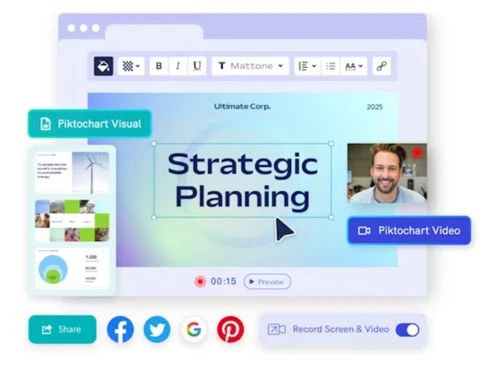
    Invite team members, share visuals, review designs, and use comments to collaborate on visual content projects.
  • icon_check Multi Format Support
    Download visual content in formats such as PNG, PDF, and PowerPoint for online sharing and offline presentation.
  • icon_check Schedules
    Piktochart allows users to plan their content strategy by scheduling posts and creating content in advance.
  • icon_check Planner
    The planner helps users organize their design projects, manage deadlines, and stay on track with their visual content.
  • icon_check Social Media
    Piktochart supports social media optimization, enabling users to design and resize visuals for different platforms.
  • icon_check Reports
    The tool offers comprehensive reporting features, making it easy to create professional reports that present data effectively.
  • icon_check Data Visualizations
    Piktochart provides a range of visualization options, including charts, graphs, and maps, to help users illustrate their data.
  • icon_check Invoices
    Users can design customized invoices that reflect their brand and include essential information in a professional format.
Piktochart Demo Video play icon

Get Piktochart Demo

Watch the demo video to explore key features, real workflows, and how the software fits your business needs.

Understand
Key Features
Personal
Demo Insights
Interactive
Demo Support

Piktochart Specification

Supported Platforms
Windows Windows
Devices
Desktop Desktop
Deployment
Web-Based Web-Based
Suitable For
Photograpy Designers
Business Specific
All Businesses
Business Size
Small Business Medium Business SMBs
Customer Support
Communities
Language
English
Training Resources
Documentation Videos

Explore the Best Alternative Solutions Similar to Your Business Size and Needs

Piktochart Review

4.5

Out of 5

img

Overall Rating

Based on
3 Verified Ratings

Rating Breakdown

  • Features 4.5
  • Value for Money 4.6
  • Ease of Use 4.1
  • Customer Support 4.6

86% Recommend this Product

Add Review

Techjockey Trusted Reviews from Verified Users

No reviews are currently available for Piktochart. Discover similar Photo Editing Software reviews

  • Canva

    4.3

    Whats great - I enjoy how quickly and simply one can choose the template and begin tweaking. read more

  • Adobe Photoshop

    4.6

    Whats great - What I love most about Adobe Photoshop is its amazing editing capabilities. It's versatile, not just for photos but also for ... read more

  • Luminar Neo

    4.9

    Whats great - The interface is clean and easy to get around, so I’m not wasting time looking for tools. Sky AI, Relight AI, and portrait to... read more

Compare Piktochart With other Photo Editing Software

Products
Ratings
Pricing
Device Supported
Deployment
Supported Platforms
  • img

    Piktochart

  • 4.5

  • Price On Request

  • Desktop

    Mobile

  • Web based

    On Premises

  • Windows

    Mac OS

  • img

    Karizma Album

  • 4.4

  • ₹ 3500

  • Desktop

    Mobile

  • Web based

    On Premises

  • Windows

    Mac OS

  • img

    Luminar Neo

  • 4.7

  • ₹ 4999

  • Desktop

    Mobile

  • Web based

    On Premises

  • Windows

    Mac OS

  • img

    Affinity Photo

  • 4.2

  • ₹ 619

  • Desktop

    Mobile

  • Web based

    On Premises

  • Windows

    Mac OS

  • img

    darktable

  • 4.0

  • Price On Request

  • Desktop

    Mobile

  • Web based

    On Premises

  • Windows

    Mac OS

  • img

    PhotoRoom

  • 4.3

  • ₹ 299

  • Desktop

    Mobile

  • Web based

    On Premises

  • Windows

    Mac OS

  • img

    Cutout Pro

  • 4.8

  • ₹ 247

  • Desktop

    Mobile

  • Web based

    On Premises

  • Windows

    Mac OS

  • img

    Lensa AI

  • 4.1

  • Price On Request

  • Desktop

    Mobile

  • Web based

    On Premises

  • Windows

    Mac OS

  • img

    AfterShot Pro 3

  • 4.5

  • ₹ 5966

  • Desktop

    Mobile

  • Web based

    On Premises

  • Windows

    Mac OS

  • img

    FastStone

  • 4.3

  • Price On Request

  • Desktop

    Mobile

  • Web based

    On Premises

  • Windows

    Mac OS

  • img

    PicMonkey

  • 4.2

  • Price On Request

  • Desktop

    Mobile

  • Web based

    On Premises

  • Windows

    Mac OS

(0) Product(s) selected

Piktochart Alternatives

See All Piktochart Alternatives

Available

Price on Request

Starting Price:

$36 /Year

Starting Price:

$35 /Lifetime

Starting Price:

$8 /Month

Starting Price:

$810 /Year

Starting Price:

$80 /year

Articles for Piktochart

See All Related Articles

How easy is it to use Piktochart?

Piktochart is very easy to use, even for beginners. Its drag-and-drop interface and user-friendly templates make creating visuals quick and straightforward.

What types of content can you create with Piktochart?

With Piktochart, you can create infographics, presentations, reports, posters, and other types of visual content to suit your needs.

Can Piktochart be used for social media content?

Yes, Piktochart is great for designing social media posts. It offers various templates and customization options that fit different social media platforms.

Does Piktochart offer templates?

Yes, Piktochart provides a wide variety of templates for infographics, presentations, reports, and more, allowing users to customize them to fit their needs.

Can I collaborate with others using Piktochart?

Yes, Piktochart has collaboration features that allow team members to work on projects together, making it easier to share ideas and get feedback.

Is Piktochart suitable for businesses?

Absolutely, Piktochart is well-suited for businesses looking to create professional presentations, reports, and marketing visuals.

Can I integrate my data into Piktochart?

Yes, Piktochart allows you to import data and create custom charts and graphs for clear visual representation.

What are the pricing plans for Piktochart?

Piktochart's price starts at $ 29 at techjockey.com. Piktochart offers several pricing plans, including a free option and paid tiers that come with more advanced features and capabilities.

20,000+ Software Listed

Best Price Guranteed

Free Expert Consultation

2M+ Happy Customers

Terms and Condtions

close

Users with registered businesses can purchase goods from merchants on the platform to satisfy their business needs. Users are not permitted to utilize any products acquired through the platform for resale, advertising, business, or further distribution.

For each purchase made, users will receive a Tax Invoice (or 'GST invoice') that includes specific details such as:

  • the GSTIN of the user associated with their registered business, and

  • the specified Entity Name for their business.

It should be noted that not all products are eligible for GST Invoice. Only the products displayed by participating sellers with the 'GST-based Invoice Available' callout on the product description page would qualify.

Certain goods and services are not eligible to get a GST Invoice, including items with VAS, i.e., Value Added Services (e.g., Total Mobile Protection/Assured Buyback) and those involving an exchange offer at the time of purchase.

Users must ensure the accuracy of the GSTIN, and business entity name provided for the GST Invoice. Requests for corrections into GST Invoice would not be accommodated by Techjockey.com or any Seller, and any issues arising from user-provided information are the sole responsibility of users.

Techjockey.com is not liable for the GST Invoice or any associated input tax credit. To efficiently claim an input tax credit, users should select the registered place of business address as per the GST authority's data and follow the provisions of the GST Act and rules.

To claim an input tax credit, the delivery and billing addresses must match. Furthermore, input tax credits will not be granted if the delivery address and GSTIN on the invoice are from different states. In case of incorrect GST details provided during the order placement, the order will be canceled automatically.