 USA
USA UAE
UAE


Poly Studio P5
Whats great - The Poly Studio P5 uses less light than your average webcam and it has a feature called Poly Lens, which sharpens your image.... read more




Brand: Poly
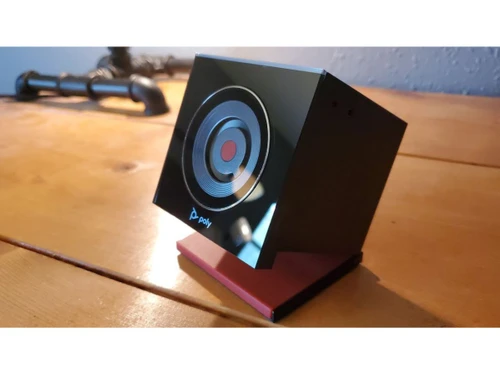
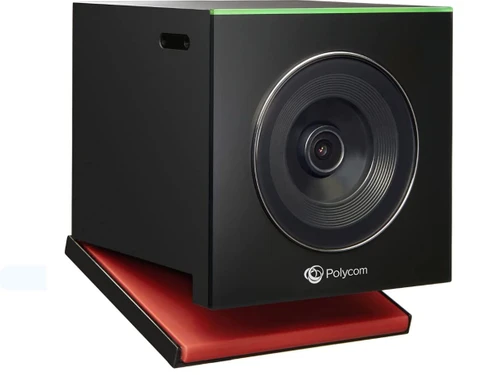
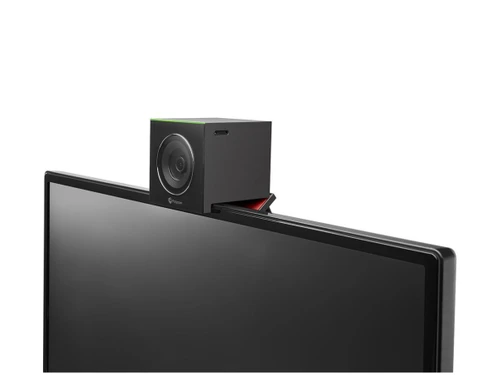
Poly EagleEye Cube Camera is a webcam designed especially for corporates to conduct web conferences in real time. The web camera has a field of view that is broad enough to cover the entire room. This allows participants to sit wherever they want and still make it to the frame. Plus, the webcam is easy to install with instant setting up of Poly EagleEye Cube Camera. With the help of this web conf...
See MoreHave you used Poly EagleEye Cube Camera before?
Share your insights for better experience
Looking for The Right Pricing?
Share your requirements and get a plan built around your business.
Price Available on Request
Get personalised Poly EagleEye Cube Camera pricing that fits your needs. Our team will connect with you.
 HD Video Smart Framing Integrated Microphones No Drivers Required Reduced Clutter EagleEye Cube Features Camera Compatible Products Camera Firmware Updates Input/Output High Frame Rates
 Brand: Poly
Founded Year: 1968
Poly was born from Plantronics and Polycom. Poly create beautifully designed and engineered audio and video products that let you be seen and heard with incredible clarity, wherever you work.
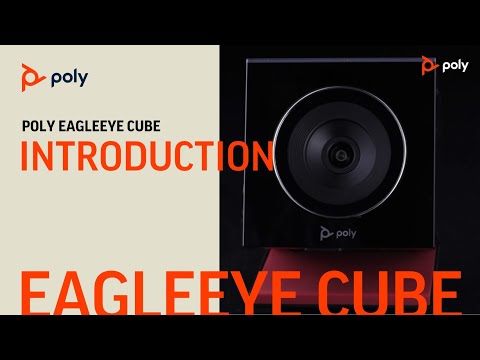

Watch the demo video to explore key features, real workflows, and how the software fits your business needs.
4.2
Out of 5

Overall Rating
Based on
4 Verified Ratings
Rating Breakdown
92% Recommend this Product
Add ReviewTechjockey Trusted Reviews from Verified Users
No reviews are currently available for Poly EagleEye Cube Camera. Discover similar USB Camera reviews
Poly Studio P5
Whats great - The Poly Studio P5 uses less light than your average webcam and it has a feature called Poly Lens, which sharpens your image.... read more

Huawei TE30
Whats great - I wanted to invest in a video conferencing software that would be compatible with the network presentation technologies like ... read more

Bird Hub
Whats great - Set up was really easy. I did it just by watching their videos. After using it I feel we got a worthful product. It gave the ... read more


Poly EagleEye Cube Camera
Price On Request
Desktop
Mobile
Web based
On Premises
Windows
Mac OS
Poly Studio P5
₹ 19484
Desktop
Mobile
Web based
On Premises
Windows
Mac OS

Poly EagleEye Mini Camera
Price On Request
Desktop
Mobile
Web based
On Premises
Windows
Mac OS
Bird Hub
Price On Request
Desktop
Mobile
Web based
On Premises
Windows
Mac OS

LogiTech Scribe
Price On Request
Desktop
Mobile
Web based
On Premises
Windows
Mac OS

Logitech MeetUp
Price On Request
Desktop
Mobile
Web based
On Premises
Windows
Mac OS

LogiTech C930e Webcam
Price On Request
Desktop
Mobile
Web based
On Premises
Windows
Mac OS

Logitech Rally Bar
Price On Request
Desktop
Mobile
Web based
On Premises
Windows
Mac OS

Logitech Rally Bar Mini
Price On Request
Desktop
Mobile
Web based
On Premises
Windows
Mac OS
Huawei TE30
Price On Request
Desktop
Mobile
Web based
On Premises
Windows
Mac OS

Ahalts Thermal Camera
Price On Request
Desktop
Mobile
Web based
On Premises
Windows
Mac OS
(0) Product(s) selected
Starting Price:
₹19,484 /Quantity
Available
Price on Request
Available
Price on Request
Available
Price on Request
Available
Price on Request
Available
Price on Request
Available
Price on Request
Available
Price on Request
Starting Price:
₹23,166
Available
Price on Request

Available
Price on Request
Poly EagleEye Cube Camera complies with two major safety guidelines, those are: 1. NRTL Safety 2. CB Safety
Firmware updates software is included with the purchase of Poly EagleEye Cube Camera.
Here are a few equipment approvals that Poly EagleEye Cube Camera comply with: 1. ETSI EN 55024 (HDCI & USB) 2. ETSI EN61000-3-2 (USB) 3. Korea KCC (HDCI & USB) 4. ETSI EN61000-3-3 (USB) 5. EN60950 / EN 62368 6. FCC pt. 15 (HDCI & USB) 7. Russia EAC (HDCI & USB)
Poly EagleEye Cube Camera can be installed on a wall or can be placed on the display, depending on your space availability.
It comes with two in-built mics to ensure richer discussions.
20,000+ Software Listed
Best Price Guranteed
Free Expert Consultation
2M+ Happy Customers
Terms and Condtions

Users with registered businesses can purchase goods from merchants on the platform to satisfy their business needs. Users are not permitted to utilize any products acquired through the platform for resale, advertising, business, or further distribution.
For each purchase made, users will receive a Tax Invoice (or 'GST invoice') that includes specific details such as:
the GSTIN of the user associated with their registered business, and
the specified Entity Name for their business.
It should be noted that not all products are eligible for GST Invoice. Only the products displayed by participating sellers with the 'GST-based Invoice Available' callout on the product description page would qualify.
Certain goods and services are not eligible to get a GST Invoice, including items with VAS, i.e., Value Added Services (e.g., Total Mobile Protection/Assured Buyback) and those involving an exchange offer at the time of purchase.
Users must ensure the accuracy of the GSTIN, and business entity name provided for the GST Invoice. Requests for corrections into GST Invoice would not be accommodated by Techjockey.com or any Seller, and any issues arising from user-provided information are the sole responsibility of users.
Techjockey.com is not liable for the GST Invoice or any associated input tax credit. To efficiently claim an input tax credit, users should select the registered place of business address as per the GST authority's data and follow the provisions of the GST Act and rules.
To claim an input tax credit, the delivery and billing addresses must match. Furthermore, input tax credits will not be granted if the delivery address and GSTIN on the invoice are from different states. In case of incorrect GST details provided during the order placement, the order will be canceled automatically.