linkedin
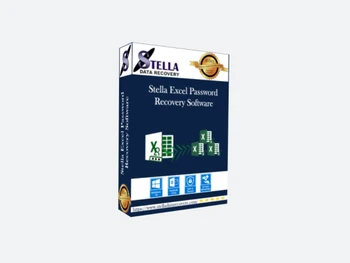
Stella Excel Password Recovery logo
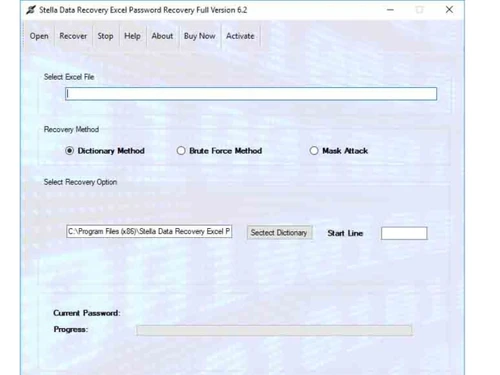
stella excel password recovery-file
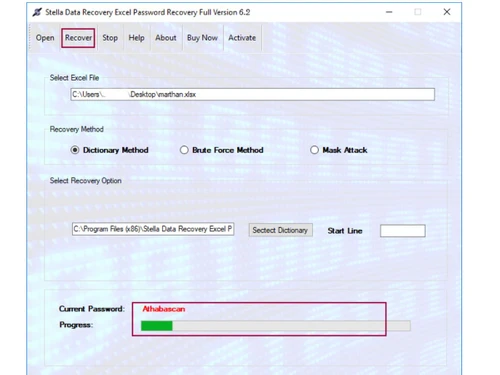
stella excel password recovery-recover
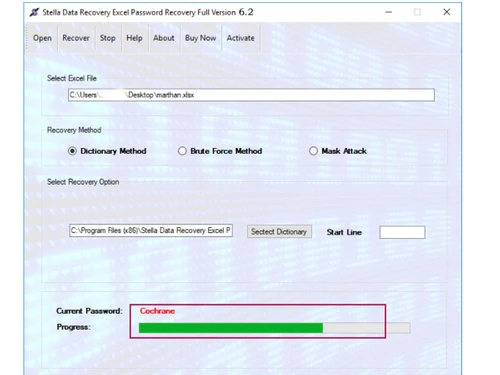
stella-excel-password-recovery-selection

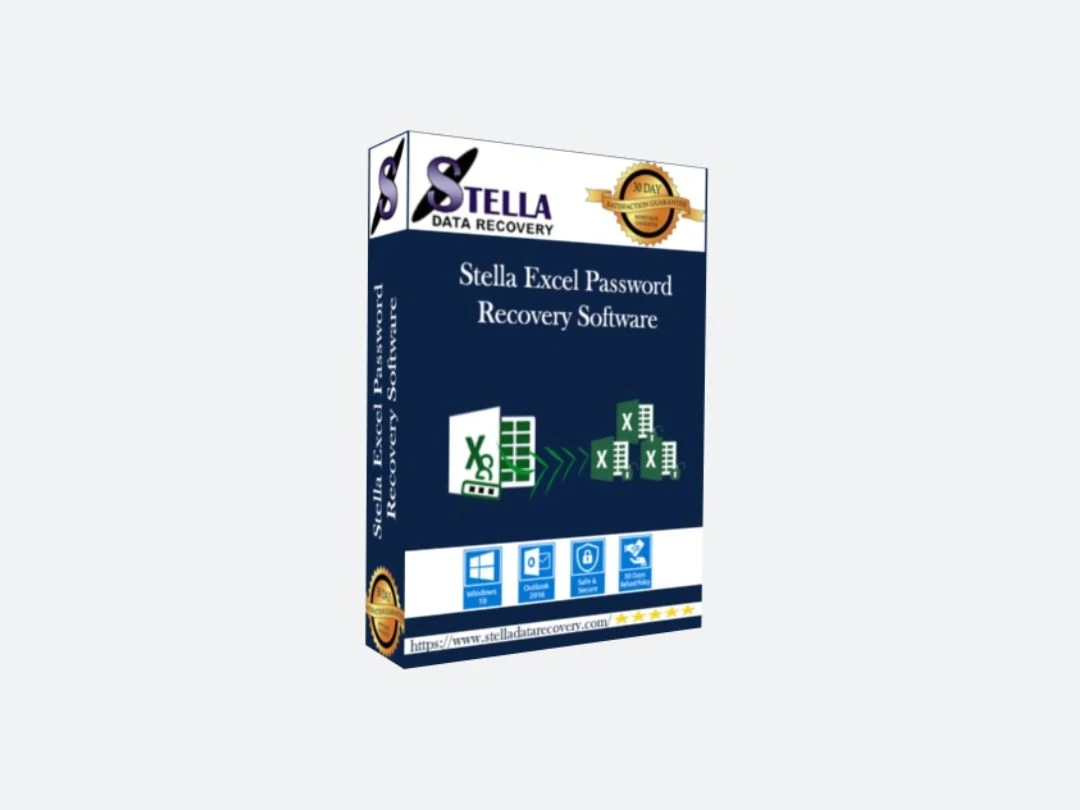
Stella Excel Password Recovery

Brand: Stella Data Recovery

  • No Ratings & Reviews

A utility software that helps recover or remove forgotten passwords from Excel files, allowing users to regain access without altering the original data.

See More

Have you used Stella Excel Password Recovery before?

Share your insights for better experience

Add a Review
Starting Price
$19

View plans

100% Genuine
Products
Best Price
Guaranteed
Safe & Secure
Payment
  • Description

  • Pricing

  • Features

  • Specification

  • Review

  • Compare

  • Alternatives

  • FAQ

Starting at $19

Stella Excel Password Recovery Software Overview

What is Stella Excel Password Recovery?

Stella Excel Password Recovery is a utility software designed to help users recover or remove forgotten passwords from locked Excel files. It is useful when you cannot open or edit an Excel sheet because the password is lost.

The tool supports both XLS and XLSX file formats and works with multiple versions of Microsoft Excel. It uses advanced recovery methods like brute force, dictionary, and mask attacks to find the correct password quickly.

The software is easy to use, making it suitable for both beginners and professionals. It ensures that the original data in the Excel file remains safe and unchanged during the recovery process. A demo version is also available, which shows part of the recovered password before purchase.

Why Choose Stella Excel Password Recovery Software?

  • Fast Password Recovery: Quickly retrieves lost or forgotten Excel passwords without long waiting times.
  • Complete Data Safety: Ensures that your original Excel data remains unchanged and secure.
  • Wide Compatibility: Works with multiple versions of Microsoft Excel files seamlessly.
  • Advanced Recovery Techniques: Uses brute-force, mask, and dictionary attacks for effective results.
  • User-Friendly Interface: Simple design makes it easy for anyone to use without confusion.
  • High Success Rate: Delivers reliable performance with strong chances of password recovery.
  • Unlocks All Protections: Helps remove protection from worksheets and workbooks easily.

Benefits of Stella Excel Password Recovery Software

  • Handles Complex Passwords: Capable of recovering strong and complicated passwords.
  • No Technical Skills Needed: Designed so even non-technical users can operate it easily.
  • Preview Support: Allows checking results before completing the recovery (if supported).
  • Secure and Reliable: Provides a safe and trustworthy recovery environment.
  • Time-Saving Solution: Faster than manual methods of password recovery.
  • Windows Compatibility: Fully compatible with Windows-based systems.
  • Step-by-Step Guidance: Offers clear instructions for smooth usage.
  • Minimizes Data Loss Risk: Protects your data during the recovery process.

Stella Excel Password Recovery Pricing

Stella Excel Password Recovery price starts at USD 19 at techjockey.com. The pricing model is based on different parameters, including extra features, deployment type, and the total number of users. For further queries related to the product, you can contact our product team and learn more about the pricing and offers.

Read more

Stella Excel Password Recovery Pricing & Plans

Personal license
Starting at $19
    • Licenses

      Licenses
      Licenses

Key Features

  • Single person use only

  • No limitation of file

  • 24X7 Technical support for users

  • Support all windows versions

Business License
Starting at $56
    • Licenses

      Licenses
      Licenses

Key Features

  • Easy way to convert and recover unlimited file

  • Easily install multiple PC for one business place

  • 24X7 Technical support for users

  • Support all windows versions

Enterprise License
Starting at $96
    • Licenses

      Licenses
      Licenses

Key Features

  • Single Company use only

  • License installed on multiple computers

  • 24X7 Technical support for users

  • Support all windows versions

Stella Excel Password Recovery Features

  • icon_check Dictionary Attack Method
    Uses dictionary-based attack to recover passwords composed of common words or predictable character combinations.
  • icon_check Brute Force Attack Method
    Applies brute force technique to attempt all possible character combinations for recovering unknown Excel passwords.
  • icon_check Mask Attack Method
    Uses partial password knowledge to narrow search scope and accelerate recovery of complex or partially known passwords.
  • icon_check Multi-Method Recovery Engine
    Combines multiple attack strategies to improve success rate in recovering different types of password complexities.
  • icon_check Data Integrity
    Recovers Excel passwords without modifying, deleting, or corrupting the original spreadsheet data and structure.
  • icon_check Encrypted Password Handling
    Handles encrypted Excel passwords including alphanumeric and symbol-based combinations across different protection types.
  • icon_check Password Reset Capability
    Allows resetting of Excel file passwords to regain access without requiring original password recall or manual intervention.
  • icon_check Preview Functionality
    Provides demo mode that reveals partial password characters to verify recovery capability before full license activation.
  • icon_check Complex Password Support
    Recovers passwords containing numeric, alphabetic and special characters across various complexity levels.
  • icon_check Multiple File Handling
    Supports recovery of passwords for multiple Excel files, enabling efficient processing of several locked documents.
  • icon_check Secure Recovery Process
    Ensures safe password recovery process without exposing file data or compromising file security during operation.

Stella Excel Password Recovery Specifications

Supported Platforms
Windows Windows
Devices
Desktop Desktop
Deployment
Perpetual Perpetual
Suitable For
All Industries
Business Specific
All Businesses
Business Size
Individual Freelancers
Customer Support
Email Communities
Language
English
Training Resources
Videos

Explore the Best Alternative Solutions Similar to Your Business Size and Needs

Stella Excel Password Recovery Review

Techjockey Trusted Reviews from Verified Users

No reviews are currently available for Stella Excel Password Recovery. Discover similar Utility Software reviews

  • Booky

    4.6

    Whats great - Booky.io has a clean and minimal layout. It's perfect for keeping my most-used links all in one place. The drag-and-drop make... read more

  • Defencebyte Computer Opmitizer

    4.1

    Whats great - Really I am happy now after using defencebyte Computer optimizer, My Pc performance boost after using defencebyte Computer op... read more

  • VMware

    4.5

    Whats great - Vmware offers a wide variety of management tools and features to help with both the initial configuration and ongoing adminis... read more
Compare Stella Excel Password Recovery With other Utility Software

Products
Ratings
Pricing
Device Supported
Deployment
Supported Platforms
  • img

    Stella Excel Password Recovery

  • Price On Request

  • Desktop

    Mobile

  • Web based

    On Premises

  • Windows

    Mac OS

  • img

    Truecaller

  • 4.2

  • ₹ 84

  • Desktop

    Mobile

  • Web based

    On Premises

  • Windows

    Mac OS

  • img

    WizTree

  • 4.3

  • Price On Request

  • Desktop

    Mobile

  • Web based

    On Premises

  • Windows

    Mac OS

  • img

    RestoreX360

  • 5

  • ₹ 1499

  • Desktop

    Mobile

  • Web based

    On Premises

  • Windows

    Mac OS

  • img

    Xplorer

  • 4.1

  • Price On Request

  • Desktop

    Mobile

  • Web based

    On Premises

  • Windows

    Mac OS

  • img

    CHIRP

  • 4.3

  • Price On Request

  • Desktop

    Mobile

  • Web based

    On Premises

  • Windows

    Mac OS

  • img

    IrfanView

  • 4.0

  • Price On Request

  • Desktop

    Mobile

  • Web based

    On Premises

  • Windows

    Mac OS

  • img

    Opal

  • 4.3

  • Price On Request

  • Desktop

    Mobile

  • Web based

    On Premises

  • Windows

    Mac OS

(2) Product(s) selected

Stella Excel Password Recovery Alternatives

See All Stella Excel Password Recovery Alternatives
SAVE UPTO 24%

Starting Price:

$25 /Quantity

Available

Price on Request

Available

Price on Request

Starting Price:

$12 /License

Opal

4.3

Starting Price:

$20 /Month

Available

Price on Request

Articles for Stella Excel Password Recovery

See All Related Articles

How much does Stella Excel Password Recovery Software cost?

Stella Excel Password Recovery pricing starts at USD 19, as listed on techjockey.com.

Is there a mobile app available for Stella Excel Password Recovery Software?

No, Stella Excel Password Recovery is primarily designed for desktop use and does not offer a mobile app.

Which operating systems are compatible with Stella Excel Password Recovery Software?

Stella Excel Password Recovery is compatible with Windows operating systems.

Does Stella Excel Password Recovery Software offer a free trial?

Yes, a trial version is usually available with limited features.

How does Stella Excel Password Recovery Software function?

Stella Excel Password Recovery uses advanced techniques like brute-force, mask, and dictionary attacks to recover passwords.

Who uses Stella Excel Password Recovery Software?

Stella Excel Password Recovery is used by individuals, IT professionals, and businesses dealing with secured Excel files.

Is a free demo available for Stella Excel Password Recovery Software?

Yes, Stella Excel Password Recovery demo version is available for users to test its functionality.

Is Stella Excel Password Recovery Software available for free?

No, Stella Excel Password Recovery is a paid software.

20,000+ Software Listed

Best Price Guranteed

Free Expert Consultation

2M+ Happy Customers

Terms and Condtions

close

Users with registered businesses can purchase goods from merchants on the platform to satisfy their business needs. Users are not permitted to utilize any products acquired through the platform for resale, advertising, business, or further distribution.

For each purchase made, users will receive a Tax Invoice (or 'GST invoice') that includes specific details such as:

  • the GSTIN of the user associated with their registered business, and

  • the specified Entity Name for their business.

It should be noted that not all products are eligible for GST Invoice. Only the products displayed by participating sellers with the 'GST-based Invoice Available' callout on the product description page would qualify.

Certain goods and services are not eligible to get a GST Invoice, including items with VAS, i.e., Value Added Services (e.g., Total Mobile Protection/Assured Buyback) and those involving an exchange offer at the time of purchase.

Users must ensure the accuracy of the GSTIN, and business entity name provided for the GST Invoice. Requests for corrections into GST Invoice would not be accommodated by Techjockey.com or any Seller, and any issues arising from user-provided information are the sole responsibility of users.

Techjockey.com is not liable for the GST Invoice or any associated input tax credit. To efficiently claim an input tax credit, users should select the registered place of business address as per the GST authority's data and follow the provisions of the GST Act and rules.

To claim an input tax credit, the delivery and billing addresses must match. Furthermore, input tax credits will not be granted if the delivery address and GSTIN on the invoice are from different states. In case of incorrect GST details provided during the order placement, the order will be canceled automatically.