linkedin
SupaRes logo
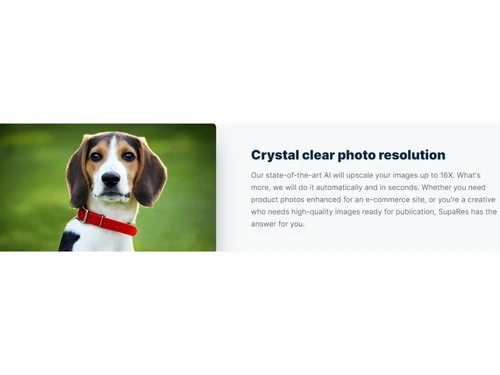
SupaRes Crystal Clear
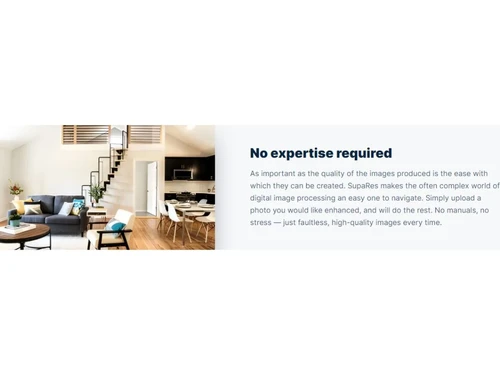
SupaRes No Expertise
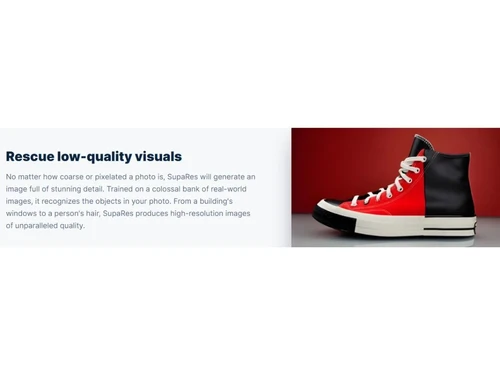
SupaRes Rescue Low Quality

SupaRes

Brand: Optidash

  • 4.4

  • 4 Ratings

Upscale your photo editing techniques with SupaRes, a robust photo editing software that will make your visual content more appealing.

See More

Have you used SupaRes before?

Share your insights for better experience

Add a Review
Starting Price
$9

View plans

100% Genuine
Products
Best Price
Guaranteed
Safe & Secure
Payment
  • Description

  • Pricing

  • Features

  • Specification

  • Review

  • Compare

  • Alternatives

  • FAQ

Starting at $9

SupaResSoftware Overview

What is SupaRes Software?

SupaRes photo editing software aims to enhance your visual content with AI-powered algorithms. Whether in web design, real estate, marketing, or publishing, SupaRes is your one-stop solution for transforming any image into a professional-looking masterpiece. With fully automated image enhancement capabilities, SupaRes flawlessly upscales, restores, denoises, fixes, and optimizes your images, providing stunning results in seconds.

Experience the power of AI with SupaRes' comprehensive set of image enhancement tools. Utilize AI Super Resolution to convert low-quality photos into crisp, high-resolution images. Enhance faces with AI Face Enhancement, producing clear and high-resolution portraits. Achieve perfect tone adjustments with a single click using AI Tone Adjustments, breathing life into your images.

SupaRes goes beyond image enhancement by offering the ultimate performance solution. Its built-in image optimization engine perfectly balances file size and visual quality. Manage and enhance your visuals effortlessly with the powerful and intuitive UI directly within your browser. Collaborate with your team members on new projects and enjoy unlimited cloud storage. With SupaRes, your image management becomes a seamless and efficient process.

Experience the power and performance of SupaRes, powered by the latest graphic cards from NVIDIA, powerful processors from AMD, and datacenter-grade NVMe drives. With SupaRes being a part of the NVIDIA Inception program, a prestigious initiative nurturing startups revolutionizing industries with advancements in AI and data sciences, you can trust in the quality and reliability of the service.

Why Choose SupaRes?

SupaRes is an ideal solution for individuals and businesses across various industries seeking to enhance their visual content easily and efficiently. It is a valuable tool for web designers, marketers, real estate professionals, publishers, and anyone who relies on high-quality images to engage their audience.

Benefits of SupaRes Photo Editing Software

  • SupaRes empowers you to enhance visual content with AI technology, ensuring your images are flawlessly upscaled, restored, denoised, fixed, and optimized. This results in professional-looking photos that captivate and engage your audience.
  • It helps you automate the image enhancement process. Simply upload your images, and the platform takes care of the rest, providing you with stunning visuals in seconds. This saves you valuable time and effort that can be redirected toward other important tasks.
  • It automatically enhances any image you upload, regardless of your business niche, ensuring that your visuals always appear polished and impactful.
  • The platform leverages advanced AI technologies to offer a range of powerful features. Each feature enhances specific aspects of your images, resulting in visually stunning outputs.
  • SupaRes provides an intuitive user interface to easily manage and enhance your images. Additionally, it offers cloud storage, team management, and collaboration features, enabling you to work seamlessly with your team members and streamline your image-related projects.

Pricing of SupaRes Photo Editing Software

SupaRes pricing starts at $9 on techjockey.com.

The overall pricing model is based on different factors such as personalization, extra features required, total users, and the deployment type. Please feel free to request a call from our product experts if you want to learn more about our subscription plans or premium package deals.

Read more

Optidash Company Details

Founded Year:  2016

Optidash has built probably the most complete solution for all image optimization and recompression tasks.

Director/Founders Przemek Matylla
Company Size 1-100 Employees

SupaRes Pricing & Plans

Basic
Key Features
  • 100 processing credits
  • 128 megapixels limit
  • Unlimited cloud storage
  • Chat support
  • 1 user
Starting at $9
    • Licenses

      Licenses
      Licenses
    • Monthly

      Monthly
      Monthly

Key Features

  • 100 processing credits

  • 128 megapixels limit

  • Unlimited cloud storage

  • Chat support

  • 1 user

SupaRes Features

  • icon_check Image Library
    Access and manage your collection of images effortlessly.
  • icon_check AI Image Upscalers
    Use advanced AI technology to upscale images, enhancing their resolution and quality.
  • icon_check Face Editing
    Easily edit and enhance faces in your images for clear and high-resolution portraits.
  • icon_check Super-Resolution
    Convert low-quality photos into crisp, high-resolution images with AI-powered super-resolution.
  • icon_check Face Enhancement
    Enhance and improve the appearance of faces in your images with AI-driven algorithms.
  • icon_check Tone Adjustments
    Achieve perfect light, colour, and white balance adjustments with AI-powered tone adjustments.
  • icon_check Noise Removal
    Remove unwanted noise from your images while preserving fine details using AI noise removal.
  • icon_check Low-Light Boost
    Amplify and improve the visibility of dark or poorly lit images with AI low-light boost.
  • icon_check Artifacts Reduction
    Eliminate compression artefacts and restore the clarity and quality of your images.
  • icon_check Cloud Storage
    Provides cloud storage for processed images, with unlimited storage included in paid plans.
  • icon_check Batch Processing
    Supports image-processing workflows where multiple visuals can be enhanced through automated processing.
  • icon_check Two-Factor Authentication (2FA)
    Adds an extra layer of account protection through two-factor authentication for secure access.
  • icon_check High-Resolution Output
    Process large images with support for inputs up to 128 megapixels on applicable plans.

SupaRes Specification

Supported Platforms
Ubuntu Ubuntu Windows Windows MacOS MacOS Linux Linux
Devices
Desktop Desktop Mobile Mobile Tablet Tablet iPad iPad
Deployment
Web-Based Web-Based
Suitable For
All Industries
Business Specific
All Businesses
Business Size
Small Business Startups Medium Business Enterprises
Customer Support
Email Live Chat
Language
English
Training Resources
Videos
AI Features
AI Integrated

Explore the Best Alternative Solutions Similar to Your Business Size and Needs

SupaRes Review

4.4

Out of 5

img

Overall Rating

Based on
4 Verified Ratings

Rating Breakdown

  • Features 4.5
  • Value for Money 4.1
  • Ease of Use 4.2
  • Customer Support 4.7

85% Recommend this Product

Add Review

Techjockey Trusted Reviews from Verified Users

No reviews are currently available for SupaRes. Discover similar Photo Editing Software reviews

  • Canva

    4.3

    Whats great - I enjoy how quickly and simply one can choose the template and begin tweaking. read more

  • Adobe Photoshop

    4.6

    Whats great - What I love most about Adobe Photoshop is its amazing editing capabilities. It's versatile, not just for photos but also for ... read more

  • Luminar Neo

    4.9

    Whats great - The interface is clean and easy to get around, so I’m not wasting time looking for tools. Sky AI, Relight AI, and portrait to... read more

Compare SupaRes With other Photo Editing Software

Products
Ratings
Pricing
Device Supported
Deployment
Supported Platforms
  • img

    SupaRes

  • 4.4

  • Price On Request

  • Desktop

    Mobile

  • Web based

    On Premises

  • Windows

    Mac OS

  • img

    Karizma Album

  • 4.4

  • ₹ 3500

  • Desktop

    Mobile

  • Web based

    On Premises

  • Windows

    Mac OS

  • img

    Luminar Neo

  • 4.7

  • ₹ 4999

  • Desktop

    Mobile

  • Web based

    On Premises

  • Windows

    Mac OS

  • img

    Affinity Photo

  • 4.2

  • ₹ 619

  • Desktop

    Mobile

  • Web based

    On Premises

  • Windows

    Mac OS

  • img

    darktable

  • 4.0

  • Price On Request

  • Desktop

    Mobile

  • Web based

    On Premises

  • Windows

    Mac OS

  • img

    PhotoRoom

  • 4.3

  • ₹ 299

  • Desktop

    Mobile

  • Web based

    On Premises

  • Windows

    Mac OS

  • img

    Cutout Pro

  • 4.8

  • ₹ 247

  • Desktop

    Mobile

  • Web based

    On Premises

  • Windows

    Mac OS

  • img

    Lensa AI

  • 4.1

  • Price On Request

  • Desktop

    Mobile

  • Web based

    On Premises

  • Windows

    Mac OS

  • img

    AfterShot Pro 3

  • 4.5

  • ₹ 5966

  • Desktop

    Mobile

  • Web based

    On Premises

  • Windows

    Mac OS

  • img

    FastStone

  • 4.3

  • Price On Request

  • Desktop

    Mobile

  • Web based

    On Premises

  • Windows

    Mac OS

  • img

    PicMonkey

  • 4.2

  • Price On Request

  • Desktop

    Mobile

  • Web based

    On Premises

  • Windows

    Mac OS

(0) Product(s) selected

SupaRes Alternatives

See All SupaRes Alternatives

Available

Price on Request

Starting Price:

$36 /Year

Starting Price:

$35 /Lifetime

Starting Price:

$8 /Month

Starting Price:

$810 /Year

Starting Price:

$80 /year

Articles for SupaRes

See All Related Articles

Which operating system does the SupaRes Support?

SupaRes is compatible with Windows and macOS operating systems.

Is there any SupaRes app?

SupaRes app is unavailable on Android and iOS devices.

What is the deployment type of the SupaRes Software?

SupaRes system supports web-based deployment.

How much does the SupaRes Software cost?

SupaRes software pricing starts from $9 at techjockey.com.

Who are the potential users of the SupaRes Platform?

SupaRes can be used by photo editors, businesses, bloggers, social media managers, digital agencies, and anyone seeking to edit and enhance images with the help of AI.

Is there any free trial or demo for the SupaRes?

SupaRes system software demo is available for free with techjockey.com.

Is the SupaRes free?

SupaRes offers a free trial with 10 credits a month.

How can you download the SupaRes Software?

SupaRes software is a web-based platform. So, you don't have to download any software or app to use it.

How does SupaRes work?

SupaRes is an advanced and lightning-fast solution to enhance images using AI technology. Their cutting-edge engine helps with upscaling, restore, denoising, and fixing your image.

20,000+ Software Listed

Best Price Guranteed

Free Expert Consultation

2M+ Happy Customers

Terms and Condtions

close

Users with registered businesses can purchase goods from merchants on the platform to satisfy their business needs. Users are not permitted to utilize any products acquired through the platform for resale, advertising, business, or further distribution.

For each purchase made, users will receive a Tax Invoice (or 'GST invoice') that includes specific details such as:

  • the GSTIN of the user associated with their registered business, and

  • the specified Entity Name for their business.

It should be noted that not all products are eligible for GST Invoice. Only the products displayed by participating sellers with the 'GST-based Invoice Available' callout on the product description page would qualify.

Certain goods and services are not eligible to get a GST Invoice, including items with VAS, i.e., Value Added Services (e.g., Total Mobile Protection/Assured Buyback) and those involving an exchange offer at the time of purchase.

Users must ensure the accuracy of the GSTIN, and business entity name provided for the GST Invoice. Requests for corrections into GST Invoice would not be accommodated by Techjockey.com or any Seller, and any issues arising from user-provided information are the sole responsibility of users.

Techjockey.com is not liable for the GST Invoice or any associated input tax credit. To efficiently claim an input tax credit, users should select the registered place of business address as per the GST authority's data and follow the provisions of the GST Act and rules.

To claim an input tax credit, the delivery and billing addresses must match. Furthermore, input tax credits will not be granted if the delivery address and GSTIN on the invoice are from different states. In case of incorrect GST details provided during the order placement, the order will be canceled automatically.