 USA
USA UAE
UAESmall Business
Designed for startups and growing businesses

See More





Brand: TechSmith
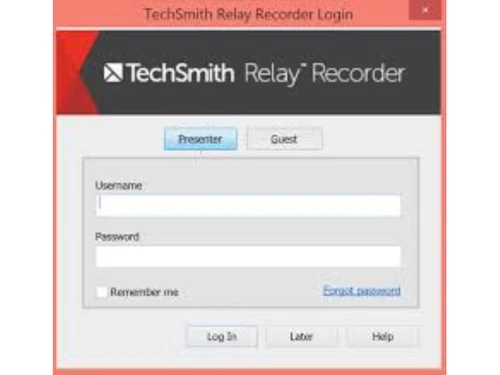
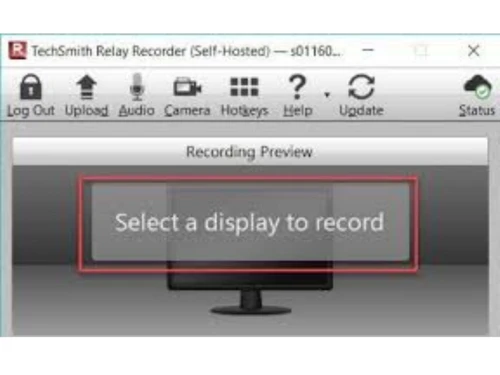
TechSmith Relay is a lecture recording tool that provides teachers and educators with all the features necessary to record video lectures, share and manage them. The TechSmith relay recorded can be quickly deployed in as many classrooms required. TechSmith also offers you a platform where you can share your educational videos to increase your student engagement and blended courses. TechSmith Rel...
See MoreHave you used Techsmith Relay before?
Share your insights for better experience
Brand: TechSmith
Founded Year: 1987
TechSmith is the #1 global provider of screen capture and screen recording software.
Looking for The Right Pricing?
Share your requirements and get a plan built around your business.
Price Available on Request
Get personalised Techsmith Relay pricing that fits your needs. Our team will connect with you.
 Creation / Editing Content Management System Video Editing Groups Admin Control Image Editing Text recognition Smart Move Create GIFs AI-generated assets Cross-Platform Support

Watch the demo video to explore key features, real workflows, and how the software fits your business needs.
 Windows
  iOS
iOS  Desktop
  Perpetual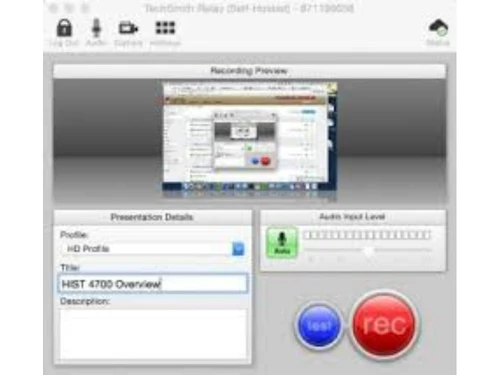
Small Business
Designed for startups and growing businesses
Medium Business
Built for business growth and flexibility
Enterprises
Designed for complex and large-scale business needs
4.3
Out of 5

Overall Rating
Based on
3 Verified Reviews
Rating Breakdown
96% Recommend this Product
Add ReviewUsers generally express high satisfaction with Techsmith Relay, highlighting its efficiency and ease of use for tasks such as voice portrayal in presentations. The service is praised for its reliability and quality, with many customers indicating a willingness to recommend it to others. However, there are no significant complaints noted, suggesting that while the feedback is positive, a wider range of reviews may provide more comprehensive insights into potential limitations.

May 3, 2019
Techjockey Verified
“Insignificant !”
Pros
It enabled us to make voice portrayal inside an introduction with insignificant exertion. Transfer's convenience is purposefully straightforward, giving simply enough usefulness to complete assignment rapidly.
Cons
NO CONS
Jun 11, 2018
Techjockey Verified
“A fast reliable service”
Pros
very efficient, good information and contacts
Cons
N/A
Jun 4, 2018
Techjockey Verified
“best service & quality”
Pros
Happy with the consultation I received, will use service again
Cons
N/A

Techsmith Relay
Price On Request
Desktop
Mobile
Web based
On Premises
Windows
Mac OS

Camtasia
₹ 7099
Desktop
Mobile
Web based
On Premises
Windows
Mac OS

TechSmith Snagit
₹ 1499
Desktop
Mobile
Web based
On Premises
Windows
Mac OS

Apowersoft Screen Recorder
Price On Request
Desktop
Mobile
Web based
On Premises
Windows
Mac OS

Ace Thinker Screen Recorder
Price On Request
Desktop
Mobile
Web based
On Premises
Windows
Mac OS

ScreenPal
Price On Request
Desktop
Mobile
Web based
On Premises
Windows
Mac OS

Fraps
Price On Request
Desktop
Mobile
Web based
On Premises
Windows
Mac OS

Fluvid
Price On Request
Desktop
Mobile
Web based
On Premises
Windows
Mac OS

Screen Studio
Price On Request
Desktop
Mobile
Web based
On Premises
Windows
Mac OS

Macro Recorder
₹ 9376
Desktop
Mobile
Web based
On Premises
Windows
Mac OS

Movavi Screen Recorder
₹ 2399
Desktop
Mobile
Web based
On Premises
Windows
Mac OS
(2) Product(s) selected
Starting Price:
$40 /Month
Starting Price:
$10 /Month
Starting Price:
$3 /Month
Starting Price:
$37 /Quantity
Starting Price:
$29 /Month
Starting Price:
₹9,376 /Quantity

Starting Price:
$39 /LifeTime

Starting Price:
$33 /Year

Starting Price:
$30 /Year

Available
Price on Request

Starting Price:
$6 /Month




TechSmith gives you camera integrations to record class lectures in real-time. It also gives you editing options and Camtasia plugin to enhance your video lecture with details.
TechSmith integrates with school ERP hassle-free. You can create subjects in your ERP and attach the course videos from TechSmith Relay to the subject folders.
TechSmith relay is available for demo. Kindly request a call and our experts from the sales team will get in touch with you.
20,000+ Software Listed
Best Price Guranteed
Free Expert Consultation
2M+ Happy Customers
Terms and Condtions

Users with registered businesses can purchase goods from merchants on the platform to satisfy their business needs. Users are not permitted to utilize any products acquired through the platform for resale, advertising, business, or further distribution.
For each purchase made, users will receive a Tax Invoice (or 'GST invoice') that includes specific details such as:
the GSTIN of the user associated with their registered business, and
the specified Entity Name for their business.
It should be noted that not all products are eligible for GST Invoice. Only the products displayed by participating sellers with the 'GST-based Invoice Available' callout on the product description page would qualify.
Certain goods and services are not eligible to get a GST Invoice, including items with VAS, i.e., Value Added Services (e.g., Total Mobile Protection/Assured Buyback) and those involving an exchange offer at the time of purchase.
Users must ensure the accuracy of the GSTIN, and business entity name provided for the GST Invoice. Requests for corrections into GST Invoice would not be accommodated by Techjockey.com or any Seller, and any issues arising from user-provided information are the sole responsibility of users.
Techjockey.com is not liable for the GST Invoice or any associated input tax credit. To efficiently claim an input tax credit, users should select the registered place of business address as per the GST authority's data and follow the provisions of the GST Act and rules.
To claim an input tax credit, the delivery and billing addresses must match. Furthermore, input tax credits will not be granted if the delivery address and GSTIN on the invoice are from different states. In case of incorrect GST details provided during the order placement, the order will be canceled automatically.



