 USA
USA UAE
UAESmall Business
Designed for startups and growing businesses
.jpg)


See More





Brand: VocalRemover
Unleash your creativity with VocalRemover, the cutting-edge audio editing software that effortlessly isolates vocals, providing users a dynamic platform to remix and craft music with unmatched precision and ease.
See MoreHave you used VocalRemover before?
Share your insights for better experience
Brand: VocalRemover
Founded Year: 2017
At Voca.ai, we’re passionate about helping companies deliver happier customers at scale, through natural, intelligent and empathetic spoken conversations, delivered by our extraordinary AI-powered and EQ-enabled Voca Agents
 AI Vocal Removal Noise Reduction Audio Converter Audio Equalizer Silence Remover Audio Reverser Audio Cutter Audio Joiner Voice Recorder Finder Audio Tools Audio Speed

Watch the demo video to explore key features, real workflows, and how the software fits your business needs.
 Windows
  MacOS
MacOS  Desktop
  Cloud-Based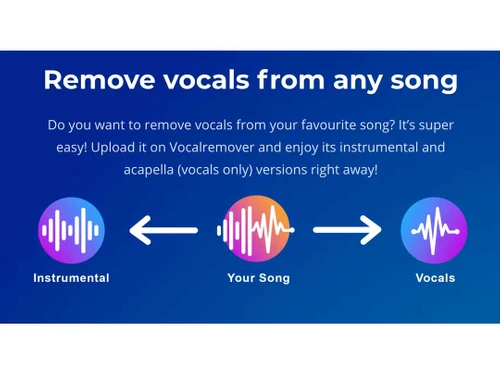
Small Business
Designed for startups and growing businesses
Medium Business
Built for business growth and flexibility
Enterprises
Designed for complex and large-scale business needs
4.1
Out of 5

Overall Rating
Based on
3 Verified Ratings
Rating Breakdown
80% Recommend this Product
Add ReviewTechjockey Trusted Reviews from Verified Users
No reviews are currently available for VocalRemover. Discover similar Audio Editing Software reviews

Luna DAW
Whats great - Innovative features, high-quality sound, seamless Apollo integration. read more

ocenaudio
Whats great - I appreciate that Ocenaudio supports VST plugins, so I can explore and expand the functionality of the software with more too... read more

GoldWave
Whats great - As a veteran user of GoldWave I have seen that it has retained the same basic look and features over the last 10 years which ... read more

VocalRemover
Price On Request
Desktop
Mobile
Web based
On Premises
Windows
Mac OS

Cleanvoice AI
Price On Request
Desktop
Mobile
Web based
On Premises
Windows
Mac OS

AudioDirector 365
₹ 1599
Desktop
Mobile
Web based
On Premises
Windows
Mac OS

Cubase Elements
₹ 9281
Desktop
Mobile
Web based
On Premises
Windows
Mac OS

Moises
Price On Request
Desktop
Mobile
Web based
On Premises
Windows
Mac OS
Audacity
Price On Request
Desktop
Mobile
Web based
On Premises
Windows
Mac OS

Adobe Podcast
Price On Request
Desktop
Mobile
Web based
On Premises
Windows
Mac OS

Qtractor
Price On Request
Desktop
Mobile
Web based
On Premises
Windows
Mac OS

Supertone CLEAR
Price On Request
Desktop
Mobile
Web based
On Premises
Windows
Mac OS

BandLab
Price On Request
Desktop
Mobile
Web based
On Premises
Windows
Mac OS

LALAL AI
Price On Request
Desktop
Mobile
Web based
On Premises
Windows
Mac OS
(0) Product(s) selected
Starting Price:
₹9,281
Starting Price:
$25 /month
Available
Price on Request
Available
Price on Request
Starting Price:
$58
Starting Price:
$15 /month
Starting Price:
$10 /Month

Starting Price:
$60
Available
Price on Request

Starting Price:
$9 /Month

Available
Price on Request




VocalRemover Software is compatible with Windows and Mac operating systems.
The VocalRemover Software app is unavailable on Android and iOS devices.
VocalRemover Software supports web-based deployment.
VocalRemover price in India is available on request at techjockey.com. Its price in India may vary based on factors like customization, additional features required, the number of users, and the deployment type. Please request a call back for subscription-related details and to avail yourself of offers on premium packages.
VocalRemover can be used by video editors, audio editors, content creators, and anyone who needs audio editing software.
VocalRemover Software’s demo is available for free with techjockey.com.
VocalRemover Software does not offer a free trial.
VocalRemover is a web-based software. So you need not download any software to use it. Just open the setup wizard to get started.
VocalRemover is a strong audio editing software that helps users remove vocals from songs using AI. When the processing is finished, you will get two or more outputs - one Karaoke version (vocals removed) and the second Vocals Only (music removed).
Each file takes a specific amount of time depending on its length, and VocalRemover usually counts the processing time of your uploaded audio or video file toward your conversion minutes.
0 0
You can cancel your subscription at any time by navigating to your account settings on the VocalRemover website and following the on–screen instructions to cancel the subscription.
0 9
Files on VocalRemover are usually stored for a limited time, then they are automatically deleted.
0 0
To remove vocals from a video, follow the steps given below:
0 0
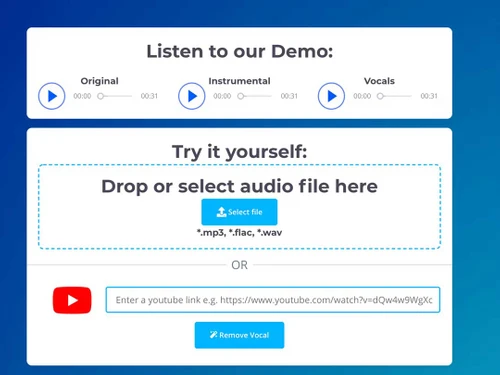
To remove vocals using VocalRemover, follow the steps given below:
0 0
20,000+ Software Listed
Best Price Guranteed
Free Expert Consultation
2M+ Happy Customers
Terms and Condtions

Users with registered businesses can purchase goods from merchants on the platform to satisfy their business needs. Users are not permitted to utilize any products acquired through the platform for resale, advertising, business, or further distribution.
For each purchase made, users will receive a Tax Invoice (or 'GST invoice') that includes specific details such as:
the GSTIN of the user associated with their registered business, and
the specified Entity Name for their business.
It should be noted that not all products are eligible for GST Invoice. Only the products displayed by participating sellers with the 'GST-based Invoice Available' callout on the product description page would qualify.
Certain goods and services are not eligible to get a GST Invoice, including items with VAS, i.e., Value Added Services (e.g., Total Mobile Protection/Assured Buyback) and those involving an exchange offer at the time of purchase.
Users must ensure the accuracy of the GSTIN, and business entity name provided for the GST Invoice. Requests for corrections into GST Invoice would not be accommodated by Techjockey.com or any Seller, and any issues arising from user-provided information are the sole responsibility of users.
Techjockey.com is not liable for the GST Invoice or any associated input tax credit. To efficiently claim an input tax credit, users should select the registered place of business address as per the GST authority's data and follow the provisions of the GST Act and rules.
To claim an input tax credit, the delivery and billing addresses must match. Furthermore, input tax credits will not be granted if the delivery address and GSTIN on the invoice are from different states. In case of incorrect GST details provided during the order placement, the order will be canceled automatically.



