linkedin
Adobe Audition for teams logo
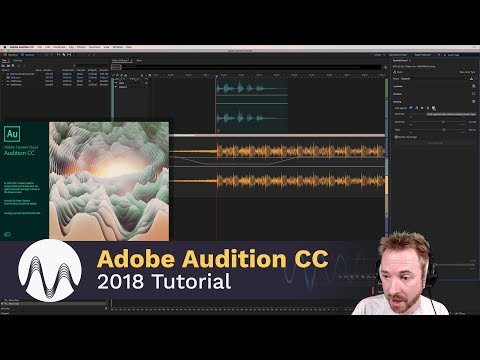
play Video on adobe audition cc demo
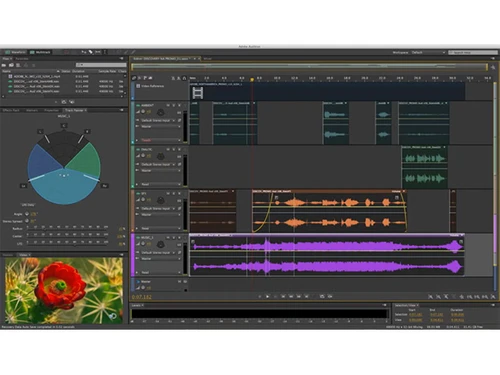
adobe audition for teams editing
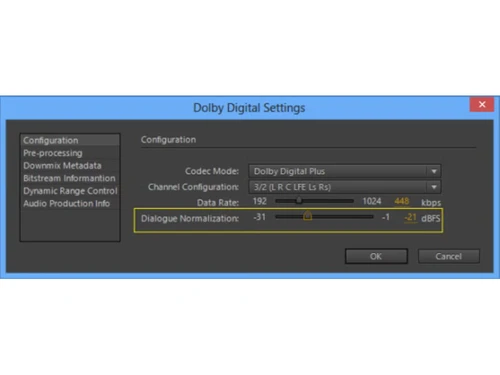
adobe audition for teams settings

Adobe Audition for teams

Brand: Adobe

  • 4.0

  • 2 Ratings & 2 Reviews

Adobe Audition is a professional audio editing software ideal for podcasters, sound designers, and video producers. It offers multitrack recording, noise reduction, and Creative Cloud integration.

See More

Have you used Adobe Audition for teams before?

Share your insights for better experience

Add a Review
Starting Price
₹26076

View plans

100% Genuine
Products
Best Price
Guaranteed
Safe & Secure
Payment
  • Description

  • Pricing

  • Features

  • Specification

  • Review

  • Compare

  • Alternatives

  • FAQ

Starting at ₹26,076

Adobe Audition for teams Software Overview

What is Adobe Audition?

Adobe Audition is a professional-grade audio workstation used for creating, mixing, and editing sound content with precision. Ideal for podcasters, video producers, and sound designers, Audition offers an all-in-one solution for audio cleanup, restoration, and multitrack editing. From removing background noise to restoring old audio clips, Adobe Audition gives users complete control over their audio projects. Integrated seamlessly with Adobe’s Creative Cloud, Audition works smoothly with other Adobe tools, making it a go-to software for industry professionals.

Why Choose Adobe Audition Audio Editing Software?

Adobe Audition sets itself apart as a premium tool for audio professionals, with features that cater to various needs in the world of sound editing and production. Here’s why it’s the right choice for audio creators:

  • Comprehensive Audio Toolkit: Whether you're editing podcasts, designing sound effects, or working on film audio, Audition's multitrack editing, waveform display, and spectral analysis tools allow for high-level precision in every project.
  • Seamless Integration: This is a great benefit of using Adobe Audition. As part of the Adobe Creative Cloud suite, Audition integrates effortlessly with Premiere Pro, After Effects, and other Adobe tools. This allows for a smooth workflow when working on video and audio projects simultaneously.
  • Noise Reduction and Repair: Audition’s advanced spectral frequency display and diagnostics panel make it easy to repair and restore damaged audio. Background noise, hums, and pops can be minimized or eliminated, making audio crisp and clear.
  • Automatic Remixing: Another benefit of using Adobe Audition is that its remix tool in Audition allows you to automatically rearrange any song to fit a specific duration, making it easier to customize music tracks for videos and other media projects.
  • Essential Sound Panel: Even if you're not an audio expert, the Essential Sound panel simplifies the process of achieving professional-quality audio by offering easy-to-use presets and controls.

Additional Features of Adobe Audition

Adobe Audition is packed with powerful features that can elevate your audio projects. Here are some of the additional features of Adobe Audition:

  • Multitrack Recording: Record and layer multiple audio tracks simultaneously, allowing you to mix complex audio sessions with ease.
  • Spectral Frequency Display: This feature of Adobe Audition can visualize your audio in a detailed spectrogram, which helps you identify and fix problematic frequencies for a cleaner sound.
  • Batch Processing: Speed up your workflow by applying the same edits or effects to multiple audio files at once using Audition’s batch processing capabilities.
  • Creative Cloud Integration: Audition integrates with Adobe’s Creative Cloud, allowing users to collaborate, store files in the cloud, and access other Adobe apps like Premiere Pro, After Effects, and more.
  • Free Sound Effects: Adobe Audition comes with a library of free sound effects that you can use to enhance your projects, making it easy to add professional touches without spending extra.
  • Comprehensive Tutorials: New users can take advantage of step-by-step guides and tutorials that help them master the full suite of Audition’s tools and features.

Pricing of Adobe Audition

Adobe Audition price starts at US$22.99/month at techjockey.com. The pricing model is based on different parameters, including extra features, deployment type, and the total number of users. For further queries related to the product, you can contact our product team and learn more about the pricing and offers.

Read more

Adobe Company Details

Founded Year:  1982

Adobe is the global leader in digital media and digital marketing solutions.

Director/Founders Charles Geschke, Jason Lemkin
Company Size 1000+ Employees

Adobe Audition for teams Pricing & Plans

Adobe Audition for teams
Key Features
  • Auto-duck music
  • Multitrack clip improvements
  • Multi Factor Authentication
  • Dynamics effect
  • Input monitoring
  • Timecode overlay
  • Multichannel audio workflows
  • Enhanced interchange with Premiere Pro
  • Visual keyboard shortcut editor
  • Audio effects
Starting at ₹31560
  • Options

    • Users (User(s))

      Users (User(s))
      Users (User(s))
    • Yearly (Year(s))

      Yearly (Year(s))
      Yearly (Year(s))

Key Features

  • Auto-duck music

  • Multitrack clip improvements

  • Multi Factor Authentication

  • Dynamics effect

  • Input monitoring

  • Timecode overlay

  • Multichannel audio workflows

  • Enhanced interchange with Premiere Pro

  • Visual keyboard shortcut editor

  • Audio effects

Adobe Audition for teams Features

  • icon_check Auto-duck music
    It simplifies the steps required to make professional-sounding audio mixes. The application automatically generates a volume
  • icon_check Multitrack clip improvements
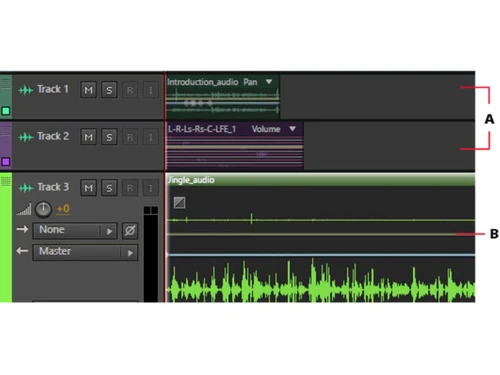
    Clip improvements help maintain the clip Z-order while recording or layering sounds so that the longer clips do not hide the
  • icon_check Multi Factor Authentication
     It enables users to control the mix, automate and transport in the software with the help of Mackie HUI control surface
  • icon_check Dynamics effect
    This feature is enabled by Adobe Premiere Pro Dynamics audio effect. It is a simple yet powerful plugin that offers expander,
  • icon_check Input monitoring
    This tool allows users to preview the input received from the recording device by observing the levels of metres even before
  • icon_check Timecode overlay
    This feature allows the user to view media timecode overlays and sessions in the video panel. Users can also lock their own video
  • icon_check Multichannel audio workflows
    This feature is used to automatically separate all the audio channels to unique clips, enabling the users to customize the
  • icon_check Enhanced interchange with Premiere Pro
    In combination with Premiere Pro, it allows transferring significantly more information like effects and their parameters to the
  • icon_check Visual keyboard shortcut editor
     It is used to see the shortcuts that are assigned or available to a particular or set of keys. The keyboard will display
  • icon_check Audio effects
    It has spectrum metres, gain reduction metres and gain metres. It enables users to identify imbalances in audios by using the
Adobe Audition for teams Demo Video play icon

Get Adobe Audition for teams Demo

Watch the demo video to explore key features, real workflows, and how the software fits your business needs.

Understand
Key Features
Personal
Demo Insights
Interactive
Demo Support

Adobe Audition for teams Specifications

Supported Platforms
Windows Windows MacOS MacOS
Devices
Desktop Desktop
Deployment
Perpetual Perpetual
Suitable For
All Industries
Business Specific
All Businesses
Language
English

Explore the Best Alternative Solutions Similar to Your Business Size and Needs

Adobe Audition for teams Reviews

4.0

Out of 5

img

Overall Rating

Based on
2 Verified Reviews

Rating Breakdown

  • Features 4
  • Value for Money 4.5
  • Ease of Use 4.2
  • Customer Support 4.1

100% Recommend this Product

Add Review

Pappu kumar

User

4.2

Reviewed on: Jul 2, 2016

Techjockey Verified

“Value for money;trustful”

Pros

I decided to look for a new software for our small non-profit organization. I contacted Techjockey because it looked like they would understand the type of software I needed without the hassle of me looking through numerous companies myself. They put me in touch with several companies that followed up right away with me. Very helpful service that saves the buyer alot of time.

Cons

N/A

Chetan Singh

User

4

Reviewed on: May 24, 2018

Techjockey Verified

“Good product but can be better!”

Pros

Essential Sound consolidates most-used tools in one panel, Direct export to Adobe Media Encoder CC, More user-friendly for first-time or novice customers

Cons

Fewer new features than other Creative Cloud applications, Better suited to post-production than music

Compare Adobe Audition for teams With other Audio Editing Software

Products
Ratings
Pricing
Device Supported
Deployment
Supported Platforms
  • img

    Adobe Audition for teams

  • 4.0

  • Price On Request

  • Desktop

    Mobile

  • Web based

    On Premises

  • Windows

    Mac OS

  • img

    Adobe Podcast

  • 4.2

  • Price On Request

  • Desktop

    Mobile

  • Web based

    On Premises

  • Windows

    Mac OS

  • img

    Adobe Audition

  • 4.2

  • Price On Request

  • Desktop

    Mobile

  • Web based

    On Premises

  • Windows

    Mac OS

  • img

    Cleanvoice AI

  • 4.3

  • Price On Request

  • Desktop

    Mobile

  • Web based

    On Premises

  • Windows

    Mac OS

  • img

    Qtractor

  • 4.1

  • Price On Request

  • Desktop

    Mobile

  • Web based

    On Premises

  • Windows

    Mac OS

  • img

    Moises

  • 4.7

  • Price On Request

  • Desktop

    Mobile

  • Web based

    On Premises

  • Windows

    Mac OS

  • img

    Cubase Elements

  • 4.7

  • ₹ 9281

  • Desktop

    Mobile

  • Web based

    On Premises

  • Windows

    Mac OS

  • img

    Supertone CLEAR

  • 4.5

  • Price On Request

  • Desktop

    Mobile

  • Web based

    On Premises

  • Windows

    Mac OS

  • img

    Audacity

  • 4.6

  • Price On Request

  • Desktop

    Mobile

  • Web based

    On Premises

  • Windows

    Mac OS

(0) Product(s) selected

Adobe Audition for teams Alternatives

See All Adobe Audition for teams Alternatives

Available

Price on Request

Starting Price:

$15 /month

Starting Price:

$15

Available

Price on Request

Articles for Adobe Audition for teams

See All Related Articles

Is Adobe Audition for free?

No, Adobe Audition is not free. It is available through a subscription-based model starting at around $22.99 per month. There are different pricing plans based on features, deployment type, and users.

What is Adobe Audition used for?

Adobe Audition is used for creating, editing, mixing, and restoring audio content. It is ideal for podcasters, sound designers, and video producers, offering advanced noise reduction, multitrack editing, and audio restoration tools.

Is Adobe Audition beginner friendly?

Yes, Adobe Audition offers a user-friendly interface and features like the Essential Sound panel, which simplifies achieving professional-quality audio, making it accessible for beginners while still offering advanced tools for professionals.

How much RAM do I need for Adobe Audition?

For optimal performance, Adobe Audition requires at least 4 GB of RAM, though 8 GB or more is recommended, especially when working on large projects or using multitrack editing features.

Can Adobe Audition do video?

While Adobe Audition is primarily an audio editing tool, it integrates seamlessly with Adobe Premiere Pro, allowing users to work on video projects by editing and mixing audio for video content.

Is Adobe Audition good for voice recording?

Yes, Adobe Audition is excellent for voice recording, offering high-quality sound capture, noise reduction, and enhancement tools, making it ideal for podcasts, voiceovers, and other voice-related projects.

What is the best Adobe software for audio editing?

Adobe Audition is the best Adobe software for audio editing, providing a comprehensive toolset for mixing, editing, and restoring audio. It offers precision and professional-quality features for various audio projects.

20,000+ Software Listed

Best Price Guranteed

Free Expert Consultation

2M+ Happy Customers

Terms and Condtions

close

Users with registered businesses can purchase goods from merchants on the platform to satisfy their business needs. Users are not permitted to utilize any products acquired through the platform for resale, advertising, business, or further distribution.

For each purchase made, users will receive a Tax Invoice (or 'GST invoice') that includes specific details such as:

  • the GSTIN of the user associated with their registered business, and

  • the specified Entity Name for their business.

It should be noted that not all products are eligible for GST Invoice. Only the products displayed by participating sellers with the 'GST-based Invoice Available' callout on the product description page would qualify.

Certain goods and services are not eligible to get a GST Invoice, including items with VAS, i.e., Value Added Services (e.g., Total Mobile Protection/Assured Buyback) and those involving an exchange offer at the time of purchase.

Users must ensure the accuracy of the GSTIN, and business entity name provided for the GST Invoice. Requests for corrections into GST Invoice would not be accommodated by Techjockey.com or any Seller, and any issues arising from user-provided information are the sole responsibility of users.

Techjockey.com is not liable for the GST Invoice or any associated input tax credit. To efficiently claim an input tax credit, users should select the registered place of business address as per the GST authority's data and follow the provisions of the GST Act and rules.

To claim an input tax credit, the delivery and billing addresses must match. Furthermore, input tax credits will not be granted if the delivery address and GSTIN on the invoice are from different states. In case of incorrect GST details provided during the order placement, the order will be canceled automatically.