linkedin
Erase.bg logo
play Erase.bg | Remove Background From Images
Erase bg Background removal
Erase bg Editing & Export

Erase.bg

Brand: Shopsense Retail Technologies

  • 4.6

  • 3 Ratings

Erase.bg Photo Editing Software effortlessly removes backgrounds precisely, delivering professional-grade results in seconds.

See More

Have you used Erase.bg before?

Share your insights for better experience

Add a Review
Starting Price
$29

View plans

100% Genuine
Products
Best Price
Guaranteed
Safe & Secure
Payment
  • Description

  • Pricing

  • Features

  • Specification

  • Review

  • Compare

  • Alternatives

  • FAQ

Starting at $29

Erase.bg Software Overview

What is Erase.bg Software?

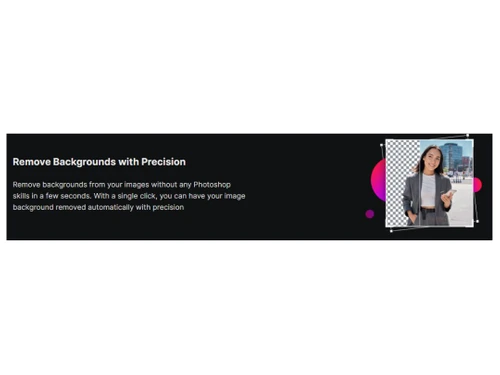
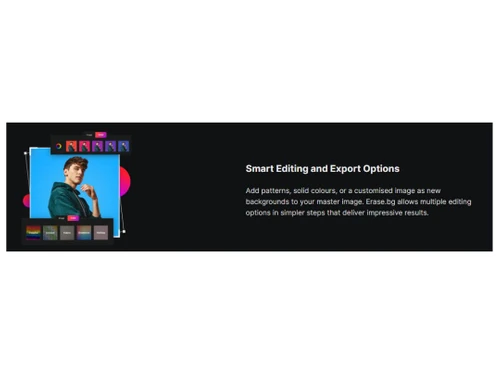
Erase.bg is a web-based tool specifically used to eliminate images' backgrounds. It uses artificial intelligence technology to remove background from images of animals, humans, and other objects. The algorithm of this platform has been designed in such a way that it automatically recognizes the foreground and eliminates the background without the need for Photoshop skills. Once the background is eliminated, users can add patterns, use solid colors, or personalize images as new backgrounds for their pictures.

The editing feature of Erase.bg software helps create visually appealing, cool, trendy images for social media handles. It uses AI-enabled capabilities to attain the perfect image style and background. Features like cutting image edges and complete object detection result in high-quality background removal. It offers an aesthetic look to the images with exceptional background editing.

This photo editing software can edit images in JPEG/JPG, WEBP, and PNG formats. Professionals can use it for bulk image editing. More than 1000 images can be edited and optimized simultaneously for format delivery through PixelBin.io. Car manufacturers can use this tool for number plate masking to ensure privacy and anti-duplication measures. It can also be used for AI-assisted image upscaling to improve website property visuals, clarity, and brightness.

Why Choose Erase.bg?

  • Automatic background removal: The image background removal process is simplified to such an extent that it saves valuable time for individuals and professionals. Images can be modified based on the users' needs with precision removal of the background.
  • Bulk and professional image editing: it caters to the requirements of several industries, such as car manufacturing and real estate. Features like bulk editing, professional appearance, number plate masking, and upscaling of real estate images make it more visually appealing.

Benefits of Erase.bg

  • Time-saving: Instantly removes the background from the images, saving valuable time.
  • AI Editing: with just a single click, backgrounds can be removed, eliminating the need for complex manual editing.
  • Add a background of choice: personalized patterns, solid colors, and background images can be added to improve the image as per user desires.
  • Versatility: Offers suitable solutions for several industries, including real estate, car manufacturing, media, and individuals.
  • Easy to use: Artificial intelligence makes this tool simple to use.

Erase.bg Software Pricing

Erase.bg photo editing platform pricing starts from $29 at techjockey.com.

The pricing model is based on different parameters, including extra features, deployment type, and total users. For further queries related to the product, you can contact our product team and learn more about the pricing and offers.

Read more

Shopsense Retail Technologies Company Details

Founded Year:  2012

Cloud Computing

Director/Founders Farooq Adam, Harsh Shah, Sreeraman Mohan Girija
Company Size 101-500 Employees

Erase.bg Pricing & Plans

Starter
Key Features
  • 300 Credits
  • 100 GB Storage
  • 100 GB Bandwidth, or
  • 300 Erase.bg Transformations
  • 90K Basic Transformations
Starting at $29
    • Licenses (1)

      Licenses (1)
      Licenses (1)
    • Monthly (1)

      Monthly (1)
      Monthly (1)

Key Features

  • 300 Credits

  • 100 GB Storage

  • 100 GB Bandwidth, or

  • 300 Erase.bg Transformations

  • 90K Basic Transformations

Erase.bg Features

  • icon_check AI background removal
    easily eliminates the backgrounds from images using advanced AI technology for professional outcomes.
  • icon_check AI image editor
    Get the benefits of AI-powered editing features to retouch, enhance, and transform images.
  • icon_check Free Download
    provides the convenience of downloading edited images with no additional costs.
  • icon_check Creative Profile Pictures
    enables the creation of eye-catching and unique profile pictures with patterns, custom style, and gradients.
  • icon_check Bulk image processing
    saves processing and editing time with the feature of simultaneously editing multiple images.
  • icon_check Simplicity & Precision
    offers a user-friendly interface and ensures precise and accurate background removal.
  • icon_check Create Professional Backgrounds
    A professional background can be effortlessly added to the background of the images.
  • icon_check Unmatched Consistency
    offers a consistent look across all the images with dependable editing functionalities.
  • icon_check Publish to any platform.
    enables effortless publishing of edited images across various platforms, ensuring versatility and compatibility.
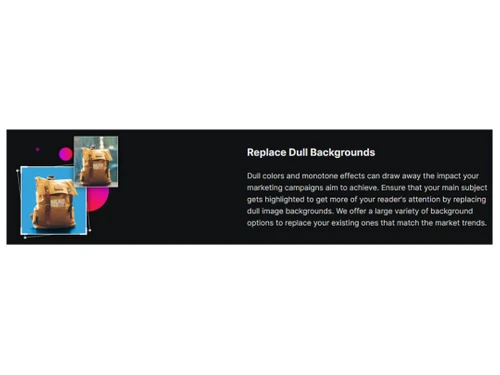
  • icon_check Replace Dull Backgrounds
    mundane backgrounds can be easily transformed into visually appealing ones to improve the overall quality of the images.
  • icon_check Professional Image Editing
    offers access to various professional editing features and tools for outstanding quality image enhancements.
Erase.bg Demo Video play icon

Get Erase.bg Demo

Watch the demo video to explore key features, real workflows, and how the software fits your business needs.

Understand
Key Features
Personal
Demo Insights
Interactive
Demo Support

Erase.bg Specifications

Supported Platforms
Ubuntu Ubuntu Windows Windows iOS iOS Android Android MacOS MacOS Windows(Phone) Windows(Phone) Linux Linux
Devices
Desktop Desktop Mobile Mobile Tablet Tablet iPad iPad
Deployment
Cloud-Based Cloud-Based
Suitable For
All Industries
Business Specific
All Businesses
Business Size
Small Business Startups Medium Business Enterprises
Customer Support
Email
Language
English
Training Resources
Documentation
AI Features
AI Integrated

Explore the Best Alternative Solutions Similar to Your Business Size and Needs

Erase.bg Review

4.6

Out of 5

img

Overall Rating

Based on
3 Verified Ratings

Rating Breakdown

  • Features 4.6
  • Value for Money 4.5
  • Ease of Use 4.5
  • Customer Support 5

90% Recommend this Product

Add Review

Techjockey Trusted Reviews from Verified Users

No reviews are currently available for Erase.bg. Discover similar Photo Editing Software reviews

  • Canva

    4.3

    Whats great - I enjoy how quickly and simply one can choose the template and begin tweaking. read more

  • Adobe Photoshop

    4.6

    Whats great - What I love most about Adobe Photoshop is its amazing editing capabilities. It's versatile, not just for photos but also for ... read more

  • Luminar Neo

    4.9

    Whats great - The interface is clean and easy to get around, so I’m not wasting time looking for tools. Sky AI, Relight AI, and portrait to... read more

Compare Erase.bg With other Photo Editing Software

Products
Ratings
Pricing
Device Supported
Deployment
Supported Platforms
  • img

    Erase.bg

  • 4.6

  • Price On Request

  • Desktop

    Mobile

  • Web based

    On Premises

  • Windows

    Mac OS

  • img

    Upscale Media

  • 4.5

  • Price On Request

  • Desktop

    Mobile

  • Web based

    On Premises

  • Windows

    Mac OS

  • img

    Pixelbin

  • Price On Request

  • Desktop

    Mobile

  • Web based

    On Premises

  • Windows

    Mac OS

  • img

    Adobe Photoshop

  • 4.5

  • Price On Request

  • Desktop

    Mobile

  • Web based

    On Premises

  • Windows

    Mac OS

  • img

    Karizma Album

  • 4.4

  • ₹ 3500

  • Desktop

    Mobile

  • Web based

    On Premises

  • Windows

    Mac OS

  • img

    Affinity Photo

  • 4.2

  • ₹ 619

  • Desktop

    Mobile

  • Web based

    On Premises

  • Windows

    Mac OS

  • img

    Luminar Neo

  • 4.7

  • ₹ 4999

  • Desktop

    Mobile

  • Web based

    On Premises

  • Windows

    Mac OS

  • img

    darktable

  • 4.0

  • Price On Request

  • Desktop

    Mobile

  • Web based

    On Premises

  • Windows

    Mac OS

  • img

    Cutout Pro

  • 4.8

  • ₹ 247

  • Desktop

    Mobile

  • Web based

    On Premises

  • Windows

    Mac OS

  • img

    Lensa AI

  • 4.1

  • Price On Request

  • Desktop

    Mobile

  • Web based

    On Premises

  • Windows

    Mac OS

(0) Product(s) selected

Erase.bg Alternatives

See All Erase.bg Alternatives

Starting Price:

$10 /Month

Available

Price on Request

Starting Price:

$36 /Year

Starting Price:

$35 /Lifetime

Starting Price:

$10 /Month

Starting Price:

$8 /Month

Starting Price:

$15 /Month

Starting Price:

$810 /Year

Articles for Erase.bg

See All Related Articles

What operating systems does Erase.bg Photo Editing Software support?

Erase.bg Photo Editing Software is compatible with both Windows and macOS operating systems.

Is there a mobile app for Erase.bg Photo Editing Software?

Erase.bg Photo Editing Software currently lacks a mobile app for Android or iOS devices.

What is the deployment type of Erase.bg Photo Editing Software?

Erase.bg Photo Editing Software supports cloud-based deployment for seamless and accessible usage.

How much does Erase.bg Photo Editing Software cost?

Its basic pricing plan starts from $29 at techjockey.com.

Who are the potential users of Erase.bg Photo Editing Software?

Erase.bg Photo Editing Software is designed for individuals, professionals, and businesses seeking advanced photo editing solutions.

Is there a free trial or demo available for Erase.bg Photo Editing Software?

Yes, the free demo of Erase.bg Photo Editing Software is available at techjockey.com.

Is Erase.bg Photo Editing Software available for free?

It is not a free software. Its pricing starts from $29 at techjockey.com.

How to download Erase.bg Photo Editing Software?

Software installation is not needed since Erase.bg supports cloud-based deployment. Just open the setup wizard and get started.

How does Erase.bg Photo Editing Software work?

Erase.bg Photo Editing Software utilizes advanced AI-powered algorithms to remove backgrounds and enhance images seamlessly. It provides a user-friendly platform for efficient and effective photo editing, ensuring a smooth and interactive experience.

20,000+ Software Listed

Best Price Guranteed

Free Expert Consultation

2M+ Happy Customers

Terms and Condtions

close

Users with registered businesses can purchase goods from merchants on the platform to satisfy their business needs. Users are not permitted to utilize any products acquired through the platform for resale, advertising, business, or further distribution.

For each purchase made, users will receive a Tax Invoice (or 'GST invoice') that includes specific details such as:

  • the GSTIN of the user associated with their registered business, and

  • the specified Entity Name for their business.

It should be noted that not all products are eligible for GST Invoice. Only the products displayed by participating sellers with the 'GST-based Invoice Available' callout on the product description page would qualify.

Certain goods and services are not eligible to get a GST Invoice, including items with VAS, i.e., Value Added Services (e.g., Total Mobile Protection/Assured Buyback) and those involving an exchange offer at the time of purchase.

Users must ensure the accuracy of the GSTIN, and business entity name provided for the GST Invoice. Requests for corrections into GST Invoice would not be accommodated by Techjockey.com or any Seller, and any issues arising from user-provided information are the sole responsibility of users.

Techjockey.com is not liable for the GST Invoice or any associated input tax credit. To efficiently claim an input tax credit, users should select the registered place of business address as per the GST authority's data and follow the provisions of the GST Act and rules.

To claim an input tax credit, the delivery and billing addresses must match. Furthermore, input tax credits will not be granted if the delivery address and GSTIN on the invoice are from different states. In case of incorrect GST details provided during the order placement, the order will be canceled automatically.