 USA
USA UAE
UAE
Small Business
Designed for startups and growing businesses


See More





Brand: Sparsh Technologies Pvt Ltd
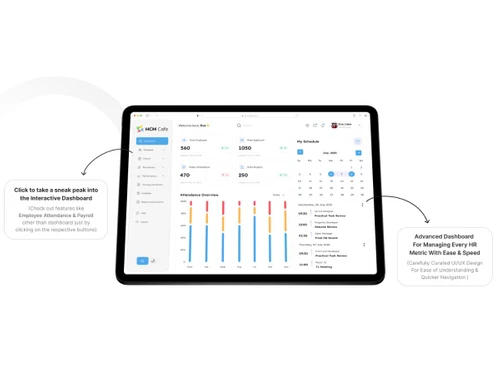
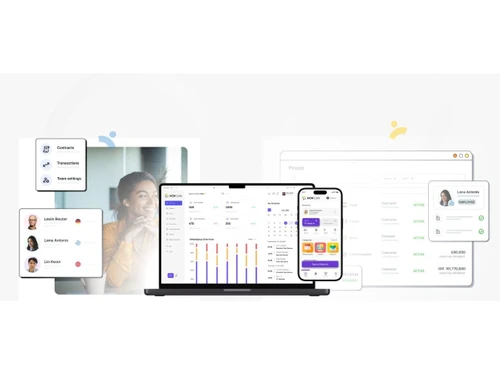
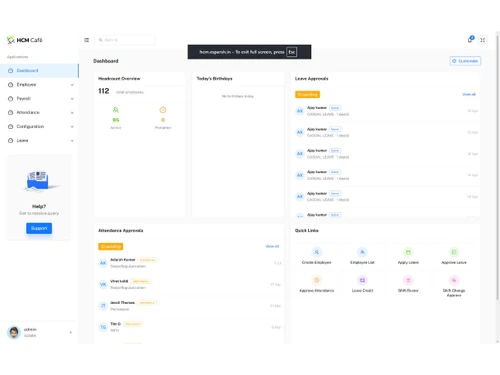
HCM Cafe brings multiple HR functions together to simplify workforce management, improve employee engagement, and support efficient HR operations. Its integrated capabilities help organizations build a connected HR ecosystem while improving employee experience, process efficiency, and organizational...
See More
13+ people visited in last 30 minutes
View plans
 Save upto 18%, Get GST Invoice on your business purchase T&C Buy Now & Pay Later, Check offer on payment page.
 Brand: Sparsh Technologies Pvt Ltd
Founded Year: 2009
eSparsh is a Complete HRMS Solution, so You can manage all HR transactions in one System reducing the need of multiple ERP and saves your extra time & efforts.
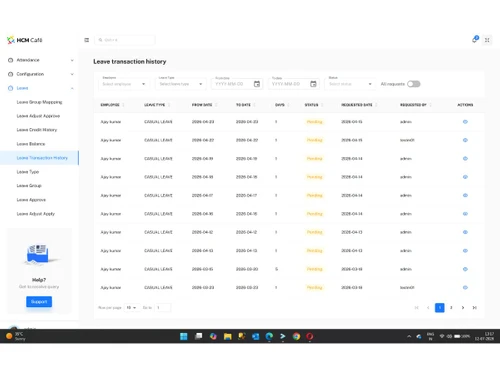
 Attendance Management Leave Management Payroll Management Dashboards Reports Exit Management Performance Management Training & Development Travel & Reimbursement Management Recruitment Employee Onboarding Letter Management Mobile App

Watch the demo video to explore key features, real workflows, and how the software fits your business needs.
 Windows
  iOS
iOS  Android MacOS Windows(Phone)
  Desktop
  Mobile
  Cloud-Based
  Perpetual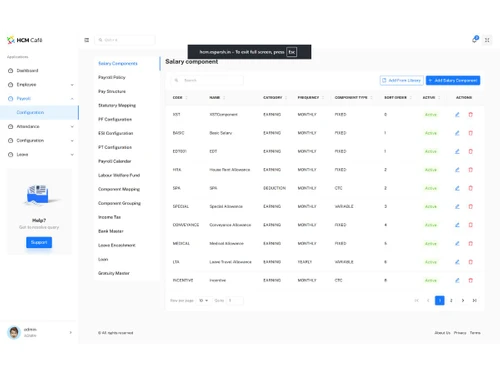
Small Business
Designed for startups and growing businesses
Medium Business
Built for business growth and flexibility
Enterprises
Designed for complex and large-scale business needs
4.8
Out of 5

Overall Rating
Based on
14 Verified Reviews
Rating Breakdown
95% Recommend this Product
Add ReviewUsers generally express high satisfaction with HCM Cafe, highlighting its user-friendly interface and comprehensive HR solutions that streamline processes from onboarding to payroll. Many appreciate the strong customer support and affordability, making it a valuable tool for HR management. However, some reviews note delays in query resolution and suggest the need for more advanced features and customization options. Overall, the sentiment is positive, with users recommending the software for its effectiveness and ease of use.
Pros
"Provides good technical support and is easy to use. it's easy to use and get required reports and updates of attendance applications."
"User-friendly software. Covers all features from recruitment to retirement also available at an affordable price with the good and quick support team"
"The application is user-friendly, and good customer support. Very happy to use this application. It has very great features."
Cons
"Delay in query solving & response. Need to introduce advance features with customizable options. "
"We got suitable solution from esparsh and we dint find any cons. "

Apr 18, 2023
Techjockey Verified
“it makes my job easier i recommend everyone to use this”
Pros
They have all the modules from onboarding to exit. They do have very strong customer support for till date we are totally satisfied with the product. User-friendly easy to use we process the salary also in the same application as an HR it makes my job easier i recommend every one use this .
Cons
NO CONS
Reason to switch
Its organization discussion
Mar 30, 2023
Techjockey Verified
“Feedback of eSparsh HRMS”
Pros
User friendly.
Cons
Delay in query solving & response. Need to introduce advance features with customizable options.
Mar 29, 2023
Techjockey Verified
“A Compete HR Solution”
Pros
Its very user friendly Software. We can track HR activities to next level. It is completely configurable software. Soothing user interface to work on for long time also transparent with control application.
Cons
Nothing
Reason to switch
Because of many more features

HCM Cafe
₹ 7200.00 excl. GST
Desktop
Mobile
Web based
On Premises
Windows
Mac OS

ClusterHR
₹ 40
Desktop
Mobile
Web based
On Premises
Windows
Mac OS

Fix HR
₹ 600
Desktop
Mobile
Web based
On Premises
Windows
Mac OS

WeekMate
₹ 3999
Desktop
Mobile
Web based
On Premises
Windows
Mac OS

Spine HR
Price On Request
Desktop
Mobile
Web based
On Premises
Windows
Mac OS

TankhaPay
₹ 40
Desktop
Mobile
Web based
On Premises
Windows
Mac OS

WoCo
₹ 50
Desktop
Mobile
Web based
On Premises
Windows
Mac OS

Zfour HRMS
₹ 45
Desktop
Mobile
Web based
On Premises
Windows
Mac OS

Keka HR
Price On Request
Desktop
Mobile
Web based
On Premises
Windows
Mac OS

TruHR
₹ 2200
Desktop
Mobile
Web based
On Premises
Windows
Mac OS

Kredily
₹ 1749
Desktop
Mobile
Web based
On Premises
Windows
Mac OS
(0) Product(s) selected
Starting Price:
₹40 /Month
Starting Price:
₹600 /Month ₹900
Starting Price:
₹3,999
Starting Price:
₹2,200 /Month

Starting Price:
₹49 /Month

Starting Price:
₹890 /Month
Starting Price:
₹5,000 /Month

Available
Price on Request

Starting Price:
₹1,499 /Month

Starting Price:
$49 /Month










HCM Cafe price starts at INR 7200 per month (for 100 employees) at Techjockey.com.
HCM Cafe is designed for organizations across industries such as manufacturing, healthcare, education, IT, textiles, and startups. It can be used by HR teams, employees, managers, and administrators to manage different HR processes across the employee lifecycle.
Yes, HCM Cafe provides a mobile app that enables employees and HR teams to perform relevant day-to-day HR activities.
Yes, HR Analytics is one of the capabilities offered through HCM Cafe+. It helps organizations manage and analyze relevant HR information.
Yes, HCM Cafe includes Training & Development and Learning Management Software capabilities to support employee learning and development activities.
Yes, HCM Cafe+ includes Labour Law Audit & Compliance capabilities to help organizations manage relevant labour law and compliance-related HR activities.
Yes, HCM Cafe supports integration with ERP modules, helping organizations connect HR processes with their existing business systems.
Yes, HCM Cafe includes Employee Engagement Survey capabilities along with Rewards & Recognition and other employee-focused modules to support employee engagement initiatives.
20,000+ Software Listed
Best Price Guranteed
Free Expert Consultation
2M+ Happy Customers
Terms and Condtions

Users with registered businesses can purchase goods from merchants on the platform to satisfy their business needs. Users are not permitted to utilize any products acquired through the platform for resale, advertising, business, or further distribution.
For each purchase made, users will receive a Tax Invoice (or 'GST invoice') that includes specific details such as:
the GSTIN of the user associated with their registered business, and
the specified Entity Name for their business.
It should be noted that not all products are eligible for GST Invoice. Only the products displayed by participating sellers with the 'GST-based Invoice Available' callout on the product description page would qualify.
Certain goods and services are not eligible to get a GST Invoice, including items with VAS, i.e., Value Added Services (e.g., Total Mobile Protection/Assured Buyback) and those involving an exchange offer at the time of purchase.
Users must ensure the accuracy of the GSTIN, and business entity name provided for the GST Invoice. Requests for corrections into GST Invoice would not be accommodated by Techjockey.com or any Seller, and any issues arising from user-provided information are the sole responsibility of users.
Techjockey.com is not liable for the GST Invoice or any associated input tax credit. To efficiently claim an input tax credit, users should select the registered place of business address as per the GST authority's data and follow the provisions of the GST Act and rules.
To claim an input tax credit, the delivery and billing addresses must match. Furthermore, input tax credits will not be granted if the delivery address and GSTIN on the invoice are from different states. In case of incorrect GST details provided during the order placement, the order will be canceled automatically.


