linkedin
Facetune logo
Facetune Selfie Editor
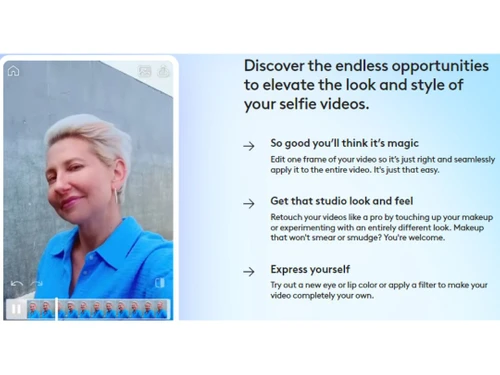
Facetune Videos Edit
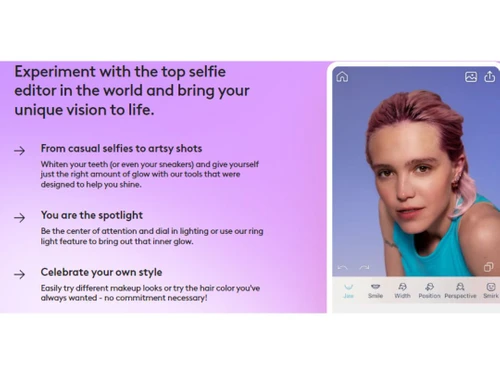
Facetune Photo Editor

Facetune

Brand: Lightricks

  • 4.3

  • 3 Ratings

Get ready to click some fantastic selfies of yourself using Facetune and make your pictures stand out by using unique filters and AI-avatars.

See More

Have you used Facetune before?

Share your insights for better experience

Add a Review

Price Available on Request

Questions about pricing or customization? We’re here to help, just a click away.

100% Genuine
Products
Best Price
Guaranteed
Safe & Secure
Payment
  • Description

  • Pricing

  • Features

  • Specification

  • Review

  • Compare

  • Alternatives

  • FAQ

Facetune Software Overview

What is Facetune Software?

Facetune is a selfie photo editing software revered by creators, influencers, and celebrities. From smoothing out imperfections to whitening teeth and enhancing facial features, it offers a range of tools that allow users to refine their photos effortlessly. The app's user-friendly interface and intuitive controls make it accessible and enjoyable for novice and experienced photographers. You can adjust lighting and colors, apply artistic filters, and add stunning visual effects to elevate the overall look of your photos. The app also offers built-in tools for cropping, rotating, and straightening images, ensuring that every aspect of your composition is on point.

With the ability to blur backgrounds, add depth-of-field effects, and enhance details, you can create professional-looking photos that truly stand out. The app also offers a range of customizable presets and filters, allowing you to apply unique styles and moods to your images effortlessly.

One of the vital features of Facetune is its ability to effortlessly remove blemishes, wrinkles, and other imperfections from the skin. Users can smooth out their complexion with just a few taps and achieve a flawless look. The software also offers options for whitening teeth, reshaping facial contours, and even changing eye color, enabling users to transform their appearance in various ways.

What sets Facetune apart from other photo editing apps is its user-friendly interface. The software provides a simple and intuitive editing process, making it accessible even to those with limited editing experience. Its wide range of features and easy-to-use tools make it a go-to choice for individuals looking to enhance their portraits and selfies.

Why Choose Facetune System?

  • Background Blur: Users can blur the background of their photos to create a professional and visually appealing depth-of-field effect.
  • Blemish Removal: The app offers a blemish removal tool to erase skin imperfections such as acne, scars, and wrinkles.
  • Hair Salon: The photo editing app includes a hair salon feature that allows users to change hair color and style and add realistic hair effects.
  • Makeup Application: The selfie photo editing software provides a range of virtual makeup options, including lipstick, eyeshadow, blush, and foundation, to enhance facial features.
  • Skin Smoothing: It offers tools to create a flawless and radiant complexion.
  • Reshape: Users can reshape specific areas of their face or body, such as slimming the face, enhancing the jawline, or adjusting body proportions.

Benefits of Facetune Photo Editing Software

  • The selfie photo editing app includes a collage maker feature to combine multiple photos into artistic and visually engaging collages.
  • It offers a tilt-shift tool that allows users to selectively blur or focus specific photo areas for a creative and artistic effect.
  • Users can seamlessly swap faces between photos to create fun and entertaining compositions.
  • The app provides tools to enhance textures and details in photos to create more defined and captivating images.
  • The photo editing software offers various lighting effects, such as adding lens flares or adjusting light intensity, to enhance photos' overall mood and atmosphere.

Pricing of Facetune Photo Editing System

Facetune photo editing system pricing is available on request at techjockey.com.

The overall pricing model is based on different factors such as personalization, extra features required, total users, and deployment type. Please feel free to request a call from our product experts if you want to learn more about our subscription plans or premium package deals.

Read more

Lightricks Company Details

Founded Year:  2013

Lightricks develops creativity tools that enable its users to craft and share visual content on mobile devices.

Director/Founders Amit Goldstein, Itai Tsiddon, Nir Pochter, Yaron Inger, Zeev Farbman
Company Size 101-500 Employees

Facetune Pricing & Plans

Looking for The Right Pricing?

Share your requirements and get a plan built around your business.

  • Define your business needs
  • Get customised pricing
  • Choose features that fit your workflow

Price Available on Request

Get personalised Facetune pricing that fits your needs. Our team will connect with you.

Facetune Features

  • icon_check Face Editing
    Allows users to edit facial features precisely, including smoothing skin, refining contours, and more.
  • icon_check Photo Editing
    Provides a comprehensive set of editing tools, such as adjusting brightness, contrast, and saturation to enhance photos.
  • icon_check Photo Enhancement
    Allows users to improve overall photo quality, including sharpening details, removing noise, and correcting colors.
  • icon_check Video Editing
    Users can edit and enhance videos for a seamless multimedia experience.
  • icon_check Easy to Use
    Offers a user-friendly design to ensure users can easily navigate the app and access its features.
  • icon_check User-friendly Content Editor
    Users can add text, stickers, and creative elements to photos.
  • icon_check Background Remover
    Users can easily remove or replace backgrounds in their photos.
  • icon_check AI Avatars Generator
    Creates personalized digital avatars based on facial characteristics and expressions.
  • icon_check Remove Objects
    Remove unwanted or blemishes from photos to ensure a clean result.

Facetune Specifications

Supported Platforms
Ubuntu Ubuntu Windows Windows iOS iOS Android Android MacOS MacOS Linux Linux
Devices
Desktop Desktop Mobile Mobile Tablet Tablet iPad iPad
Deployment
Cloud-Based Cloud-Based
Suitable For
All Industries
Business Specific
All Businesses
Business Size
Small Business Startups Medium Business Enterprises
Customer Support
Email Communities
Language
English
Training Resources
Videos
AI Features
AI Integrated

Explore the Best Alternative Solutions Similar to Your Business Size and Needs

Facetune Review

4.3

Out of 5

img

Overall Rating

Based on
3 Verified Ratings

Rating Breakdown

  • Features 4.3
  • Value for Money 4.3
  • Ease of Use 4.5
  • Customer Support 4.1

90% Recommend this Product

Add Review

Techjockey Trusted Reviews from Verified Users

No reviews are currently available for Facetune. Discover similar Photo Editing Software reviews

  • Canva

    4.3

    Whats great - I enjoy how quickly and simply one can choose the template and begin tweaking. read more

  • Adobe Photoshop

    4.6

    Whats great - What I love most about Adobe Photoshop is its amazing editing capabilities. It's versatile, not just for photos but also for ... read more

  • Luminar Neo

    4.9

    Whats great - The interface is clean and easy to get around, so I’m not wasting time looking for tools. Sky AI, Relight AI, and portrait to... read more
Compare Facetune With other Photo Editing Software

Products
Ratings
Pricing
Device Supported
Deployment
Supported Platforms
  • img

    Facetune

  • 4.3

  • Price On Request

  • Desktop

    Mobile

  • Web based

    On Premises

  • Windows

    Mac OS

  • img

    Photoleap

  • 4.1

  • Price On Request

  • Desktop

    Mobile

  • Web based

    On Premises

  • Windows

    Mac OS

  • img

    Adobe Photoshop

  • 4.5

  • Price On Request

  • Desktop

    Mobile

  • Web based

    On Premises

  • Windows

    Mac OS

  • img

    Karizma Album

  • 4.4

  • ₹ 3500

  • Desktop

    Mobile

  • Web based

    On Premises

  • Windows

    Mac OS

  • img

    Affinity Photo

  • 4.2

  • ₹ 619

  • Desktop

    Mobile

  • Web based

    On Premises

  • Windows

    Mac OS

  • img

    Luminar Neo

  • 4.7

  • ₹ 4999

  • Desktop

    Mobile

  • Web based

    On Premises

  • Windows

    Mac OS

  • img

    darktable

  • 4.0

  • Price On Request

  • Desktop

    Mobile

  • Web based

    On Premises

  • Windows

    Mac OS

  • img

    Cutout Pro

  • 4.8

  • ₹ 247

  • Desktop

    Mobile

  • Web based

    On Premises

  • Windows

    Mac OS

  • img

    Lensa AI

  • 4.1

  • Price On Request

  • Desktop

    Mobile

  • Web based

    On Premises

  • Windows

    Mac OS

  • img

    AfterShot Pro 3

  • 4.5

  • ₹ 5966

  • Desktop

    Mobile

  • Web based

    On Premises

  • Windows

    Mac OS

(0) Product(s) selected

Facetune Alternatives

See All Facetune Alternatives

Available

Price on Request

Available

Price on Request

Starting Price:

$36 /Year

Starting Price:

$80 /year

Starting Price:

$35 /Lifetime

Starting Price:

$10 /Month

Starting Price:

$8 /Month

Starting Price:

$15 /Month

Starting Price:

$810 /Year

Articles for Facetune

See All Related Articles

Which operating system does Facetune Software Support?

Facetune software is compatible with Windows and macOS operating systems.

Is there any Facetune app?

Facetune app is available on Android and iOS devices.

What is the deployment type of the Facetune System?

Facetune system supports on-premises deployment.

How much does Facetune cost?

Facetune pricing is available on request at techjockey.com.

Who are the potential users of the Facetune System?

Facetune system can be used by photo editors, graphic designers, or anyone who needs an easy-to-use image editor or a selfie app.

Is there any free trial or demo for Facetune?

Facetune demo is available for free with techjockey.com.

Is Facetune free?

Facetune offers a 7-day free trial.

How can you download Facetune?

You can download Facetune app from Play store or iOS store.

How does Facetune work?

Facetune Photo Editing Software is a powerful selfie app that helps users edit images and make them to the highest level. It also enables users to effortlessly create images by utilizing various built-in models.

20,000+ Software Listed

Best Price Guranteed

Free Expert Consultation

2M+ Happy Customers

Terms and Condtions

close

Users with registered businesses can purchase goods from merchants on the platform to satisfy their business needs. Users are not permitted to utilize any products acquired through the platform for resale, advertising, business, or further distribution.

For each purchase made, users will receive a Tax Invoice (or 'GST invoice') that includes specific details such as:

  • the GSTIN of the user associated with their registered business, and

  • the specified Entity Name for their business.

It should be noted that not all products are eligible for GST Invoice. Only the products displayed by participating sellers with the 'GST-based Invoice Available' callout on the product description page would qualify.

Certain goods and services are not eligible to get a GST Invoice, including items with VAS, i.e., Value Added Services (e.g., Total Mobile Protection/Assured Buyback) and those involving an exchange offer at the time of purchase.

Users must ensure the accuracy of the GSTIN, and business entity name provided for the GST Invoice. Requests for corrections into GST Invoice would not be accommodated by Techjockey.com or any Seller, and any issues arising from user-provided information are the sole responsibility of users.

Techjockey.com is not liable for the GST Invoice or any associated input tax credit. To efficiently claim an input tax credit, users should select the registered place of business address as per the GST authority's data and follow the provisions of the GST Act and rules.

To claim an input tax credit, the delivery and billing addresses must match. Furthermore, input tax credits will not be granted if the delivery address and GSTIN on the invoice are from different states. In case of incorrect GST details provided during the order placement, the order will be canceled automatically.