linkedin
Photoleap logo
play How to Add and Edit Text using Photoleap
Photoleap trending ai
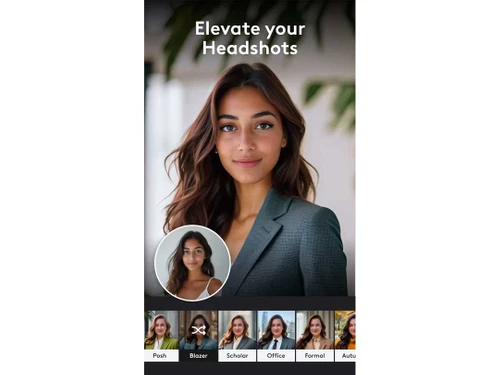
Photoleap elevate

Photoleap

Brand: Lightricks

  • 4.1

  • 6 Ratings

Photoleap is a user-friendly photo editing app. It offers powerful AI tools for enhancing and transforming images. Ideal for both beginners and professionals.

See More

Have you used Photoleap before?

Share your insights for better experience

Add a Review

Price Available on Request

Questions about pricing or customization? We’re here to help, just a click away.

100% Genuine
Products
Best Price
Guaranteed
Safe & Secure
Payment
  • Description

  • Pricing

  • Features

  • Specification

  • Review

  • Compare

  • Alternatives

  • FAQ

Photoleap Software Overview

What is Photoleap?

Photoleap is a cutting-edge, all-in-one photo editing application that combines the power of AI with an intuitive user interface to revolutionise the way we edit and transform our images. By leveraging the capabilities of artificial intelligence, Photoleap enables users to achieve exceptional results in image enhancement and transformation. This user-friendly platform is designed to simplify the editing process, making it accessible to both beginners and advanced users.

With Photoleap, you can easily import, create, and refine your images, leveraging a wide range of editing techniques to achieve the desired outcome. Whether you're a creative professional or an enthusiast, Photoleap's advanced tools and filters will help you unlock the full potential of your images. The software's ease of use, combined with its accessibility through mobile platforms, makes it an ideal solution for a wide range of users and tasks.

From basic adjustments to advanced manipulations, Photoleap's comprehensive feature set enables users to push the boundaries of image editing. With its robust AI-powered engine, the software can detect and correct common issues such as noise, exposure, and colour balance, allowing you to focus on the creative aspects of the editing process.

Why Choose Photoleap?

  • Powerful AI Tools: Photoleap's AI capabilities streamline editing tasks, making image enhancement efficient.
  • Comprehensive Editing Options: The app offers a broad range of techniques for manipulating images, including layer management and blending modes.
  • Seamless Workflow: Photoleap's user-friendly interface facilitates a smooth editing process. This ease of use makes it a convenient choice for both beginners and advanced users.
  • Creative Flexibility: Users can easily create various effects and achieve unique artistic results with the app's powerful tools.
  • Versatile Applicability: The app's capabilities extend beyond basic photo editing, allowing users to create artistic images from sketches or text.
  • Mobile Accessibility: Available on both Android and iOS platforms, enabling users to access editing tools on the go. This accessibility extends its reach to a considerably large user base.

Benefits of Photoleap Photo Editing Software

  • Effortless Image Enhancement: Photoleap streamlines the process of enhancing photos with ease, making any user a quick and competent image editor.
  • Versatile Creativity: The software offers ample resources for experimentation and generating unique creations.
  • Simplified Editing: The user-friendly interface and intuitive tools make photo editing more accessible, reducing the learning curve typically associated with advanced software.
  • Enhanced Productivity: AI-powered features accelerate the editing process, letting users focus on creative ideas.
  • Enhanced Image Quality: Image transformation tools can elevate the quality and aesthetics of images.
  • All-Inclusive Editing Platform: Whether improving details or creating unique styles, Photoleap offers a comprehensive platform for image manipulation. It streamlines the image-editing process, enabling users to effortlessly turn ordinary photos into extraordinary pieces.

Pricing of Photoleap

Photoleap pricing starts at INR 510.83 per month and is available at techjockey.com.

The pricing model is based on different parameters, including the amount of bandwidth you need, the number of servers you need, and the features you need. For further queries related to the product, you can contact our product team and learn more about the pricing and offers.

Read more

Lightricks Company Details

Founded Year:  2013

Lightricks develops creativity tools that enable its users to craft and share visual content on mobile devices.

Director/Founders Amit Goldstein, Itai Tsiddon, Nir Pochter, Yaron Inger, Zeev Farbman
Company Size 101-500 Employees

Photoleap Pricing & Plans

Looking for The Right Pricing?

Share your requirements and get a plan built around your business.

  • Define your business needs
  • Get customised pricing
  • Choose features that fit your workflow

Price Available on Request

Get personalised Photoleap pricing that fits your needs. Our team will connect with you.

Photoleap Features

  • icon_check Effects
    Unlock a variety of stunning effects, from filters to overlays, to transform your images.
  • icon_check Background Removal
    Effortlessly remove backgrounds and extract objects with ease.
  • icon_check Animation
    Bring your images to life with customizable animations and motion effects.
  • icon_check Text-to-Image Generation
    Convert text into eye-catching images with our AI-powered generation tool.
  • icon_check Image Editor
    Make precise adjustments and edits to your images with our intuitive editor.
  • icon_check Trim, Crop & Resize
    Streamline your workflow with quick and easy trimming, cropping, and resizing.
  • icon_check Sketch to Image
    Convert your sketches into high-quality images with our advanced conversion tool.
  • icon_check AI Image Generator
    Create original images from text prompts by describing scenes, concepts, objects, or artwork you want to generate.
  • icon_check AI Art Generator
    Generate creative AI artwork from ideas and prompts, turning concepts into unique visual compositions.
  • icon_check Image Upscaling
    Increase image resolution and create sharper, higher-quality visuals using AI-powered image enhancement technology.
  • icon_check Text Overlay
    Add customizable text to photographs using different fonts and styling options to create engaging visual content.
  • icon_check Blur
    Blur backgrounds or entire photographs to emphasize subjects, hide details, or create artistic visual effects.
  • icon_check Photo Collage
    Combine multiple images into attractive collages using photo grids, layouts, frames, and creative compositions.
Photoleap Demo Video play icon

Get Photoleap Demo

Watch the demo video to explore key features, real workflows, and how the software fits your business needs.

Understand
Key Features
Personal
Demo Insights
Interactive
Demo Support

Photoleap Specifications

Supported Platforms
Windows Windows iOS iOS Android Android MacOS MacOS
Devices
Desktop Desktop Mobile Mobile
Deployment
Cloud-Based Cloud-Based
Suitable For
All Industries
Business Specific
All Businesses
Business Size
Small Business Medium Business SMBs SMEs MSMBs
Customer Support
Email Forums
Language
English
Training Resources
In Person Videos
AI Features
AI Integrated

Explore the Best Alternative Solutions Similar to Your Business Size and Needs

Photoleap Review

4.1

Out of 5

img

Overall Rating

Based on
6 Verified Ratings

Rating Breakdown

  • Features 4.0
  • Value for Money 4.2
  • Ease of Use 3.9
  • Customer Support 4.3

90% Recommend this Product

Add Review

Techjockey Trusted Reviews from Verified Users

No reviews are currently available for Photoleap. Discover similar Photo Editing Software reviews

  • Canva

    4.3

    Whats great - I enjoy how quickly and simply one can choose the template and begin tweaking. read more

  • Adobe Photoshop

    4.6

    Whats great - What I love most about Adobe Photoshop is its amazing editing capabilities. It's versatile, not just for photos but also for ... read more

  • Luminar Neo

    4.9

    Whats great - The interface is clean and easy to get around, so I’m not wasting time looking for tools. Sky AI, Relight AI, and portrait to... read more

Compare Photoleap With other Photo Editing Software

Products
Ratings
Pricing
Device Supported
Deployment
Supported Platforms
  • img

    Photoleap

  • 4.1

  • Price On Request

  • Desktop

    Mobile

  • Web based

    On Premises

  • Windows

    Mac OS

  • img

    Facetune

  • 4.3

  • Price On Request

  • Desktop

    Mobile

  • Web based

    On Premises

  • Windows

    Mac OS

  • img

    Adobe Photoshop

  • 4.5

  • Price On Request

  • Desktop

    Mobile

  • Web based

    On Premises

  • Windows

    Mac OS

  • img

    Karizma Album

  • 4.4

  • ₹ 3500

  • Desktop

    Mobile

  • Web based

    On Premises

  • Windows

    Mac OS

  • img

    Affinity Photo

  • 4.2

  • ₹ 619

  • Desktop

    Mobile

  • Web based

    On Premises

  • Windows

    Mac OS

  • img

    Luminar Neo

  • 4.7

  • ₹ 4999

  • Desktop

    Mobile

  • Web based

    On Premises

  • Windows

    Mac OS

  • img

    darktable

  • 4.0

  • Price On Request

  • Desktop

    Mobile

  • Web based

    On Premises

  • Windows

    Mac OS

  • img

    Cutout Pro

  • 4.8

  • ₹ 247

  • Desktop

    Mobile

  • Web based

    On Premises

  • Windows

    Mac OS

  • img

    Lensa AI

  • 4.1

  • Price On Request

  • Desktop

    Mobile

  • Web based

    On Premises

  • Windows

    Mac OS

  • img

    AfterShot Pro 3

  • 4.5

  • ₹ 5966

  • Desktop

    Mobile

  • Web based

    On Premises

  • Windows

    Mac OS

(0) Product(s) selected

Photoleap Alternatives

See All Photoleap Alternatives

Available

Price on Request

Available

Price on Request

Starting Price:

$36 /Year

Starting Price:

$80 /year

Starting Price:

$35 /Lifetime

Starting Price:

$10 /Month

Starting Price:

$8 /Month

Starting Price:

$15 /Month

Starting Price:

$810 /Year

Articles for Photoleap

See All Related Articles

How secure is Photoleap?

Photoleap employs robust security measures to protect user data. These measures help safeguard personal information and image files from unauthorised access and malicious activity. Specific details on the security protocols are not outlined, but likely include encryption and access controls.

Does Photoleap offer a free trial or a demo?

A demo of Photoleap is available at techjockey.com. You can contact our product experts for more information.

What features does Photoleap offer?

Photoleap provides various features, including AI image enhancement, multi-image editing, layer management, blending modes, and a user-friendly interface. You can contact our product experts for more information.

Which operating system does Photoleap Software Support?

Photoleap supports Windows, iOS, Android, and MacOS operating systems.

Is there any Photoleap App?

Photoleap is available as a mobile app for both Android and iOS users.

How much does Photoleap Software Platform Cost?

Photoleap pricing starts at INR 510.83 per month and is available at techjockey.com. Pricing is customised based on specific business needs. Contact techjockey.com for detailed pricing information.

Who are the potential users of Photoleap Software?

Photoleap targets creative professionals, artists, and anyone looking to enhance and transform their images. It's suitable for beginners and experienced editors alike, providing tools to create and refine images in a centralised platform.

Is Photoleap suitable for small businesses?

Yes, Photoleap can be suitable for small businesses. For example, small businesses can leverage the app's features to edit and enhance marketing materials, create visually appealing social media content, and boost brand image.

How does Photoleap software Work?

Photoleap functions as a centralised platform for image import, creation, and editing, employing AI-powered tools and advanced editing techniques. This allows users to enhance and transform images easily. Import photos, utilise various editing tools like adjustments, layers, and blending modes, and access AI-driven enhancements.

20,000+ Software Listed

Best Price Guranteed

Free Expert Consultation

2M+ Happy Customers

Terms and Condtions

close

Users with registered businesses can purchase goods from merchants on the platform to satisfy their business needs. Users are not permitted to utilize any products acquired through the platform for resale, advertising, business, or further distribution.

For each purchase made, users will receive a Tax Invoice (or 'GST invoice') that includes specific details such as:

  • the GSTIN of the user associated with their registered business, and

  • the specified Entity Name for their business.

It should be noted that not all products are eligible for GST Invoice. Only the products displayed by participating sellers with the 'GST-based Invoice Available' callout on the product description page would qualify.

Certain goods and services are not eligible to get a GST Invoice, including items with VAS, i.e., Value Added Services (e.g., Total Mobile Protection/Assured Buyback) and those involving an exchange offer at the time of purchase.

Users must ensure the accuracy of the GSTIN, and business entity name provided for the GST Invoice. Requests for corrections into GST Invoice would not be accommodated by Techjockey.com or any Seller, and any issues arising from user-provided information are the sole responsibility of users.

Techjockey.com is not liable for the GST Invoice or any associated input tax credit. To efficiently claim an input tax credit, users should select the registered place of business address as per the GST authority's data and follow the provisions of the GST Act and rules.

To claim an input tax credit, the delivery and billing addresses must match. Furthermore, input tax credits will not be granted if the delivery address and GSTIN on the invoice are from different states. In case of incorrect GST details provided during the order placement, the order will be canceled automatically.