 USA
USA UAE
UAESmall Business
Designed for startups and growing businesses


See More


![Schedule Automatic Outstanding Reminders for Retailers | MargPay [English]](https://img.youtube.com/vi/_gIzPiY2-mw/default.jpg)


Brand: Marg ERP
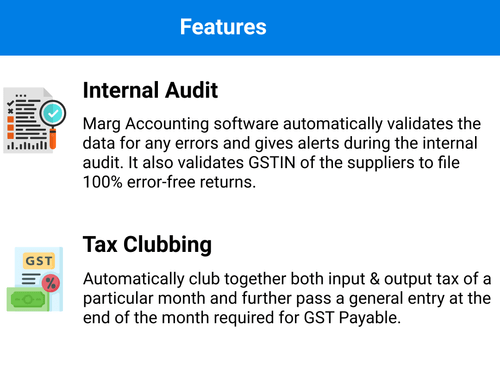
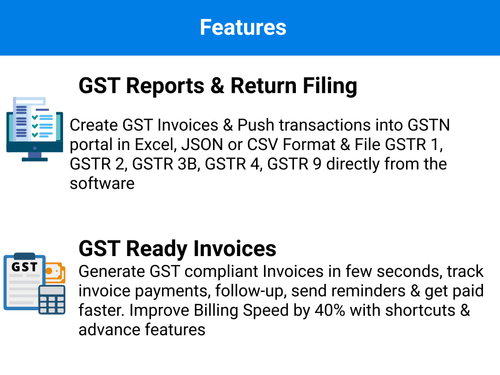
An accounting software that allows businesses to generate invoices, track inventory, generate reports of financial activities and MIS, file GST returns, and more.
See MoreHave you used Marg ERP 9+ before?
Share your insights for better experience
Brand: Marg ERP
Founded Year: 2000
Marg ERP Ltd is the leading provider of integrated business application software for Micro, Small and Midsize Businesses. Based on our best-of-breed offerings, we continue to build new alliances with industry leaders and win new customers across a range of major industries.
Core Functionalities
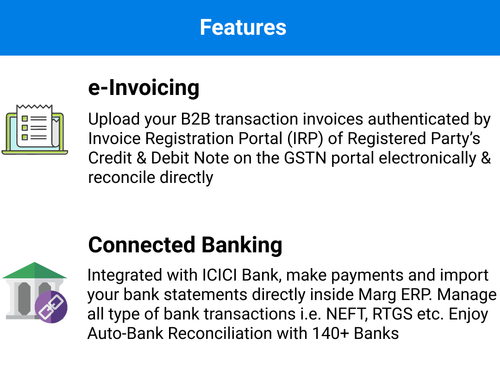
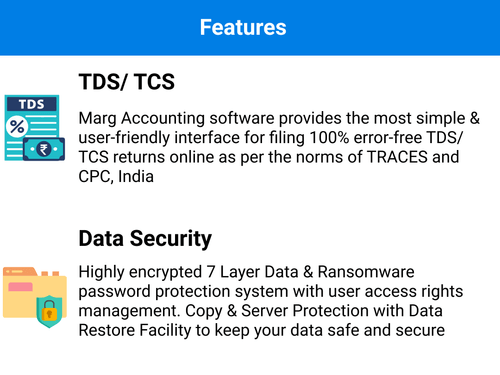
 Time & Expenses Management Accounts Receivable General Ledger Quotation & Estimates Alerts & Notifications Bank Reconciliation Multi Currency Support Bookkeeping Capabilities Cost Centres Return Filings Payroll Management Tax Management Asset Management Accounts Payable Bank Settlement Fixed Asset Register (FAR) Management Trial Balance Preparation Gst Report Preparations Tds Report Generations GST Input Reconciliations Branch Management Transaction Management Receipt Management Batch Management Fund Accounting Variant Analysis Broker Management Claims Management Collection Management Credit / Debit Note Document Management Sales Management Statutory Compliances
 Billing & Invoicing
E-Way Bill Generation Invoice Processing Automatic Payment Reminders Payment Processing Bill Of Materials (BOM) Payment Tracking Retail and Point of Sale
Point of Sale (POS) Retail Management Project and Workflow Management
Time & Expenses Management Transaction Management Project Accounting Facility Management Production Management Workflow Management Inventory and Supply Chain Management
Stock Management Barcode Scanning Store Management Item Master Vendor & Supplier Management Warehouse Management Inventory Management Inventory Reconciliation Supply Chain Management Delivery Management Distribution Management Product Management Sales and CRM
Quotation & Estimates Order Management CRM Capabilities Loyalty Program Customer Management Sales Management Financial Management
Cash Flow Management Budgeting & Forecasting Revenue Management Net Worth Management Cash and Bank Management Financial Planning & Analysis Fund Accounting Fund Planning Integrations Supported
Import / Export Management Analytics and Reporting
Financial Accounting and Reporting Profit & Loss Audit Management Profit Centers Gross Profit Ratio Analysis Net Profit Management Financial Statement Generation & Analysis Administrative Features
User Access Management Backup & Restore Ledger Scrutiny Admin Controls Facility Management Self Service Portal Others
Purchase Management 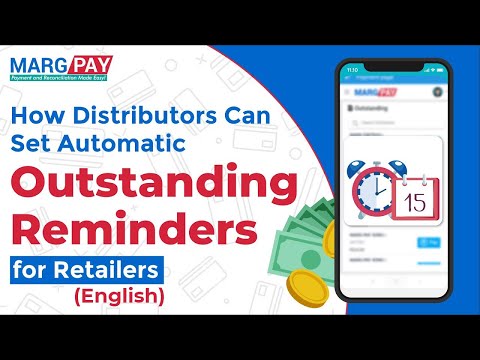

Watch the demo video to explore key features, real workflows, and how the software fits your business needs.


 Windows
  MacOS
MacOS  Desktop
  Mobile
  Cloud-Based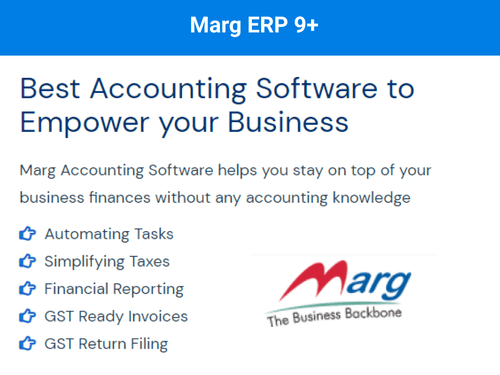
Small Business
Designed for startups and growing businesses
Medium Business
Built for business growth and flexibility
Enterprises
Designed for complex and large-scale business needs
4.7
Out of 5

Overall Rating
Based on
48 Verified Reviews
Rating Breakdown
93% Recommend this Product
Add ReviewOverall, customers express high satisfaction with Marg ERP 9+, highlighting its user-friendly interface, robust inventory and accounting features, and responsive customer support. Many users appreciate its efficiency in streamlining business processes and its adaptability across various industries. However, some reviews mention challenges with customer service and the software's complexity for smaller businesses. Additionally, there are calls for improved integration options and more frequent updates. Despite these concerns, the majority recommend Marg ERP as a valuable tool for enhancing business operations.
Pros
"Integrated banking, simple interface, security features, and ease-of-preparation for GST returns."
"Very good software. Well worth the price. Very low maintenance costs and integrates seamlessly."
"India's best accounting and inventory software for hassle free inventory management."
Cons
"No cons that I have found yet. Have been using it for quite a long time."
"Haven't came across any con apart from the payment reminders for renewal."
"Only windows supported, should be available for MacOS users too."


Dec 1, 2016
Techjockey Verified
“Trust these guys they do what they say”
Pros
We were looking for a solution for our client's new warehouse project. Our job is to find the answers for our clients, but it was not an area we were familiar with. Techjockey had the information we needed to present our client with viable options. Within moments of using Techjockey site I was able to speak with their reps about what I was looking for, gain a list of potential solutions, and immediately get dialogue with the recommended solution providers. Within two weeks we were able to demo and review all the recommendations and our client was able to make the most informed decision based on their needs.
Cons
Need demo for using features to stay away from confusion, also MARG need to work on their UI.
Reason to switch
Can be easily integrated with android.
Feb 7, 2020
Techjockey Verified
“Easy E-mail and SMS integration”
Pros
The easy integration feature of Marg Sales & Distribution Management software has helped me in scaling my business. It is specially designed for managing all sections of accounting and inventory, and it helps cover all the major operations of my business, ranging from Sales, Purchase, Inventory and Financial Accounting to Claims and Returns.
Cons
Free upgrades of this software slow down the entire working system of my business. The upgrades which are provided over time take up more space and I face issues over storage because of them.
Apr 3, 2020
Techjockey Verified
“An interesting Loyalty Program”
Pros
The interesting loyalty program which is set by Marg ERP helps me greatly in giving amazing discounts and offers to my recurring customers. Additionally, it has helped me in increasing the customer engagement of my business as the loyalty program encourages them to buy my products and in return, increase my business’s reach.
Cons
The performance of Marg ERP in my production business is not upto the mark as this software fails to provide me a cost-effective way to lead my business. Additionally, while managing labelling, inspection of batches, and recording the date of manufactured batches, the speed seems to slow down.

Marg ERP 9+
Price On Request
Desktop
Mobile
Web based
On Premises
Windows
Mac OS

OneFinOps
₹ 14994
Desktop
Mobile
Web based
On Premises
Windows
Mac OS

Busy Accounting Software
Price On Request
Desktop
Mobile
Web based
On Premises
Windows
Mac OS

TallyPrime
Price On Request
Desktop
Mobile
Web based
On Premises
Windows
Mac OS
LedgerX
Price On Request
Desktop
Mobile
Web based
On Premises
Windows
Mac OS

LedgerFlo
₹ 2999
Desktop
Mobile
Web based
On Premises
Windows
Mac OS

DualEntry
Price On Request
Desktop
Mobile
Web based
On Premises
Windows
Mac OS

GBooks
Price On Request
Desktop
Mobile
Web based
On Premises
Windows
Mac OS

Stock And Account Book
₹ 7999
Desktop
Mobile
Web based
On Premises
Windows
Mac OS

Sage Intacct
Price On Request
Desktop
Mobile
Web based
On Premises
Windows
Mac OS

Deskera Books
₹ 8482
Desktop
Mobile
Web based
On Premises
Windows
Mac OS
(0) Product(s) selected
Starting Price:
₹14,994
Starting Price:
₹750 /Month
Available
Price on Request
Available
Price on Request
Available
Price on Request
Starting Price:
₹7,999 /Year
Available
Price on Request

Starting Price:
₹699

Available
Price on Request

Available
Price on Request

Starting Price:
₹1,999








You can go to Masters >?Marg?Setups > Self?Format. Next, enter the password and select ‘Default invoice Formats’. Set the format and press Escape. Click ‘Yes’ to save changes.
First, close the software from all nodes and take a backup of your data. Go to official Marg website. Go to downloads tab and select the software. Fill the mandatory details and proceed.
There are many Help or Shortcut keys in Marg software. You can use Ctrl+F1 to view all while working on bills. Examples: F11 for reconciliation and ALT+E+L+B for budget.
Press Esc Key in the List of Companies window?and then?press 'Yes' in the Exit window. In the new window, select Backup. Press * to select all companies. Press Enter.
You can book a demo on techjockey.com. For more details, contact our team.
After downloading Marg Order app from play store, go to Marg master >e- business >salesman set-up >choose salesman. Now, you can create your user id and password. In registration id, enter mobile id from Order App.
Fill the asked details after opening the app. Sync and then choose Order > new Order > select client > Order > search item > fill quantity. Next, select add for more items and save after adding.
With eOrder mobile app, there is no need for manual punching while placing orders. Salesmen do not need real time information like shortage, stock and clients outstanding from office. They can track order status on their own.
Go to Order > Order List > Sync. When the order reaches distributors, first red icon will turn green. When the distributors generate the order into the bill, 2nd icon becomes green. There is an option for bill preview too. The 3rd icon shows dispatch status.
Yes. Although, you need Internet to send the orders.
Marg ERP 9+ accounting software works on both Android and iOS.
Yes, Marg ERP 9+ is a cloud-based software. It stores all the data on cloud for easy transfer and access from various branches.
For Marg ERP 9+, system requirements are: Processor: Intel Pentium 233 MHz or faster Memory: 128 MB RAM (min) OS: MS Windows 2000 with Service Pack 3 (SP3), Windows XP, or later. Hard disk: 180 MB of free hard-disk space.
Marg software price?starts from INR 5,550/- per year at techjockey.com.
To Export Selected Sale Return Entry in Excel Format in Marg Software, follow the steps given below:
1 0
To Export Selected Purchase Return Challan in PDF Format in Marg Software, follow the steps given below:
0 0
To View Server Logbook in Marg Software, follow the steps given below:
0 0
To Delete Unwanted Records from the Data in Marg Software, follow the steps given below:
0 0
To View Party-wise Sale Report in Marg Software, follow the steps given below:
0 0
20,000+ Software Listed
Best Price Guranteed
Free Expert Consultation
2M+ Happy Customers
Terms and Condtions

Users with registered businesses can purchase goods from merchants on the platform to satisfy their business needs. Users are not permitted to utilize any products acquired through the platform for resale, advertising, business, or further distribution.
For each purchase made, users will receive a Tax Invoice (or 'GST invoice') that includes specific details such as:
the GSTIN of the user associated with their registered business, and
the specified Entity Name for their business.
It should be noted that not all products are eligible for GST Invoice. Only the products displayed by participating sellers with the 'GST-based Invoice Available' callout on the product description page would qualify.
Certain goods and services are not eligible to get a GST Invoice, including items with VAS, i.e., Value Added Services (e.g., Total Mobile Protection/Assured Buyback) and those involving an exchange offer at the time of purchase.
Users must ensure the accuracy of the GSTIN, and business entity name provided for the GST Invoice. Requests for corrections into GST Invoice would not be accommodated by Techjockey.com or any Seller, and any issues arising from user-provided information are the sole responsibility of users.
Techjockey.com is not liable for the GST Invoice or any associated input tax credit. To efficiently claim an input tax credit, users should select the registered place of business address as per the GST authority's data and follow the provisions of the GST Act and rules.
To claim an input tax credit, the delivery and billing addresses must match. Furthermore, input tax credits will not be granted if the delivery address and GSTIN on the invoice are from different states. In case of incorrect GST details provided during the order placement, the order will be canceled automatically.



