linkedin
PicResize logo
picresize picture
picresize resize
picresize home

PicResize

Brand: Internich

  • 4.2

  • 4 Ratings

PicResize is your go-to free online tool for effortless image editing, resizing, and file conversion.

See More

Have you used PicResize before?

Share your insights for better experience

Add a Review
Starting Price
$75

View plans

100% Genuine
Products
Best Price
Guaranteed
Safe & Secure
Payment
  • Description

  • Pricing

  • Features

  • Specification

  • Review

  • Compare

  • Alternatives

  • FAQ

Starting at $75

PicResize Software Overview

What is PicResize?

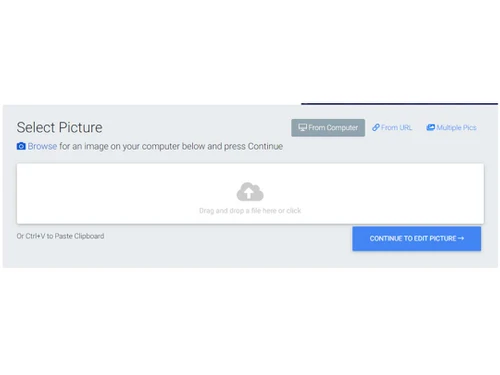
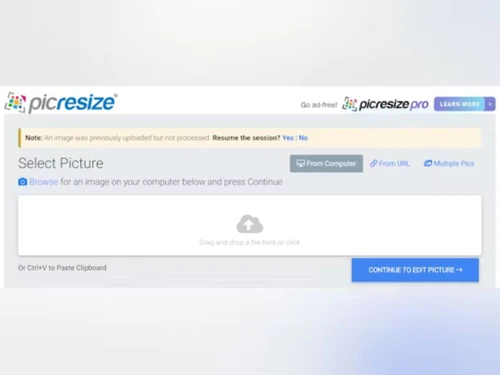
PicResize is the internet's premier picture resizing tool, offering users a seamless experience to crop, resize, and edit images online, completely free of charge. With over 280 million pictures served, PicResize simplifies the process of editing photos directly within your browser. Whether you need to resize images for social media platforms like Facebook, LinkedIn, Twitter, or YouTube, or prepare them for printing, PicResize provides an intuitive platform to achieve your desired transformations.

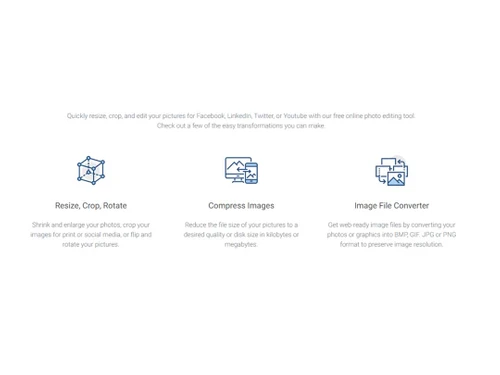
With PicResize, users can quickly resize, crop, rotate, and edit their images to perfection. Whether it's shrinking or enlarging photos, cropping images for print or social media, or applying filters and converting file formats, PicResize offers a comprehensive suite of tools to cater to diverse image editing needs. Additionally, users can compress images to reduce file sizes while preserving quality, ensuring optimal web-ready image files for various purposes.

PicResize also serves as an image file converter, enabling users to convert photos or graphics into BMP, GIF, JPG, or PNG formats, all while maintaining image resolution. With its user-friendly interface and versatile functionalities, PicResize empowers users to unleash their creativity and achieve professional-quality image editing results without the need for complex software installations or paid subscriptions.

Why Choose PicResize Software?

  • Simplified Image Editing: Streamline the process of editing images with intuitive tools for resizing, cropping, and applying filters.
  • Cost-Free Solution: Access powerful editing features without any subscription fees or software downloads, saving both time and money.
  • Professional-Quality Results: Achieve professional-level image editing results with user-friendly tools and versatile functionalities.
  • Web Optimization: Prepare images for online use by compressing file sizes and converting formats to enhance web performance.
  • Social Media Enhancement: Optimize images for social media platforms with tailored resizing options for Facebook, LinkedIn, Twitter, and more.
  • Time-Efficient Workflow: Speed up your editing workflow with bulk editing capabilities, allowing you to resize, crop, and compress multiple images simultaneously.

Benefits of using PicResize Platform

  • Effortless Image Editing: Easily resize, crop, rotate, and apply filters to your images for social media or printing purposes.
  • Free Online Photo Editing: Access powerful editing tools directly within your browser at no cost, eliminating the need for expensive software.
  • Web-Ready Image Compression: Reduce file sizes while preserving image quality for optimized web performance.
  • Versatile File Conversion: Convert images into various formats such as BMP, GIF, JPG, or PNG to suit your specific requirements.
  • Social Media Optimization: Resize images effortlessly for Facebook, LinkedIn, Twitter, and other social media platforms to enhance your online presence.
  • Convenient Bulk Editing: Enjoy the convenience of multiple resizing, bulk cropping, and image compression to streamline your editing workflow.

Pricing of PicResize Photo Editing Software

The pricing of PicResize is available on request on techjockey.com. techjockey.com.

The pricing model is based on different parameters, including extra features, deployment type, and total users. For further queries related to the PicResize, you can contact our PicResize team and learn more about the pricing and offers.

Read more

PicResize Pricing & Plans

PRO
Key Features
  • Edit an unlimited number of photos
  • Batch resize multiple pictures at one time
  • Apply more than a dozen special effects
  • Supports JPG, GIF, PNG, BMP File formats
  • Supports High Efficiency Image File format (HEIC)
Starting at $75
    • Licenses (LifeTime)

      Licenses (LifeTime)
      Licenses (LifeTime)

Key Features

  • Edit an unlimited number of photos

  • Batch resize multiple pictures at one time

  • Apply more than a dozen special effects

  • Supports JPG, GIF, PNG, BMP File formats

  • Supports High Efficiency Image File format (HEIC)

PicResize Features

  • icon_check Crop Image
    Precisely trim and adjust images to focus on specific elements or remove unwanted areas.
  • icon_check Image Resize
    Easily adjust the dimensions of images to fit various platforms or printing requirements.
  • icon_check Photo Filters
    Apply artistic filters to enhance the appearance and style of your images.
  • icon_check Multiple Resizing
    Resize multiple images simultaneously to save time and streamline your workflow.
  • icon_check Convert JPG to PNG
    Convert image files from JPG format to PNG format while preserving quality.
  • icon_check Enlarge Images
    Increase the size of images without compromising on quality or resolution.
  • icon_check Resize for Facebook
    Optimize image dimensions to meet the specific size requirements of Facebook.
  • icon_check Resize for LinkedIn
    Adjust image sizes to align with the recommended dimensions for LinkedIn posts or profiles.
  • icon_check Resize for Twitter
    Tailor image dimensions to match the ideal sizes for Twitter posts or profile pictures.
  • icon_check Image Upscaling
    Use deep-learning technology to upscale images up to 5x while retaining details and reducing visible pixelation.
  • icon_check Text & Watermark
    Add captions, headers, or watermarks to images using selectable fonts, sizes, and positioning options.

PicResize Specifications

Supported Platforms
Ubuntu Ubuntu Windows Windows iOS iOS Android Android MacOS MacOS Windows(Phone) Windows(Phone) Linux Linux
Devices
Desktop Desktop Mobile Mobile Tablet Tablet iPad iPad
Deployment
Cloud-Based Cloud-Based
Suitable For
All Industries
Business Specific
All Businesses
Business Size
Small Business Startups Medium Business Enterprises SMBs SMEs MSMBs MSMEs
Language
English

Explore the Best Alternative Solutions Similar to Your Business Size and Needs

PicResize Review

4.2

Out of 5

img

Overall Rating

Based on
4 Verified Ratings

Rating Breakdown

  • Features 3.8
  • Value for Money 4.5
  • Ease of Use 4.6
  • Customer Support 4.1

87% Recommend this Product

Add Review

Techjockey Trusted Reviews from Verified Users

No reviews are currently available for PicResize. Discover similar Photo Editing Software reviews

  • Canva

    4.3

    Whats great - I enjoy how quickly and simply one can choose the template and begin tweaking. read more

  • Adobe Photoshop

    4.6

    Whats great - What I love most about Adobe Photoshop is its amazing editing capabilities. It's versatile, not just for photos but also for ... read more

  • Luminar Neo

    4.9

    Whats great - The interface is clean and easy to get around, so I’m not wasting time looking for tools. Sky AI, Relight AI, and portrait to... read more

Compare PicResize With other Photo Editing Software

Products
Ratings
Pricing
Device Supported
Deployment
Supported Platforms
  • img

    PicResize

  • 4.2

  • Price On Request

  • Desktop

    Mobile

  • Web based

    On Premises

  • Windows

    Mac OS

  • img

    Adobe Photoshop

  • 4.5

  • Price On Request

  • Desktop

    Mobile

  • Web based

    On Premises

  • Windows

    Mac OS

  • img

    Karizma Album

  • 4.4

  • ₹ 3500

  • Desktop

    Mobile

  • Web based

    On Premises

  • Windows

    Mac OS

  • img

    Affinity Photo

  • 4.2

  • ₹ 619

  • Desktop

    Mobile

  • Web based

    On Premises

  • Windows

    Mac OS

  • img

    Luminar Neo

  • 4.7

  • ₹ 4999

  • Desktop

    Mobile

  • Web based

    On Premises

  • Windows

    Mac OS

  • img

    darktable

  • 4.0

  • Price On Request

  • Desktop

    Mobile

  • Web based

    On Premises

  • Windows

    Mac OS

  • img

    Cutout Pro

  • 4.8

  • ₹ 247

  • Desktop

    Mobile

  • Web based

    On Premises

  • Windows

    Mac OS

  • img

    Lensa AI

  • 4.1

  • Price On Request

  • Desktop

    Mobile

  • Web based

    On Premises

  • Windows

    Mac OS

  • img

    AfterShot Pro 3

  • 4.5

  • ₹ 5966

  • Desktop

    Mobile

  • Web based

    On Premises

  • Windows

    Mac OS

  • img

    Evoto AI

  • 4.6

  • Price On Request

  • Desktop

    Mobile

  • Web based

    On Premises

  • Windows

    Mac OS

(0) Product(s) selected

PicResize Alternatives

See All PicResize Alternatives

Available

Price on Request

Starting Price:

$36 /Year

Starting Price:

$80 /year

Starting Price:

$35 /Lifetime

Starting Price:

$10 /Month

Starting Price:

$8 /Month

Starting Price:

$15 /Month

Starting Price:

$810 /Year

Articles for PicResize

See All Related Articles

Which operating system does PicResize support?

PicResize is compatible with Ubuntu, Windows, macOS, and Linux device systems.

Is there any PicResize App?

Yes, PicResize app is available for Android devices.

What is the deployment type of PicResize?

PicResize supports web-based deployment.

How much does PicResize cost?

The pricing of PicResize is available on request on techjockey.com.

Who are the potential users of PicResize?

PicResize caters to individuals and businesses seeking a free and user-friendly solution for resizing, editing, and optimizing images for various purposes.

Is there any free demo for PicResize?

PicResize platform demo is available with techjockey.com.

Is PicResize available for Free?

Yes, PicResize is available for free.

Does PicResize Offer a Free Trial?

Yes, PicResize does offer a free trial.

How can you download PicResize?

Software installation is not needed since it supports web-based deployment. So, just open the setup wizard and get started.

How does PicResize Work?

PicResize allows users to crop, resize, and edit images directly within their browser, providing intuitive tools and functionalities for effortless image manipulation and optimization.

20,000+ Software Listed

Best Price Guranteed

Free Expert Consultation

2M+ Happy Customers

Terms and Condtions

close

Users with registered businesses can purchase goods from merchants on the platform to satisfy their business needs. Users are not permitted to utilize any products acquired through the platform for resale, advertising, business, or further distribution.

For each purchase made, users will receive a Tax Invoice (or 'GST invoice') that includes specific details such as:

  • the GSTIN of the user associated with their registered business, and

  • the specified Entity Name for their business.

It should be noted that not all products are eligible for GST Invoice. Only the products displayed by participating sellers with the 'GST-based Invoice Available' callout on the product description page would qualify.

Certain goods and services are not eligible to get a GST Invoice, including items with VAS, i.e., Value Added Services (e.g., Total Mobile Protection/Assured Buyback) and those involving an exchange offer at the time of purchase.

Users must ensure the accuracy of the GSTIN, and business entity name provided for the GST Invoice. Requests for corrections into GST Invoice would not be accommodated by Techjockey.com or any Seller, and any issues arising from user-provided information are the sole responsibility of users.

Techjockey.com is not liable for the GST Invoice or any associated input tax credit. To efficiently claim an input tax credit, users should select the registered place of business address as per the GST authority's data and follow the provisions of the GST Act and rules.

To claim an input tax credit, the delivery and billing addresses must match. Furthermore, input tax credits will not be granted if the delivery address and GSTIN on the invoice are from different states. In case of incorrect GST details provided during the order placement, the order will be canceled automatically.