linkedin
Samba Live logo
play Software for Samba Live Demo
samba live connectors
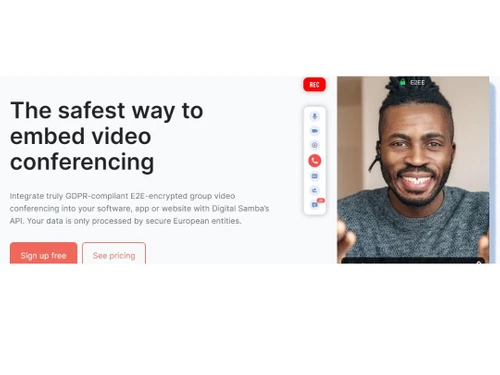
samba live safest

Samba Live

Brand: Digital Samba

  • 4.2

  • 5 Ratings

Samba Live is an intuitive, browser-based video conferencing platform designed for easy and effective online meetings and webinars.

See More

Have you used Samba Live before?

Share your insights for better experience

Add a Review

Free Forever

Get started immediately at no cost. Upgrade anytime if your business demand more.

100% Genuine
Products
Best Price
Guaranteed
Safe & Secure
Payment
  • Description

  • Pricing

  • Features

  • Specification

  • Review

  • Compare

  • Alternatives

  • FAQ

Samba Live Software Overview

What is Samba Live?

Samba Live is a video conferencing software that lets you host meetings, webinars, virtual classrooms, and live events with HD video and audio quality. It works entirely in the cloud, so theres no need to download or install anything- just join from any device and start collaborating. Samba Live supports up to 2,000 participants per session and offers features like screen sharing, file sharing, whiteboard, breakout rooms, polling, and chat for interactive and productive meetings. You can customize the interface with your own branding and even embed video conferencing into your own apps or website using its API.

The platform includes tools for scheduling, calendar integration, and automated email invites, making it easy to organize and manage events. Samba Live also provides cloud recording, so you can save and access your meetings later. With live streaming, you can broadcast your sessions to social media platforms like Facebook and YouTube, reaching a wider audience. It offers multi-language support and strong privacy protection, being fully GDPR compliant. Samba Live is suitable for businesses, educators, and organizations of all sizes, providing a flexible and scalable solution for online communication. The intuitive interface and responsive support make it easy for anyone to get started and run professional virtual meetings.

Why Choose Samba Live?

  • No Downloads Needed: Works directly in your browser, so participants can join instantly.
  • HD Video and Audio: Delivers high-quality video and sound for meetings, webinars, or virtual classrooms.
  • Interactive Tools: Includes whiteboard, polls, Q&A, screen sharing, and breakout rooms.
  • Custom Branding: You can personalize the platform with your logo and brand colors.
  • Secure and GDPR-Compliant: Offers strong data privacy and security with European hosting.
  • Mobile Friendly: Fully works on phones and tablets, no app required.
  • Easy User Interface: Clean, modern design thats simple to use for both hosts and participants.
  • Supports Large Audiences: Scales for big webinars or training sessions with many attendees.
  • Integrations Available: Can connect with other tools through APIs and third-party services.
  • Reliable Performance: Designed for professional use with stable connection and performance.

Benefits of Samba Live

  • European-Based Infrastructure: Ensures better data sovereignty and low-latency streaming for European users.
  • White-Labeled Solution: Offers a fully customizable platform that can appear as your own service for clients or customers.
  • On-Demand Recordings: Automatically record sessions and offer them as on-demand videos for later viewing.
  • Multi-Language Support: Interface and communication tools are available in several languages, ideal for global teams.
  • WebRTC Technology: Built on modern, real-time communication protocols for seamless performance across all devices.
  • Built-in Monetization Options: Useful for educators or event organizers who want to charge for webinars or classes.
  • High Accessibility Standards: Designed to support users with disabilities, meeting WCAG accessibility guidelines.
  • Dedicated Support: Offers priority support plans with personalized onboarding and technical assistance.
  • Flexible Licensing: Provides usage-based pricing models tailored for different industries like education, healthcare, and enterprise.
  • Multi-Role Management: Allows assigning different user roles (host, presenter, moderator, attendee) for better control in events.

Samba Live Pricing

The price of Samba Live in India is available for FREE at techjockey.com.

The pricing model is based on different parameters, including extra features, deployment type, and the total number of users. For further queries related to the product, you can contact our product team and learn more about the pricing and offers.

Read more

Samba Live Pricing & Plans

This Product is Available Free Forever.

Start instantly with no fees, no subscriptions, and no commitments.

  • Full access to basic version available
  • No credit card or sign-up required

Free Forever Plan

Get started immediately at no cost. Upgrade anytime if your business demand more.

Free Forever

Samba Live Features

  • icon_check HD Video Conferencing
    Delivers clear, high-quality video for virtual meetings.
  • icon_check Online Meetings
    Host secure and interactive meetings on the web.
  • icon_check Video Recording
    Record sessions for playback or sharing later.
  • icon_check Broadcast Live
    Stream events live to a larger audience.
  • icon_check ATLS, LMS & API Integration
    Seamlessly connects with learning platforms and custom systems.
  • icon_check Teleconferencing
    Join meetings via phone when the internet isn't available.
  • icon_check Screen Sharing
    Share your screen for presentations or demos.
  • icon_check Polling
    Engage participants with live polls and get instant feedback.
  • icon_check Content Library
    Store and access documents, videos, and files in one place.
  • icon_check Breakout Rooms
    Split participants into smaller groups for focused discussions.
  • icon_check Layout Management
    Customize how your meeting screen looks for better control and focus.
Samba Live Demo Video play icon

Get Samba Live Demo

Watch the demo video to explore key features, real workflows, and how the software fits your business needs.

Understand
Key Features
Personal
Demo Insights
Interactive
Demo Support

Samba Live Specifications

Supported Platforms
Windows Windows iOS iOS Android Android MacOS MacOS Linux Linux
Devices
Desktop Desktop Mobile Mobile
Deployment
Cloud-Based Cloud-Based
Suitable For
All Industries
Business Specific
All Businesses
Business Size
Small Business Startups Medium Business Enterprises SMBs SMEs MSMBs MSMEs
Customer Support
Phone Email
Language
English
Integration
API Integration
Training Resources
Documentation Videos
AI Features
AI Integrated

Explore the Best Alternative Solutions Similar to Your Business Size and Needs

Samba Live Review

4.2

Out of 5

img

Overall Rating

Based on
5 Verified Ratings

Rating Breakdown

  • Features 4
  • Value for Money 4.1
  • Ease of Use 4.3
  • Customer Support 4.4

92% Recommend this Product

Add Review

Techjockey Trusted Reviews from Verified Users

No reviews are currently available for Samba Live. Discover similar Video Conferencing Software reviews
  • AONMeetings

    4.8

    Whats great - AONMeetings is easy to use, affordable, and straightforward for regular online meetings. Its simple interface makes joining a... read more
  • Bluejeans Network

    4.7

    Whats great - Overall, the experience with this software is superb. As a frequent user of the program myself, I’ve found that it actually m... read more

  • Uberconference

    4.5

    Whats great - I love the software as it comes with a friendly user interface. It supports both audio and video calling. UberConference is c... read more

Compare Samba Live With other Video Conferencing Software

Products
Ratings
Pricing
Device Supported
Deployment
Supported Platforms
  • img

    Samba Live

  • 4.2

  • FREE

  • Desktop

    Mobile

  • Web based

    On Premises

  • Windows

    Mac OS

  • img

    Cisco Webex

  • 4.6

  • ₹ 950

  • Desktop

    Mobile

  • Web based

    On Premises

  • Windows

    Mac OS

  • img

    Tencent RTC

  • 4.0

  • Price On Request

  • Desktop

    Mobile

  • Web based

    On Premises

  • Windows

    Mac OS

  • img

    Interactio

  • 4.5

  • Price On Request

  • Desktop

    Mobile

  • Web based

    On Premises

  • Windows

    Mac OS

  • img

    AONMeetings

  • 4.7

  • ₹ 152

  • Desktop

    Mobile

  • Web based

    On Premises

  • Windows

    Mac OS

  • img

    Pexip

  • 4.2

  • Price On Request

  • Desktop

    Mobile

  • Web based

    On Premises

  • Windows

    Mac OS

  • img

    VideoMeet

  • 4.5

  • ₹ 499

  • Desktop

    Mobile

  • Web based

    On Premises

  • Windows

    Mac OS

  • img

    JioMeet

  • 3.6

  • Price On Request

  • Desktop

    Mobile

  • Web based

    On Premises

  • Windows

    Mac OS

  • img

    GoToMeeting

  • 4.1

  • Price On Request

  • Desktop

    Mobile

  • Web based

    On Premises

  • Windows

    Mac OS

  • img

    xpression camera

  • 4.4

  • Price On Request

  • Desktop

    Mobile

  • Web based

    On Premises

  • Windows

    Mac OS

  • img

    Vidyo

  • 4.4

  • Price On Request

  • Desktop

    Mobile

  • Web based

    On Premises

  • Windows

    Mac OS

(2) Product(s) selected

Samba Live Alternatives

See All Samba Live Alternatives

Starting Price:

$125 /Month

Available

Price on Request

Starting Price:

₹1,299 /Month

Starting Price:

$849 /Month

Starting Price:

$20

Starting Price:

$99 /Month

Available

Price on Request

Available

Price on Request

Articles for Samba Live

See All Related Articles

How much does Samba Live Software cost?

The price for Samba Live is available for FREE at techjockey.com.

Is there a mobile app available for Samba Live Software?

Yes, Samba Live offers an iOS and Android mobile app for convenient access.

Which operating systems are compatible with Samba Live Software?

Samba Live is compatible with Windows, MacOS and Linux.

Does Samba Live Software offer a free trial?

Samba Live is available for free.

How does Samba Live Software function?

Samba Live operates directly in your browser, enabling you to host or join meetings, webinars, and virtual classrooms without any downloads.

Who uses Samba Live Software?

Businesses, educators, government agencies, and organizations of all sizes use Samba Live for meetings, webinars, and virtual events.

Is a free demo available for Samba Live Software?

Yes, Samba Live provides a free demo.

Is Samba Live Software available for free?

Yes, Samba Live Software is available for free.

20,000+ Software Listed

Best Price Guranteed

Free Expert Consultation

2M+ Happy Customers

Terms and Condtions

close

Users with registered businesses can purchase goods from merchants on the platform to satisfy their business needs. Users are not permitted to utilize any products acquired through the platform for resale, advertising, business, or further distribution.

For each purchase made, users will receive a Tax Invoice (or 'GST invoice') that includes specific details such as:

  • the GSTIN of the user associated with their registered business, and

  • the specified Entity Name for their business.

It should be noted that not all products are eligible for GST Invoice. Only the products displayed by participating sellers with the 'GST-based Invoice Available' callout on the product description page would qualify.

Certain goods and services are not eligible to get a GST Invoice, including items with VAS, i.e., Value Added Services (e.g., Total Mobile Protection/Assured Buyback) and those involving an exchange offer at the time of purchase.

Users must ensure the accuracy of the GSTIN, and business entity name provided for the GST Invoice. Requests for corrections into GST Invoice would not be accommodated by Techjockey.com or any Seller, and any issues arising from user-provided information are the sole responsibility of users.

Techjockey.com is not liable for the GST Invoice or any associated input tax credit. To efficiently claim an input tax credit, users should select the registered place of business address as per the GST authority's data and follow the provisions of the GST Act and rules.

To claim an input tax credit, the delivery and billing addresses must match. Furthermore, input tax credits will not be granted if the delivery address and GSTIN on the invoice are from different states. In case of incorrect GST details provided during the order placement, the order will be canceled automatically.