 USA
USA UAE
UAESmall Business
Designed for startups and growing businesses


See More





Brand: SLACK
Slack is an office productivity solution that allows organizations to rely less on emails and work through chats. It provides a chatbot that enables users to organize their conversations, prioritize conversations, and much more. The productivity solution allows companies to create working channels based on departments and interest groups based on inter-departmental working. Companies can integra...
See MoreHave you used Slack before?
Share your insights for better experience
View plans
 Save upto 18%, Get GST Invoice on your business purchase T&C Buy Now & Pay Later, Check offer on payment page.
 Brand: SLACK
Founded Year: 2009
Slack is an enterprise software platform that allows teams and businesses of all sizes to communicate effectively.
 Channels Direct Messaging Threaded Replies Canvas File Sharing Search Functionality Third Party Integration Workflow Builder Custom Notifications Profile Management Emoji Reactions Message Scheduling

Watch the demo video to explore key features, real workflows, and how the software fits your business needs.
 Ubuntu
  Windows
  iOS
iOS  Android MacOS
  Linux
Linux  Desktop
  Mobile
  Tablet
  iPad
iPad  Cloud-Based
  Perpetual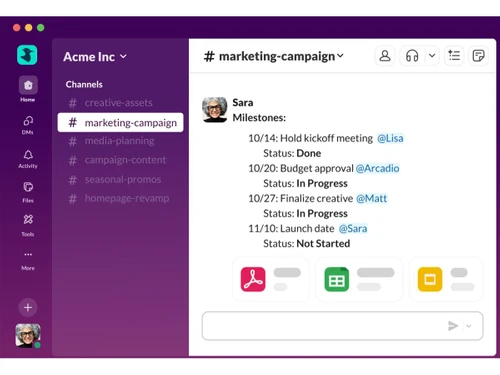
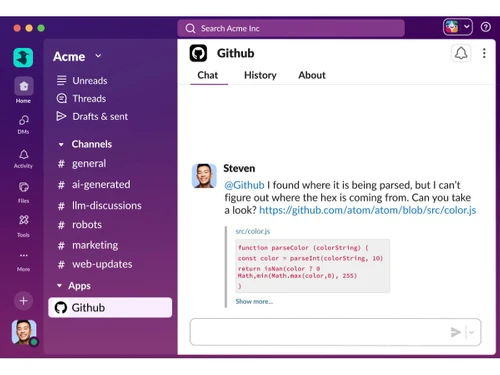
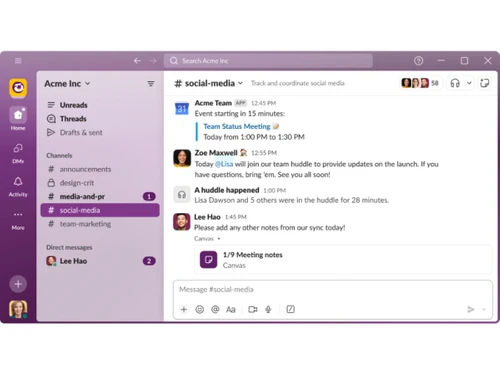
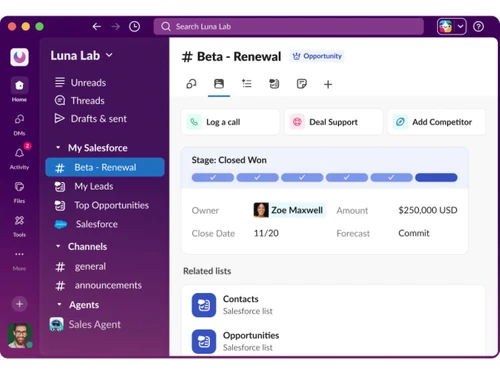
Small Business
Designed for startups and growing businesses
Medium Business
Built for business growth and flexibility
Enterprises
Designed for complex and large-scale business needs
4.5
Out of 5

Overall Rating
Based on
11 Verified Reviews
Rating Breakdown
90% Recommend this Product
Add ReviewUsers generally appreciate Slack for its efficient team communication and collaboration capabilities, highlighting its channel-based messaging and integration features as significant advantages. Many find it indispensable for remote work and enjoy its user-friendly interface and customization options. However, some common concerns include limitations in the free version, such as restricted message history and slow updates on desktop. Additionally, users note the lack of project management features and occasional frustrations with notification handling and user tagging.
Pros
"Slack is very efficient communication platform that make team collaboration smooth. The channel based messaging system helps separate discussions by topic."
"Slack makes our remote work seamless. We, being a web development company with team members spread across different countries, find it indispensable."
"Slack is an all-in-one communication platform where you can have conversations, share files, update your team members and more."
Cons
"One limitation of Slack is that free version has very limited restricted message history. The UI interface may take some time for many active channels."
"After two years of use, I haven't encountered any issues or dislikes with Slack. It's been smooth sailing all the way."
"One minor drawback is that sometimes notifications in the activity tab stick around, even after I've checked everything. Annoying, but not a dealbreaker."


May 15, 2020
Techjockey Verified
“It's a great way to stay on top of business communications”
Pros
I was really impressed with how easy it was to use Slack and how useful it is for staying in touch with my team. The app includes a shared inbox, chat room, direct messaging and video conference.
Cons
If not a paid customer your archived chats won't be visible after a certain period of time.
Reason to switch
It's a great way to stay on top of business communications and keep the team in the loop.
Jul 25, 2020
Techjockey Verified
“Best Collaboration software for teams”
Pros
With the search feature in slack, I can quickly find the information I need. With the channel feature, I can organize my conversations based on the topic. The best part is the integrations. I can do everything I need to do right in Slack.
Cons
There is very limited scope for content formatting available while messaging on slack
Reason to switch
I had been searching for a new way to communicate with my team. Slack made it so easy with all of the features.
Feb 11, 2021
Techjockey Verified
“Slack is a real-time communication platform that helps companies to focus on the more important things”
Pros
Slack is an amazing tool. It's a real-time communication platform that helps companies to focus on the more important things instead of getting distracted by email. Slack has been the main tool for organising the members of my community and it has helped us bring our community together, create an open environment where sharing is encouraged.
Cons
It is a great collaboration tool but it does not offer any project management features.
Reason to switch
It reduces the number of emails we receive. It's definitely worth a try in my opinion.

Slack
₹ 294.75 excl. GST
Desktop
Mobile
Web based
On Premises
Windows
Mac OS
WrkTalk
₹ 250
Desktop
Mobile
Web based
On Premises
Windows
Mac OS

Microsoft Teams
₹ 138
Desktop
Mobile
Web based
On Premises
Windows
Mac OS

Zoom Meetings
₹ 1449
Desktop
Mobile
Web based
On Premises
Windows
Mac OS
Pyngyn
₹ 999
Desktop
Mobile
Web based
On Premises
Windows
Mac OS

Wokay
₹ 14999
Desktop
Mobile
Web based
On Premises
Windows
Mac OS

Volley
Price On Request
Desktop
Mobile
Web based
On Premises
Windows
Mac OS
Convo AI
Price On Request
Desktop
Mobile
Web based
On Premises
Windows
Mac OS

Google Meet
₹ 720
Desktop
Mobile
Web based
On Premises
Windows
Mac OS

Troop Messenger
₹ 199
Desktop
Mobile
Web based
On Premises
Windows
Mac OS

Brity Works
Price On Request
Desktop
Mobile
Web based
On Premises
Windows
Mac OS
(0) Product(s) selected
Starting Price:
₹250
Starting Price:
₹14,999 /Month
Starting Price:
$29 /Month $49
Available
Price on Request

Starting Price:
$89 /Month

Available
Price on Request

Starting Price:
$15 /Monthly

Starting Price:
$15 /Member/Month

Available
Price on Request

Starting Price:
$7 /User/Month



Yes, Slack can be integrated into CRMs for connecting with leads through chats in real-time.
The bot user token is awarded for performing specific tasks directly as the bot user. E.g., posting messages, connecting with real-time messaging API, etc. A pre-approved user bot in slack provides two tokens.
Techjockey provides a demo for Slack. Please request a call and get the demo scheduled.
Slack only requires you to submit your application to the directory when you want it to be discoverable and installable from the directory.
Slack does not offer an exclusive developer environment of sandbox for work. The solution is pre-built and all the customizations on your own by creating fields.
20,000+ Software Listed
Best Price Guranteed
Free Expert Consultation
2M+ Happy Customers
Terms and Condtions

Users with registered businesses can purchase goods from merchants on the platform to satisfy their business needs. Users are not permitted to utilize any products acquired through the platform for resale, advertising, business, or further distribution.
For each purchase made, users will receive a Tax Invoice (or 'GST invoice') that includes specific details such as:
the GSTIN of the user associated with their registered business, and
the specified Entity Name for their business.
It should be noted that not all products are eligible for GST Invoice. Only the products displayed by participating sellers with the 'GST-based Invoice Available' callout on the product description page would qualify.
Certain goods and services are not eligible to get a GST Invoice, including items with VAS, i.e., Value Added Services (e.g., Total Mobile Protection/Assured Buyback) and those involving an exchange offer at the time of purchase.
Users must ensure the accuracy of the GSTIN, and business entity name provided for the GST Invoice. Requests for corrections into GST Invoice would not be accommodated by Techjockey.com or any Seller, and any issues arising from user-provided information are the sole responsibility of users.
Techjockey.com is not liable for the GST Invoice or any associated input tax credit. To efficiently claim an input tax credit, users should select the registered place of business address as per the GST authority's data and follow the provisions of the GST Act and rules.
To claim an input tax credit, the delivery and billing addresses must match. Furthermore, input tax credits will not be granted if the delivery address and GSTIN on the invoice are from different states. In case of incorrect GST details provided during the order placement, the order will be canceled automatically.



