USA
USA UAE
UAESmall Business
Designed for startups and growing businesses


See More


Brand: QaamGo Media
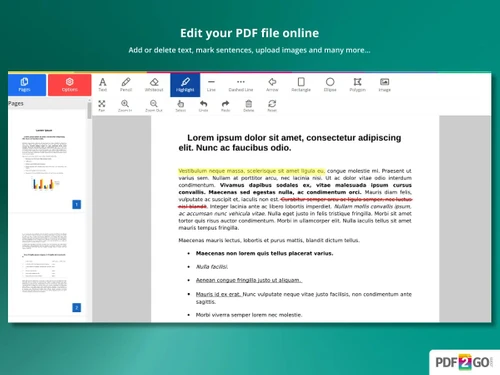
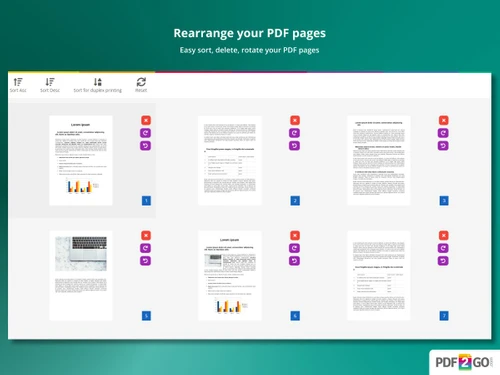
A web-based PDF software that helps users convert, edit, and manage PDF files quickly and easily without installing any software.
See MoreHave you used PDF2GO before?
Share your insights for better experience
Brand: QaamGo Media
Founded Year: 2011
QaamGo Media consists of a local office team located in Radolfzell, Germany, and a group of excellent freelancers from all over the world.
 PDF conversion PDF Editing Merge Split PDF Compression Page Management OCR (Optical Character Recognition) Security Watermarking Annotations Cloud Integration Browser-Based Access Cross-Platform Support
  Windows
  iOS
iOS  Android MacOS
  Linux
Linux  Desktop
  Mobile
  Tablet
  iPad
iPad  Cloud-Based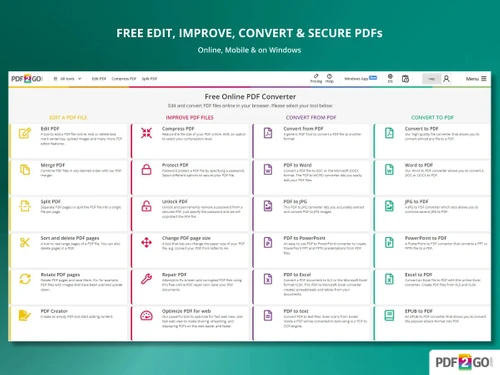
Small Business
Designed for startups and growing businesses
Medium Business
Built for business growth and flexibility
Enterprises
Designed for complex and large-scale business needs
Techjockey Trusted Reviews from Verified Users
No reviews are currently available for PDF2GO. Discover similar PDF Software reviews

Adobe Acrobat Pro DC for teams
Whats great - The best thing about Acrobat Pro DC is that it is a Portable Documents Format Software which allows me to carry my creations ... read more

Nuance Power PDF
Whats great - Robust editing tools and secure document handling. read more

Kofax Power PDF
Whats great - Robust editing tools and secure document handling. read more
PDF2GO
Price On Request
Desktop
Mobile
Web based
On Premises
Windows
Mac OS

Foxit PDF Editor
₹ 12000
Desktop
Mobile
Web based
On Premises
Windows
Mac OS

Gravity PDF
Price On Request
Desktop
Mobile
Web based
On Premises
Windows
Mac OS

Zoho PDF Editor
Price On Request
Desktop
Mobile
Web based
On Premises
Windows
Mac OS

PDF Expert
₹ 7200
Desktop
Mobile
Web based
On Premises
Windows
Mac OS
Adobe Acrobat Pro DC for teams
₹ 23864
Desktop
Mobile
Web based
On Premises
Windows
Mac OS
JOPDF
Price On Request
Desktop
Mobile
Web based
On Premises
Windows
Mac OS

Hybiscus
Price On Request
Desktop
Mobile
Web based
On Premises
Windows
Mac OS

Soda PDF
₹ 1111
Desktop
Mobile
Web based
On Premises
Windows
Mac OS

BentoPDF
Price On Request
Desktop
Mobile
Web based
On Premises
Windows
Mac OS

Systweak PDF Editor
₹ 2499
Desktop
Mobile
Web based
On Premises
Windows
Mac OS
(0) Product(s) selected
PDF2GO pricing starts at USD 8 at techjockey.com. Pricing is customised based on specific business needs.
PDF2GO is a web-based platform, so it works on all major operating systems, including Windows, macOS, Linux, and mobile devices through any modern browser.
You simply upload your file, choose the required task, such as edit, convert, compress, merge, or split, and download the processed PDF in seconds.
Yes, PDF2GO is well-suited for small businesses as it offers affordable PDF management tools for daily document workflows like contracts, invoices, and reports.
Yes, PDF2GO offers a free plan/trial that lets users test most of its core features. Premium plans are also available for advanced tools and higher usage limits.
It offers PDF editing, conversion, compression, merging, splitting, OCR, password protection, watermarking, signing, redaction, and batch processing.
Yes, PDF2GO has a desktop app for Windows in addition to its web-based platform. The online version remains the most widely used option.
Students, professionals, freelancers, small businesses, and enterprise teams can all use PDF2GO for everyday document editing and conversion tasks.
PDF2GO is quite secure, offering 256-bit encryption, secure HTTPS transfer, and automatic file deletion after 24 hours.
PDF2GO is used to edit, convert, compress, secure, and organize PDF documents, making it a convenient all-in-one solution for document management.
20,000+ Software Listed
Best Price Guranteed
Free Expert Consultation
2M+ Happy Customers
Terms and Condtions

Users with registered businesses can purchase goods from merchants on the platform to satisfy their business needs. Users are not permitted to utilize any products acquired through the platform for resale, advertising, business, or further distribution.
For each purchase made, users will receive a Tax Invoice (or 'GST invoice') that includes specific details such as:
the GSTIN of the user associated with their registered business, and
the specified Entity Name for their business.
It should be noted that not all products are eligible for GST Invoice. Only the products displayed by participating sellers with the 'GST-based Invoice Available' callout on the product description page would qualify.
Certain goods and services are not eligible to get a GST Invoice, including items with VAS, i.e., Value Added Services (e.g., Total Mobile Protection/Assured Buyback) and those involving an exchange offer at the time of purchase.
Users must ensure the accuracy of the GSTIN, and business entity name provided for the GST Invoice. Requests for corrections into GST Invoice would not be accommodated by Techjockey.com or any Seller, and any issues arising from user-provided information are the sole responsibility of users.
Techjockey.com is not liable for the GST Invoice or any associated input tax credit. To efficiently claim an input tax credit, users should select the registered place of business address as per the GST authority's data and follow the provisions of the GST Act and rules.
To claim an input tax credit, the delivery and billing addresses must match. Furthermore, input tax credits will not be granted if the delivery address and GSTIN on the invoice are from different states. In case of incorrect GST details provided during the order placement, the order will be canceled automatically.