 USA
USA UAE
UAESmall Business
Designed for startups and growing businesses


See More


Brand: Wondershare
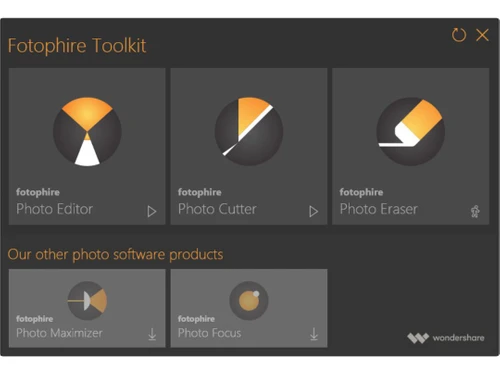
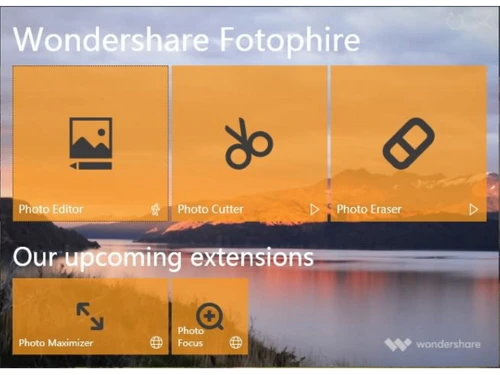
Wondershare Fotophire is an impressive photo editing toolkit that comprises a rich library of 200+ stunning effects, which can be used to create eye-catching images in real-time. Editors can modify the colour quality of a poorly lit image, change their saturation levels, restore the background and erase unwanted objects as well. For beginners, built-in tutorials showcasing step-by-step guides are...
See MoreHave you used Wondershare Fotophire before?
Share your insights for better experience
View plans
 Save upto 18%, Get GST Invoice on your business purchase T&C Buy Now & Pay Later, Check offer on payment page.
 Brand: Wondershare
Founded Year: 2003
Wondershare is a global tech company dedicated to providing creative solutions. As a leading tech startup, we offer a comprehensive portfolio of 60 different software products designed to simplify people's lives through innovative technology.
 Drag & Drop Alignment and Straightening Effects Color & Tone Erase/Wipe Cutter-Auto cutter Edit Photo Creative Blur & Vignette Color Correction Photo Frames
  Windows
  Desktop
  Cloud-Based
  Perpetual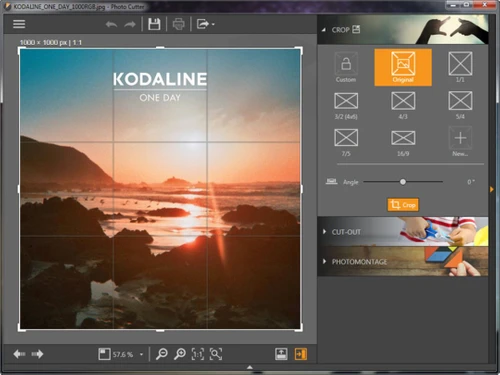
Small Business
Designed for startups and growing businesses
Medium Business
Built for business growth and flexibility
Enterprises
Designed for complex and large-scale business needs
4.7
Out of 5

Overall Rating
Based on
3 Verified Reviews
Rating Breakdown
83% Recommend this Product
Add ReviewCustomers generally express high satisfaction with Wondershare Fotophire, highlighting its ease of use and ability to quickly edit photos into impressive artworks. Users appreciate the excellent customer service and support, particularly regarding installation queries. The product's value for money is frequently mentioned, contributing to a positive overall experience. However, there are no significant complaints noted, indicating a strong consensus on its effectiveness and user-friendliness among those who have tried it.

Nov 12, 2018
Techjockey Verified
“Fun to use”
Pros
> Easy, fun and fast to edit your photos into stunning works of art > Guaranteed Money-Back > Replace or remove background in minimal time! > Remove unwanted or un-necessary objects from any photo
Cons
NO CONS
Apr 27, 2018
Techjockey Verified
“experience greatness”
Pros
Excellent service and aftercare with helping with questions relating to installation. Also a price that is amazing.?
Cons
N/A
Apr 20, 2018
Techjockey Verified
“You have to trust these people guys”
Pros
Techjockey was very helpful in taking my listed requirements and narrowing my search to a usable list of providers. Techjockey then facilitated contact with these providers to provide a more in-depth evaluation. All recommended providers would have met my requirements.
Cons
N/A

Wondershare Fotophire
₹ 3499.00 excl. GST
Desktop
Mobile
Web based
On Premises
Windows
Mac OS

Adobe Photoshop
Price On Request
Desktop
Mobile
Web based
On Premises
Windows
Mac OS

Karizma Album
₹ 3500
Desktop
Mobile
Web based
On Premises
Windows
Mac OS

Affinity Photo
₹ 619
Desktop
Mobile
Web based
On Premises
Windows
Mac OS

Luminar Neo
₹ 4999
Desktop
Mobile
Web based
On Premises
Windows
Mac OS

Cutout Pro
₹ 247
Desktop
Mobile
Web based
On Premises
Windows
Mac OS

darktable
Price On Request
Desktop
Mobile
Web based
On Premises
Windows
Mac OS

AfterShot Pro 3
₹ 5966
Desktop
Mobile
Web based
On Premises
Windows
Mac OS

Lensa AI
Price On Request
Desktop
Mobile
Web based
On Premises
Windows
Mac OS

Adobe Photoshop Elements
Price On Request
Desktop
Mobile
Web based
On Premises
Windows
Mac OS

Evoto AI
Price On Request
Desktop
Mobile
Web based
On Premises
Windows
Mac OS
(0) Product(s) selected
Available
Price on Request
Starting Price:
$36 /Year
Starting Price:
$100 /Year
Starting Price:
$80 /year

Starting Price:
$10 /Month

Starting Price:
$35 /Lifetime

Starting Price:
$8 /Month

Starting Price:
$15 /Month

Starting Price:
$810 /Year

Starting Price:
$12 /month








Fotophire editing toolkit is compatible with image formats like TIFF, BMP, Jpeg, Jiff and PNG.
Wondershare Fotophire comes with bokeh, double exposure, stunning overlays, and more such amazing textures.
Yes, you can request an online demo as per your convenient time schedule, before opting for Fotophire download.
Import your photo> Mark the object that needs to be erased> Click on the erase option, powerful algorithm tool will get the unwanted elements removed> Editors can perform final touch ups using a small bush or clone stamp feature.
No, the photo editing toolkit is not available as a mobile app as of now.
Users get access to additional features like align mode, customizable brush size, lasso tool, clone stamp. In-built tutorial, straighten line and more.
You need to launch the software and run the photo editor mode> Click on the menu list> Select batch export image option> Setup image-wise output settings and export.
20,000+ Software Listed
Best Price Guranteed
Free Expert Consultation
2M+ Happy Customers
Terms and Condtions

Users with registered businesses can purchase goods from merchants on the platform to satisfy their business needs. Users are not permitted to utilize any products acquired through the platform for resale, advertising, business, or further distribution.
For each purchase made, users will receive a Tax Invoice (or 'GST invoice') that includes specific details such as:
the GSTIN of the user associated with their registered business, and
the specified Entity Name for their business.
It should be noted that not all products are eligible for GST Invoice. Only the products displayed by participating sellers with the 'GST-based Invoice Available' callout on the product description page would qualify.
Certain goods and services are not eligible to get a GST Invoice, including items with VAS, i.e., Value Added Services (e.g., Total Mobile Protection/Assured Buyback) and those involving an exchange offer at the time of purchase.
Users must ensure the accuracy of the GSTIN, and business entity name provided for the GST Invoice. Requests for corrections into GST Invoice would not be accommodated by Techjockey.com or any Seller, and any issues arising from user-provided information are the sole responsibility of users.
Techjockey.com is not liable for the GST Invoice or any associated input tax credit. To efficiently claim an input tax credit, users should select the registered place of business address as per the GST authority's data and follow the provisions of the GST Act and rules.
To claim an input tax credit, the delivery and billing addresses must match. Furthermore, input tax credits will not be granted if the delivery address and GSTIN on the invoice are from different states. In case of incorrect GST details provided during the order placement, the order will be canceled automatically.



