 USA
USA UAE
UAESmall Business
Designed for startups and growing businesses

See More





Brand: Adobe
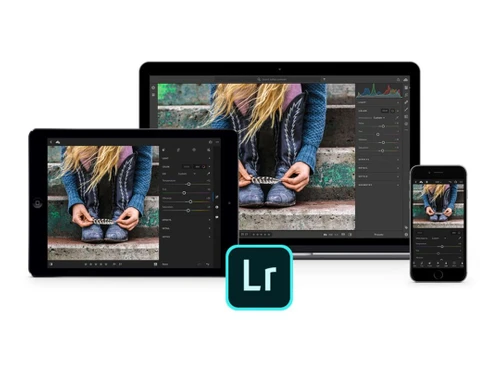
A smart photo editing software that helps you easily enhance, organize, and share photos and videos across all your devices.
See MoreHave you used Adobe Lightroom CC before?
Share your insights for better experience
View plans
 Save upto 18%, Get GST Invoice on your business purchase T&C Buy Now & Pay Later, Check offer on payment page.
 Brand: Adobe
Founded Year: 1982
Adobe is the global leader in digital media and digital marketing solutions.
 Composition capture facility Design tools Geometry Tools Healing Brush Anywhere editing Smarter organization Worry-free storage Easy sharing AI Generative Remove Cloud-Based Workflow Advanced Lens Blur AI Raw Image Processing Smart Subject Selection Global Light Refinement

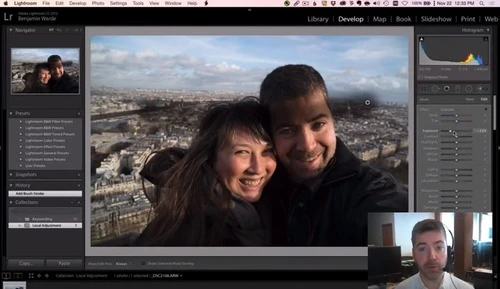
Watch the demo video to explore key features, real workflows, and how the software fits your business needs.
 Windows
  iOS
iOS  Android MacOS
  Desktop
  Mobile
  Tablet
  iPad
iPad  Cloud-Based
  Perpetual
Small Business
Designed for startups and growing businesses
Medium Business
Built for business growth and flexibility
Enterprises
Designed for complex and large-scale business needs
4.7
Out of 5

Overall Rating
Based on
5 Verified Reviews
Rating Breakdown
86% Recommend this Product
Add ReviewUsers generally praise Adobe Lightroom CC for its robust photo editing and organizing capabilities, highlighting its efficiency in enhancing images and easy cloud synchronization. Many appreciate the mobile app for on-the-go editing and the ability to manage photos seamlessly. However, some users note limitations such as a steep learning curve for beginners, occasional performance lags, and the lack of support for vector shapes and layer-based editing. Overall, the sentiment is positive, with a strong recommendation from users.

Jul 23, 2022
Techjockey Verified
“A must-have tool for every photographer.”
Pros
Lightroom is one of the best photo editing and organizing tools out there. It has all the basic photo editing features you need to make every picture a work of art. I also love how I can sync my pictures to the cloud and access them from any device.
Cons
My only disappointment is that it doesn’t support the creation of vector shapes and raster images.
Reason to switch
Wondershare Fotophire offers very basic photo editing and erasing tools, and it can only be accessed from a desktop.
Jul 24, 2022
Techjockey Verified
“Photo editing tool that helps you bring perfections in the imperfections!”
Pros
I have been using Adobe Lightroom CC for a long and have been very happy with it. I have edited my pictures very efficiently. I could also export all my pictures from the app to my photos library and then import them back into the Lightroom CC desktop app.
Cons
If you cancel your subscription, you can no longer access your Creative Cloud applications. You can continue to access your photos on your local hard drive through Lightroom for desktop, but not edit them .
Reason to switch
Karizma Album doesn’t offer an auto-finish option and it is a bit difficult to learn in the beginning.
Jul 23, 2022
Techjockey Verified
“‘One of the best platforms for photo editing’”
Pros
Adobe Lightroom automatically adjusts the exposure, color, and sharpness of your pictures, and helps you remove imperfections from them. It also lets you organize your pictures by tags, albums, and collections.
Cons
Lightroom has a steep learning curve and is complicated for beginners.
Reason to switch
Affinity Photo doesn’t provide any image organizing tools. So, it becomes a pain in the neck for photographers to manage a library of large images.

Adobe Lightroom CC
₹ 39211.20 excl. GST
Desktop
Mobile
Web based
On Premises
Windows
Mac OS

Adobe Photoshop
Price On Request
Desktop
Mobile
Web based
On Premises
Windows
Mac OS

Adobe Photoshop Elements
Price On Request
Desktop
Mobile
Web based
On Premises
Windows
Mac OS

Adobe Photoshop CC for team
₹ 39211
Desktop
Mobile
Web based
On Premises
Windows
Mac OS

Adobe Stock
Price On Request
Desktop
Mobile
Web based
On Premises
Windows
Mac OS

Karizma Album
₹ 3500
Desktop
Mobile
Web based
On Premises
Windows
Mac OS

Affinity Photo
₹ 619
Desktop
Mobile
Web based
On Premises
Windows
Mac OS

Luminar Neo
₹ 4999
Desktop
Mobile
Web based
On Premises
Windows
Mac OS

Cutout Pro
₹ 247
Desktop
Mobile
Web based
On Premises
Windows
Mac OS

darktable
Price On Request
Desktop
Mobile
Web based
On Premises
Windows
Mac OS

AfterShot Pro 3
₹ 5966
Desktop
Mobile
Web based
On Premises
Windows
Mac OS
(0) Product(s) selected
Starting Price:
$100 /Year
Starting Price:
₹3,991 /Month
Available
Price on Request

Starting Price:
$36 /Year

Starting Price:
$80 /year

Starting Price:
$10 /Month

Starting Price:
$35 /Lifetime

Starting Price:
$8 /Month

Starting Price:
$15 /Month

Starting Price:
$810 /Year








Here are the system requirements for Lightroom CC: Processor: 1) Intel or AMD Processor with 64-bit support, 2) 2GHz or faster , Operating System: Microsoft Window 7 or above, Mac OS 10.13 or higher 3) RAM: 4 GB (minimum), 12 GB (recommended) 4) Hard Disk Space: 2 GB (minimum) 5) Monitor Resolution: 1024 x 768 display.
You can download Lightroom CC from the Creative Cloud apps catalog. You'll need to sign in with your Adobe ID and password to complete the download. For more information, including how to check for updates, see Download and install Creative Cloud apps.
Adobe Lightroom CC pricing starts at INR 39,211 per year at Techjockey.com.
Read these simple solutions to common Adobe ID and sign in issues to regain access to your account.
No, the adobe creative cloud storage service is completely free, as it is covered under your yearly subscription charges.
It helps you edit and organize photos using easy tools, presets, and AI. Works on phone, desktop, or web.
It’s used by beginners, hobby photographers, influencers, and professionals who want simple and smart photo editing tools.
There’s a free trial, but full access needs a paid plan with cloud storage and advanced editing features.
Lightroom CC is cloud-based and simpler. Lightroom Classic is more advanced and mainly used on desktops by pros.
No, you can now import videos and apply photo-like edits to them using the same tools and presets.
To outline an image in Lightroom, follow the steps given below:
0 0
To make a photo high of resolution using Lightroom, follow the steps given below:
6 0
To inverse a picture in Lightroom, follow the steps given below:
0 0
To turn a sketch into digital art using Lightroom, follow the steps given below:
0 0
To cut something out of a picture using Lightroom, follow the steps given below:
0 0
20,000+ Software Listed
Best Price Guranteed
Free Expert Consultation
2M+ Happy Customers
Terms and Condtions

Users with registered businesses can purchase goods from merchants on the platform to satisfy their business needs. Users are not permitted to utilize any products acquired through the platform for resale, advertising, business, or further distribution.
For each purchase made, users will receive a Tax Invoice (or 'GST invoice') that includes specific details such as:
the GSTIN of the user associated with their registered business, and
the specified Entity Name for their business.
It should be noted that not all products are eligible for GST Invoice. Only the products displayed by participating sellers with the 'GST-based Invoice Available' callout on the product description page would qualify.
Certain goods and services are not eligible to get a GST Invoice, including items with VAS, i.e., Value Added Services (e.g., Total Mobile Protection/Assured Buyback) and those involving an exchange offer at the time of purchase.
Users must ensure the accuracy of the GSTIN, and business entity name provided for the GST Invoice. Requests for corrections into GST Invoice would not be accommodated by Techjockey.com or any Seller, and any issues arising from user-provided information are the sole responsibility of users.
Techjockey.com is not liable for the GST Invoice or any associated input tax credit. To efficiently claim an input tax credit, users should select the registered place of business address as per the GST authority's data and follow the provisions of the GST Act and rules.
To claim an input tax credit, the delivery and billing addresses must match. Furthermore, input tax credits will not be granted if the delivery address and GSTIN on the invoice are from different states. In case of incorrect GST details provided during the order placement, the order will be canceled automatically.



