linkedin
Adobe Animate logo
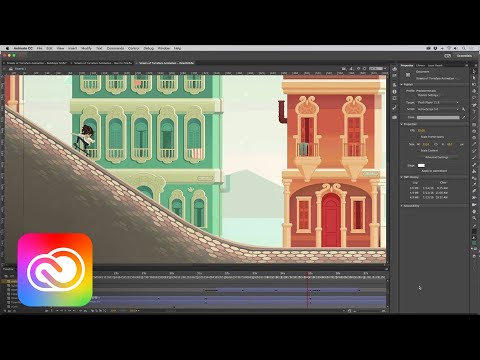
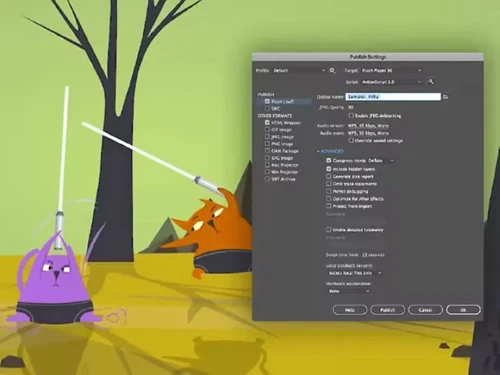
play Video for Adobe Animate demo
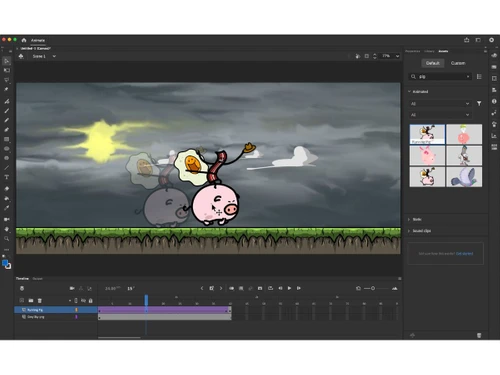
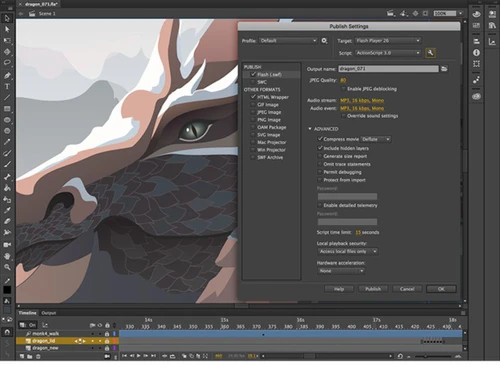
adobe animate edit
adobe animate editing

Adobe Animate

Brand: Adobe

  • 4.3

  • 6 Ratings

Adobe Animate CC for Teams formerly known as the (Flash pro) is one of the world’s most widely used software for 2D animation. It has been the industry staple since its inception and now has become one of the most sought-after household name for animators across the world. It has some noteworthy features like interactive web-based content, powerful illustration toolkit and animation for ads, ga...

See More

Have you used Adobe Animate before?

Share your insights for better experience

Add a Review
Starting Price
₹2754

View plans

100% Genuine
Products
Best Price
Guaranteed
Safe & Secure
Payment
  • Description

  • Pricing

  • Features

  • Specification

  • Review

  • Compare

  • Alternatives

  • FAQ

Starting at ₹2,754

Adobe Animate Software Overview

What is Adobe Animate CC?

Adobe Animate CC for Teams formerly known as the (Flash pro) is one of the world’s most widely used software for 2D animation. It has been the industry staple since its inception and now has become one of the most sought-after household name for animators across the world. It has some noteworthy features like interactive web-based content, powerful illustration toolkit and animation for ads, games and so many more

Adobe Animate CC for Teams lets you create interactive web-based content for games and ads. You can create game environments, start screens and interfaces for games and even integrate audio. Animate allows you to do all your asset designing and coding right inside the Animation software.

Adobe Animate CC for Teams comes with a variation in prices which regulates on the number of users the software is being bought for. It comes in 14 modules beginning from Rs 31,560 (for 1-9 users) to Rs 27768 (for 100+ users)

Adobe Animate CC for Teams is a widely popular among animators, as an entire generation of animators were born on Adobe Animate. Ever since its inception Adobe animate has been a very user-friendly software, something that helped them garner such massive clientele. Adobe Animate lets you sketch and draw characters with more expression and details.

You can animate the characters with simple movements like moving, blinking eyes and talk or even complex movements where your character performs all the movements at the same time with the help of simple frame-by-frame animation. Animate also lets you create web banners and ads that respond to the movement of cursor or mouse clicks. The new updates let you better layer control of your workshop timeline by organizing it in a parent-child hierarchy for easier animation between poses. Now, Adobe Animate has also a feature to export 360 VR animations and create virtual walk through experiences.

The latest version available for Adobe Animate is Adobe Animate CC 2019 (19.1.349)

The system requirements to run Adobe Animate efficiently on

Window

  • Intel Pentium 4 or Intel Centrino, Intel Xeon, or Intel Core Duo (or compatible) processor (2GHz or faster processor)
  • Microsoft Windows 7 (64 bit), Windows 8.1 (64 bit), or Windows 10 (64 bit)
  • 2 GB of RAM (8 GB recommended)
  • 4 GB of available hard-disk space for installation; more free space required during installation (cannot install on removable flash storage devices)
  • 1024x900 display (1280x1024 recommended)
  • Internet connection and registration are necessary for required software activation, validation of subscriptions, and access to online services.

Mac OS

  • Multicore Intel processo
  • Mac OS X v10.11 (64 bit) or v10.12 (64 bit)
  • 2 GB of RAM (8 GB recommended)
  • 4 GB of available hard-disk space for installation; more free space required during installation (cannot install on a volume that uses a case-sensitive file system or on removable flash storage devices)
  • 1024x900 display (1280x1024 recommended)
  • QuickTime 10.x software recommended
  • Internet connection and registration are necessary for required software activation, validation of subscriptions, and access to online services

Adobe Animate Pricing

Adobe Animate Animation Software is available at INR 2754 per month at techjockey.com.

Read more

Adobe Company Details

Founded Year:  1982

Adobe is the global leader in digital media and digital marketing solutions.

Director/Founders Charles Geschke, Jason Lemkin
Company Size 1000+ Employees

Adobe Animate Pricing & Plans

Adobe Animate
Key Features
  • Includes Adobe Express & Adobe Firefly
  • 100 GB of cloud storage
  • Adobe Portfolio
Starting at ₹2754
    • Licenses

      Licenses
      Licenses
    • Monthly

      Monthly
      Monthly

Key Features

  • Includes Adobe Express & Adobe Firefly

  • 100 GB of cloud storage

  • Adobe Portfolio

Adobe Animate Features

  • icon_check Vector & Bitmap Animation Tools
    Animate supports both scalable vector graphics and detailed bitmap images for rich, high-quality animations.
  • icon_check Timeline & Keyframe
    Use an intuitive timeline with keyframes, layers, and frame controls for precise animation sequencing.
  • icon_check Motion Tweening & Shape Tweening
    Create smooth automated movement and shape transitions between keyframes for dynamic motion effects.
  • icon_check Frame-by-Frame Animation
    Draw traditional frame-by-frame sequences when precise hand-drawn motion is needed.
  • icon_check Advanced Drawing Tools & Brushes
    Built in vector brushes, pens, and shapes help you design assets directly inside Animate.
  • icon_check Interactive Script Integration
    Add interactivity through JavaScript or legacy ActionScript for games, apps, and interactive banners.
  • icon_check Asset Management & Library
    Store reusable graphics, symbols, sounds, and components in a centralized library across projects.
  • icon_check Video & Animated GIFs
    Output finished projects as MP4 video or animated GIF for social, presentations, or marketing use.
  • icon_check Multi-Plane Depth Effects
    Simulate dynamic camera motion and depth by adjusting layer depth and panning animation.
  • icon_check Integration with Adobe Creative Cloud Apps
    Seamlessly bring assets from Photoshop, Illustrator, and Adobe Stock into Animate workflows.
  • icon_check Audio Sync & Control
    Add soundtracks and sync audio cues with animation timing for richer multimedia content.
  • icon_check Cross-Platform Animation
    Works on both Windows and macOS, with Creative Cloud licensing enabling mobile asset access.
Adobe Animate Demo Video play icon

Get Adobe Animate Demo

Watch the demo video to explore key features, real workflows, and how the software fits your business needs.

Understand
Key Features
Personal
Demo Insights
Interactive
Demo Support

Adobe Animate Specifications

Supported Platforms
Windows Windows
Devices
Desktop Desktop
Deployment
Cloud-Based Cloud-Based
Suitable For
Media House
Business Specific
Animation
Language
English

Explore the Best Alternative Solutions Similar to Your Business Size and Needs

Adobe Animate Review

4.3

Out of 5

img

Overall Rating

Based on
6 Verified Ratings

Rating Breakdown

  • Features 4.2
  • Value for Money 4.1
  • Ease of Use 4.6
  • Customer Support 4.4

90% Recommend this Product

Add Review

Techjockey Trusted Reviews from Verified Users

No reviews are currently available for Adobe Animate. Discover similar Animation Software reviews

  • Animaker

    4.5

    Whats great - I started using Animaker because of a sudden influx of assignments during my career’s initial video editing career. Today, th... read more

  • VideoScribe

    4.4

    Whats great - First of all, Videoscribe is great for making animated presentations. Just in case, you forgot to save the recent changes, wo... read more
  • Autodesk Maya

    4.8

    Whats great - Autodesk Maya is the best tool to convert your ideas into reality. You have a lot of possibilies with this software. If you w... read more
Compare Adobe Animate With other Animation Software

Products
Ratings
Pricing
Device Supported
Deployment
Supported Platforms
  • img

    Adobe Animate

  • 4.3

  • Price On Request

  • Desktop

    Mobile

  • Web based

    On Premises

  • Windows

    Mac OS

  • img

    Mixamo

  • Price On Request

  • Desktop

    Mobile

  • Web based

    On Premises

  • Windows

    Mac OS

  • img

    Autodesk Maya

  • 4.7

  • ₹ 16520

  • Desktop

    Mobile

  • Web based

    On Premises

  • Windows

    Mac OS

  • img

    Autodraft

  • 4.2

  • ₹ 833

  • Desktop

    Mobile

  • Web based

    On Premises

  • Windows

    Mac OS

  • img

    LottieFiles

  • 4.3

  • Price On Request

  • Desktop

    Mobile

  • Web based

    On Premises

  • Windows

    Mac OS

  • img

    Jitter

  • 4.4

  • Price On Request

  • Desktop

    Mobile

  • Web based

    On Premises

  • Windows

    Mac OS

  • img

    VideoScribe

  • 4.4

  • Price On Request

  • Desktop

    Mobile

  • Web based

    On Premises

  • Windows

    Mac OS

  • img

    Animation Desk

  • 4.6

  • Price On Request

  • Desktop

    Mobile

  • Web based

    On Premises

  • Windows

    Mac OS

  • img

    Immersity AI

  • 4.3

  • Price On Request

  • Desktop

    Mobile

  • Web based

    On Premises

  • Windows

    Mac OS

  • img

    Toonly

  • 4.4

  • Price On Request

  • Desktop

    Mobile

  • Web based

    On Premises

  • Windows

    Mac OS

  • img

    ImagetoCartoon

  • 4.3

  • Price On Request

  • Desktop

    Mobile

  • Web based

    On Premises

  • Windows

    Mac OS

(2) Product(s) selected

Adobe Animate Alternatives

See All Adobe Animate Alternatives

Available

Price on Request

Starting Price:

$240 /User/Year

Starting Price:

$49

Starting Price:

$16

Starting Price:

$15 /Month
Starting Price:

$69 /Quantity $99

SAVE UPTO 30%

Starting Price:

$11 /Month

Starting Price:

$10 /Month

Articles for Adobe Animate

See All Related Articles

How do I download and install Adobe Animate (Flash Pro) CC for teams?

Adobe Animate (Flash Pro) CC for teams can be easily downloaded from the Creative Cloud apps catalogue. Sign in with your Adobe ID and password to complete the download. You can also check, how to install older versions or check for updates.

Can I install Adobe Animate (Flash Pro) CC for teams on another computer?

Adobe Animate (Flash Pro) CC for teams can be downloaded for up to two computers at a time. In case, you want to install it on a third or fourth computer, you'll need to deactivate it on your previous machines.

Can I get a free demo or trial of the software I am going to purchase?

Yes. Techjockey provides free demo of all the services it provides to help you give a glimpse of what you are going to get. It greatly helps customers make the right choice and open avenues to make businesses grow.

How much does Adobe Animate Animation Software cost?

Adobe Animate Animation Software is available at INR 2754 per month at techjockey.com.

20,000+ Software Listed

Best Price Guranteed

Free Expert Consultation

2M+ Happy Customers

Terms and Condtions

close

Users with registered businesses can purchase goods from merchants on the platform to satisfy their business needs. Users are not permitted to utilize any products acquired through the platform for resale, advertising, business, or further distribution.

For each purchase made, users will receive a Tax Invoice (or 'GST invoice') that includes specific details such as:

  • the GSTIN of the user associated with their registered business, and

  • the specified Entity Name for their business.

It should be noted that not all products are eligible for GST Invoice. Only the products displayed by participating sellers with the 'GST-based Invoice Available' callout on the product description page would qualify.

Certain goods and services are not eligible to get a GST Invoice, including items with VAS, i.e., Value Added Services (e.g., Total Mobile Protection/Assured Buyback) and those involving an exchange offer at the time of purchase.

Users must ensure the accuracy of the GSTIN, and business entity name provided for the GST Invoice. Requests for corrections into GST Invoice would not be accommodated by Techjockey.com or any Seller, and any issues arising from user-provided information are the sole responsibility of users.

Techjockey.com is not liable for the GST Invoice or any associated input tax credit. To efficiently claim an input tax credit, users should select the registered place of business address as per the GST authority's data and follow the provisions of the GST Act and rules.

To claim an input tax credit, the delivery and billing addresses must match. Furthermore, input tax credits will not be granted if the delivery address and GSTIN on the invoice are from different states. In case of incorrect GST details provided during the order placement, the order will be canceled automatically.