linkedin
Oki-Toki logo
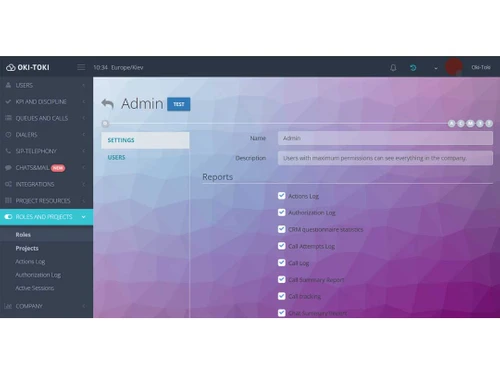
oki-toki admin
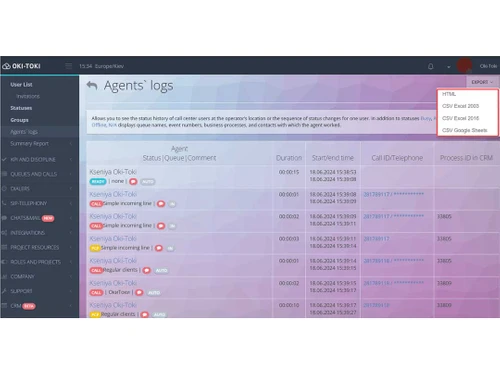
oki-toki agents
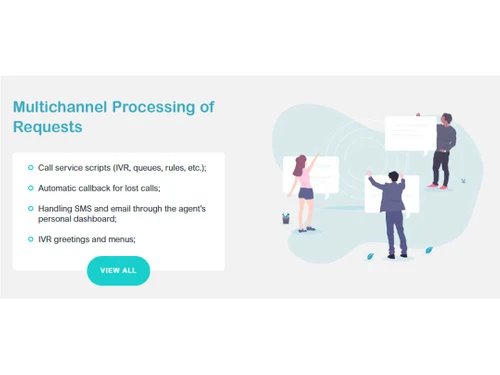
oki-toki multichannel

Oki-Toki

Brand: OKI-TOKI

  • 4.1

  • 5 Ratings

Oki-Toki is a cloud-based call center platform that helps businesses manage omnichannel communications, streamline operations, and support agent productivity.

See More

Have you used Oki-Toki before?

Share your insights for better experience

Add a Review

Price Available on Request

Questions about pricing or customization? We’re here to help, just a click away.

100% Genuine
Products
Best Price
Guaranteed
Safe & Secure
Payment
  • Description

  • Pricing

  • Features

  • Specification

  • Review

  • Compare

  • Alternatives

Oki-Toki Software Overview

What is Oki-Toki?

Oki-Toki is a comprehensive, cloud-based call center platform designed to optimize customer communications and enhance employee productivity. As a fully browser-based solution, it empowers agents to work from any location with just a personal computer, a headset, and an internet connection. The platform is engineered for businesses seeking a flexible, scalable, and feature-rich environment to manage their contact center operations without the need for complex on-premise hardware. Oki-Toki provides a unified hub for handling all customer interactions, from voice calls to digital messages, backed by powerful analytics and management tools.

Why Choose Oki-Toki?

  • Rapid Deployment: Launch a fully operational call center in as little as three days, minimizing setup time and accelerating your time-to-value.
  • Effortless Scalability: The platform scales with your business needs. You can easily add or remove agent seats at any moment without incurring additional equipment costs.
  • Simplified Management: Oki-Toki is designed for ease of use, allowing a single non-technical person to configure and manage the entire system effectively.
  • Continuous Innovation: The platform is regularly updated with new features and functionalities, which become immediately available to all users upon release, ensuring your call center stays ahead of the curve.
  • High Fault Tolerance: Built for reliability, Oki-Toki supports data backup and storage in different countries to help maintain service resilience.

Advanced Features of Oki-Toki

  • Multichannel Request Processing: Manage customer interactions seamlessly across various channels. Key features include interactive voice response (IVR) scripts, call queues, automated callbacks for missed calls, and integrated handling of SMS and email directly from the agent's dashboard.
  • Advanced CRM and Analytics: Gain deep insights into your customer base with a built-in CRM. Customize contact profiles with unique fields and tags, access complete interaction histories with call recordings, and utilize tools for number normalization and database import/export.
  • Sophisticated Telephony Management: Exercise complete control over your telephony infrastructure. Connect with any number of communication providers, implement intelligent outbound call routing based on tariffs, manage permitted calling directions, and set spending limits to control costs.
  • Comprehensive Agent Management: Empower and monitor your team with powerful tools. Agents get a personal dashboard with reports and ratings, while managers can use internal chat, a workplace presence detector, and consolidated reports to track agent occupancy and performance.

Modules of Oki-Toki

  • Omnichannel Platform: This module unifies all communication channels including calls, web chats, emails, social media, and messengers (WhatsApp, Telegram, Viber) into a single, user-friendly agent interface. This creates a perfect environment for deploying functional chatbots to assist agents and customers.
  • Auto-Dialing: Automate your outbound campaigns with five distinct dialing modes: Preview/Callback, Predictive, Progressive, Ultra, and Power. The auto-dialer includes flexible settings for call attempts, time zone adjustments, and seamless integration with external CRM systems.
  • Speech Analytics: Enhance quality control with a powerful suite of analytical tools. This includes automatic conversation evaluation, full call transcription, voice distortion to ensure objective reviews, and tracking of key metrics like interruptions, pauses, and the use of specific language.
  • Business Chat: Integrate a unified chat center on your website to handle messages from social media, email, and messenger apps. Enhance interactions by adding conference calls, video conferences, and screen sharing directly within the chat interface.

How to Use Oki-Toki?

  1. Service Presentation (1 Hour): Begin with a personalized presentation of the service, tailored specifically to your project's goals and requirements.
  2. System Setup (1 Day): The Oki-Toki team configures the platform according to your unique operational needs and project requests.
  3. Staff Training (8 Hours): Your agents and managers receive comprehensive training to ensure they can leverage the full power of the service from day one.
  4. Launch: With setup and training complete, your new cloud call center is ready to go live and begin handling customer interactions.

Oki-Toki Pricing

Oki-Toki pricing details are available on request on techjockey.com.

The pricing model is based on different parameters, including extra features, deployment type, and the total number of users. For further queries related to the product, you can contact our product team and learn more about the pricing and offers.

Read more

Oki-Toki Pricing & Plans

Looking for The Right Pricing?

Share your requirements and get a plan built around your business.

  • Define your business needs
  • Get customised pricing
  • Choose features that fit your workflow

Price Available on Request

Get personalised Oki-Toki pricing that fits your needs. Our team will connect with you.

Oki-Toki Features

  • icon_check Agent Management
  • icon_check Quality Control and Analytics
  • icon_check Integration and Automation
  • icon_check Reporting and Metrics
  • icon_check Missed Call Alert
  • icon_check Sales Funnel
  • icon_check Omnichannel
  • icon_check Contact Management

Oki-Toki Specifications

Supported Platforms
Ubuntu Ubuntu Windows Windows Linux Linux
Devices
Desktop Desktop
Deployment
Cloud-Based Cloud-Based Perpetual Perpetual
Suitable For
Contact Center
Business Specific
Call Center
Business Size
Startups Medium Business Enterprises SMEs
Customer Support
Email Live Chat Forums
Language
English
Training Resources
Videos

Explore the Best Alternative Solutions Similar to Your Business Size and Needs

Oki-Toki Review

4.1

Out of 5

img

Overall Rating

Based on
5 Verified Ratings

Rating Breakdown

  • Features 4.3
  • Value for Money 4.1
  • Ease of Use 4.1
  • Customer Support 4.2

88% Recommend this Product

Add Review

Techjockey Trusted Reviews from Verified Users

No reviews are currently available for Oki-Toki. Discover similar Call Center Software reviews

  • Acefone

    4.5

    Whats great - Many users appreciate Acefone’s customer service and responsiveness read more

  • DialDesk

    4.8

    Whats great - DialDesk supports all industry verticals, making it a versatile solution for various business needs. The 24/7 human support a... read more

  • Twilio

    4.6

    Whats great - I use Twilio to send text messages to my customers. The API is very easy to use, and I can send a text message to my customer... read more

Compare Oki-Toki With other Call Center Software

Products
Ratings
Pricing
Device Supported
Deployment
Supported Platforms
  • img

    Oki-Toki

  • 4.1

  • Price On Request

  • Desktop

    Mobile

  • Web based

    On Premises

  • Windows

    Mac OS

  • img

    Freshcaller

  • 4.0

  • ₹ 1199

  • Desktop

    Mobile

  • Web based

    On Premises

  • Windows

    Mac OS

  • img

    MyOperator

  • 4.3

  • ₹ 2499

  • Desktop

    Mobile

  • Web based

    On Premises

  • Windows

    Mac OS

  • img

    VoiceCallingAI

  • 5

  • Price On Request

  • Desktop

    Mobile

  • Web based

    On Premises

  • Windows

    Mac OS

  • img

    SanCCS

  • 5

  • ₹ 14990

  • Desktop

    Mobile

  • Web based

    On Premises

  • Windows

    Mac OS

  • img

    DialDesk

  • 4.7

  • ₹ 15000

  • Desktop

    Mobile

  • Web based

    On Premises

  • Windows

    Mac OS

  • img

    CallerDesk

  • 4.1

  • Price On Request

  • Desktop

    Mobile

  • Web based

    On Premises

  • Windows

    Mac OS

  • img

    Ringover

  • 4.3

  • Price On Request

  • Desktop

    Mobile

  • Web based

    On Premises

  • Windows

    Mac OS

  • img

    Acefone

  • 4.4

  • Price On Request

  • Desktop

    Mobile

  • Web based

    On Premises

  • Windows

    Mac OS

(0) Product(s) selected

Oki-Toki Alternatives

See All Oki-Toki Alternatives

Starting Price:

₹999 /Monthly

Starting Price:

$21 /Yearly

Starting Price:

€100 /Yearly

Available

Price on Request

Starting Price:

₹1,299 /Monthly

Starting Price:

$79 /Yearly

Starting Price:

$49 /Monthly

Available

Price on Request

Articles for Oki-Toki

See All Related Articles

20,000+ Software Listed

Best Price Guranteed

Free Expert Consultation

2M+ Happy Customers

Terms and Condtions

close

Users with registered businesses can purchase goods from merchants on the platform to satisfy their business needs. Users are not permitted to utilize any products acquired through the platform for resale, advertising, business, or further distribution.

For each purchase made, users will receive a Tax Invoice (or 'GST invoice') that includes specific details such as:

  • the GSTIN of the user associated with their registered business, and

  • the specified Entity Name for their business.

It should be noted that not all products are eligible for GST Invoice. Only the products displayed by participating sellers with the 'GST-based Invoice Available' callout on the product description page would qualify.

Certain goods and services are not eligible to get a GST Invoice, including items with VAS, i.e., Value Added Services (e.g., Total Mobile Protection/Assured Buyback) and those involving an exchange offer at the time of purchase.

Users must ensure the accuracy of the GSTIN, and business entity name provided for the GST Invoice. Requests for corrections into GST Invoice would not be accommodated by Techjockey.com or any Seller, and any issues arising from user-provided information are the sole responsibility of users.

Techjockey.com is not liable for the GST Invoice or any associated input tax credit. To efficiently claim an input tax credit, users should select the registered place of business address as per the GST authority's data and follow the provisions of the GST Act and rules.

To claim an input tax credit, the delivery and billing addresses must match. Furthermore, input tax credits will not be granted if the delivery address and GSTIN on the invoice are from different states. In case of incorrect GST details provided during the order placement, the order will be canceled automatically.