linkedin
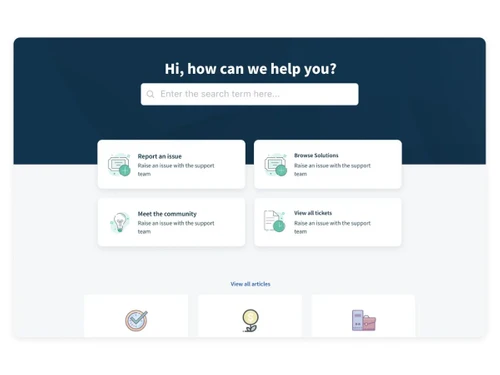
Freshdesk logo
play Freshdesk Omnichannel Demo
Freshdesk tickets
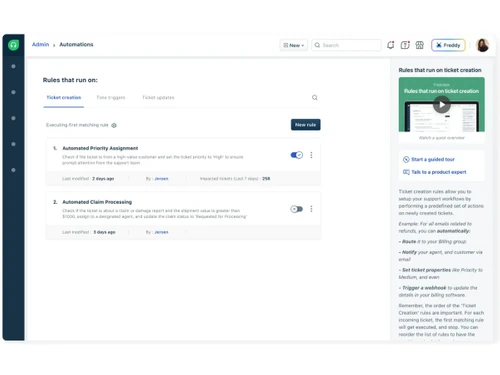
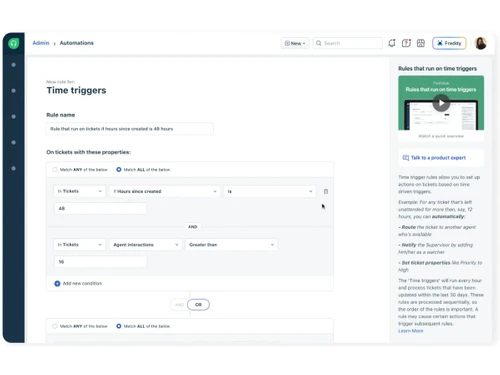
Freshdesk automation

Freshdesk

Brand: Freshworks

  • 4.7

  • 3 Ratings & 3 Reviews

Robust customer support software designed for businesses to streamline, automate, and improve their customer support processes with its multichannel support.

See More

Have you used Freshdesk before?

Share your insights for better experience

Add a Review
Starting Price
₹1,799 excl.GST
₹ 2,123 incl. GST

View plans

100% Genuine
Products
Best Price
Guaranteed
Safe & Secure
Payment
  • Description

  • Pricing

  • Features

  • Specification

  • Review

  • Compare

  • Alternatives

  • FAQ

Starting at ₹1,799

Freshdesk Software Overview

What is Freshdesk?

Freshdesk is a customer management software that helps establish a healthy customer-business relationship. This helpdesk software helps businesses manage customer conversations from a single platform and control auto-responses to common queries. This software is important to save time and collaborate better with others to resolve issues jointly.

With this software, users can prioritize tickets according to their level of importance and assign them to a suitable team. Customers, thereby, can easily keep track of their raised tickets. The software can be used to create workflows efficiently by sharing tickets with various teams without having to compromise on users’ ability to access them.

Unique Functionalities of Freshdesk

Here is a quick rundown of features provided by Freshdesk:

  • Freshdesk, being a customer service-oriented software, looks for the ultimate satisfaction of customers. As most chat contexts tend to get lost in chat tools, tracking the relevant information can be a little difficult at times.
  • With this software, users can find the relevant information quickly within the ticket itself, making it easy for the internal teams to work collaboratively within the helpdesk.
  • Users can avoid reassigning tickets by sharing ownership with the agents involved. Your customers will get their tickets routed to the most appropriate agent. Multilingual capabilities and flexible business hours help cater to a wider customer base.

Why Choose Freshdesk?

  • Multichannel Support: Enables businesses to manage customer inquiries from various channels such as email, phone, chat, and social media, all within a single platform.
  • User-Friendly Interface: Offers an intuitive and easy-to-navigate interface, making it simple for agents to handle customer queries efficiently.
  • Robust Ticketing System: Provides a powerful ticketing system that helps businesses streamline and automate their customer support processes.
  • Customization Capabilities: Users can customize the software to meet their specific business needs, like branding and workflow configurations.
  • Reporting and Analytics: Offers comprehensive reporting and analytics features, allowing businesses to gain valuable insights into their customer support performance.
  • Integration Options: Integrates with various third-party applications, providing flexibility and scalability for businesses of all sizes.

Benefits of Freshdesk:

Freshdesk is very beneficial for businesses, here are a few listed below for better comprehension of the software:

  • Freshdesk ticketing systems streamline all the customer interactions on one platform for easy monitoring and supervision.
  • Organizations can automate all the basic and repetitive tasks like data entry and updating tickets among many others.
  • Freshdesk enables the company to retain its brand identity by adding logos and customizing the software to resemble the organization's aesthetics.
  • Streamlines customer support processes, leading to quicker query resolution and improved response times.
  • By centralizing customer inquiries and providing multichannel support, Freshdesk helps businesses deliver prompt and consistent support.
  • Facilitates seamless collaboration among support agents, enabling them to work together and resolve customer issues.
  • Freshdesk's ticketing system and automation capabilities help businesses optimize resources and reduce operational costs.

What Customizable Options Does Freshdesk Provide?

This customer support software helps users streamline the support channels from just one place, letting customers interact with them over the phone, chat, etc. As the software allows conversation within tickets to find relevant information without any hassle, users can invite collaborate with agents or external business partners to discuss and solve issues. Automation allows repetitive tasks to be eliminated and focuses on the critical tickets that require urgent attention. Customers need not wait long as there are plenty of FAQs on the site that will help them immensely. Additionally, users can monitor their teams and make data-driven decisions to ensure the highest level of customer satisfaction.

Freshdesk Pricing

Freshdesk price in India starts at INR 1,799 at Techjockey.com.

The pricing model is based on different parameters, including extra features, deployment type, and the total number of users. For further queries related to the product, you can contact our product team and learn more about the pricing and offers.

Read more

Freshworks Company Details

Founded Year:  2010

Freshworks provides businesses with SaaS customer engagement solutions.

Director/Founders Girish Mathrubootham, Shan Krishnasamy, Vijay Shankar
Company Size 1000+ Employees

Freshdesk Pricing & Plans

Growth

Calculated Price

1799 Exclusive of all taxes
    • Agent

      Agent
      Agent
    • Monthly

      Monthly
      Monthly

Key Features

  • Ticket Management

  • Helpdesk Report

  • Process Automations

  • Collision Detection

  • SLA Management

  • Ticketing

Pro

Calculated Price

5399 Exclusive of all taxes
    • Agent

      Agent
      Agent
    • Monthly

      Monthly
      Monthly

Key Features

  • Ticket Management

  • Helpdesk Report

  • Process Automations

  • Collision Detection

  • SLA Management

  • Time Tracking

  • CSAT Surveys

  • Performance Reports

  • Multilingual

Enterprise

Calculated Price

8509 Exclusive of all taxes
    • Agent

      Agent
      Agent
    • Monthly

      Monthly
      Monthly

Key Features

  • Ticket Management

  • Helpdesk Report

  • Process Automations

  • Collision Detection

  • SLA Management

  • Time Tracking

  • CSAT Surveys

  • Performance Reports

  • Multilingual

  • Custom Reports & Dashboards

  • Customer Segments

  • Sandbox

  • Audit Logs

  • Agent Shifts

  • Agent Scripts

  • Email Bot

  • Auto-Triage

  • IP Whitelisting

  • HIPAA Compliance

  • Custom Reports

Freshdesk Features

  • icon_check Freddy AI Copilot
    A specialized agent-assist utility that summarizes long ticket threads, suggests relevant canned responses, and uses "Tone
  • icon_check SLA Management
    A mission-critical compliance tool that allows you to set specific response and resolution deadlines for different customers or
  • icon_check Skill-Based Routing
    An intelligent distribution engine that automatically assigns incoming tickets to the most qualified agent based on their
  • icon_check Scenario Automations
    A high-efficiency "macro" tool that allows agents to perform multiple actions—like changing a status, adding a tag, and sending
  • icon_check Freshworks Marketplace
    A massive connectivity ecosystem featuring over 1,000+ pre-built integrations with tools like Shopify, Slack, Jira, and
  • icon_check Ticket Management
    Users can prioritize, categorize, & assign tickets based on their importance so that they do not lose track of them.
  • icon_check Collaboration
    When a customer raises a ticket, the team members can handle it jointly by forming a team to meet the requirements efficiently.
  • icon_check Multichannel Support
    This feature lets users manage support-oriented communication from multiple channels on a single platform. 
  • icon_check Feedback Automation
    Intelligent ticket assignment, time-triggered automation & automatic mail notifications enhance the team’s productivity.
  • icon_check Self Service Portal
    The portal is inbuilt with some readymade solutions that can help customers solve their own issues.
  • icon_check Helpdesk Report
    It lets users identify their problems and plan according to metrics. They can manage the tickets in real time on the dashboard.
  • icon_check Customization
     Freshdesk allows managing your workflow, portal, and agent roles, thereby making the portal absolutely customizable.
Freshdesk Demo Video play icon

Get Freshdesk Demo

Watch the demo video to explore key features, real workflows, and how the software fits your business needs.

Understand
Key Features
Personal
Demo Insights
Interactive
Demo Support

Freshdesk Specifications

Supported Platforms
Windows Windows iOS iOS Android Android MacOS MacOS
Devices
Desktop Desktop Mobile Mobile Tablet Tablet iPad iPad
Deployment
Cloud-Based Cloud-Based
Suitable For
All Industries
Business Specific
All Businesses
Business Size
Small Business Startups Medium Business Enterprises SMBs SMEs MSMBs MSMEs
Customer Support
Phone Email Live Chat Communities Forums
Language
English
Integration
API Integration
Training Resources
Documentation Videos
AI Features
AI Integrated

Explore the Best Alternative Solutions Similar to Your Business Size and Needs

Freshdesk Reviews

4.7

Out of 5

img

Overall Rating

Based on
3 Verified Reviews

Rating Breakdown

  • Features 4.8
  • Value for Money 4.5
  • Ease of Use 4.6
  • Customer Support 5

93% Recommend this Product

Add Review

Freshdesk Video Reviews

youtubeVideoId

4.8

“Freshdesk Review 2023 | Best Customer Service Software”

Review by: thesocial

youtubeVideoId

4.8

“Freshdesk Review: Is It Good”

Review by: yourfirstonline

youtubeVideoId

4.8

“Freshdesk Review + Demo – Empower Your Support Team to Deliver Timely and Consistent Support”

Review by: highqualityreview

Compare Freshdesk With other Help Desk Software

Products
Ratings
Pricing
Device Supported
Deployment
Supported Platforms
  • img

    Freshdesk

  • 4.7

  • ₹ 1799.00 excl. GST

  • Desktop

    Mobile

  • Web based

    On Premises

  • Windows

    Mac OS

  • img

    Nuevadesk

  • 4.2

  • Price On Request

  • Desktop

    Mobile

  • Web based

    On Premises

  • Windows

    Mac OS

  • img

    Support CRM

  • 4.8

  • ₹ 3750

  • Desktop

    Mobile

  • Web based

    On Premises

  • Windows

    Mac OS

  • img

    Zoho Desk

  • 4.0

  • ₹ 540

  • Desktop

    Mobile

  • Web based

    On Premises

  • Windows

    Mac OS

  • img

    Spinso ServiceDesk

  • 4.2

  • Price On Request

  • Desktop

    Mobile

  • Web based

    On Premises

  • Windows

    Mac OS

  • img

    Zendesk

  • 4.5

  • Price On Request

  • Desktop

    Mobile

  • Web based

    On Premises

  • Windows

    Mac OS

  • img

    Vision Helpdesk

  • 4.3

  • Price On Request

  • Desktop

    Mobile

  • Web based

    On Premises

  • Windows

    Mac OS

  • img

    TxHelpDesk

  • 5

  • ₹ 1250

  • Desktop

    Mobile

  • Web based

    On Premises

  • Windows

    Mac OS

  • img

    Stingo Helpdesk

  • 5

  • ₹ 599

  • Desktop

    Mobile

  • Web based

    On Premises

  • Windows

    Mac OS

  • img

    Desku

  • 4.1

  • Price On Request

  • Desktop

    Mobile

  • Web based

    On Premises

  • Windows

    Mac OS

(2) Product(s) selected

Freshdesk Alternatives

See All Freshdesk Alternatives

Starting Price:

$25 /Agent/Month

Starting Price:

$19 /Month

Available

Price on Request

Starting Price:

₹15,600 /Lifetime

Starting Price:

$29 /Month

Available

Price on Request

Starting Price:

$89 /Month

Starting Price:

$12 /Month

Articles for Freshdesk

See All Related Articles

Is my data safe with Freshdesk?

Yes, all the personal data is protected biometric locks and is under 24-hour surveillance. The data centers are EU safe harbor compliant. In addition to all these, Freshdesk has planned to include SSL encryption.

What is the deployment type for Freshdesk?

Freshdesk utilizes cloud-based storage deployment.

Is this software available for mobile phones?

Freshdesk customer service software is available as mobile application for both iPhone and Android platforms.

What are the system requirements for Freshdesk?

Here are the system requirements for Freshdesk: 1. Operating System: Windows 7.0 or higher, OSX Mavericks or higher 2. Browser: Latest version of Chromium, Firefox, Safari, Edge (anyone can work)

Can I get a demo of this software?

Techjockey provides demo for Freshdesk. To avail the demo, please request a call, and our sales team will connect with you as soon as possible.

What is the Help Widget in Freshdesk?

The Help Widget in Freshdesk allows users to embed answers, address issues and queries, and collect feedback, thus solving all doubts before they turn into problems.

How does the Helpdesk Analytics of Freshdesk Work?

With the help of Freshdesk’s Analytics, users can capture and monitor their customer support data seamlessly. Its one-click insights even provide a complete overview of the performance of teams.

What do the 4 statuses of ticket mean in Freshdesk?

Every new ticket that is created in the helpdesk is labelled as “Open”. “Pending” tickets are the ones whose progress is awaited and is put on hold. A “Resolved” ticket is the one that has been resolved by the team and is marked “Closed” when the customer acknowledges it.

How do I set up the Knowledge Base in Freshdesk?

Go to Solutions Tab > ‘New Article’ button. Use the drop-down as part of the ‘New Article’ button to create a new folder. This allows users to set up and categorize the Knowledge Base for easy access.

How to create a parent and child ticket in Freshdesk?

You can open a ticket > Click on ‘Add Child’ > Choose between ‘Using a template’ and ‘New Child Ticket’. The original ticket becomes the parent ticket and the newly created one becomes a child ticket.

20,000+ Software Listed

Best Price Guranteed

Free Expert Consultation

2M+ Happy Customers

Terms and Condtions

close

Users with registered businesses can purchase goods from merchants on the platform to satisfy their business needs. Users are not permitted to utilize any products acquired through the platform for resale, advertising, business, or further distribution.

For each purchase made, users will receive a Tax Invoice (or 'GST invoice') that includes specific details such as:

  • the GSTIN of the user associated with their registered business, and

  • the specified Entity Name for their business.

It should be noted that not all products are eligible for GST Invoice. Only the products displayed by participating sellers with the 'GST-based Invoice Available' callout on the product description page would qualify.

Certain goods and services are not eligible to get a GST Invoice, including items with VAS, i.e., Value Added Services (e.g., Total Mobile Protection/Assured Buyback) and those involving an exchange offer at the time of purchase.

Users must ensure the accuracy of the GSTIN, and business entity name provided for the GST Invoice. Requests for corrections into GST Invoice would not be accommodated by Techjockey.com or any Seller, and any issues arising from user-provided information are the sole responsibility of users.

Techjockey.com is not liable for the GST Invoice or any associated input tax credit. To efficiently claim an input tax credit, users should select the registered place of business address as per the GST authority's data and follow the provisions of the GST Act and rules.

To claim an input tax credit, the delivery and billing addresses must match. Furthermore, input tax credits will not be granted if the delivery address and GSTIN on the invoice are from different states. In case of incorrect GST details provided during the order placement, the order will be canceled automatically.