 USA
USA UAE
UAE
Techjockey Software
₹1 onwards

OrgGen Sales CRM
Price on Request
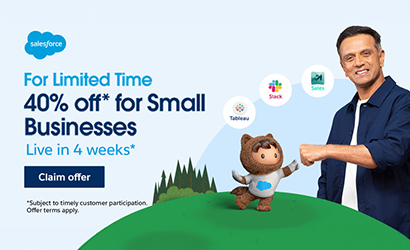
Salesforce SMB Growth Kit (Sales Cloud + Slack + Tableau)
Price on Request
CRM stands for Customer relationship management. CRM software is a computer application that is designed to help the organization to capture and maintain sales inquiries in one place. It also automates their sales process from scratch to conversions. Read Buyer’s Guide

FAQ’s
Questions
Reviews
Buyer's Guide
Videos

Techjockey Software
₹1 onwards
OrgGen Sales CRM
Price on Request
Salesforce SMB Growth Kit (Sales Cloud + Slack + Tableau)
Price on Request
(Showing 1 - 20 of 375 products)
Brand: Kylas
4.1
Kylas CRM helps businesses track leads, manage customer relationships, and close deals more efficiently.... Read More About Kylas CRM 
₹12,999 /Month/Unlimited Users
Brand: Salesforce
4.9
Salesforce SMB Growth Kit combines Agentforce Sales, Slack and Tableau in one annual subscription for eligible businesses in India. Get 40% off the list pr... Read More About Salesforce SMB Growth Kit (Sales Cloud + Slack + Tableau)
Price On Request
Brand: Bitrix 24
4.3
Bitrix24 is an AI-powered CRM and business management platform that helps organizations manage sales, customer communication, projects, employee collabora... Read More About Bitrix24
₹2,390 /Organization/Month

Brand: Cronberry
4.4
Cronberry offers a unified platform that seamlessly integrates CRM and marketing automation, providing businesses with a comprehensive solution to manage c... Read More About Cronberry CRM
₹2,000 /Month

Brand: CrmOne
4.9
With CrmOne, track deals, create workflows, send quotes, prepare reports, schedule campaigns, and do more.... Read More About CrmOne
$99 /Month

Brand: NCH Software
4.2
Reflect CRM is the best CRM software India available for both Mac and Windows. The solution enables a business to easily manage customer relationships and... Read More About NCH Reflect CRM
$30 /Quantity

Brand: Solid Performers
4.8
Solid Performers CRM is a cloud-based customer relationship management software, which can be used to monitor pre- and post-sales activities in a seamless... Read More About Solid Performers CRM
₹500 /User/Month
Brand: Orggen Technologies
4.6
(0 user reviews)
OrgGen Sales CRM is designed to streamline sales and boost customer interaction.... Read More About OrgGen Sales CRM
₹500

Brand: Leadsquared
4.1
LeadSquared is an AI-powered CRM that unifies Sales, Marketing, Field Operations, and Service teams to automate workflows and drive faster, high-volume rev... Read More About LeadSquared CRM
₹2,500 /User/Month
Brand: Talisma Corporation
4.6
Transform your customer’s journey from acquisition to sales closure based on detailed insights.... Read More About Talisma CRM
₹1,875 User/Month
Brand: Teknovative Solution
4.8
Teknovate CRM is one of the best online CRM software for B2B as well as B2C businesses. It helps with the tracking & automation of sales and marketin... Read More About Teknovate CRM
₹500 /User/Month

Brand: Zoho Corporation
4.4
Zoho is one of the best online CRM software for sales teams and businesses, and it helps track, qualify, and manage leads. This CRM software provides omni... Read More About Zoho CRM
₹1,300 /User/Month
Brand: Landmark Techedge
4.2
BizPlus CRM desktop-based functions and sustains customer relationships, track engagements, and sales, and delivers data all at once and at one go. This is... Read More About BizplusCRM
₹8,000 /Year

Brand: Deskera
4.5
Deskera CRM (customer relationship management) is an all-in-one online platform to help businesses sell more online. Quickly capture leads, convert them t... Read More About Deskera CRM
Price On Request

Brand: Elastic Inc
4.5
Ideal for startups and SMBs, the CRM is designed to increase sales productivity and scale business.... Read More About Close CRM
$29 /Month

Brand: Salesforce
4.3
Salesforce CRM is designed to help businesses manage their customer interactions, sales, and data. It enables organizations to streamline processes, improv... Read More About Salesforce CRM
$25 /User/Month
Brand: Technobase IT Solutions Pvt Ltd
4.3
ezeeCRM is a popular online CRM software used by sales, service and marketing teams in SMEs and large enterprises for converting leads into clients. For h... Read More About ezeeCRM
₹900 /User/Month

Brand: San Software
4.6
Streamline your business with CRM software that boosts sales, tracks leads, and strengthens customer relationships with ease and efficiency.... Read More About SAN CRM
Price On Request
Brand: URVA
4.4
(0 user reviews)
URVA Connect is a communication platform that unifies messaging, voice/video chats, and analytics for business interactions and management.... Read More About URVA Connect
$10 /User/Month
Last Updated on : 03 Nov, 2026
CRM Software Comparison
Looking for CRM Software that is:


We provide the best software solution for your business needs
Founded in 2016, Techjockey is an online marketplace for IT Solutions. We are a pioneer in this field, as we are taking IT solutions to SMBs & MSMEs in tier II & tier III cities and enabling digitization of day-to-day processes.
2 Million+
Happy Customers
500+
Categories
20,000+
Software listed
Software questions,
answered
CRM software solutions track customer interactions in real-time and improve customer service. Besides, CRM software is also used for managing all customer touchpoints, from lead generation to lead nurturing, contacts engagement, and sales conversion.
CRM software pricing ranges from $7 to $150+ per user per month based on features, users, storage and other available features.
Most of the CRM systems offer the key features for lead management, interaction tracking, workflow automation, third party integration, social media integration, proposal & quotes management, and more.
CRM tools help manage the customer lifecycle for better sales management, improved marketing campaigns & enhanced customer service. Its core functions are: Creating and maintaining a centralized customer data repository, lead categorization, data analysis, automation, customer interaction tracking, etc.
CRM software most primarily tracks and archives customer conversations for nurturing friendly customer relations. CRM software also helps with nurturing leads through the sales pipeline, segmenting the contacts list for a targeted approach, creating email & SMS workflow for effective communication, customer history management, real-time tracking, data analysis, and more.
CRM (Customer Relationship Management) software manages marketing, sales, and customer-related information. In contrast, ERP (Enterprise Resource Planning) software is used for streamlining and integrating all the business processes.
Most of the CRMs support automatic data migration features. Data can be imported in various formats like Notepad, Excel sheet, Google sheet, or another CRM software backup file.
Various modules can be included in CRM like customer service management, billing, marketing, sales, accounts, etc. Customers can even request customized versions of CRM software as per their business requirements.
Free CRM software is limited by features, time, or the number of contacts it can manage. Most of the free versions are the basic CRM plans that cannot automate the entire marketing and sales processes. On the other hand, the paid CRM includes all possible features for automation, workflow, integration, and growth.
Yes, custom CRM can be developed according to project complexity, scale, integrations, and budget. However, custom CRM is expensive and is only suitable for large organizations. SMBs can purchase affordable CRM software that offers some degree of customization.
CRM in cloud computing is widely used by healthcare companies, telecommunications, insurance companies, etc. Cloud CRM software could be accessed remotely, which helps multiple teams collaborate seamlessly on real-time data. This helps provide top-notch customer service and adds value to the business process.
The significant difference between CRM and ERP is that CRM is one of the functions of ERP and is used for handling sales and marketing processes. While ERP is used to handle fall major business processes, whether its accounting, HRMS, manufacturing, distribution, CRM, procurement, and more.
CRM software falls under the category of enterprise software that encompasses the SaaS market or services. CRM is a SaaS application that can be accessed via web browsers from any location. All you need is a stable internet connection to run CRM software on host servers for the cloud client.
CRM software is a must-have tool for sales and marketing teams across industries like: Retail businesses for targeted marketing, Banking sector for gaining customer insights, Hospitality industries to ensure an outstanding guest experience, the Insurance sector for improving customer interaction, Consultancies, and firms for improved client relations.
There are dozens of CRM integration that helps automate workflow. However, the four most important CRM integrations for higher work efficiency are social media integration, email integration, calls apps integration, and calendar automation.

CRM platforms use multiple controls to prevent data exfiltration via unsanctioned AI tools:
“Kylas simplifies sales tracking, enhances communication, and makes lead management easy and efficient.”
- Yashika
See all Kylas CRM reviews
Salesforce SMB Growth Kit (Sales Cloud + Slack + Tableau)
“Scalable platform, strong automation capabilities and good visibility into sales performance. The bundled approach can simplify the technology stack for growing busi...”
- Puja
See all Salesforce SMB Growth Kit (Sales Cloud + Slack + Tableau) reviews “The pricing for premium plans is reasonable compared to other platforms. The features are great for the value.”
- PRAVIN
See all Bitrix24 reviews “Exceptional team support over the past 2 years. Always ready to assist when needed. It also user-friendly and comprehensive features”
- SAA Electro
See all Cronberry CRM reviews “The CrmOne app helps you manage your deals, conversations, and forecasting so you can be quick and systematic and offers this wide variety of features at a minimal p...”
- Jay Dhameliya
See all CrmOne reviews | CRM Software Cost | ||
|---|---|---|
| Top CRM Software | Starting Price | Rating |
| Kylas CRM | ₹12999.00 /Month/Unlimited Users | 4.1 |
| Bitrix24 | ₹2390.00 /Organization/Month | 4.3 |
| Cronberry CRM | ₹2000.00 /Month | 4.4 |
| CrmOne | $99.00 /Month | 4.9 |
| NCH Reflect CRM | $30.00 /Quantity | 4.2 |
| Solid Performers CRM | ₹500.00 /User/Month | 4.8 |
| OrgGen Sales CRM | ₹500.00 | 4.6 |
| LeadSquared CRM | ₹2500.00 /User/Month | 4.1 |
| Talisma CRM | ₹1875.00 User/Month | 4.6 |
| Teknovate CRM | ₹500.00 /User/Month | 4.8 |
Found our list of CRM Software helpful? We’re here to help you make the right choice and automate your business processes. Let’s discover some of the essential factors that you must consider to make a smarter decision!
If it takes more than 5 minutes to analyse this question, then CRM is the solution to your business problem.
Using spreadsheets to maintain customer data is an affordable solution but to grow your business and sync other departments, you should switch to the best CRM software. CRM software can help sales reps, sales managers, marketing reps, marketing managers, customer service agents, and product managers, all in one place.
You can quickly capture leads, segment leads, create drips, automate campaigns, sign documents in minutes and identify bottlenecks in the workflow.
Businesses can leverage CRM platforms to break department silos, automate manual work, improve team productivity and get detailed analytics.
Investing in CRM can provide positive ROI to businesses.
To understand how CRM works, which software to choose, and its key features, let's dive into this buyer's guide.
When sales are slipping, growth is stagnant, and clients are leaving, it's time to use CRM to keep the ball rolling and find new customers. Below are some common signs that suggest your team needs a CRM.
CRM software stores and manages all information in one place and helps your sales team close deals much faster.
Right CRM software can put the right resource in the right place at the right time. It allows you to assign tasks based on rules you set in the workflow. You can leverage CRM tools to help your team get all the information in minutes rather than scrolling all day.
Businesses that spend $1 on sales CRM software can anticipate an average return on investment (ROI) of $8.71. This data provides valuable insights for businesses still thinking about switching to CRM systems.
Whether a healthcare professional or a real estate broker, you must record daily activities and track routine processes to grow your business. Similarly, different businesses in multiple industries need solutions for their daily problems. CRM tools can resolve these concerns.
For real-time benefits, specific CRM solutions are available that solve unique problems of different businesses. Types of CRM platforms are:
Below mentioned are some suggestions for the best CRM software.
| CRM Software Overview | |||||
|---|---|---|---|---|---|
| Industry | Problem Statement | Solution | CRM Software | Prices | Product Reviews |
| Retail and e-Commerce | Struggling to manage customer data, track sales, and personalize campaigns. | Centralize customer data, enhance personalized marketing, and track interactions. | Freshsales CRM | ₹1,199 /month (excluding GST) | Freshsales Reviews |
| Healthcare | Difficulty in managing patient information, scheduling, and follow-ups. | Streamline patient management, appointment scheduling, and follow-ups and care coordination. | Salesforce Health Cloud | $25 /month | Salesforce Reviews |
| Real Estate | Managing client's proposals, agreements and property listings manually. | Help organize leads, track property listings, and manage communications for more sales. | Sell.do | ₹1,799 /month (excluding GST) | Sell.do Reviews |
| Financial Services | Struggling to track client accounts and manage financial portfolios. | Help track financial transactions, provide tailored services, and improve customer engagement and retention. | Zoho CRM | ₹1,300 /month | Zoho CRM Reviews |
| Hotels | Need to improve guest experience and manage bookings. | Centralize guest data, track booking patterns, and offer tailored services to guests. | HubSpot CRM | $15 /month | HubSpot Reviews |
| Insurance | Challenges in managing client policies, claims, and renewals. | Streamline client data, help with policy management, track claims, and improve communication to ensure timely renewals. | TeleCRM | ₹2,547 /month (excluding GST) | TeleCRM Reviews |
| Consulting Industry | Difficulty in managing client projects, timelines, and ongoing communication. | Streamline project management and improve the ability to follow up and cross-sell services to existing clients. | Pipedrive CRM | $12 /month | Pipedrive CRM Reviews |
Different teams use CRM for different functions. The basic features of CRM can vary according to the requirements of teams. However, key features of CRM that a user must see while purchasing software are:
You can use this checklist for choosing a CRM software. Leverage these requirements if you are in Sales, Marketing or Customer Service/Support teams for gathering information about potential CRM tools.
| CRM Features Overview | |||||
|---|---|---|---|---|---|
| Sales | Marketing | Customer Service | Lead Segmentation | Audience Segmentation | Customer Profiles |
| Lead Generation | Auto-assignment | Interaction History | Contact History | Multi-Channel Lead Generation | Case Management |
| Lead Tracking and Scoring | Contact Management | Customer Email History | Opportunity Management | Drip Campaigns | Ticket Routing |
| Deal Stages | Automated Campaigns | SLA Management | Quotes and Invoices | Email Templates | Internal Tickets |
| Payment Tracking | A/B Testing | Escalation Rules | Email Tracking & Sync | Content Scheduling | Response Templates |
| Sales Funnel Forecasting | Email Tracking | Email Alerts | Revenue Forecasting | Engagement Tracking | Customer Surveys |
| Team Collaboration | Campaign Performance | Knowledge Base | Notes Sharing | Content Sharing | Helpdesk Integration |
| Calendar Management | Social Media Integration | Live Chat | Field Sales Management | Ad Platforms and Landing Pages | Customer Privacy Regulations |
| Custom Views | Lead Nurturing | Quote Templates | Workflow Customisation | Multi-Channel Outreach | Task Automation |
Although every CRM software has the same functions, it can take some time to find the one that best suits your particular requirements. We have compiled a list to make your process easier and enable you to make decisions more rapidly.
Step 1. Define your objectives
Before purchasing a CRM, define your business goals. Consider what challenges you want to address, such as improving customer service, boosting sales, or automating marketing tasks.
Step 2. Research the best CRM providers
Once your goals are defined, evaluate different CRM vendors based on features, pricing, scalability, and compatibility with your existing systems. Involve key team members from sales, marketing, and IT.
Step 3. Plan for data migration
Prepare for a smooth data migration by reviewing and organizing your existing data (e.g., customer details, sales history). Plan the process with the CRM vendor and stakeholders for transferring this data into the new CRM system.
Step 4. Customize the CRM to fit your needs
Customize the CRM system to match your business processes and workflows. This includes setting up custom fields, creating specific reports, configuring dashboards and setting user roles and permissions.
Step 5. Integrate with other systems
Ensure the CRM integrates seamlessly with other tools your business uses, such as email marketing platforms, ERP systems, or customer support software. It will reduce manual work.
Step 6. Configure user access and permissions
Set up user roles and permissions to control who can access and edit different types of data in the CRM. This ensures that each user has access only to the information they need, protecting sensitive customer data.
Step 7. Provide training to users
Offer comprehensive training to all users to ensure they are comfortable using the CRM. Include basic navigation, key features, and workflows. Provide help documents and resources for ongoing support.
Step 8. Test the system
Before going live, test the CRM system thoroughly. Check the accuracy of data migration, ensure integrations are working properly, and verify that essential features, like reporting and automation, are functioning as expected.
Step 9. Go Live
Launch the CRM system across your organization after successful testing. Monitor the system closely during the initial rollout and provide support to users. Address any issues that arise quickly to minimize disruption.
Step 10. Monitor and optimize
After the CRM is live, continuously monitor its performance. Collect feedback from users to identify pain points and areas for improvement. Regularly optimize the system to ensure it continues to meet your business goals.
Step 11. Ongoing support and maintenance
Ensure there is ongoing support and maintenance for the CRM. This includes troubleshooting issues, providing software updates, and periodically reviewing system performance.
Paid or free CRM software are essential tools for managing customer relations in less time. Popular CRM systems help automate all customer interaction processes and provide business intelligence for improving lead conversion. Businesses majorly use CRM software for:
Author: Saurabh Pandey
 20,000+ Software Listed
 Best Price Guaranteed
 Free Expert Consultation
 2M+ Happy Customers










 AI Tools
  Free
Free  Cloud Based
  For Windows
  iPhone
  For Android
  For Mac
  Small Business
  For Startups


